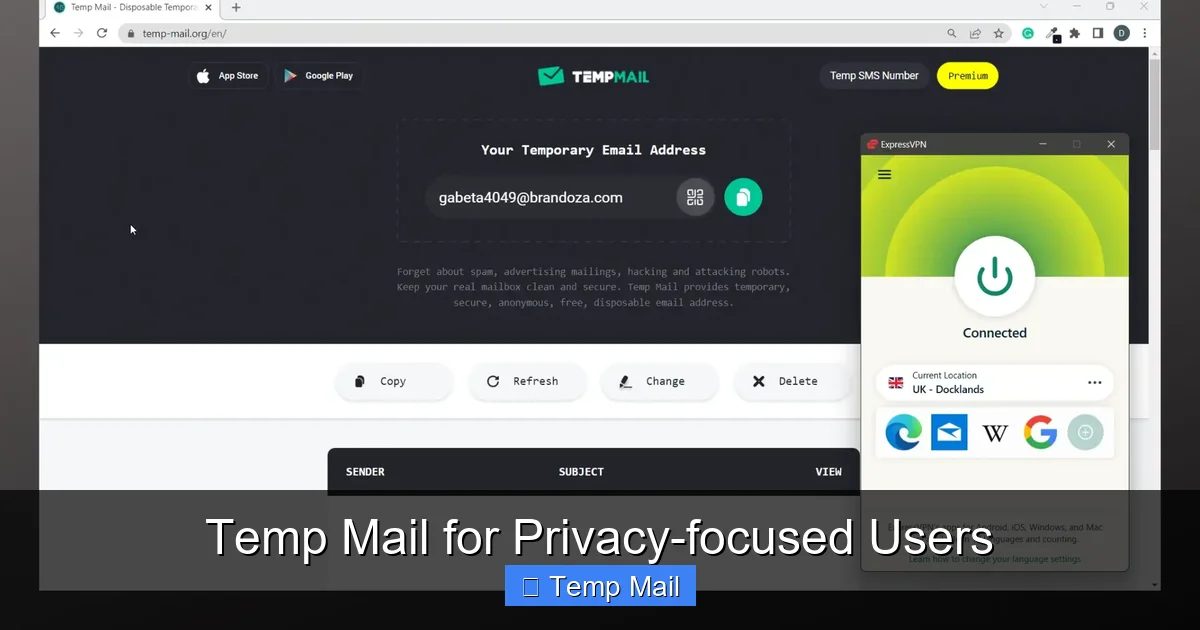
Temp mail—also called disposable or burner email—is a short-lived email address designed to shield your primary inbox from spam, tracking, and data harvesting. For privacy-focused users, it’s a critical tool for maintaining anonymity during one-time online interactions, from forum registrations to software downloads. By understanding its limitations and combining it with other privacy practices, you can significantly reduce your digital footprint and reclaim control over your personal information.
Key Takeaways
- Core Purpose: Temp mail provides a sacrificial email address to protect your primary, personally identifiable email from spam, marketing lists, and potential data breaches.
- Anonymity vs. Security: It offers strong anonymity for sign-ups but is not a secure channel for sensitive communications, as providers can often read messages.
- Key Use Cases: Ideal for account verification, downloading gated content, accessing public Wi-Fi portals, and any interaction where long-term trust isn’t required.
- Provider Selection: Choose services based on privacy policies (no logs, encryption), inbox duration, domain reputation, and ad-load; avoid those requiring personal info.
- Inherent Risks: Emails are temporary and publicly accessible on some services; never use for banking, primary accounts, or any service requiring account recovery.
- Best Practice Integration: Use temp mail as one layer in a broader privacy strategy alongside a VPN, password manager, and separate “burner” personas for different activities.
- Legal & Ethical Use: It is a legitimate privacy tool; misuse (fraud, harassment) is illegal and unethical. Use responsibly to protect your data, not to evade accountability.
📑 Table of Contents
- Introduction: The Inbox as a Privacy Battleground
- What Exactly is Temp Mail? Beyond the “Disposable” Label
- Why Privacy Warriors Need Temp Mail: The Core Use Cases
- Choosing the Right Temp Mail Service: A Privacy Checklist
- The Critical Limitations and Security Realities You Must Accept
- Mastering Temp Mail: Advanced Tactics for the Discerning User
- Conclusion: Temp Mail as a Prudent Tool, Not a Panacea
Introduction: The Inbox as a Privacy Battleground
Your email address is more than a communication tool; it’s a master key to your digital identity. It’s the primary hook for data brokers, the entry point for targeted advertising, and the common thread linking your scattered online activities. For the privacy-focused user, every time you share your real email, you’re handing over a piece of your digital self. This is where temporary email—temp mail—enters the picture not as a convenience, but as a fundamental shield.
Think of your primary email as your home address. You wouldn’t give it to every stranger on the street. Temp mail is like using a generic P.O. box for all those mundane, one-off interactions: picking up a free ebook, signing up for a webinar, or testing a new app. It creates a vital buffer zone, containing the spam and data leakage to a disposable address that vanishes when its job is done. This article isn’t just about what temp mail is; it’s a deep dive into how privacy-centric individuals can wield it strategically, understand its true capabilities and limits, and integrate it seamlessly into a robust personal privacy framework.
What Exactly is Temp Mail? Beyond the “Disposable” Label
The Mechanics: How a Temp Mail Address is Born and Dies
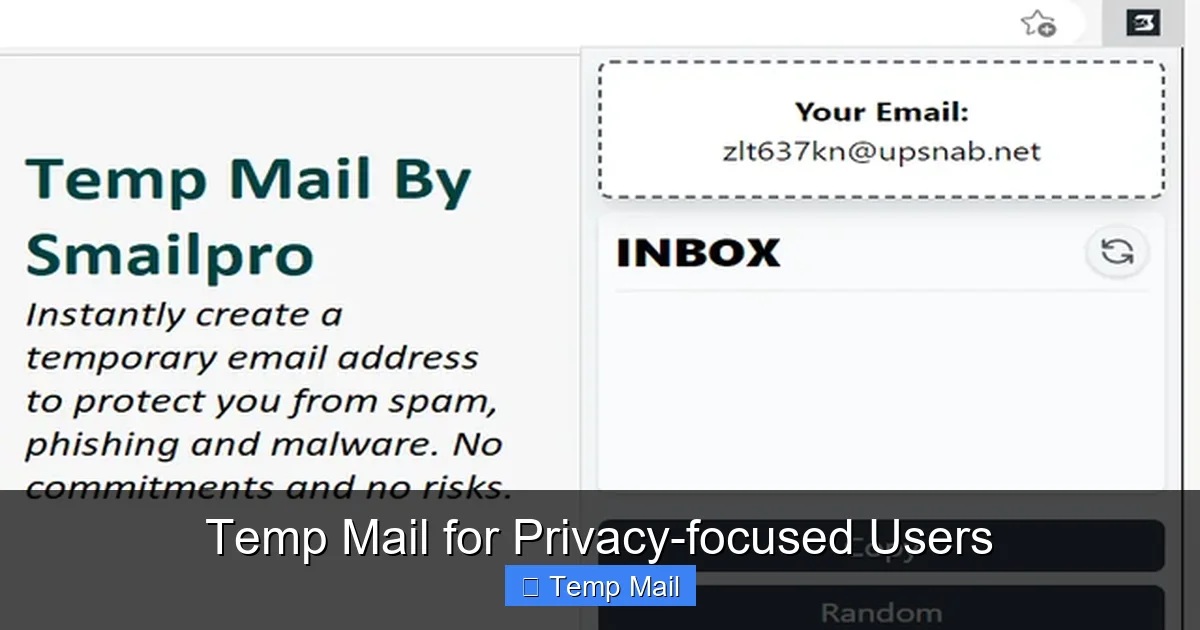
At its core, a temp mail service generates a random email address at a dedicated domain (e.g., `[email protected]`). This address exists solely for you on a publicly accessible web inbox. No password is required to claim it initially—you simply visit the site, and an address is assigned. You use this address to receive a verification link or download file. After a set period (typically 10 minutes to 48 hours) or after the inbox is cleared, the address and all its messages are permanently purged from the server. It’s a digital “burner phone” for your inbox.
Visual guide about Temp Mail for Privacy-focused Users
Image source: addons.mozilla.org
Key Characteristics That Define Privacy-Centric Temp Mail
Not all temp mail services are created equal. For the privacy-focused user, the defining characteristics are:
- Zero-Knowledge Claim: The service should not require registration, personal details, or CAPTCHAs that could be tied back to you. The best ones generate an inbox instantly upon page load.
- No Logs Policy: A clear, audited privacy statement confirming they do not log IP addresses, message contents, or timestamps in a way that could associate an inbox with a user.
- Encrypted Connections (HTTPS): Mandatory for all interactions to prevent network eavesdropping on the messages you receive.
- Self-Destructing Inbox: Automatic deletion after a short, predefined time. Some allow manual clearing.
- Public Inbox Access: Anyone with the exact address can view the inbox. This is a feature (no login needed) and a critical risk (see Security section).
Why Privacy Warriors Need Temp Mail: The Core Use Cases
Case 1: The “Gated Content” Trap
This is the #1 use case. You want a whitepaper, a discount code, or a software trial. The form demands an email. Using your primary email guarantees that address is sold to data aggregators and added to relentless promotional lists. Temp mail lets you bypass the gate, get the file, and vanish. Example: You’re researching cybersecurity tools. A vendor requires an email for a “free threat assessment report.” Use a temp address, download the PDF, and let the inbox expire. Your real email stays off their marketing drip campaign.
Visual guide about Temp Mail for Privacy-focused Users
Image source: imag.malavida.com
Case 2: Forum & Comment Section Armor
Many online forums, news sites, and blogs require email verification to comment or post. This is a classic vector for harvesting active, engaging email addresses for spam or even targeted harassment. A temp address lets you participate in a discussion about a sensitive topic (political, health-related) without creating a permanent, searchable link between your viewpoint and your identity.
Case 3: App & Service “Test Drives”
Want to try a new social media app, a productivity tool, or a game without the commitment? Signing up with your primary email starts a permanent relationship, complete with newsletters and notifications. Using temp mail for the initial trial run allows you to evaluate the service’s value proposition without contaminating your main digital space. If you decide to keep it, you can then consider a more permanent, dedicated email.
Case 4: Public Wi-Fi & Network Portal Login
Coffee shops, airports, and hotels often force you to provide an email to access their Wi-Fi. This is a data collection goldmine for them. A temp address satisfies their requirement while keeping your real email out of their customer database and away from potential security flaws in captive portal systems.
Choosing the Right Temp Mail Service: A Privacy Checklist
The market is flooded with temp mail providers. Many are ad-heavy, log data, or have shady ownership. Here’s how to vet them like a pro.
The Non-Negotiables: What to Look For
- Domain Reputation: Some domains (like `10minutemail.com`) are notorious and get blocked by major services (Google, Microsoft). Research which domains are currently accepted by the sites you frequent. Services offering multiple domain options are better.
- Inbox Lifespan: Is it 10 minutes? 1 hour? 1 day? For most uses, 30-60 minutes is sufficient. Longer isn’t necessarily better, as it increases the window for someone else to stumble upon the public inbox.
- Ad Load & Malvertising Risk: Free services rely on ads. Excessive, aggressive, or low-quality ads are a red flag for poor security practices and potential malvertising (malicious ads). A clean, minimal interface is preferable.
- Feature Set: Do you need to reply? Most don’t allow replies (they’re receive-only). Do you need multiple addresses at once? Some allow managing several inboxes from one dashboard.
Red Flags to Avoid at All Costs
- Any Registration Required: If it asks for an email, phone number, or password to “create” an account, it’s not truly disposable and defeats the purpose.
- Unclear or Missing Privacy Policy: If they don’t explicitly state they don’t log data and messages are deleted, assume they do.
- Requests for “Human Verification” that are Persistent: While a simple CAPTCHA is common, complex puzzles or repeated prompts can be a data-scraping tactic.
- Owned by Known Data Brokers: Some larger marketing companies operate temp mail services as lead generation tools. A quick search for the service name + “data broker” or “parent company” can reveal this.
Recommended Models for Different Needs
The Minimalist: Simple, no-frills sites like Temp-Mail.org or 10MinuteMail (use with caution due to domain blocks). Good for a quick code.
The Power User: Services like SimpleLogin or AnonAddy (though these are more “alias” forwarding services, they offer stronger control and can be used with a custom domain for a semi-permanent, yet privacy-preserving, solution).
The Researcher: For testing multiple sign-ups, find a service that lets you generate several addresses from one tab without switching.
The Critical Limitations and Security Realities You Must Accept
Fact 1: The Inbox is Public by Design
Because no login is required, anyone who guesses or stumbles upon your exact temp address can read your incoming emails. This is the single biggest security limitation. Therefore, never use temp mail for:
- Account recovery for any important service (password resets).
- Receiving sensitive documents (contracts, IDs, financial statements).
- Any communication where confidentiality is expected.
- Two-Factor Authentication (2FA) codes if the service allows email as a method. The codes are live and could be intercepted by a random person checking the same public inbox.
Fact 2: The Provider is a Potential Man-in-the-Middle
While the service doesn’t “know” you personally, the operator of the temp mail server can read all messages that pass through it. A malicious or compromised provider could harvest data from those messages (links, attachments, content). This is why trusting the provider’s stated no-logs policy is an act of faith. For highly sensitive operations, even a temp mail is too risky.
Fact 3: It’s a One-Way Street (Usually)
You can receive, but you almost always cannot send emails from a temp address. This is by design to prevent spam abuse. Don’t try to use it as your primary contact method.
Fact 4: Reputation Damage & Blocking
Disposable email domains have a bad reputation. Many smart services (especially financial, social media giants, and Google/Microsoft) actively block known temp mail domains from registering. You will frequently get “invalid email” errors. This is a necessary trade-off for privacy.
Mastering Temp Mail: Advanced Tactics for the Discerning User
Tactic 1: The “Burner Persona” Ecosystem
Don’t just use random temp addresses. Create a mental model. Have a “shopping” temp address you use for retail newsletters and discount codes. Have a “tech trial” one for software sign-ups. Have a “forum debate” one for controversial comments. This compartmentalization means if one address gets spammed or blocked, it only contaminates that specific slice of your activity.
Tactic 2: Pair with a VPN or Tor
When you visit the temp mail site, your IP address is logged by that site. To prevent this IP from being associated with your subsequent activities on other sites (via browser fingerprinting or timing attacks), use a reputable VPN or the Tor browser. This severs the link between your temp mail session and your real IP location.
Tactic 3: Manual Inbox Clearing & Speed
Don’t let the inbox sit. Once you’ve received the necessary code or file, clear the inbox manually if the service allows it, or just close the tab and let it expire. The shorter the lifespan of the address and its contents, the smaller the attack window.
Tactic 4: Know When to Graduate to an Alias Service
If you find yourself wanting to receive emails from a particular service long-term but without using your main address, consider a email alias/forwarding service like SimpleLogin, AnonAddy, or DuckDuckGo’s Email Protection. These create unique, forwardable aliases (e.g., `[email protected]`) that you can disable at any time. It’s a more robust, longer-term privacy solution than pure temp mail for recurring services you trust but don’t want to fully expose yourself to.
Conclusion: Temp Mail as a Prudent Tool, Not a Panacea
Temp mail is an indispensable instrument in the privacy-focused user’s toolkit. It’s the digital equivalent of a cash purchase or a pseudonym at a hotel—a way to engage with the modern web on your own terms, without surrendering your identity as the cost of entry. Its power lies in its simplicity and disposability, creating a crucial firewall between your core identity and the data-hungry ecosystem of the internet.
However, it is not a magic bullet. Its limitations—public inboxes, non-deliverability, and provider trust—are fundamental to its design. The wise user employs it with precision, for specific, low-stakes interactions where anonymity is the goal and confidentiality is not a requirement. It works best not in isolation, but as one layer in a multi-layered defense that includes a VPN, a password manager, conscious data minimization, and a deep understanding of the trade-offs inherent in every online action. By mastering temp mail, you take a powerful, immediate step toward a cleaner, more private, and more controlled digital life. Start using it today for every non-essential sign-up, and feel the relief as your primary inbox finally stops screaming for your attention.
Frequently Asked Questions
Is using temp mail legal?
Yes, using a disposable email address is completely legal. It is a legitimate privacy and security tool. However, using it to commit fraud, evade legal responsibilities, or harass others is illegal, as with any tool.
Can I use temp mail for important accounts like banking or social media?
Absolutely not. You should never use temp mail for any account you need to recover, that holds monetary value, or that represents your long-term identity. You will be permanently locked out if you lose access to the inbox, and these services often block disposable domains anyway.
Is temp mail secure? Can the provider read my messages?
Security is limited. While the connection is typically HTTPS-encrypted, the provider operates the server and can technically read any message that arrives in the public inbox. Therefore, it is not secure for sensitive information. Its primary strength is anonymity from the recipient, not confidentiality from the provider.
Why was my temp mail address rejected by a website?
The website’s system likely has a blacklist of known disposable email domains. This is a common anti-spam and anti-fraud measure. You’ll need to try a different temp mail service or use a different, more reputable domain. Some sites simply don’t allow any non-corporate or ISP domains.
What happens to my emails after the temp address expires?
They are permanently and irreversibly deleted from the service’s servers. There is no way to retrieve them. This is by design to protect your privacy and the service’s storage resources.
Should I combine temp mail with a VPN?
Yes, doing so is a best practice. Using a VPN when accessing the temp mail site prevents your real IP address from being logged by that service. This adds a stronger layer of anonymity, making it harder to link your temp mail session back to your physical location or ISP.
Leave a Reply