Disposable email for one-time verification is a powerful, free tool for protecting your main email address from spam and data breaches. It creates a temporary, anonymous inbox that self-destructs after a short time or a single use. Perfect for signing up to websites, downloading content, or verifying accounts you don’t plan to keep, it’s a essential practice for digital privacy and inbox hygiene. Use it wisely for low-stakes interactions to keep your permanent identity secure.
Have you ever hesitated to sign up for a free webinar, download a useful-looking template, or create an account on a new forum because it meant handing over your primary email address? You’re not alone. That little voice of caution is spot-on. Every time you enter your email on a website, you’re trusting that company with a key to your digital mailbox. And in an age of relentless marketing and frequent data breaches, that trust is often misplaced. This is where the brilliant, simple concept of disposable email for one-time verification comes into play. It’s not a shady hack; it’s a legitimate and savvy privacy tool for the modern internet user.
Think of your primary email address as your home address. You wouldn’t give it to every random store clerk or survey taker on the street, would you? You’d use a P.O. box or a friend’s address for the stuff that doesn’t matter. A disposable email is exactly that: your digital P.O. box. It’s a temporary, no-strings-attached email inbox you can use for a single purpose, then walk away from forever, leaving no trace behind. In this complete guide, we’ll dive deep into what disposable email is, how it works, its undeniable benefits, the smartest ways to use it, the risks you must know, and how to choose a reliable service. By the end, you’ll be equipped to take control of your inbox and your online privacy.
Key Takeaways
- Core Purpose: Disposable email provides a temporary, anonymous address to shield your primary inbox from spam, marketing emails, and potential data leaks during one-off online interactions.
- How It Works: These services generate a random email address and inbox accessible via a web browser. The inbox and address expire after a set time (e.g., 10 minutes to 24 hours) or once you close the browser tab.
- Primary Benefit: The main advantage is inbox protection. You never give out your real email to untrusted sites, eliminating long-term spam and reducing your digital footprint for that service.
- Ideal Use Cases: Perfect for registering on forums, downloading gated content (e-books, templates), accessing website demos, verifying accounts for apps you’ll try once, and bypassing email gates on questionable sites.
- Key Limitations: You cannot send emails from a disposable address. All received emails are public to anyone with the inbox URL. It is not for banking, primary social media, or any account where recovery or security is critical.
- Security & Privacy: While it hides your identity from the recipient, the disposable email provider itself can see the emails. Choose reputable services with clear privacy policies and no requirement for personal details to generate an address.
- Best Practice: Always assume the temporary inbox is public. Never use it for sensitive information, password resets for important accounts, or any transaction requiring legal or financial verification.
📑 Table of Contents
- What Exactly is Disposable Email?
- The Compelling Benefits: Why You Should Use It
- Perfect Use Cases: When to Break Out the Temp Mail
- The Critical Risks & Limitations: What You Must Not Do
- How to Choose a Reliable Disposable Email Service
- The Future & Alternatives: Beyond Simple Temp Mail
- Conclusion: A Simple Tool for a Complex Problem
What Exactly is Disposable Email?
At its core, a disposable email (also called temporary mail, throwaway email, or temp mail) is a service that provides you with a randomly generated email address and a corresponding inbox. This inbox exists for a very short, predefined period—usually anywhere from 10 minutes to 24 hours—or until you manually delete it. The defining characteristic is its ephemeral nature. It’s designed for a single, specific task and then it vanishes.
The Mechanics: How a Temporary Inbox is Created
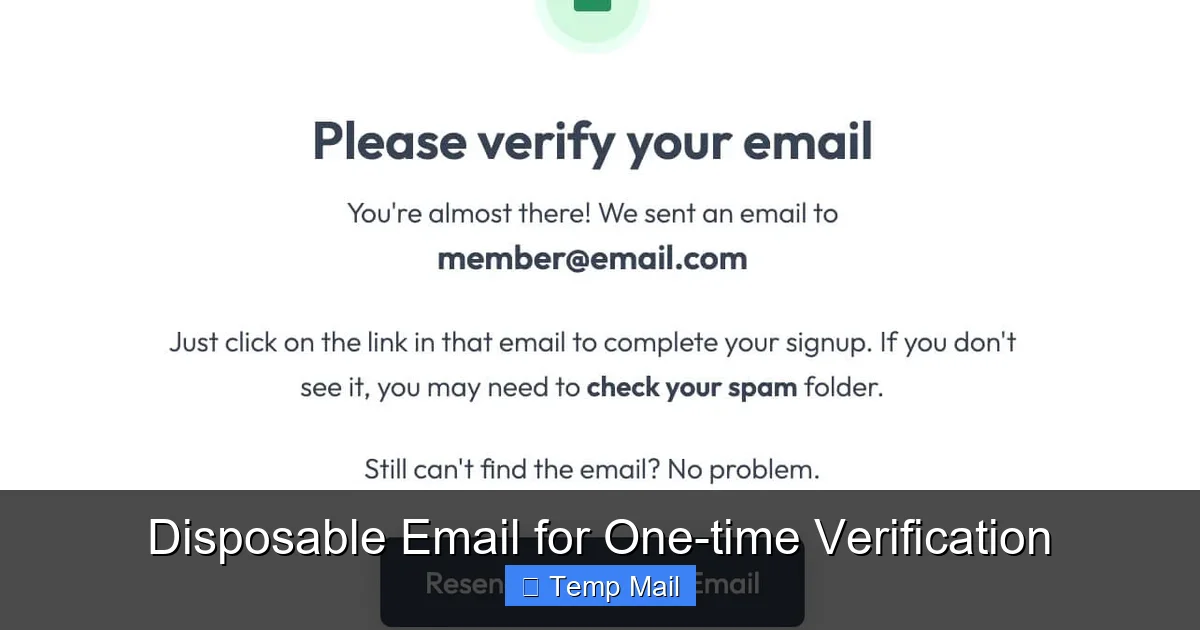
You don’t need to register or create an account to get a disposable email. That’s the beauty of it. You simply visit a provider’s website, like Temp-Mail, Guerrilla Mail, or Maildrop. The site instantly generates a random email address for you (e.g., [email protected]) and displays a web-based inbox interface. Any emails sent to that address are captured and displayed right there on the page. There is no password, no login, and no persistent account. The entire system is built for instant, anonymous access.
Some services allow you to customize the local part (the part before the @) or choose from a few domain options. The inbox is typically accessible via a unique URL that you keep open in your browser tab. If you close that tab, you can often return to the same inbox later using that same URL, as long as the expiration timer hasn’t run out. Once the time is up, the address is recycled, and the inbox and all its contents are permanently deleted from the server.
The Compelling Benefits: Why You Should Use It
Using a disposable email for one-time verification isn’t just about avoiding a few extra marketing newsletters. It’s a foundational step in managing your digital identity and security.
Visual guide about Disposable Email for One-time Verification
Image source: devdude.com
1. Ultimate Spam Prevention
This is the most obvious and valuable benefit. When you use your real email to sign up for a service, you’re often agreeing (sometimes buried in fine print) to receive promotional emails. Even if you unsubscribe later, your email is now on a list that can be sold to other marketers. A disposable address acts as a perfect firewall. All that promotional noise gets sent to an inbox that will self-destruct in an hour. Your primary inbox remains pristine, only receiving emails from people and services you genuinely trust and want to hear from.
2. Enhanced Privacy & Reduced Digital Footprint
Every account you create with your real email is a data point that links your identity to a website. In the event of a data breach (which is terrifyingly common), hackers can sell or use that email/username combination to attack you on other platforms, especially if you reuse passwords. By using a temporary email, you sever that link. The website has no way to tie that anonymous, fleeting address back to your real identity. You significantly reduce the number of services that have a persistent email identifier associated with you.
3. Bypassing Email Gates & Accessing Content
Many websites and blogs use “email gates” to access valuable content like whitepapers, e-books, or webinar recordings. They ask for your email in exchange for the download. While sometimes legitimate, often this is just a lead generation tactic. A disposable email lets you get the content you want without committing your primary address to their sales funnel. It’s a fair exchange: you get the resource, they get a meaningless email address that bounces after an hour.
4. Testing & Development
For app developers, testers, or anyone building software that requires email verification, disposable emails are indispensable. You can quickly generate a new address for each test account, verify it, perform your tests, and move on without cluttering your personal or work inbox with dozens of automated “Welcome!” and “Verify your email” messages.
5. Avoiding Account Linking
If you want to browse a service anonymously or create a separate, unlinked account (e.g., a second social media profile for a hobby), using your main email immediately ties the accounts together. A disposable email allows you to create that second account without revealing it’s connected to your primary identity.
Perfect Use Cases: When to Break Out the Temp Mail
Knowing *when* to use a disposable email is as important as knowing how. Here are the prime scenarios where it’s the smart choice.
Visual guide about Disposable Email for One-time Verification
Image source: assets-global.website-files.com
Downloading Gated Content
You see a blog post titled “The Ultimate Free Budget Template” but before you can download the Excel file, you need to enter your email. Is this template worth getting on a marketing list? Probably not. Use a disposable address. Get the file, and forget about it.
Signing Up for One-Time Access or Trials
You want to try a new SaaS tool’s 14-day trial. They ask for an email. Instead of using your work email (which might get follow-up sales calls) or your personal email (which will get spam), use a temp address. Complete your trial, evaluate the tool, and walk away. No cleanup needed.
Registering on Forums or Commenting Platforms
You have a specific, one-time question on a technical forum or want to comment on a news article that requires an account. Creating a permanent account with your real email is overkill. A disposable email gets you past the gate quickly and anonymously.
Accessing Wi-Fi or Public Services
Some airports, hotels, or cafes require you to “register” with an email to get Wi-Fi access. This is often just for marketing. Use a disposable address to get the password and connect without signing up for a newsletter you’ll never read.
Bypassing “Email Required” on Dubious Sites
You land on a website that looks sketchy but you need to see a piece of information. It demands an email to proceed. This is a classic disposable email scenario. Get in, get the info, and close the tab. Your real email never touches their servers.
The Critical Risks & Limitations: What You Must Not Do
Disposable email is a powerful tool, but it has clear boundaries. Using it incorrectly can backfire and cause real problems.
Visual guide about Disposable Email for One-time Verification
Image source: pcrisk.pt
1. No Sending Capability
These inboxes are receive-only. You cannot compose and send emails from a disposable address. It’s a one-way street. If a service requires you to *send* an email (like for some password recovery processes), a disposable address won’t work.
2. Inherent Publicity & Lack of Privacy
This is the biggest misconception. The inbox is not private. Anyone who knows the unique URL to your temporary inbox can view all emails received there. The service provider themselves can see the contents. Never, ever use a disposable email for:
- Banking, financial services, or cryptocurrency accounts.
- Primary social media accounts (Facebook, Twitter, Instagram, LinkedIn).
- Any account where password recovery is sent via email. If you lose access, you’re locked out forever.
- Official government correspondence, legal documents, or healthcare portals.
- Any communication containing sensitive personal information (SSN, ID numbers, confidential documents).
3. Short Lifespan Means Lost Access
By design, the inbox disappears. If you need to access a verification code or a downloaded file link later, it will be gone. You must complete the entire verification process in one browser session while the inbox is active. Do not close the tab until you’ve finished.
4. Some Websites Block Known Disposable Domains
Many legitimate services (like Google, Microsoft, major social platforms, and most banking sites) actively maintain blocklists of disposable email domains. They will simply refuse to let you sign up with an address from tempmail.demo. This is a security measure for them, but it means you can’t use a disposable email for services where you actually want a lasting account.
5. Potential for Abuse & Reputation
Because they are anonymous, disposable emails are frequently used for spam, fraud, and creating fake accounts. If a service you use gets abused by someone using a disposable email from a specific provider, that provider’s entire domain might get a bad reputation and be blocked by other services (like email servers). This can sometimes lead to your legitimate, non-disposable emails being flagged as spam if they share the same domain name (unlikely with major providers, but possible with smaller ones).
How to Choose a Reliable Disposable Email Service
Not all temp mail services are created equal. Some are ad-supported free-for-alls, while others offer more features for a fee. Here’s what to look for.
Key Features to Prioritize
- No Registration Required: The gold standard. You should get an address immediately upon visiting the site, with zero personal information requested.
- Customizable Address (Optional but Helpful): The ability to choose your username (e.g., [email protected]) makes it easier to remember or share if needed for a specific verification.
- Multiple Domain Options: If one domain is blocked by a site you’re trying to access, having a choice of domains (e.g., @tempmail.com, @tmpmail.org, @dispostable.com) can help you bypass the block.
- Reasonable Expiry Time: 10-60 minutes is standard and sufficient for most verification tasks. Some offer 24 hours, which is useful for multi-step processes.
- Clean, Ad-Light Interface: Some free services bombard you with aggressive, misleading ads that look like download buttons. Choose a provider with a clean, functional webmail interface.
- Clear Privacy Policy: Read it. Does the service log IP addresses? Do they claim to never store or read emails? Reputable services will state that emails are deleted from servers immediately after expiry and they do not access user content.
Popular Reputable Providers (Examples)
Services like Temp-Mail, Guerrilla Mail, Maildrop, and 10 Minute Mail have been around for years and are generally trusted for basic one-time verification. They offer the core features listed above. For more advanced needs, like API access for developers or longer inbox times, paid services like SimpleLogin or AnonAddy (which are actually email alias forwarding services, not pure disposable mail) provide more control and privacy, but they require account creation.
The Future & Alternatives: Beyond Simple Temp Mail
The landscape of email privacy is evolving. While classic disposable email is here to stay, new models are emerging.
Email Aliasing: The More Robust Cousin
Services like SimpleLogin, AnonAddy, and Firefox Relay create unique, forwardable email aliases (e.g., [email protected]) that forward to your real inbox. You can delete the alias at any time, stopping all emails from that sender. Unlike disposable mail, aliases are persistent until you kill them, you can send replies from them, and they feel more like a “real” email address to the recipient. This is an excellent upgrade for long-term privacy on sites where you want an account but don’t want to use your primary email.
Built-in Features from Providers
Some forward-thinking email services are adding privacy features. For example, Gmail’s “+” trick (adding +something to your address) can help filter emails, but it doesn’t hide your core address. Apple’s “Hide My Email” feature, available with an iCloud+ subscription, automatically generates unique, random email addresses that forward to your main Apple ID email. This is a seamless, integrated solution for Apple ecosystem users.
The Role of Regulations
Laws like GDPR in Europe and CCPA in California give users more rights over their data, including the right to be forgotten. While not directly about disposable email, these regulations make it harder for companies to hold onto your data indefinitely, which complements the “use and lose” philosophy of temporary email.
Conclusion: A Simple Tool for a Complex Problem
Disposable email for one-time verification is more than just a convenience; it’s a fundamental tool for digital self-defense in 2024. It’s the digital equivalent of wearing a mask in a crowd—you’re not doing anything wrong, you’re simply choosing not to reveal your identity to every single entity you interact with. The spam in your primary inbox isn’t just a nuisance; it’s a symptom of how your personal information is treated as a commodity. By adopting the habit of using a temporary email for any sign-up that isn’t critical to your life or finances, you take a powerful, proactive step.
You reclaim your inbox as a space for meaningful communication. You shrink your attack surface for data breaches. You assert a tiny bit of control over a data-hungry internet. Start today. The next time a website asks for your email to download a PDF or view a demo, pause. Open a new tab, generate a disposable address, and use that instead. Experience the quiet satisfaction of closing that tab knowing your real email is safe, and that the digital trail you just left will vanish into thin air. It’s a small habit with a massive impact on your online peace of mind.
Frequently Asked Questions
Is using disposable email legal and safe?
Yes, using disposable email is completely legal and a safe practice for privacy when used correctly. The safety risk comes from using it for important accounts (like banking) where you need reliable access and security, not from the act of creating a temporary address itself.
Can websites detect that I’m using a disposable email?
Yes, many websites maintain lists of known disposable email domains and will block them during sign-up. This is common for financial services, major social platforms, and email providers like Gmail or Outlook who want to prevent abuse. If your temp email is blocked, you’ll need to use a real address or try a different disposable domain if the site allows it.
What happens to the emails sent to a disposable address?
Emails are stored on the disposable service’s server and displayed in your web-based inbox. Once the inbox expires (due to time limits or browser closure), all stored emails and the address itself are permanently deleted from the server and are unrecoverable.
How is disposable email different from an email alias?
Disposable email is typically receive-only, anonymous, and short-lived. An email alias (from services like SimpleLogin) is a unique forwardable address linked to your real inbox. You can send from it, it persists until you delete it, and it offers more functionality for long-term use on less-trusted sites.
What is the best practice for using a disposable email?
The golden rule: use it for one-time, non-critical interactions only. Complete the entire verification or download process in a single browser session without closing the tab. Never use it for any account where you need password recovery, legal verification, or to receive sensitive information.
What should I do if I accidentally used my disposable email for an important account?
If you’ve used a disposable email for an account you now need to keep (like a social media profile), check immediately if the service allows you to change the email address in account settings. If not, you may be locked out of that account forever when you lose access to the temporary inbox. For critical services, always use a permanent, accessible email from the start.
Leave a Reply