Protect your privacy and avoid spam by using a temporary email for non-essential online sign-ups. This simple method gives you a disposable address that expires, keeping your real inbox clean and secure from unwanted marketing and potential data breaches. It’s the fastest way to register for websites or downloads without long-term commitment or risk.
How to Use Temp Mail for Online Accounts
Ever signed up for a new app or website, only to be bombarded with promotional emails for the next six months? You’re not alone. I’ve been there, scrolling through a clogged inbox wondering which service sold my details. It’s frustrating. That’s exactly why I started exploring temp mail—a simple, clever tool that completely changed how I handle online sign-ups. Think of it like a disposable phone number, but for your email. It’s not magic, but it’s pretty close for the right situations.
In this guide, we’ll walk through exactly how to use temp mail for online accounts. I’ll share the honest pros and cons, practical steps, and real examples from my own experience. No fluff, just clear advice to help you protect your primary inbox and privacy. By the end, you’ll know exactly when and how to use a disposable email service effectively and safely.
Key Takeaways
- Protect your primary inbox: Use temp mail to sign up for sites that may send spam.
- Generate emails instantly: Get a disposable address without any registration or personal details.
- Mind the expiration: Temp emails are short-lived, often disappearing within hours.
- Avoid for critical accounts: Never use temp mail for banking, password recovery, or essential services.
- Manually check the inbox: You must visit the temp mail site to view messages; they won’t forward.
- Choose reputable providers: Select well-known temp mail services for better reliability and security.
- Use for one-time verification: Ideal for bypassing email verification on non-essential platforms.
📑 Table of Contents
What is Temp Mail?
Let’s start with the basics. Temp mail, short for temporary mail, is a service that provides you with a disposable email address. This address works for a short period—usually 10 minutes to a few hours—and then automatically vanishes. It’s designed for one-time or short-term use, like signing up for a website you’re trying out or downloading a resource that requires an email.
How It Works
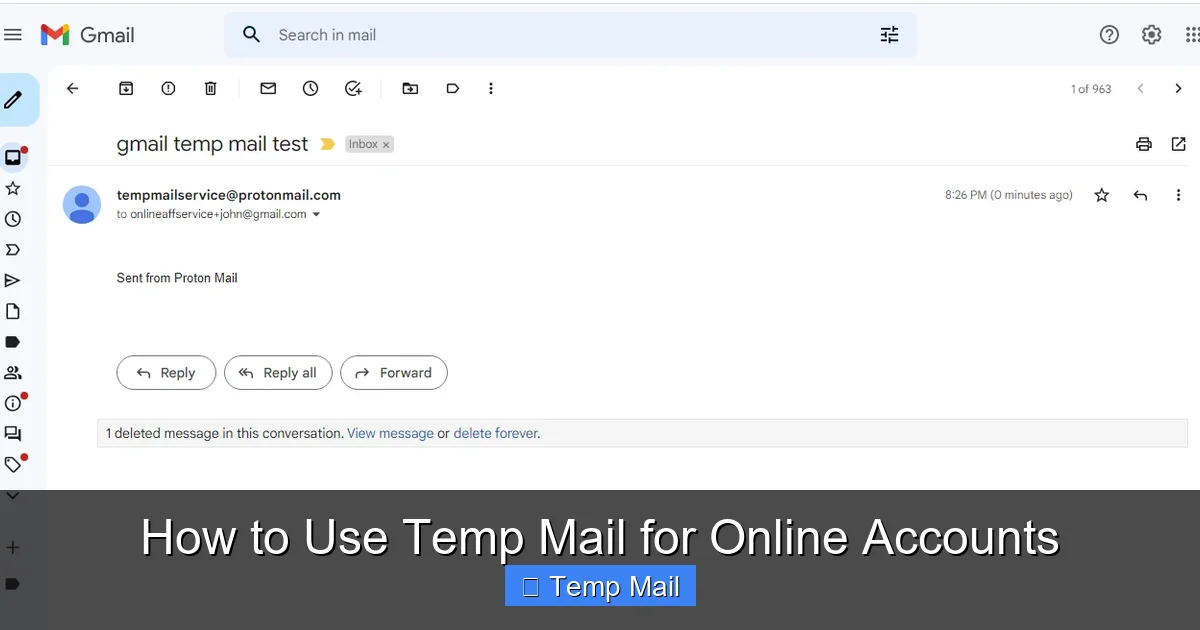
Here’s the simple process: you visit a temp mail website, and it instantly generates a random email address for you (like [email protected]). That inbox is displayed on the same page. You copy that address, use it to sign up elsewhere, and then check for a verification email right there on the temp mail site. Once the time limit expires, the address and all its emails are deleted forever. No trace left behind.
Key Features of a Good Service
Not all temp mail services are created equal. A reliable one should offer:
- No registration required: You shouldn’t need to create an account to get an email.
- Auto-deletion: Emails and the address should disappear after the set time.
- Inbox refresh: A button to manually check for new emails.
- Attachment support: Ability to receive files (though often limited).
- Multiple domain options: Some services let you choose from different email domains.
Why Use Temp Mail for Online Accounts?
This is the core question. Why go through the extra step of using a temp mail? For me, it boils down to three main reasons: fighting spam, guarding my privacy, and testing services without commitment.
Visual guide about How to Use Temp Mail for Online Accounts
Image source: tmailor.com
Combat Spam and Clutter
This is the biggest win. Every time you use your primary email to sign up for a new service, you’re trusting that company with your contact info. Many sell or share email lists, leading to endless promotional blasts. A temp mail acts as a shield. I use it for anything that feels like a one-off: a free webinar, a discount code for a store I’ll probably never shop at again, or a forum I’m just browsing. The verification email goes to the disposable inbox, and when it self-destructs, so does the potential for future spam.
Protect Your Privacy
Your email address is a key piece of your digital identity. It can be used to track your online activity, link your accounts, and even attempt phishing attacks. By using a temp mail for low-stakes sign-ups, you reduce the number of places that have your real email. It’s a simple way to practice data minimization—only giving out personal info when absolutely necessary.
Test Services Risk-Free
Before committing to a paid service or a platform I’m unsure about, I like to test the waters. A temp mail lets me create a trial account without linking it to my main identity. If the service is sketchy or I don’t like it, I can walk away cleanly. No need to worry about unsubscribing later or having my real email caught in a data breach from a poorly secured site.
How to Choose the Right Temp Mail Service
With so many options out there, picking a temp mail service can feel overwhelming. I’ve tried dozens, and I look for a few key things. Reliability is top—you don’t want the inbox to load slowly or emails to disappear before you read them. Here’s what else matters.
Visual guide about How to Use Temp Mail for Online Accounts
Image source: 10-minutemail.com
Lifespan and Auto-Deletion
Check how long the email lasts. Some give you 10 minutes, others 24 hours or even a few days. For most quick sign-ups, 30 minutes to an hour is plenty. If you need longer (like for a service that sends a delayed email), look for options with extended lifespans. The auto-deletion timer should be clear on the interface.
Attachment Support
Can the service receive files? Many temp mail providers block attachments for security reasons. If you’re signing up for a site that might send a PDF guide or a small image, you’ll want attachment support. It’s not critical for every use, but good to have.
Browser Extensions and Mobile Apps
I prefer services that offer a browser extension or a mobile app. It makes checking your disposable inbox way easier without having to open a new tab and search for the site every time. Some even let you generate a temp mail address directly from your browser toolbar.
To give you a clearer picture, here’s a comparison of some popular temp mail services based on common features:
| Service | Typical Lifespan | Attachment Support | Browser Extension/App | Best For |
|---|---|---|---|---|
| 10MinuteMail | 10 minutes (extendable) | No | No | Very quick, one-time verifications |
| Guerrilla Mail | 60 minutes (can reset timer) | Yes (limited) | Yes (Chrome/Firefox) | General use, slightly longer sessions |
| Temp-Mail.org | Up to 48 hours (auto-deletes after) | Yes | Yes (Android app) | When you need a longer-lasting address |
| Mailinator | Inbox public, no password (deletes after ~24h) | Yes (with premium) | Yes (multiple platforms) | Public inbox viewing, team use cases |
Note: Features and policies can change. Always check the service’s current terms before use.
Step-by-Step: Using Temp Mail to Create an Online Account
Alright, theory aside. Let’s get practical. Here’s exactly how I use temp mail for a typical online sign-up, from start to finish.
Visual guide about How to Use Temp Mail for Online Accounts
Image source: 10-minutemail.com
Step 1: Pick a Reputable Service and Open It
I usually go with Guerrilla Mail or Temp-Mail.org for their balance of features and reliability. Open the website in your browser. You’ll see a random email address already generated for you, along with an inbox area that’s empty for now.
Step 2: Generate (or Customize) Your Disposable Address
Most services give you a random address. Some let you customize the local part (the part before @) if you want something memorable. For security, I stick with the random one. Copy the full email address to your clipboard.
Step 3: Use It for Sign-Up
Go to the website or app you want to join. In the email field, paste the temp mail address. Fill out the rest of the form and submit. If the service requires email verification, they’ll send a confirmation link to your disposable inbox.
Step 4: Check Your Inbox and Verify
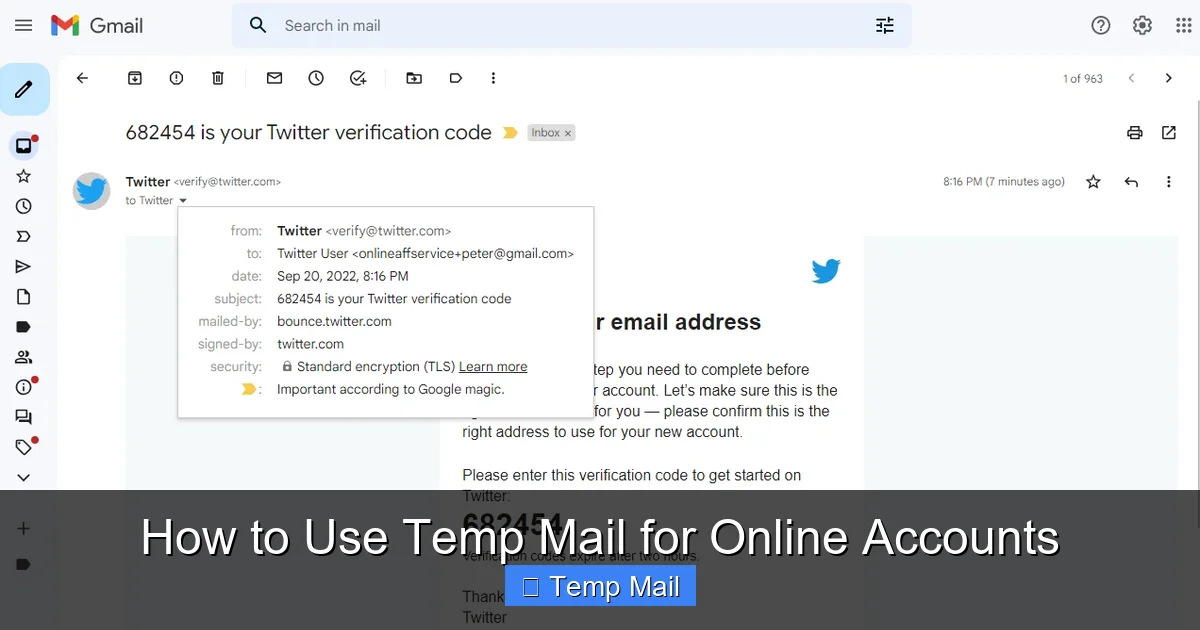
Switch back to the temp mail tab. Hit the “Check Inbox” or “Refresh” button (some auto-refresh). You should see the verification email appear. Click on it to open, then click the verification link inside. This usually opens a new tab confirming your account is active. You can then close that tab.
Step 5: Delete and Move On
Once you’ve completed the sign-up and any necessary verification, you’re done with that temp mail address. You can simply close the browser tab. The service will automatically delete the address and its contents after the timer runs out. There’s no need to manually delete anything (though some services offer a “delete now” button if you’re in a hurry).
Best Practices for Safe and Effective Use
Using temp mail is straightforward, but a few best practices will make it smoother and safer. Think of these as my personal rules of the road.
Ideal Use Cases: When to Definitely Use It
- Downloading free resources: E-books, templates, or whitepapers that gate content behind an email.
- Signing up for trials: Software or service trials where you’re just testing functionality.
- Accessing public Wi-Fi portals: Many cafes and airports require an email to log in.
- One-time discounts or coupons: Retail sites offering a first-purchase discount.
- Forums or comment sections: Platforms that require registration to post.
Accounts to Avoid: When NOT to Use Temp Mail
This is critical. Never use a temp mail for anything important. That includes:
- Financial accounts: Banking, PayPal, investment platforms.
- Primary cloud storage: Google Drive, Dropbox, iCloud.
- Social media profiles: Facebook, Instagram, Twitter (you’ll need to recover the account later).
- Any account with recovery options: If you forget your password, the reset email goes to the disposable address—which is already gone. You’ll be locked out forever.
- Work or school-related services: Anything official or tied to your real identity.
Managing Multiple Temp Emails
If you’re using temp mail frequently, you might end up with several active disposable addresses at once (e.g., one for shopping, one for forums). I keep it simple: use a different browser window or incognito window for each service to avoid mixing up inboxes. Or, use a service that lets you have multiple inboxes from one dashboard, like Mailinator’s private domains.
Risks and Limitations: What Temp Mail Can’t Do
It’s not all sunshine and no spam. Temp mail has clear limitations, and understanding them prevents headaches. Let’s be real about the downsides.
Sites That Block Disposable Emails
Many reputable platforms actively block known temp mail domains. They do this to prevent abuse, fraud, and spam. If you try to sign up with a disposable address on a site like Netflix, LinkedIn, or most major banks, you’ll get an error message saying the email is invalid. There’s no workaround here—you’ll need a real email for those services.
Security Considerations
A temp mail inbox is not secure by design. The address is often public or easily guessable. Anyone with the URL could potentially see the inbox if it’s not password-protected (many aren’t). Therefore, never use it for sensitive communications, password resets for important accounts, or anything containing personal data. Think of it as a public mailbox—anyone can look inside.
Not for Critical Account Recovery
I touched on this earlier, but it bears repeating. If you use temp mail for an account and later forget your password, you’re stuck. The recovery email has vaporized. You’ll have to contact customer support (if possible) or abandon the account. This makes temp mail unsuitable for any service you might need to access long-term.
Conclusion: A Handy Tool in Your Privacy Toolkit
So, there you have it. Using temp mail for online accounts isn’t a complicated hack—it’s a straightforward, practical habit that can dramatically reduce inbox clutter and protect your primary email from unnecessary exposure. From my experience, it’s become an automatic step whenever I’m trying out a new website or grabbing a freebie online.
Remember the golden rule: temp mail is for low-stakes, non-essential sign-ups only. It’s your disposable shield against spam, not a replacement for your permanent email. Choose a reliable service, follow the simple steps we covered, and always be mindful of the risks. When used wisely, it’s a small change that makes your digital life a lot cleaner and more private. Give it a try next time you hesitate to enter your real email—you might just wonder how you ever signed up for things without it.
Frequently Asked Questions
Is using temp mail safe for online accounts?
Yes, using a temporary email address is generally safe for signing up for non-critical websites, forums, or newsletters. It protects your primary inbox from spam and potential data breaches by isolating your main identity. However, you should never use it for important accounts like banking, primary social media, or any service requiring long-term access or password recovery.
How do I get a temp mail address to sign up?
Getting a temp mail address is instant and simple. Visit a reputable temporary email service website like Temp-Mail.org or 10MinuteMail.com, and a random, valid email address is generated for you automatically. You can then copy this address and use it during the registration process for any website that asks for an email.
Can I use temp mail for any website or app?
No, you cannot use temp mail for every service. Many popular platforms, including Google, Apple, Facebook, and major banking or payment apps, actively block known disposable email domains to prevent fraud and abuse. Always check if the service explicitly requires a “permanent” email during sign-up, as temp mail will likely be rejected.
How long does a temp mail inbox last?
The lifespan of a temp mail inbox varies by provider, typically ranging from 10 minutes to 24 hours. Most services automatically delete the inbox and its contents after a set period of inactivity. If you need to access a verification email, you must do so within that active window before the address and all its messages expire permanently.
What happens if I lose access to my temp mail?
If you lose access to your temporary email inbox (because it expired or you closed the browser), you also lose the ability to receive any verification emails or password reset links sent to that address. This means you will be unable to log into or recover the account associated with that temp mail, effectively locking you out of that online account forever.
Why do some websites block temp mail addresses?
Websites block temp mail to reduce spam, fake account creation, and fraudulent activity. Disposable emails make it easy for bad actors to create numerous anonymous accounts without traceability. For the website owner, this helps maintain a legitimate user base, comply with regulations, and prevent abuse of their platform’s resources or features.
Leave a Reply