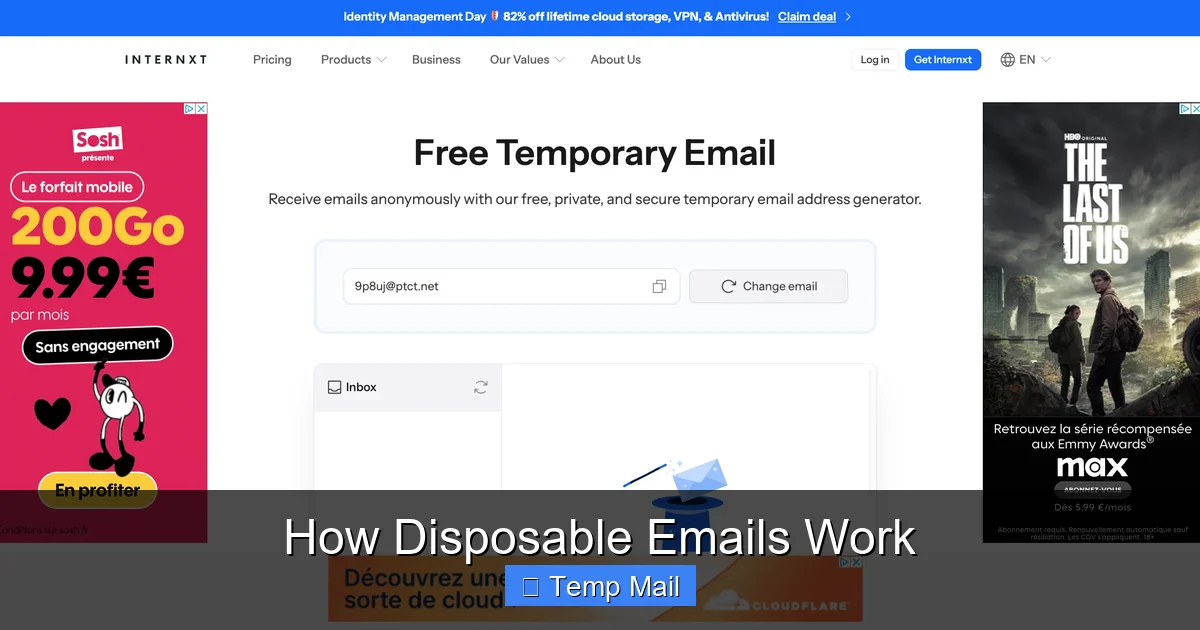
Disposable emails are temporary, throwaway email addresses that self-destruct after a short time or a few uses. They work by routing messages through a public, anonymizing server, shielding your real inbox from spam and data harvesters. Perfect for one-time sign-ups or testing, they are a vital tool for digital privacy, but come with important limitations you must understand before use.
Ever felt that pang of hesitation when a website asks for your email address? You want the free guide, the discount code, or to just read that one article, but handing over your primary email feels like opening your front door to a stranger who might never leave. This is the exact problem disposable email services were built to solve. But how do they actually work? It’s not magic, but a clever, simplified system designed for one thing: temporary, anonymous communication. Let’s pull back the curtain and understand the mechanics, the benefits, and the crucial caveats of these digital smoke bombs.
Key Takeaways
- Core Function: Disposable emails act as a protective shield, creating a temporary middleman address that forwards mail to your real inbox (or displays it on a web page) without revealing your identity.
- Anonymity Through Public Inboxes: They rely on publicly accessible, shared inboxes where anyone can view messages sent to a specific random address, eliminating the need for account creation or passwords.
- Primary Use Case: Their main job is to combat spam and prevent your primary email from being sold to marketers or compromised in a data breach during low-trust online interactions.
- Not for Critical Accounts: Never use them for banking, primary social media, or any account where password recovery or long-term access is essential; you will lose access permanently.
- Security vs. Privacy: They offer privacy (hiding your identity) but generally not security (encryption), as messages are often stored in plain text on a shared server accessible to others.
- Limited Lifespan: These addresses have a built-in expiration, typically ranging from 10 minutes to 48 hours, after which the inbox and all contained messages are permanently deleted.
- Detection is Common: Many websites actively block known disposable email domains to prevent abuse, so they won’t work everywhere.
📑 Table of Contents
- The Fundamental Concept: A Public, Shared Inbox
- The Step-by-Step Journey of a Disposable Email
- Why and When to Use a Disposable Email (The Practical Use Cases)
- The Critical Limitations and Risks You Must Know
- Disposable Email vs. Alternatives: Aliases, VPNs, and Burner Phones
- Best Practices: How to Use Disposable Emails Wisely
- Conclusion: A Powerful Tool for a Specific Job
The Fundamental Concept: A Public, Shared Inbox
At its heart, a disposable email service is incredibly simple. Unlike Gmail or Outlook, which create a unique, password-protected inbox just for you, a disposable email service creates a unique, public inbox. Think of it less like a locked mailbox at your house and more like a glass display case in a busy town square. Anyone who knows the specific, randomly generated address (e.g., [email protected]) can walk up, look inside, and read any message placed there.
No Accounts, No Passwords, No History
The revolutionary simplicity is in the lack of setup. You don’t register. You don’t choose a password. There is no “log in.” You simply visit the disposable email provider’s website, and it instantly generates a random email address for you. That’s it. The inbox for that address is already created and waiting on their server. You see the address on your screen, and you can start using it immediately. The service’s server is configured to accept any incoming mail for any address on its domain and display it on a web page linked to that specific random string of characters.
The Step-by-Step Journey of a Disposable Email
Let’s trace the lifecycle of a typical disposable email, from creation to deletion, to see exactly where your data goes—and where it doesn’t.
Visual guide about How Disposable Emails Work
Image source: funkyspacemonkey.com
Step 1: Generation & Receipt
You visit a site like Temp-Mail.org or 10MinuteMail.com. The service instantly presents you with an address, say, [email protected]. You copy this and paste it into a forum’s registration form. When the forum sends a confirmation email, it doesn’t go directly to you. It goes to the mailsac.com server.
Step 2: Server Processing & Display
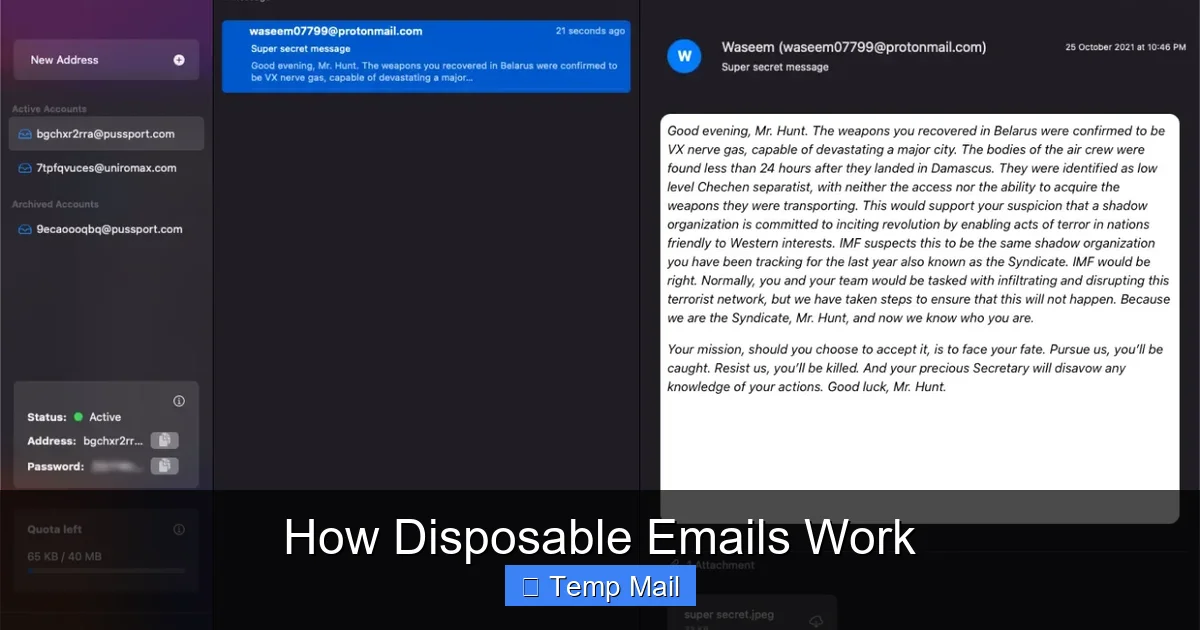
The disposable mail server receives the email. Because the recipient is x7f9q2 (a valid address on its system), it doesn’t reject it. It doesn’t try to forward it anywhere else. Instead, it stores the email in a database, tagging it with that unique address string. Meanwhile, on your browser tab open to the disposable email site, a script is constantly refreshing or polling the server, asking, “Any new mail for x7f9q2?” When the email arrives, the server sends it to your browser, and it appears in the inbox window.
Step 3: Access & Potential Forwarding
You see the confirmation email, click the link, and you’re verified. Some advanced disposable services offer a temporary “forwarding” feature. You might be able to enter your *real* email address into a field on their site, and they will forward any incoming messages from the disposable address to your real inbox for a limited time. This adds a layer of convenience but also means the service now has a link between the disposable address and your real one, slightly reducing anonymity.
Step 4: Automatic Expiration & Wipe
This is the core “disposable” mechanic. A timer starts as soon as the address is generated. After 10 minutes, 1 hour, or 24 hours (depending on the service), the system automatically executes a purge. The database entry for x7f9q2 is deleted. The inbox on the website vanishes. That email address is now gone forever. Any future emails sent to it will bounce or be silently discarded. The digital trace is erased from the service’s active system.
Why and When to Use a Disposable Email (The Practical Use Cases)
Knowing the “how” is useless without the “why.” These tools have very specific, powerful applications.
Visual guide about How Disposable Emails Work
Image source: funkyspacemonkey.com
1. The Spam Shield for One-Time Downloads
This is the #1 use case. You find a fantastic whitepaper, a useful software trial, or a coupon code that requires an email. You have zero intention of hearing from the company again. Using a disposable email gets you the download link instantly while ensuring your primary inbox stays pristine. The marketing emails they inevitably send will go to the disposable address, which will self-destruct in an hour, leaving no trace.
2. Forum & Comment Section Registration
Many online forums or news sites with comment sections require registration to prevent trolls. You want to participate once or twice but don’t want to create yet another permanent account that will be targeted by spam or, worse, have its password leaked in a future breach. A disposable email lets you meet the site’s requirement without committing your identity.
3. Testing & Development
Developers and QA testers use disposable emails constantly. When building a sign-up flow, they need to test email verification, password reset links, and notification systems. Creating hundreds of real Gmail accounts is impractical. A disposable email service allows them to generate as many test addresses as needed, check the emails, and move on without cluttering a real inbox.
4. Privacy-Conscious Browsing
For the privacy advocate, every data point matters. Using a disposable email for any non-essential service minimizes your “email footprint.” It breaks the chain of data brokers who aggregate your online activity by email address. If a site you used once with a disposable email gets hacked, your real email isn’t in that breach database.
The Critical Limitations and Risks You Must Know
Disposable emails are a tool, and like any tool, they are dangerous if used incorrectly. Their limitations are just as important as their functions.
Visual guide about How Disposable Emails Work
Image source: mailtemp.uk
1. The “No Recovery” Rule is Absolute
If you use a disposable email to sign up for an account and then forget your password, you are locked out forever. There is no “forgot password” link that works because there is no inbox to receive the reset email after the address expires. You will have to create a new account, if allowed. This makes them utterly unsuitable for any service you need to access long-term.
2. They Are Often Blocked
Because of their association with fraud and spam, many major platforms—especially social media sites like Facebook and Twitter, financial services, and reputable SaaS companies—maintain and constantly update lists of disposable email domains. Their registration systems will actively reject these addresses. You’ll get an error message like, “Please provide a valid email address.” So, they are not a universal key.
3. Security is Not Guaranteed
Do not confuse privacy with security. The messages in a disposable inbox are typically stored in plain text on the provider’s server. Anyone who knows the exact random address (or could guess it) could potentially access that inbox if they visited the site at the same time, though most services use basic session controls. More importantly, the email travels from the sender’s server to the disposable server via standard SMTP, which is not encrypted by default. It’s privacy through obscurity, not through strong encryption like ProtonMail offers.
4. They Can Damage Your Reputation
If you use a disposable email to sign up for a legitimate service you *do* intend to use (like a project management tool for work) and then the address expires, the service will start bouncing emails to you. This can flag your account as problematic and, in collaborative environments, make you look unreliable to teammates or clients who try to contact you.
Disposable Email vs. Alternatives: Aliases, VPNs, and Burner Phones
Disposable email is one tool in a privacy toolkit. How does it compare to others?
Email Aliases (from services like SimpleLogin or AnonAddy)
This is a more sophisticated cousin. An alias is a unique, forwardable email address that *does* create a link to your real inbox but can be disabled at any time. The key difference: aliases are long-term and manageable. You can create [email protected] and [email protected], both funneling to your real Gmail. You can delete the “shopping” alias if spam gets bad, but the “newsletter” one can stay for years. Aliases offer more control and are less likely to be blocked than disposable domains.
VPNs and Private Browsing
A VPN hides your IP address and encrypts your traffic. It’s crucial for anonymity but solves a different problem. It prevents the *website you visit* from knowing your location, but it doesn’t stop that website from collecting your email address. Using a disposable email *with* a VPN is a powerful combination for anonymity.
Burner Phones & SIM Cards
For maximum operational security, some use a cheap, pay-as-you-go phone with a prepaid SIM to create accounts. This anonymizes the phone number, which is often a required secondary verification method. This is far more extreme and costly than a disposable email and is typically used for high-risk activities, not casual web browsing.
Best Practices: How to Use Disposable Emails Wisely
Armed with knowledge, here is your actionable guide to using these tools effectively and safely.
The Golden Rule: The Tiered Email System
Adopt a three-tier system for your digital life:
- Tier 1 (Primary): Your real, personal email (e.g., [email protected]). Use only for family, close friends, banking, primary cloud storage, and critical accounts where recovery is vital.
- Tier 2 (Secondary/Managed): A dedicated email for newsletters, online shopping, and services you semi-trust. Consider using an alias service here for ultimate control.
- Tier 3 (Disposable): The disposable email. The rule is: if you wouldn’t hand your business card to a stranger on the street, don’t use your Tier 1 or 2 email. Use the disposable one.
Always Check the Expiration Timer
Before you rely on a disposable address, note its countdown. If you’re signing up for a service that will send a “welcome” email with important login details you’ll need in 2 hours, don’t use a 10-minute mail. Choose a service offering at least 24-hour retention if you need to access the inbox later that day.
Never Use for Account Recovery or 2FA
This cannot be stressed enough. If a site offers two-factor authentication (2FA) via email, and you use a disposable address, you will be locked out when you need that code. Also, never set a disposable email as the recovery email for your important accounts. It defeats the purpose of having a recovery method.
Use the Service’s Own Domain When Possible
If you need a disposable address for a specific, short task, use the default domain provided by the service (e.g., @tempmail.com). Don’t try to customize it. The random generation is what makes it hard to guess and blocks simple blocking scripts that look for common names.
Close the Tab When Done
Once you’ve gotten the confirmation code or download link you needed, close the browser tab for the disposable email site. This ends your session. While the address will expire on its own, closing the tab is a good habit to avoid accidentally leaving it open and accessible on a shared computer.
Conclusion: A Powerful Tool for a Specific Job
Disposable email services are a brilliant, low-tech solution to a high-tech problem: unwanted attention. They work by trading permanent, secure identity for temporary, anonymous convenience. Their power lies in their impermanence. By understanding that they are a shield, not a sword, you can wield them effectively. Use them to cross the moat of a one-time offer or a sketchy forum, then burn the bridge behind you. But for the castles of your digital life—your bank, your main social presence, your cloud storage—build them on the solid, recoverable ground of a permanent, well-secured email address. Used wisely, disposable emails are not a sign of paranoia; they are a sign of a savvy, intentional, and privacy-aware digital citizen.
Frequently Asked Questions
Are disposable emails safe to use?
They are safe for their intended purpose of privacy from spam, but not for security. Messages are stored on a shared server and are not encrypted, so you should never send sensitive personal or financial information through them.
Can websites detect if I’m using a disposable email?
Yes, very easily. Most major websites maintain lists of known disposable email domains and will block them during registration. If your email is rejected, the site has detected it.
What happens to my disposable email after it expires?
The inbox and all messages are permanently deleted from the service’s servers. The email address is recycled and may be given to a new, random user in the future. You can never access it again.
Can I send emails from a disposable address?
Generally, no. Disposable email services are almost always receive-only. They are designed to let you *get* a confirmation code, not to *send* emails. This prevents them from being used for outbound spam.
Is it illegal to use a disposable email?
No, using a disposable email is not illegal. However, using one to commit fraud, evade bans, or engage in illegal activity is illegal. The tool is neutral; the user’s intent determines legality.
How long do disposable emails typically last?
It varies by service. Some last only 10 minutes, others 1 hour, and some offer addresses valid for 24 or even 48 hours. Always check the timer on the service you are using.
Leave a Reply