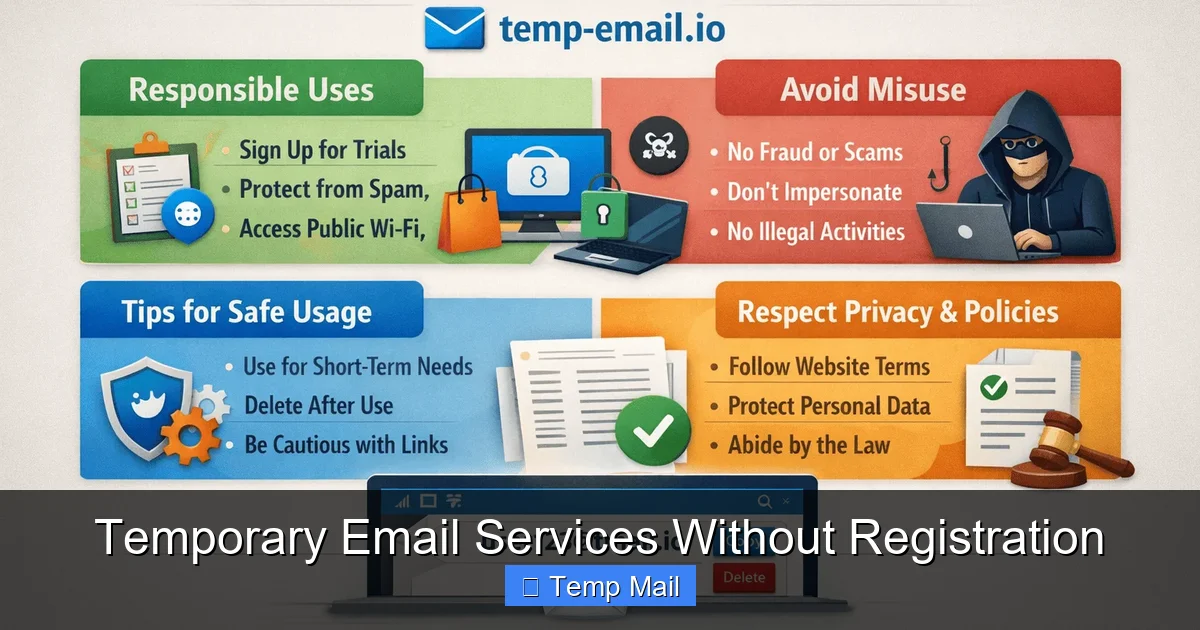
Temporary email services without registration provide instant, disposable inboxes to protect your primary email from spam, data breaches, and unwanted tracking. These tools require zero sign-up, generating a random email address valid for a short period—perfect for one-time sign-ups, downloads, or verifying accounts you don’t intend to keep. While incredibly useful for privacy, they aren’t suited for critical communications or account recovery.
Ever clicked a promising link only to be stopped by a dreaded email sign-up form? You just want the free ebook, the software trial, or to read that one article—but handing over your primary email address feels like giving out your home address to every stranger on the internet. What if there was a way to bypass that gate, grab what you need, and vanish without a trace? Enter the world of temporary email services without registration. These are your digital smoke bombs—create, use, and disappear. No passwords, no recovery questions, no digital footprint tying that inbox to you. In this guide, we’ll unpack everything you need to know about these privacy-protecting tools, from how they work under the hood to exactly when and how to use them safely and effectively.
Key Takeaways
- Instant & Anonymous: These services generate a working email address in seconds with no personal details, no password, and no account creation.
- Primary Use: Spam & Privacy Shield: Their core function is to shield your real email from spam, marketing lists, and potential data leaks from low-trust websites.
- Ephemeral by Design: Inboxes are temporary, typically auto-deleting after 10 minutes to 24 hours. All emails and the address itself vanish.
- Not for Critical Accounts: Never use them for primary email-dependent services like banking, social media logins, or any account where password recovery is essential.
- No Sending, Mostly Receiving: Most services are receive-only. You cannot send emails from these addresses, limiting their functionality.
- Legal & Acceptable Use: Using them for gated content, forum sign-ups, or app testing is generally acceptable. Misuse for fraud or evasion violates terms of service.
- Choose Reputable Providers: Opt for well-known, transparent services that clearly state their data retention policy and don’t log IP addresses unnecessarily.
📑 Table of Contents
What Exactly Are Temporary Email Services Without Registration?
Let’s cut through the jargon. A temporary email service (often called “temp mail” or “disposable email”) is a web-based platform that gives you a functional email address for a very short time. The “without registration” part is the magic. You don’t create an account. You don’t set a password. You simply visit the website, and it hands you an email address like [email protected]. That’s it. You’re in.
The Core Philosophy: Privacy Through Impermanence
Traditional email is built on permanence and identity. Your Gmail or Outlook account is a persistent identity tied to your name, phone number, and recovery info. Temporary flips this script. Its value isn’t in storing your communications forever; it’s in ensuring nothing is stored at all that can be traced back to you. The service provider doesn’t care who you are. The address is a public, shared resource. Once you close your browser tab or the timer runs out, that specific inbox is wiped and potentially recycled for the next user. This model directly combats the modern web’s default setting: collect everything.
How They Work: A Peek Under the Hood
Technically, these services maintain a pool of domain names and generate random local parts (the part before the @). When you visit, the system assigns you one of these available addresses and creates a corresponding, isolated inbox on their server. All emails sent to that address are routed to that specific, temporary inbox database. There’s no persistent user profile. No login session. Just a URL that uniquely identifies your temporary inbox (e.g., tempmail.com/inbox/abc123). When you leave or the time expires, the database entry for “abc123” is deleted. It’s simple, elegant, and highly effective for its intended purpose.
Top 5 Practical Use Cases: When to Reach for Temp Mail
Knowing *how* something works is different from knowing *why* you’d use it. Here are the most common and legitimate scenarios where a no-registration temporary email shines.
Visual guide about Temporary Email Services Without Registration
Image source: techdaring.com
1. Accessing Gated Content (The #1 Use Case)
This is the classic move. A blog offers a fantastic PDF checklist, a software site offers a whitepaper, or a news site wants you to “subscribe” to read an article. You suspect your email will just be added to a promotional list. Solution: Use a temp mail address. Get the download link or read the article, then walk away. Your primary inbox stays pristine. It’s a one-night stand for information.
2. Signing Up for Low-Trust or One-Time Services
You need to create an account on a forum you’ll visit once, a tool to test a single feature, or a website you’re skeptical about. Providing your real email risks spam or, worse, a data breach leaking your address. A disposable inbox acts as a buffer. If the service turns out to be spammy or gets hacked, only the disposable address is compromised, and it will self-destruct shortly anyway.
3. Software & App Testing for Developers
If you’re developing an app that requires email verification, constantly using your own email is messy. Temporary services let you quickly generate dozens of unique, valid email addresses to test registration flows, password reset emails, and notification systems without cluttering your real inbox or creating a management nightmare.
4. Avoiding Unwanted Marketing & Tracking
Many websites use your email as a primary tracking key across ad networks and data brokers. By giving them a disposable address, you break that chain. They have an email that will soon be invalid, severing the direct link to your persistent identity. It’s a small but powerful act of data hygiene.
5. Protecting Against Data Breaches
In 2023, billions of records were exposed in data breaches. If you used your primary email for a minor site that later suffers a breach, your address is now in the hands of spammers and phishers. Using a temp mail for low-stakes sites means even if they’re breached, the exposed email address is useless and already dead.
How to Choose a Service: Key Features to Look For
Not all temp mail services are created equal. While the core function is similar, details matter for usability and security.
Visual guide about Temporary Email Services Without Registration
Image source: webtechsolution.org
No Registration & Instant Access
This is your baseline requirement. The entire point is skipping the sign-up. The service should generate an address the moment you land on the homepage. Any request for a CAPTCHA is mildly annoying but common to prevent bot abuse; a request for an email or phone number is a red flag—use a different service.
Inbox Auto-Refresh & Real-Time Delivery
A good service automatically refreshes the inbox view to show new emails as they arrive. You shouldn’t have to manually reload constantly. Test this: send a test email to the provided address from another account. Does it appear within 10-30 seconds? If yes, that’s a sign of a well-configured mail server.
Clear Expiration Timer
The service should prominently display how much time is left on your inbox (e.g., “Inbox expires in 58:22 minutes”). This manages your expectations. Common expiration windows are 10 minutes, 1 hour, or 24 hours. Know the timer before you rely on it for something time-sensitive.
Multiple Domain Options
Some services offer a choice of domains (e.g., @tempmail.com, @tmpmail.org, @10minutemail.net). This is useful if a particular domain is blocked by the website you’re trying to sign up for. Some sites blacklist known temp mail domains. Having a few domain options increases your chances of success.
No SSL/HTTPS? Avoid.
This is a critical security point. The connection to the temp mail service itself should be encrypted with HTTPS (look for the padlock icon in your browser). If the site is only HTTP, any data transmitted—including the emails you receive—could be intercepted by someone on your network. Always use an HTTPS-enabled service.
The Critical Limitations: What Temp Mail Can’t Do
Understanding the boundaries of this tool is as important as knowing its strengths. Using it in the wrong scenario can cause real problems.
Visual guide about Temporary Email Services Without Registration
Image source: atempmail.com
You Cannot Send Emails From It
With very few exceptions, these are receive-only systems. The “from” address is almost always the real sender’s address, masked by the service. You cannot compose a new email and send it from your temporary address. If a website requires you to *send* a verification code or a message, a temp inbox won’t work.
It’s Terrible for Account Recovery
This is the most common pitfall. If you use a temp mail to sign up for a service and later forget your password, the “forgot password” link will send the reset instructions to an inbox that has vanished. You will be permanently locked out. Rule of thumb: Never use temp mail for any service you might need to log into again, especially social media, cloud storage, or financial accounts.
Domains Get Blacklisted
Because of abuse by spammers, many websites actively block entire domains used by popular temp mail services. If you find the verification email never arrives, the site’s firewall may have rejected it. Try a service with a less common domain, but understand this is a constant cat-and-mouse game.
No Long-Term Storage or Search
Once the timer expires, everything is gone. There is no archive, no search function across past inboxes, no ability to retrieve an old receipt or confirmation code. If you need to keep a record, save the email content to a text file before the inbox dies.
Security & Privacy: Are They Actually Safe?
This is the big question. The answer is nuanced: they are safe *for their intended purpose* but come with caveats.
The Privacy Promise: Anonymity from the Recipient
From the perspective of the website you’re signing up for, the email address is anonymous. It contains no personal identifiers. They cannot link that address to your real identity, your IP address (in most cases), or your other online activity. This achieves the primary goal of preventing that website from building a profile on you. The service provider itself sees the IP address that created the inbox, but reputable providers claim not to log these or delete them quickly. Check their privacy policy for explicit statements about IP logging and data retention.
The Security Risk: The Service Provider Itself
You are trusting a third party with the contents of your temporary emails. While these emails are usually low-sensitivity (newsletter links, verification codes), they could occasionally contain more personal data. A malicious or compromised temp mail service could read those emails. Therefore, never use them for:
- Password resets for important accounts (as stated).
- Receiving sensitive documents like bank statements or ID scans.
- Any communication that, if intercepted, would cause real harm.
Stick to their designed use: low-stakes, one-time interactions.
HTTPS is Non-Negotiable
Reiterating: only use services that use HTTPS. This encrypts the connection between your browser and the temp mail server, preventing eavesdropping on your local network (like public Wi-Fi). If the padlock is missing, close the tab.
Best Practices & Final Verdict
To use temporary email services without registration like a pro, follow these simple rules.
Do:
- Use them for gated content and one-time verifications.
- Close the browser tab immediately after getting what you need.
- Copy any important info (links, codes) before the inbox expires.
- Use a different service if one domain is blocked.
- Keep your primary email sacred for important accounts.
Don’t:
- Use them for any account you intend to keep or need to recover.
- Expect to send emails from the address.
- Use them for highly sensitive personal or financial information.
- Assume 100% anonymity from the service provider itself.
- Rely on them if the website explicitly prohibits disposable emails in its ToS.
The final verdict? Temporary email services without registration are a fantastic, ethical tool for managing your digital footprint in a world obsessed with data collection. They are the digital equivalent of a prepaid burner phone—perfect for specific, temporary tasks. By understanding their mechanics, respecting their limitations, and applying them to the right scenarios, you can significantly reduce spam, minimize data exposure, and reclaim a tiny bit of control over your online privacy. Use them wisely, and they’ll serve you well.
Frequently Asked Questions
Are temporary email services legal to use?
Yes, using a disposable email address is perfectly legal. The service itself is a legitimate privacy tool. However, using it to commit fraud, evade bans, or violate a website’s terms of service is illegal or against the rules. Always use them for their intended purpose: accessing content or verifying low-stakes accounts.
Can the website I’m signing up for detect I’m using a temp mail?
Often, yes. Many services maintain and update lists of known disposable email domains and will block them during sign-up. This is why services with multiple domain options can be useful. If your verification email never arrives, the site may have blacklisted that domain.
Is it safe to use a temp mail for a password reset link?
Absolutely not. This is the most dangerous misuse. The reset link will be sent to an inbox that will disappear, permanently locking you out of the account. Only use temporary emails for sites where you will never need to log in again or recover access.
Do these services store my IP address or other data?
It depends on the provider’s privacy policy. Reputable services state they do not log IP addresses or personal data, or delete such logs very quickly (within hours). However, the service technically *can* see your IP when you visit. For high-anonymity needs, you would need to combine a temp mail with a trusted VPN or Tor browser.
What happens if I need an email after the inbox expires?
It’s gone forever. The address is recycled, and all emails are permanently deleted from the server. That’s why it’s crucial to save any important verification codes, links, or download URLs to a text file or note-taking app before the timer runs out.
Are there any good alternatives to temporary email services?
Yes. The primary alternative is using a dedicated, secondary email address from a free provider like Gmail or Outlook, used only for sign-ups. This offers more persistence (you can recover it) but requires management. Another advanced option is using an email aliasing service like SimpleLogin or AnonAddy, which creates unique, forwardable aliases for your primary inbox, offering a good balance of control and privacy without full disposability.
Leave a Reply