
Tired of your main email inbox being flooded with spam? Temporary email services, or “temp mail,” offer a powerful first line of defense. By providing a disposable address for online sign-ups and downloads, they shield your real identity and keep your primary inbox clean and secure. This guide reviews the top temp mail providers, explaining how they work, their critical role in modern digital privacy, and exactly how to use them for maximum spam protection.
You know the feeling. You want to download a free PDF guide, access a gated article, or try out a new app. The form asks for your email address. You hesitate. You know that typing in your primary Gmail, Outlook, or Yahoo address is likely the first step toward a lifetime of promotional newsletters, “special offers,” and, worst of all, malicious spam and phishing attempts. Your inbox is your digital home, and you don’t want just anyone leaving their trash on your doorstep.
This is where temporary email—often called “temp mail” or “disposable email”—becomes your best friend. It’s a simple, brilliant concept: instead of giving out your real, permanent email address, you use a short-lived, throwaway one. Once you’ve gotten the download link or verified the account, you abandon it. The spam goes to a ghost address that eventually self-destructs, leaving your real inbox pristine. In the ongoing battle for online privacy and a clean inbox, a good temp mail service is one of your most effective and easiest-to-use weapons against spam.
But with so many options out there, which one should you choose? Not all temp mail services are created equal. Some are unreliable, some bombard you with their own ads, and some simply don’t last long enough. We’ve done the research to bring you a definitive guide to the best temp mail for spam protection. We’ll break down how they work, review the top contenders, and give you practical tips to integrate this tool seamlessly into your daily digital life for maximum effect.
Key Takeaways
- Primary Defense: Temp mail acts as a sacrificial email address, absorbing spam and marketing emails away from your valuable primary inbox.
- Enhanced Privacy: It prevents websites and services from collecting your real email address, reducing your digital footprint and data profiling.
- No Registration Needed: The best services generate an inbox instantly—no sign-up, no password, no personal information required.
- Phishing Shield: By never using your real email on suspicious sites, you drastically reduce the risk of targeted phishing attacks.
- Simple & Free: Most temp mail services are completely free, incredibly easy to use, and require zero technical knowledge.
- Not for Critical Accounts: Never use a temp mail for essential services like banking, primary social media, or account recovery where you need guaranteed, long-term access.
- Tool, Not a Cure-All: Temp mail is a fantastic privacy tool but should be part of a broader strategy that includes strong passwords and a VPN for comprehensive security.
📑 Table of Contents
- What Exactly is Temporary Email and How Does it Work?
- Why Your Primary Email Address is a Spam Magnet
- Top 5 Temp Mail Services for Reliable Spam Protection
- Practical Guide: How to Use Temp Mail Effectively (and Safely)
- The Critical Limitations: When NOT to Use Temp Mail
- Beyond the Inbox: A Holistic Approach to Spam & Privacy
- Conclusion: Reclaim Your Inbox and Your Privacy
What Exactly is Temporary Email and How Does it Work?
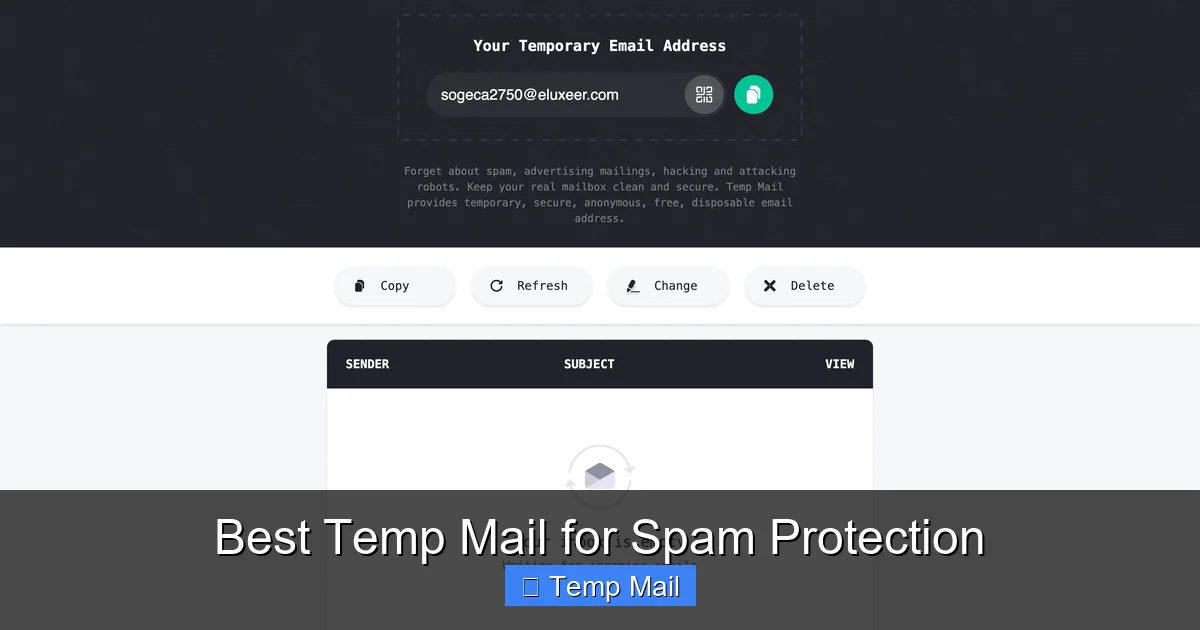
At its core, a temporary email service provides you with a random, anonymous email address that exists for a short period—usually a few hours to a couple of days. You don’t create an account. You don’t set a password. You simply visit the website, and an inbox is generated for you on the spot, complete with an address you can copy and use immediately.
The Anatomy of a Temp Mail Inbox
When you land on a service like Temp-Mail.org or 10MinuteMail.com, you’re presented with a randomly generated address (e.g., [email protected]). Below it is an inbox window. This inbox is linked to that specific address on the service’s servers. When a website sends a confirmation email or a download link to that address, it lands right there in that window. You click the link, complete your task, and then you close the browser tab. That inbox, and the address associated with it, will typically expire and be deleted after a set time, making any further emails to it bounce back.
Key Features That Make It Great for Spam
The power of temp mail lies in its fundamental design principles:
- Anonymity: No personal details are tied to the address. The service doesn’t know (or care) who you are.
- Ephemeral Nature: The address has a built-in expiration date. Spam has a limited shelf life.
- No Forwarding: Emails sent to a temp address generally do not forward to your real inbox. The spam is physically isolated.
- Browser-Based: You access the inbox through a web page, not an email client. There’s nothing to configure.
Why Your Primary Email Address is a Spam Magnet
To understand why temp mail is so crucial, you need to see your primary email address for what it often is: a highly valuable piece of personal data. Every time you use it online, you’re trading it for a service or piece of content. Unfortunately, many websites and apps have dubious data practices.
Visual guide about Best Temp Mail for Spam Protection
Image source: temp-mail.io
The Data Brokerage Ecosystem
Your email address is a key identifier in the shadowy world of data brokers. These companies collect personal information from various sources, including website sign-up forms. They compile profiles on individuals and sell this data to advertisers, marketing firms, and even other entities. Your email becomes a nexus for targeted advertising, junk mail, and, if breached in a company data leak, a target for sophisticated phishing campaigns where attackers use your real email to make their scams seem legitimate.
The “Free” Service Trap
Think about the last “free” service you signed up for. The business model of many free websites and apps is not the product you use; it’s *you*. Your attention and your data are the commodities. By requiring an email, they build a mailing list. Even if they have a “unsubscribe” link, it’s often cumbersome, and some less-scrupulous operators simply ignore it or sell the list to other parties. Your single email address can multiply into dozens of spam sources within months.
Top 5 Temp Mail Services for Reliable Spam Protection
Not all temp mail services are equal. Some are slow, some have intrusive ads that mimic inbox buttons, and some have domains that are frequently blacklisted by legitimate services, causing your verification emails to never arrive. We evaluated services based on speed, reliability, domain reputation, ad intrusiveness, and inbox lifespan. Here are our top picks.
Visual guide about Best Temp Mail for Spam Protection
Image source: temp-mail.io
1. Temp-Mail.org: The Gold Standard for Reliability
Temp-Mail.org is arguably the most popular and reliable service in the world. It consistently ranks high because it just works. The inbox updates automatically without you needing to refresh, which is a huge usability plus. It offers multiple domain options (like @temp-mail.org, @tempr.email), which is useful if one domain gets blocked by a particular website. The ads are present but generally not deceptive. Inboxes typically last for several hours, plenty of time for most verification tasks. Its reputation is stellar, so emails from most major providers (Gmail, Outlook, etc.) will deliver to it without issue.
2. 10MinuteMail.com: The Original Speedster
As the name implies, 10MinuteMail gives you an address that lasts for exactly 10 minutes, with the option to extend it by 10 more minutes if needed. This ultra-short lifespan is perfect for the most fleeting, one-time tasks where you want zero chance of any follow-up spam. The interface is clean, old-school, and incredibly straightforward. The major downside is the very short timer; if you get distracted, your inbox and its emails vanish. It’s best used for instant, single-click verifications where you know the email will arrive immediately.
3. Guerrilla Mail: Feature-Packed and Flexible
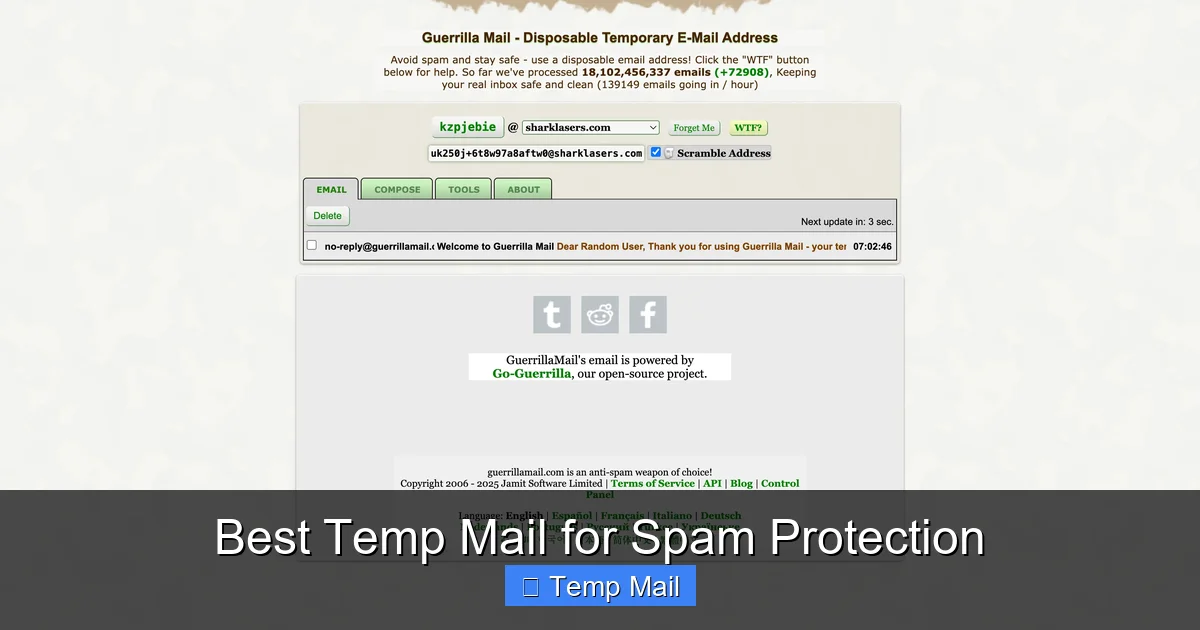
Guerrilla Mail offers more control than most. You can actually choose your own temporary address username from a list of available options (e.g., [email protected]), which can be handy if you need to remember it briefly. It also includes a basic password manager and the ability to send emails *from* the temp address, though this is rarely needed for spam protection. The inbox lasts for about an hour, and it has a “Scramble Address” button to instantly generate a new one if you suspect the current one is compromised. It’s a robust, feature-rich option.
4. DropMail: The Modern, Clean Interface
DropMail focuses on a sleek, modern user experience with minimal, non-intrusive ads. It generates a random address but also allows you to create a custom one. Its standout feature is the ability to create a “drop” that lasts for a specific duration you choose (e.g., 30 minutes, 1 hour, 2 hours). The inbox is clean and updates in real-time. It also offers a browser extension, which is a huge convenience for power users, allowing you to generate a temp email address directly from your browser toolbar without visiting the site.
5. Mailinator (Public Inboxes): The Public Option
Important Note: Mailinator operates differently and carries significant privacy warnings. It offers completely public inboxes. Any address you generate (e.g., [email protected]) can be viewed by anyone on the internet who guesses or knows that address. There is no privacy. However, it is incredibly fast and reliable for receiving automated emails, as its domains are almost never blocked. Use it only for the most non-sensitive, public verifications where the email content contains no personal information whatsoever. For true spam protection with privacy, the other options on this list are superior.
Practical Guide: How to Use Temp Mail Effectively (and Safely)
Knowing the best services is only half the battle. Using them correctly is what delivers the spam protection benefits. Here’s your step-by-step playbook.
Visual guide about Best Temp Mail for Spam Protection
Image source: temp-mail.club
The Standard Workflow for Any Sign-Up
1. Navigate to your chosen temp mail service (e.g., Temp-Mail.org).
2. Copy the randomly generated email address provided.
3. Paste it into the website or app’s sign-up form.
4. Submit the form and return to the temp mail tab.
5. Wait for the verification email to appear in the inbox (usually within seconds).
6. Click the verification link or copy any code needed.
7. Complete your task on the original site (download the file, access the content).
8. Close the temp mail tab. The address will expire, and the spam cycle is broken.
Pro Tips for Maximum Efficacy
- Use the Browser Extension: Services like DropMail offer extensions. This lets you generate an address with one click from any sign-up page, copy it, and paste it without ever leaving the tab. It’s a huge time-saver.
- Check the Domain: If a website rejects your temp email, it might be because it blocks common temp mail domains. Try switching to a service that offers a different domain (e.g., from @temp-mail.org to @tempr.email).
- Mind the Timer: Always be aware of your inbox’s expiration time. If you need more time, use a service with an extendable timer (like 10MinuteMail) or choose a service with a longer default lifespan (like Temp-Mail’s several hours).
- Never Use for Account Recovery: This is the cardinal rule. If you use a temp mail for a service you might need to log into later, and you forget your password, you are permanently locked out. The “Forgot Password?” email will go to a dead address.
The Critical Limitations: When NOT to Use Temp Mail
Temp mail is a fantastic tool, but it has clear boundaries. Using it in the wrong context can cause serious problems. Understanding these limitations is as important as knowing the benefits.
Essential Services That Require a Permanent Address
Absolutely never use a temporary email for:
- Financial Institutions: Banks, investment apps (Robinhood, etc.), PayPal, cryptocurrency exchanges. These require verified, permanent contact information for security, legal, and regulatory reasons.
- Primary Communication Platforms: Your main email account (Gmail, Outlook), primary social media accounts (Facebook, Twitter/X, Instagram), and messaging apps (WhatsApp, Telegram) where the email is the root of your identity and account recovery.
- Important Subscriptions: Utilities, streaming services (Netflix, Spotify), or any paid subscription where billing statements and service updates are sent via email.
- Government & Official Services: Any site related to taxes, voter registration, official documents, or healthcare portals.
Using temp mail here will lead to lost access, missed critical notifications, and potential account termination.
The Privacy Paradox of Some Services
As mentioned with Mailinator, some temp mail services offer zero privacy. Anyone can view your inbox. Also, remember that while the *service* doesn’t know your identity, the website you *sign up to* still logs the fact that a temp email from a specific domain attempted to register. For extremely high-risk activities, a determined actor could potentially correlate this. For everyday spam protection, this risk is negligible, but it’s worth noting.
Beyond the Inbox: A Holistic Approach to Spam & Privacy
Relying solely on a temporary email is a great start, but true digital hygiene requires a layered approach. Think of your temp mail as the moat around your castle (your primary inbox). You still need strong walls and guards.
Layer 1: Fortify Your Primary Email
Your main email address is your most important online asset. Protect it fiercely.
- Use a Unique, Strong Password: Never reuse passwords. Use a password manager to generate and store complex ones.
- Enable Two-Factor Authentication (2FA): Always turn this on. It’s the single most effective way to prevent unauthorized access.
- Review Connected Apps: Periodically check your email account’s security settings for apps that have access. Revoke any you no longer recognize or use.
Layer 2: Employ a VPN for Broader Anonymity
A Virtual Private Network (VPN) encrypts your internet traffic and masks your IP address. While a temp mail hides your email identity, a VPN hides your physical location and network identity from the websites you visit. Using both together means a website sees a connection from a VPN server’s IP and a disposable email—it has almost no real data to tie back to you. This is the gold standard for private browsing.
Layer 3: Be Proactive with Unsubscribes and Filters
Even with a temp mail, some legitimate newsletters might slip through to your primary inbox if you used it for a legitimate service. For those:
- Use the “Unsubscribe” Link: Legitimate marketers are required to honor these. It’s often effective.
- Create Email Filters: Set up rules in your primary email client to automatically archive or delete emails from specific senders or with certain keywords (like “offer,” “promo,” “sale”).
By combining a strategic use of temp mail for all new, non-essential engagements with a fortified primary account and privacy tools like a VPN, you build a formidable defense against the spam and data collection that plagues the modern internet.
Conclusion: Reclaim Your Inbox and Your Privacy
The constant barrage of spam is not an inevitable part of the internet; it’s a direct result of how we freely give away our primary email addresses. Taking control is simpler than you think. By making temporary email your default for any sign-up, download, or one-time access, you immediately cut off the primary pipeline that feeds spam into your life. You stop feeding the data broker ecosystem with your most personal identifier.
The services we’ve highlighted—Temp-Mail.org, 10MinuteMail, Guerrilla Mail, and DropMail—are reliable, effective tools that put this power in your hands. Start using one today. The next time a website asks for your email to read an article or get a whitepaper, pause. Open a new tab, generate a temp address, and use that instead. Experience the simple, profound satisfaction of closing that tab knowing that your real inbox will remain untouched. It’s a small habit that delivers massive peace of mind and a dramatically cleaner digital life. Your primary email is your home. Guard its door with a temp mail.
Frequently Asked Questions
Is using temporary email legal?
Yes, using temporary email services is completely legal. They are legitimate tools for privacy protection. However, using them to commit fraud, bypass bans, or send illegal content is, of course, illegal regardless of the email type used.
Are temp mail services safe from hackers?
Reputable temp mail services are generally safe for their intended purpose of receiving verification emails. However, because inboxes are not password-protected and may be publicly accessible (like on Mailinator), you should never use them for sensitive communications, password resets, or any communication containing personal data. The safety is in the isolation of the address, not in encrypted secrecy.
How long do temporary emails last?
It varies by service. Common lifespans are 10 minutes (10MinuteMail), 1-2 hours (Guerrilla Mail, DropMail), or several hours (Temp-Mail.org). Some allow you to extend the time. Always check the countdown timer on your inbox page.
Can websites detect I’m using a temp mail?
Yes, many websites and services actively block known disposable email domains. This is why it’s helpful to use a service that offers multiple domain options (like Temp-Mail). If one domain is blocked, you can try another from the same service.
What happens if I need to recover an account I signed up with a temp mail?
You will be unable to recover it. Since you no longer have access to the email address, you cannot receive password reset links. This is why the golden rule is: never use temp mail for any account you might need to log into again. Use it only for one-time verifications where immediate access is all you need.
Do I need to install software or an app to use temp mail?
No. The vast majority of temp mail services are web-based. You simply visit their website in your browser, and an inbox is generated. Some services, like DropMail, offer optional browser extensions for greater convenience, but they are not required.
Leave a Reply