Tired of promotional emails clogging your primary inbox after every online shopping signup? A temporary email provides a disposable, anonymous address specifically for these one-time registrations. It’s a simple, powerful tool to safeguard your personal information, drastically reduce spam, and enhance your overall digital privacy without sacrificing convenience. Learn how to use it effectively and what to watch out for.
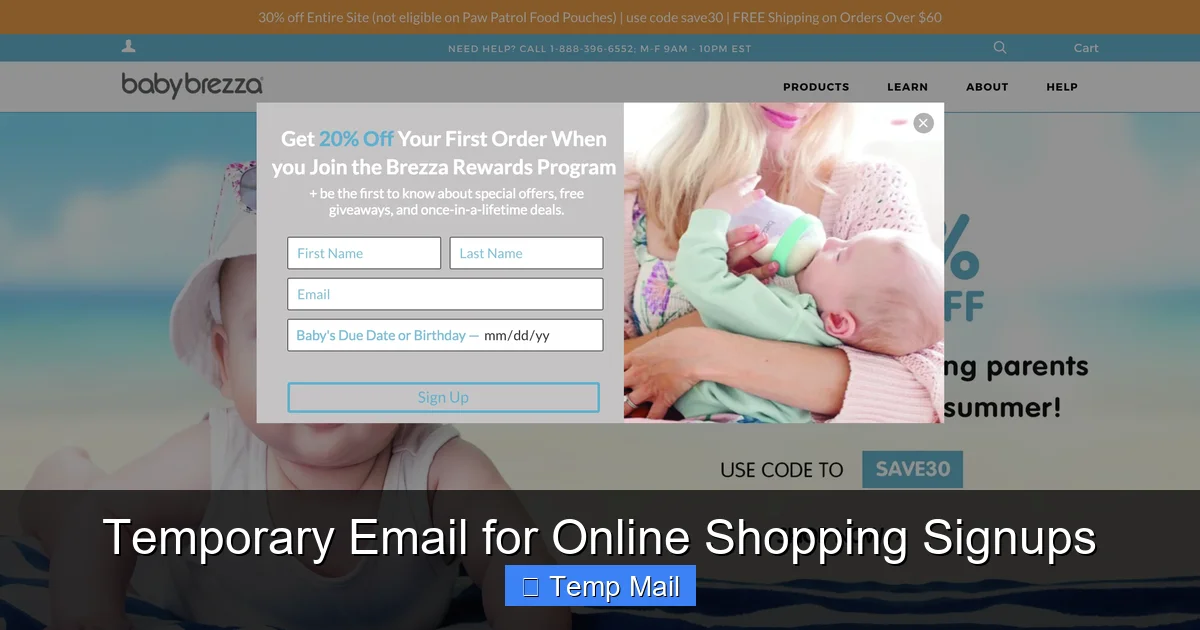
You’re scrolling through your favorite online store, eyeing a great deal. To get the 15% off discount code, they want your email address. You sigh, type in your primary Gmail or Outlook address, and hit submit. A minute later, the code arrives. Success! But then, the emails begin. The weekly newsletter. The “back in stock” alerts. The “we miss you” promos. Your inbox, once a sanctuary for work and personal messages, is now a digital garage sale. This cycle repeats for every new store, every app, every loyalty program. What if you could break this cycle? What if you had a dedicated, disposable email address just for these moments? Enter the world of the temporary email—your secret weapon for clean, spam-free online shopping signups.
This isn’t about being paranoid; it’s about being practical and protective of your digital footprint. Your email address is more than just an inbox; it’s a key that can unlock a profile of your interests, purchases, and online behavior. Every time you hand it over to a new retailer, you’re adding another piece to that puzzle. A temporary email for online shopping signups offers a simple, no-cost solution to this pervasive problem. In this guide, we’ll walk through exactly what temporary email is, why it’s a game-changer for shoppers, how to use it step-by-step, the potential pitfalls to avoid, and the best practices to make it work seamlessly for you. Let’s reclaim your primary inbox.
Key Takeaways
- Spam Prevention: A temporary email acts as a shield, diverting all marketing and promotional emails away from your primary, important inbox.
- Privacy Protection: It prevents online retailers from linking your shopping activity and personal data directly to your real, long-term email address.
- Easy & Free: Most temporary email services are completely free, require no registration, and generate a working inbox in seconds.
- For Signups Only: It’s ideal for account creation, discount code redemption, and store newsletters—not for critical account recovery or order confirmations.
- Know the Limits: These inboxes are temporary (often 10 minutes to 24 hours) and lack advanced features like folders or long-term search.
- No Security Risk (When Used Correctly): Using a temp mail for shopping signups is generally safe, but never use it for banking, primary social media, or any account where recovery is vital.
- Simple Process: The workflow is: generate a temp address -> use it for the signup -> check the temp inbox for the verification email -> complete the process -> forget it.
📑 Table of Contents
- What Exactly is a Temporary Email Service?
- The Core Benefits: Why Shoppers Need a Temp Email
- How to Use a Temporary Email for Shopping: A Step-by-Step Guide
- Important Risks and Limitations You Must Know
- Best Practices: How to Be a Smart Temp Mail User
- Alternatives and When to Skip the Temp Mail
- The Future of Privacy: Temp Mail in a Data-Driven World
What Exactly is a Temporary Email Service?
At its core, a temporary email service (often called “temp mail” or “disposable email”) provides you with a random, functional email address that exists for a very short, predefined period—usually anywhere from 10 minutes to 24 hours, sometimes longer. These services generate an inbox you can access instantly, without needing to create an account, set a password, or provide any personal information.
How It Works: The Magic of Disposability
When you visit a site like Temp-Mail.org, 10MinuteMail.com, or Guerrilla Mail, their system automatically assigns you a random address (e.g., s3cure [email protected]). This address is linked to a temporary inbox database on their servers. Any email sent to that address is routed to that specific, ephemeral inbox. You can read, reply (sometimes), and download attachments right there in your browser. Once the time limit expires—or you manually delete it—the entire address and all its contents are purged from their systems forever. It’s like renting a P.O. box for an hour, using it, and then having it and all its mail incinerated.
These services are designed for one-time, low-stakes interactions where you need to receive a single email (like a verification or discount code) but have zero desire for a long-term relationship with the sender. They are the antithesis of your permanent, carefully managed Gmail or Yahoo account.
The Core Benefits: Why Shoppers Need a Temp Email
Using a temporary email for online shopping signups isn’t a hack; it’s a strategic choice for managing your digital life. The benefits are immediate and significant.
Visual guide about Temporary Email for Online Shopping Signups
Image source: anonymmail.net
1. A Fortress Against Inbox Spam
This is the most obvious and valuable benefit. That “sign up for our newsletter and get 10% off!” offer? By using your temp mail, the promotional floodgates open onto a disposable address that will vanish in a few hours. Your primary inbox remains pristine, reserved for bills, personal communications, and work. You’re not just avoiding annoyance; you’re reducing the cognitive load of sorting through irrelevant emails every single day. The marketing emails from that one store you bought a pair of socks from five years ago? They never had your real address to begin with.
2. Enhanced Privacy and Data Minimization
Every email address you use is a data point. Retailers and data brokers can use your email to track your purchases, build a consumer profile, and target you across the web. By using a different, anonymous temp address for each store or signup, you severely limit their ability to create a cohesive, identifiable profile of you. You’re practicing “data minimization”—only giving away the absolute minimum information required for the transaction, and that information (the temp address) is designed to be worthless after a short time. It’s a small but powerful act of digital self-defense.
3. Protection from Data Breaches
News of retailer data breaches is, unfortunately, common. When a company’s database is hacked, customer email addresses are often among the first pieces of data stolen and sold on the dark web. If you used your primary email for that store, it’s now in the hands of spammers and potentially malicious actors. If you used a temporary email that expired weeks ago, the hacker gets a dead end. The breach still happened, but your primary digital identity is insulated from it. This significantly reduces your risk of phishing attacks and credential stuffing (where hackers try common passwords on your email across multiple sites).
4. No Long-Term Commitment or “Unsubscribe” Hassle
We’ve all been there: you sign up, get the code, forget to unsubscribe, and then spend five minutes hunting for the tiny “unsubscribe” link at the bottom of a marketing email six months later. With a temporary email, there is no need to unsubscribe. The entire channel of communication self-destructs. You get what you need (the verification code, the discount) and the relationship is terminated by design. It’s the ultimate “set it and forget it” for retail communications.
5. Simplicity and Speed
There’s no password to create, no two-factor authentication to set up, no security questions to answer. You go to the temp mail site, copy the address, paste it into the signup form, switch to the tab with your temporary inbox, and refresh. The verification email usually appears within 30 seconds. It’s faster than logging into your primary account to check for the email, and infinitely simpler than creating yet another permanent account with another password to remember. For the casual shopper grabbing a one-time discount, this frictionless process is ideal.
How to Use a Temporary Email for Shopping: A Step-by-Step Guide
Using this tool is incredibly straightforward, but a clear process ensures you never miss a crucial verification email. Here’s your foolproof workflow.
Visual guide about Temporary Email for Online Shopping Signups
Image source: frictionlessco.wpengine.com
Step 1: Choose and Open Your Temp Mail Service
Before you even start shopping, have a tab open with your preferred temporary email provider. Popular, reliable options include Temp-Mail.org, 10MinuteMail.com, and Guerrilla Mail. These sites are generally safe and straightforward. Avoid obscure services that are cluttered with ads or ask for unusual permissions. Your goal is a clean, fast interface that gives you an address and inbox immediately.
Step 2: Generate Your Disposable Address
Upon visiting the site, an email address will be generated for you automatically. It will look something like: [email protected]. The domain (the part after the @) will vary by service. Copy this full address to your clipboard (Ctrl+C / Cmd+C).
Step 3: Use It Exclusively for the Signup
Go to the online store’s signup or newsletter subscription form. Paste the temporary address into the email field. Fill out any other required fields (you can use a pseudonym or your real name, depending on your comfort level). Complete the signup process.
Step 4: Retrieve the Verification/Discount Code
Immediately switch back to your temporary email tab. You should see a new email appear within the inbox list within 10-60 seconds. Click on it to open it. Look for:
- A verification link (which you’ll need to click to activate the account).
- A discount code (often alphanumeric, like SAVE15).
- A “click here to claim your offer” button.
Copy the code or click the link. If it’s a link, it will often open a new tab confirming your subscription or applying the code at checkout.
Step 5: Complete Your Shopping & Forget
With your code secured or your account verified, you can proceed to shop as normal. Once you’ve completed your purchase or claimed the offer, you can simply close the temporary email tab. Do not try to log back into the store account later using that email—you won’t be able to, as the inbox is gone. This is by design. The store may still have your temp address on file, but it’s a dead letter. You have successfully isolated that transaction from your permanent digital identity.
Important Risks and Limitations You Must Know
While powerful, temporary email is not a magic bullet. It has specific, important limitations. Using it without understanding these can lead to frustration or security gaps.
Visual guide about Temporary Email for Online Shopping Signups
Image source: cdn.iphoneincanada.ca
The Inherently Short Lifespan
This is the defining feature and the biggest limitation. Most temp mail inboxes last between 10 minutes and 1 hour, with some services offering 24-hour extensions. You must complete the signup and retrieve the needed information within this window. If you sign up for a store’s newsletter, close the browser, and try to find the confirmation email an hour later, it’s gone. The store may have your temp address, but you have no way to access it to log in later or recover a password. Therefore, never use a temporary email for any account where you might need to log in again (e.g., a store loyalty program where you track points, a subscription box service with ongoing deliveries). Use it only for one-time actions.
No Account Recovery, Ever
Linked to the above: if you forget your password for a site you signed up with a temp email, you are permanently locked out. There is no “forgot password” email that will reach you. The account is essentially a ghost. For transactional sites like Amazon, eBay, or any major retailer where you store payment methods and shipping addresses, always use your primary, secure email. Temporary email is for the disposable stuff—the one-time discount, the quick contest entry, the store you’ll probably never visit again.
Potential for Blacklisting by Major Platforms
Some large, security-conscious platforms (like Google, Microsoft, or major social media sites) are wise to disposable email domains. They may actively block signup attempts from known temp mail domains to prevent spam and fraud. If you try to create a Gmail account with a temp mail, it will likely be rejected. This is a good thing for security, but it means you can’t use temp mail for everything. It’s best reserved for smaller e-commerce sites, blogs, and forums that don’t have such stringent filters.
Attachment and Reply Limitations
Many temporary email services either block attachments entirely or have very small size limits (e.g., 1MB). Don’t expect to receive a PDF receipt or a high-res image. Also, the ability to reply is often non-existent or severely limited (sometimes you can reply only once, to the original sender). Assume you are a receive-only address. Your purpose is to get the code or link, not to have a conversation.
Trust and Security of the Service Itself
You are trusting a third-party service with the brief contents of your inbox. While reputable services don’t log IP addresses or scan emails for ads (they make money on site ads, not data mining), a shady, ad-heavy temp mail site could potentially log your activity. Always use well-known, established providers. Never send sensitive personal information (like a scanned ID, credit card number, or private documents) to a temporary address, as you have zero control over its security or deletion.
Best Practices: How to Be a Smart Temp Mail User
To get the maximum benefit with zero headache, follow these practical rules of thumb.
Rule #1: The “One-Time Use” Mandate
This is the golden rule. Your mental model should be: “I am using this address to get *one specific thing* from this site, and then I am done with both the site and the address.” If the site is asking you to sign up for an ongoing account with persistent benefits (rewards points, order history, subscription management), use your primary email. If it’s “get 10% off your first order” or “download this whitepaper,” temp mail is perfect.
Rule #2: Never Mix Primary and Temp
Do not, under any circumstances, add a temporary email address as a secondary or recovery email to your important accounts (banking, primary email, social media). If your primary account is compromised, you need a reliable way to recover it. A temp address is the opposite of reliable.
Rule #3: Use a Dedicated Browser Tab or Window
Keep your temporary email open in a separate tab or window from your main shopping. This prevents accidentally copying the wrong address and ensures you see the verification email pop up instantly. Some users even use a different browser (e.g., Firefox for temp mail, Chrome for real shopping) to create a hard mental and technical separation.
Rule #4: Check the Timer and Act Fast
Most services display a countdown timer showing when your inbox will expire. Be aware of it. If you see the timer dipping below 5 minutes and your verification email hasn’t arrived, try refreshing the inbox page or, as a last resort, generate a new temp address and restart the signup process (if the site allows it). Speed is a feature of this system.
Rule #5: Have a Primary Service Bookmarked
Don’t waste time searching for a temp mail service when you need one. Bookmark one or two reputable sites (e.g., Temp-Mail.org) in your browser’s bookmarks bar. One-click access makes the habit effortless.
Alternatives and When to Skip the Temp Mail
Temporary email is a fantastic tool, but it’s not the only one, and it’s not always the right one.
The “Plus Addressing” Trick (Gmail, Outlook, iCloud)
If you use Gmail, you have a built-in, permanent alternative. Gmail ignores everything after a “+” in your username. So, [email protected] or [email protected] will all deliver to your main [email protected] inbox. You can then create filters in Gmail to automatically label, archive, or delete emails sent to these “plus” addresses. This gives you the filtering power of a temp mail but with the permanence of your real account. The downside? You still have to manage the filters, and the emails still land in your primary inbox ecosystem (just neatly sorted). It’s less private than a true temp mail but more manageable for semi-regular contacts.
Dedicated “Burner” Email Account
For a middle ground, create a separate, free email account (e.g., a new Gmail) that you use only for online shopping signups and newsletters. Call it [email protected]. Check it once a week. This gives you a persistent address for sites where you might want to log back in (like a frequent store), but it completely isolates that activity from your main “family and friends” email. It requires a tiny bit more setup but offers more flexibility than a 10-minute temp address.
When to Absolutely Use Your Primary Email
There is no substitute for your real, secure, primary email address in these scenarios:
- Financial Transactions: Any site where you save a credit card, PayPal, or bank account. Account recovery here is critical for security and dispute resolution.
- Major Retailer Loyalty Programs: Amazon, Target, Walmart, etc. Your order history, returns, and shipping tracking are tied to this account.
- Subscription Services with Recurring Payments: Netflix, Spotify, meal kit services. You need reliable billing notifications and the ability to manage the account.
- Any Account You Would Be Upset to Lose Access To: If losing access would cause real inconvenience or financial loss, use your primary email.
The rule is simple: Use temporary email for the transaction, use your primary email for the relationship.
The Future of Privacy: Temp Mail in a Data-Driven World
As data privacy concerns grow and regulations like GDPR and CCPA give users more rights, tools like temporary email represent a grassroots shift towards personal data sovereignty. They are a low-tech, high-impact response to the “email for everything” economy. We are moving from a paradigm of “give us your email” to one of “why do you need it, and what will you do with it?”
For the savvy online shopper, incorporating a temporary email into your routine is a no-brainer. It costs nothing, takes seconds, and pays immediate dividends in the form of a clean inbox and a smaller digital footprint. It’s not about hiding; it’s about choosing. You choose when to engage and when to vanish. You choose which companies get a pathway to your primary digital home and which get a dead-end mailbox. In an online world that constantly asks for your attention and your data, that choice is powerful. So next time you see that discount code lure, smile, open your temp mail tab, and shop with confidence, knowing your primary inbox will thank you for it.
Frequently Asked Questions
Is using a temporary email for shopping signups legal and safe?
Yes, it is completely legal and generally safe when used correctly. You are simply using a publicly available service to receive emails. The safety comes from using it only for low-risk, one-time interactions and never for critical accounts like banking or primary email recovery.
Will I miss important order confirmations or shipping updates if I use a temp email?
Absolutely, yes. You should never use a temporary email for the actual purchase transaction at checkout. Always use your primary, permanent email address when placing an order to receive order confirmations, shipping notifications, and return information. Use the temp mail only for the separate signup/newsletter action that precedes the purchase.
Can I use the same temporary email address for multiple stores?
You can, but it defeats the purpose of maximum privacy. The main advantage of temp mail is creating a unique, isolated address for each signup. If you reuse one temp address across ten stores, those ten stores can all link that activity to the same disposable address, slightly reducing your anonymity. For best results, generate a fresh temp address for each new signup.
What happens if a store I signed up with a temp email later tries to email me about a product recall?
You will not receive that email. The temporary inbox will have already expired and been deleted. This is a key risk and limitation. That is why the “one-time use” rule is critical: only use temp mail for sites where you have zero expectation of future communication about a specific transaction or product you own.
Are there any costs associated with using temporary email services?
No. The vast majority of temporary email services are completely free. They are supported by advertising on their websites. Be wary of any service that asks for payment for basic inbox functionality, as free, ad-supported options are widely available and effective.
How do I know which temporary email service to choose?
Look for a service with a clean, simple interface, no mandatory registration, a clear countdown timer for the inbox, and a domain that isn’t commonly blacklisted. Avoid services overloaded with pop-up ads or that require you to complete CAPTCHAs for every action. Established names like Temp-Mail.org and 10MinuteMail.com are reliable starting points.
Leave a Reply