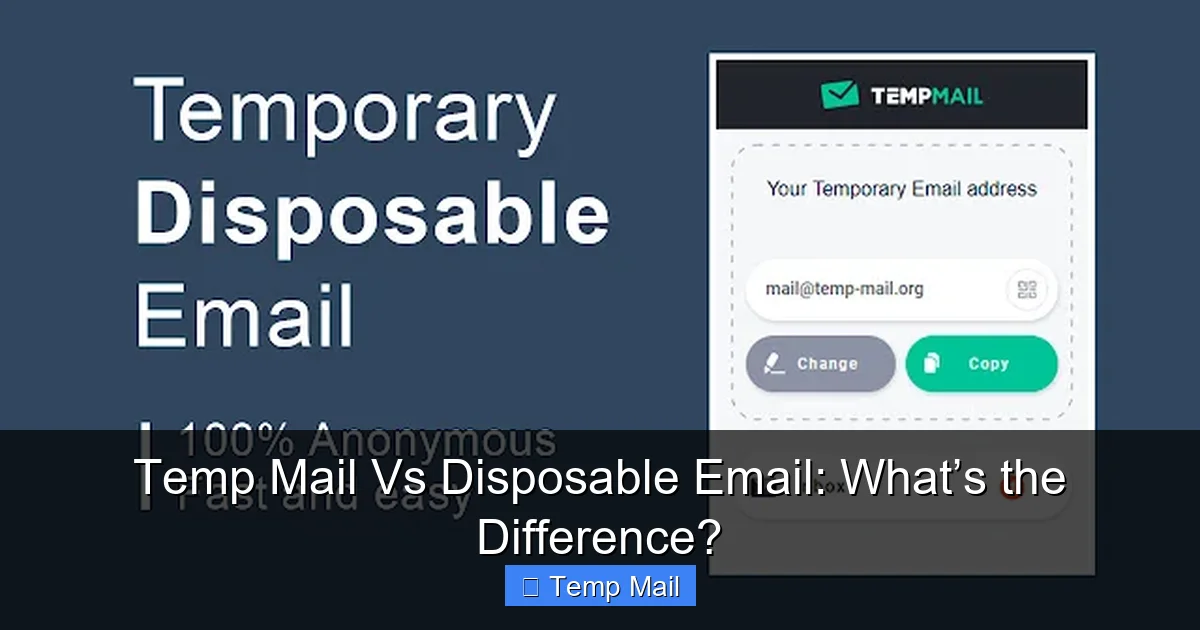
Temp mail and disposable email are often used interchangeably, but they have distinct differences. Temp mail refers to a temporary inbox that auto-deletes after a set time (like 10 minutes to 24 hours), ideal for quick verification. Disposable email is a one-time-use address that dies after a single email is received. While both protect your primary inbox from spam, their lifespan, purpose, and security implications vary significantly. Understanding these nuances helps you pick the right tool for signing up, testing, or safeguarding your online privacy.
Key Takeaways
- Core Lifespan Difference: Temp mail lasts for a predefined short duration (e.g., 1 hour), while disposable email is destroyed immediately after receiving its first message.
- Primary Use Case: Temp mail is best for ongoing short-term tasks like multi-step sign-ups; disposable email is for single, one-off interactions like downloading a file.
- Security & Privacy Vary: Both hide your real email, but disposable addresses offer a stricter “burn after reading” privacy layer for maximum anonymity.
- Not for Critical Accounts: Neither should be used for banking, main social media, or any account requiring password recovery, as you’ll permanently lose access.
- Provider Reliability Matters: Free temp/disposable services can be unreliable; some domains are blocked by popular websites, requiring you to try a different provider.
- Legal & Ethical Use: These tools are for legitimate spam avoidance and testing, not for fraud, harassment, or bypassing website bans, which can violate terms of service.
📑 Table of Contents
- Introduction: The Battle of the Burner Inboxes
- What Exactly Is Temp Mail?
- What Exactly Is Disposable Email?
- Key Differences at a Glance: Lifespan, Purpose, and Security
- Practical Examples: Which One Do You Choose?
- Important Warnings and Limitations You Must Know
- How to Actually Use These Services: A Quick Guide
- Conclusion: Picking the Right Tool for the Job
Introduction: The Battle of the Burner Inboxes
You’re about to sign up for a new online service. It asks for your email. You hesitate. You know that handing out your primary email address is like giving out your home address to every catalog company in the world—spam is inevitable. Your solution? A temporary email address. But then you hear the terms “temp mail” and “disposable email” floating around. Are they the same thing? A rose by any other name would smell as sweet, but in the world of online privacy, these two names represent subtly different tools for slightly different jobs.
This confusion is common and understandable. Most people use the terms interchangeably, and many service providers blur the lines themselves. However, if you want to be a savvy digital citizen—someone who uses the right tool for the right task—understanding the distinction is crucial. Using the wrong one can lead to a frustrating “email not received” error or, worse, getting locked out of an account you need. Think of it like tools in a workshop: a hammer and a mallet both pound, but you’d choose one for driving a nail and the other for gently assembling furniture. Let’s clear the dust and see exactly what sets temp mail and disposable email apart.
What Exactly Is Temp Mail?
“Temp mail” is short for temporary mail. At its heart, it’s a service that provides you with a random, functional email address and a corresponding inbox that exists for a limited, predetermined period. This isn’t just an alias; it’s a fully working email account you can receive messages in, but it has an expiration date built into its DNA.

Visual guide about Temp Mail Vs Disposable Email: What’s the Difference?
Image source: temp-mail.eu.com
The Mechanics of a Temporary Inbox
When you visit a temp mail website like Temp-Mail.org, 10minutemail.com, or Guerrilla Mail, the service instantly generates an email address for you. You don’t need to register, create a password, or provide any personal information. The address might look something like [email protected] or [email protected]. You can then copy this address and use it on a website that requires email verification.
The magic happens in the background. The service sets a timer. That inbox will remain active and able to receive new emails for a specific window—commonly 10 minutes, 30 minutes, 1 hour, or 24 hours. You can refresh the inbox page to see if the verification email has arrived. Once the timer hits zero, the entire address and all its messages are permanently deleted from the server. The address is then recycled and given to a new user. This is the key: the lifespan is time-based, not event-based.
Best Use Cases for Temp Mail
Temp mail shines in scenarios where you anticipate a short back-and-forth. Imagine you’re signing up for a forum that sends a confirmation email, and then maybe a welcome email or a reply to your first post. You need the inbox to be alive long enough to get that first confirmation code and perhaps one or two follow-ups. A 1-hour temp mailbox is perfect for this. It’s also excellent for:
- Testing website email flows: Developers and QA testers use temp mail to see how a site’s registration or password reset emails look without cluttering their real inbox.
- Accessing gated content: Many blogs or whitepapers require an email for a PDF download. A temp address gets you the file without subscription spam.
- Quick, multi-step verifications: Some services send a code, then ask you to confirm your account on a second page. Temp mail gives you a window to complete these steps.
What Exactly Is Disposable Email?
“Disposable email” (also called “throwaway email” or “one-time email”) is a more radical concept. The principle is the same—get a temporary address to protect your real one—but the lifecycle is fundamentally different. A disposable email address is designed to self-destruct after receiving its very first email.
Visual guide about Temp Mail Vs Disposable Email: What’s the Difference?
Image source: atempmail.com
The “Burn After Receiving” Philosophy
Services like Mailinator (in its public inbox mode), ThrowAwayMail, or Getnada’s disposable mode operate on this principle. You generate an address, say [email protected]. You use it on a website. The moment an email is delivered to that address’s inbox, the address is marked as “used” and is deactivated. Any subsequent emails sent to it will bounce. The inbox might still be viewable for a short time (minutes or hours) so you can read that first message, but the address is dead for new incoming mail.
This makes disposable email an extreme privacy tool. It leaves virtually no trace. The entire purpose is to receive one single communication, typically a confirmation link or a downloadable file, and then vanish. There is no “lifetime” in the traditional sense; there is only a single-use allowance.
Ideal Scenarios for Disposable Email
Disposable email is your go-to for the most minimal, one-off interactions. Use it when:
- Downloading a single file: A site wants an email to send a ZIP file or ebook. You give a disposable address, get the file, and the address dies. No follow-up emails possible.
- Instant, single verification: Some sites send a login link that’s valid for 5 minutes. You click it, log in, and you’re done. The disposable address has served its sole purpose.
- Maximum anonymity is critical: If you are extremely concerned about any potential data linkage and want to ensure the address can never be used to contact you again, disposable is the strictest option.
Key Differences at a Glance: Lifespan, Purpose, and Security
Now we get to the heart of the matter. While both services achieve the broad goal of “not using your real email,” their operational differences have real-world consequences. Let’s break it down side-by-side.

Visual guide about Temp Mail Vs Disposable Email: What’s the Difference?
Image source: store-images.s-microsoft.com
1. The Lifespan & Activation Rule
Temp Mail: Time-based activation. The address is alive and receiving from the moment it’s generated until the timer expires (e.g., 1 hour). It can receive multiple emails during that window.
Disposable Email: Event-based deactivation. The address is alive and receiving until the first email arrives. The moment that first message hits the inbox, the address is retired. It can only ever receive one email.
2. Intended Purpose & User Flow
Temp Mail: Designed for short sessions. You might need to check the inbox 2-3 times over 30 minutes to get a code, click it, and maybe receive a welcome note. It accommodates a mini-workflow.
Disposable Email: Designed for single transactions. You use it, get what you need from the first email, and abandon it. There is no expectation of a second message.
3. Security and Anonymity Implications
Both offer good privacy by decoupling an activity from your identity. However, disposable email provides a higher degree of operational anonymity because the address’s entire purpose is fulfilled and erased in one shot. With temp mail, if you use it on a site that sends daily newsletters, you’ll get those spammy emails for the full hour, increasing the window for potential data tracking. Disposable email cuts that off immediately after the first contact.
4. Risk of Accidental Lockout
This is a critical practical difference. If you use a disposable email on a site that sends a confirmation email and then later sends a password reset or notification email, you will never receive those crucial follow-ups. You’ll be locked out. Temp mail gives you a larger window (the full timer) to receive such follow-ups if they happen quickly, but you still risk lockout if the site emails you after the timer expires.
Practical Examples: Which One Do You Choose?
Let’s make this concrete with real-world situations. Your choice here determines whether you succeed or get a frustrating “email not found” error.
Scenario 1: Signing Up for a New Social Media Platform
The platform sends a confirmation link. After you confirm, it may send a “welcome” email with tips, and perhaps a notification when your first friend joins. Choice: Temp Mail (1-2 hour timer). You need the inbox alive for more than just the first minute to capture the welcome series and early notifications. Using disposable email here would mean missing everything after that first confirmation.
Scenario 2: Downloading a Free Ebook from a Blog
You enter your email, click “Send PDF,” and the file is attached to the email that arrives in 10 seconds. The blog’s system might not send anything else. Choice: Disposable Email. This is the perfect, clean, one-time use. The address dies right after you get the file, ensuring no future newsletter sign-up (if the blog is shady and auto-subscribes you).
Scenario 3: Testing a Website’s “Forgot Password” Feature
As a developer or tester, you need to see the password reset email. You’ll trigger the feature, get the email, click the reset link, set a new password, and maybe get a “password changed” confirmation email. Choice: Temp Mail (with a 30-60 minute timer). You need the inbox to be active for the entire test cycle, which involves multiple emails in a short burst.
Scenario 4: Creating a Burner Account for a One-Night Event
You’re attending a virtual conference that requires an account for the chat platform. You’ll only use it for 3 hours that evening. Choice: Temp Mail. You’ll likely get a confirmation, maybe a schedule email, and access links. The 1-hour or 4-hour temp mailbox covers your entire usage window.
Important Warnings and Limitations You Must Know
Before you run off to generate a thousand temp addresses, there are crucial caveats. Both tools have significant limitations and risks if misused.
They Are Not for Primary or Important Accounts
This is the golden rule. Never, ever use a temporary or disposable email for:
- Banking, financial services, or cryptocurrency exchanges.
- Your main email account (Gmail, Outlook, etc.) for password recovery.
- Any social media account you intend to keep long-term (Facebook, Instagram, Twitter/X).
- Government services, healthcare portals, or official documentation.
- Any service where losing access would cause financial loss, legal trouble, or loss of important data.
Why? You will lose access permanently. If you forget your password, the recovery email is gone. The account is a digital ghost.
Provider Reliability and Blocklists
Not all temp/disposable domains are created equal. Many popular websites and services (like Google, Facebook, Netflix, many banks) actively maintain blocklists of known disposable email domains. If you try to sign up with @tempmail.demo, the site may reject it outright. You might need to cycle through a few different providers to find one whose domain isn’t blocked. This can be a hassle. Reputable temp mail services often have multiple domain options to help circumvent this.
Potential for Abuse and Legal Gray Areas
Because these tools offer anonymity, they are sometimes used for malicious purposes: creating fake accounts for spam, fraud, or harassment. This is illegal and unethical. Using them to circumvent a website’s ban (e.g., you were banned from a forum, so you make a new account with a temp email) is almost always a violation of the site’s Terms of Service and can result in a permanent IP ban. Always use these tools responsibly for their intended purpose: managing your own inbox spam and testing.
How to Actually Use These Services: A Quick Guide
Using these services is intentionally simple, but here’s a step-by-step to avoid pitfalls.
- Choose a Provider: Search for “temp mail” or “disposable email.” Popular, reputable options include Temp-Mail.org, 10MinuteMail.com, Guerrilla Mail, and Mailinator (use with caution as public inboxes are searchable by anyone).
- Generate Your Address: Visit the site. It will immediately show you a random email address. Some allow you to customize the local part (the part before @). Copy the full address.
- Use It: Paste it into the website or service you’re signing up for.
- Monitor the Inbox: Stay on the provider’s page and refresh it periodically (some auto-refresh). Wait for the verification email. Click the link or copy the code.
- Complete Your Task: Finish the sign-up or download. If it’s temp mail, note the countdown timer. If it’s disposable, you’re done after the first email.
- Close the Tab: Once you’re done, simply close the browser tab. There is no account to log out of. The data will be wiped automatically based on the service’s rules.
Pro Tip: If a verification email doesn’t arrive within a minute or two, check the spam/junk folder of the temp inbox (some providers have this). If it’s still missing, the website may have blocked the disposable domain. Generate a new address from a different provider and try again.
Conclusion: Picking the Right Tool for the Job
So, temp mail versus disposable email? It’s not about which is “better,” but which is more appropriate for your specific, immediate need. Think of disposable email as a single-use surgical mask: put it on for one quick, specific interaction, then discard it forever. Think of temp mail as a short-term rental car: you have it for a few hours, you can drive it to multiple destinations within that window, but you must return it by a strict deadline.
For most everyday spam-avoidance tasks—like signing up for a newsletter to get a coupon, accessing a gated article, or creating a temporary forum account—temp mail with a 1-2 hour lifespan is the versatile, safe bet. It provides a small buffer for those inevitable follow-up emails. Reserve disposable email for the purest, most isolated transactions where you are 100% certain only one email will ever be sent, and you want the absolute minimum digital footprint.
Ultimately, both are powerful tools in the fight against inbox clutter and privacy erosion. By understanding their lifespans—time-based versus event-based—you can wield them effectively, avoid the common pitfall of being locked out of accounts, and keep your primary email address pristine for the people and communications that truly matter. Use them wisely, ethically, and never for anything you’d mind losing access to tomorrow.
Frequently Asked Questions
Are temp mail and disposable email addresses legal to use?
Yes, using these services is perfectly legal for legitimate purposes like avoiding spam or testing. However, using them for fraud, harassment, or to circumvent bans is illegal and violates most websites’ terms of service.
Can temp mail or disposable emails be traced back to me?
Generally, no. These services do not require personal information, and the addresses are random. However, the content of the emails you send/receive could contain identifying information. The provider itself may keep logs, but reputable ones claim not to store data. For maximum anonymity, avoid logging in or providing personal details while using them.
Which is more secure: temp mail or disposable email?
Both offer similar security in that they isolate your real identity. Disposable email is slightly more “secure” in terms of minimizing your digital footprint because the address dies after one use, eliminating any chance of future correlation. Temp mail has a slightly larger window of exposure but is still very effective for short-term use.
Can I use a temp mail address for Gmail or Outlook account recovery?
Absolutely not. This is the cardinal rule. If you lose your password, the recovery email will be gone (temp mail expires, disposable dies after one email). You will be permanently locked out of your account. Always use a permanent, accessible email for critical account recovery.
Why do some websites block disposable email domains?
Websites block these domains to prevent spam, fake account creation, and abuse. They want genuine users. If you find your temp/disposable address blocked, it means that domain is on a public blocklist. Try a different provider whose domain isn’t as commonly abused.
How do I know if I should use temp mail or disposable email for a sign-up?
Ask: “Will this site likely send me more than one email in the next hour?” If yes (welcome series, notifications), use temp mail. If no (just a single confirmation/download link), use disposable email. When in doubt, temp mail is the safer, more flexible choice.
Leave a Reply