Temp mail—also called disposable or throwaway email—is your first line of defense against spam and privacy invasion. By using a temporary, anonymous inbox for non-essential sign-ups, you prevent your primary email from being harvested, sold, or targeted. It’s a simple, free tool that drastically cuts down on unwanted emails while keeping your real identity and data secure. This guide shows you exactly how to implement it effectively.
Key Takeaways
- Anonymity is the Core Benefit: Temp mail provides a completely anonymous email address, decoupling your online activities from your primary identity and preventing data aggregation by marketers and malicious actors.
- Spam Reduction is Immediate and Significant: By using a disposable address for websites, forums, or downloads, you funnel all potential spam to a self-destructing inbox, keeping your main email pristine.
- It’s a Security Shield, Not a Hacker Tool: Temp mail protects you from phishing attempts and data breaches by ensuring a compromised temporary address cannot be used to access your primary accounts or personal information.
- Cost-Effective and Effortless: Most reputable temp mail services are entirely free, require no registration, and generate an inbox in seconds, offering immense value with zero financial or time investment.
- Understand the Critical Limitations: Temp mail is for *receiving* only, has a short lifespan (hours to days), and is unsuitable for any account requiring long-term access, security verification, or legal documentation.
- Best Practices Maximize Safety: Always use a reputable provider, never use it for banking or primary accounts, and clear your browser cookies after sessions to maintain a clean separation between your identities.
- It Complements, Doesn’t Replace, Good Cyber Hygiene: Temp mail is one powerful tool in a broader privacy strategy that should also include strong passwords, 2FA, a password manager, and a vigilant approach to sharing data.
📑 Table of Contents
- The Spam Epidemic: Why Your Inbox is a Target
- What Exactly is Temp Mail? A Clear Definition
- How Temp Mail Works: A Step-by-Step Breakdown
- Practical Applications: Where to Use Your Temp Mail
- Critical Limitations and Considerations: What Temp Mail Can’t Do
- Best Practices for Safe and Effective Use
- Conclusion: Embracing Proactive Privacy
The Spam Epidemic: Why Your Inbox is a Target
Open your primary email inbox right now. How many messages did you find that you actually wanted? For most people, the answer is a frustrating minority. The rest is a blizzard of promotional newsletters you don’t read, “special offers” from companies you’ve never heard of, fake shipping notifications, and the ever-present threat of sophisticated phishing scams. This isn’t just annoying; it’s a systemic problem. Your email address is a golden ticket for data brokers, marketers, and cybercriminals. Every time you sign up for a free trial, download a PDF, or comment on a blog using your real email, you are often handing over that ticket. That address gets sold, shared, and added to massive lists used to bombard you with unwanted content. The consequences range from wasted time and mental clutter to serious security risks like identity theft and ransomware. The fundamental truth is this: your email address is no longer just a communication tool; it’s a key piece of your digital identity that you’ve likely given away too freely.
The Domino Effect of a Single Sign-Up
Think about the last website you registered for. Did you read the privacy policy? Probably not. buried in the legalese, many services explicitly state they may share your data with “partners” or “affiliates.” That single action can trigger a domino effect. Your email, once entered, can be:
- Sold to advertisers: Your contact info becomes a commodity on data marketplaces.
- Leaked in a data breach: The company’s database is hacked, and your email, often paired with a password, ends up on the dark web.
- Used for spam: The company itself or a partner sends you relentless marketing emails with no easy unsubscribe.
- Targeted for phishing: Criminals use your email and known interests (from the site you joined) to craft highly convincing fake emails.
Once your primary address is compromised in this way, the spam becomes a persistent, almost impossible-to-eliminate problem. You can unsubscribe, but new lists are always being built. You can mark as spam, but the filters get smarter, and the volume doesn’t stop. This is where a strategic shift in how you manage your online identity becomes not just helpful, but essential.
What Exactly is Temp Mail? A Clear Definition
Temp mail is a service that provides you with a temporary, disposable email address and a corresponding inbox. These addresses are generated randomly by the service’s server and are not tied to any personal information you provide—because you typically don’t provide any. There is no sign-up process, no password to remember, and no personal details required. The inbox you receive is publicly accessible via a unique URL for a limited time, usually between 10 minutes to 48 hours, depending on the provider. After that time, the address and all its emails are permanently deleted from the server, never to be seen again. It’s the digital equivalent of a burner phone or a cash transaction: useful for a specific, limited purpose and then completely discardable.
Visual guide about How to Avoid Spam Using Temp Mail
Image source: imag.malavida.com
Disposable vs. Anonymous: Key Distinctions
It’s important to distinguish temp mail from other privacy-focused email services. Services like ProtonMail or Tutanota offer secure, encrypted, *permanent* email accounts that require registration. They are fantastic for privacy and security but still create a lasting account tied to a username (even if not your real name). Temp mail is the extreme end of anonymity: no account, no persistence, no trail. You visit a website like Temp-Mail.org or 10MinuteMail.com, an address is instantly created for you, you use it, and it vanishes. There is no “you” on their system to identify. This makes it uniquely suited for the single-transaction, low-trust scenarios that plague our modern web browsing.
How Temp Mail Works: A Step-by-Step Breakdown
Using a temp mail service is deliberately simple, often requiring fewer steps than creating a social media account. Here is the typical workflow:
Visual guide about How to Avoid Spam Using Temp Mail
Image source: temp-mail.io
- Visit a Temp Mail Provider: Navigate to a reputable service’s website (e.g., Temp-Mail, Guerrilla Mail, MailDrop).
- Receive Your Auto-Generated Address: The homepage immediately displays a random email address (e.g., [email protected]) and a button to open the inbox. No action is required on your part to “claim” it.
- Copy the Address and Use It: Click the copy icon next to the address. Go to the website, forum, or download page where you need an email and paste this disposable address.
- Check Your Inbox: Return to the temp mail provider tab and click “Refresh” or “Check Inbox.” Any confirmation emails or links will appear here within seconds or minutes.
- Access the Content: Click on the email in the list to read it. You can then click any verification links or copy codes directly from the email body.
- Let It Expire: Once you’ve completed the necessary action (e.g., verified your account, downloaded the file), you simply close the tab. After the service’s set time limit (often visible on the page), the entire address and its contents are automatically purged.
The Technical Magic: How Do They Do It?
Behind this simplicity is a standard email server setup. The temp mail provider runs mail servers that accept emails for any address at their domain (like @temp-mail.org). When you visit, their system randomly generates a string (the username part of the address) and associates an empty mailbox with it on their server. That mailbox is publicly accessible via a web interface using a unique session identifier, but there is no password. Because the address is random and not registered to a user, anyone who stumbles upon that exact URL could, in theory, read the emails. This is why you must use these services only for non-sensitive, single-purpose sign-ups. The emails are stored temporarily on their server until the TTL (Time To Live) expires, at which point the server software automatically deletes the mailbox and its contents.
Practical Applications: Where to Use Your Temp Mail
Knowing *how* to use temp mail is only half the battle. Knowing *when* to use it is where you gain true control over your digital footprint. The rule of thumb is: use a disposable email for any online interaction where you do not need a lasting, secure, or recoverable connection to the service.
Visual guide about How to Avoid Spam Using Temp Mail
Image source: loopify.com
1. One-Time Content Access & Downloads
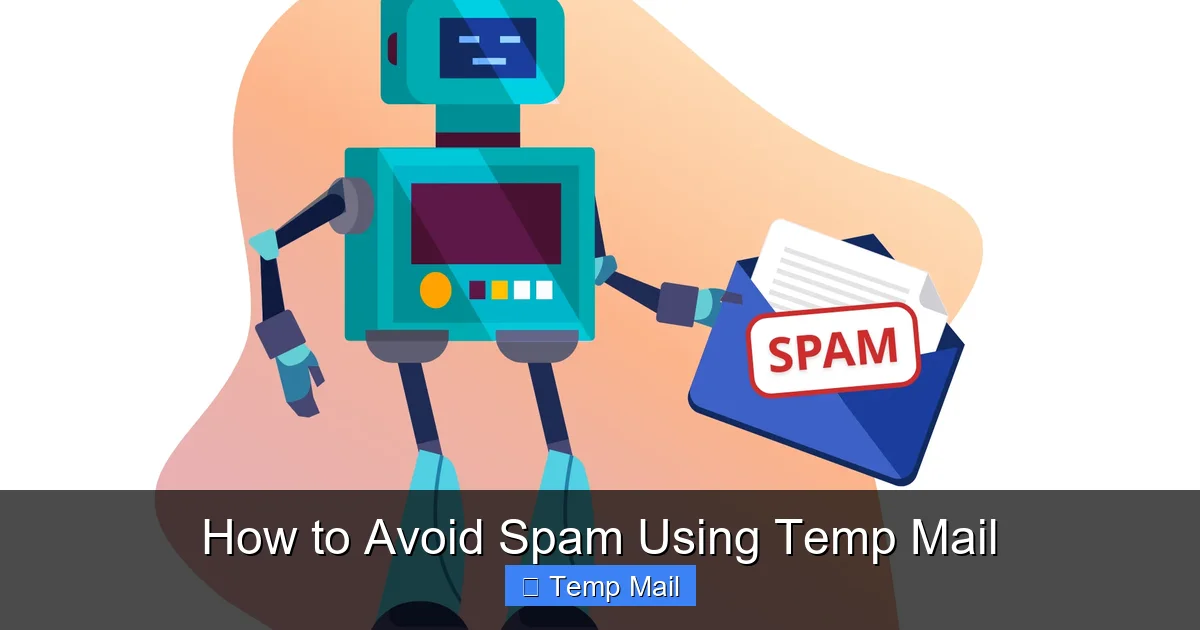
This is the most common and safest use case. Countless blogs, e-books, templates, and whitepapers require an email address to “unlock” the download. The business model here is lead generation—they want your email to add you to a sales funnel. Using your primary address for this is almost guaranteed to result in a sales pitch every week for the next year. Instead, use your temp mail. Get the file, and the inbox vanishes. No follow-up, no spam.
2. Registering for Forums and Commenting
Want to ask a question on a niche forum or leave a comment on a news article? Many platforms require an email to prevent bot spam but have no other need for it. Using your real address exposes you to potential data leaks from that forum (which may have poor security) and adds you to their promotional list. A temp mail address fulfills the requirement with zero risk to your permanent identity.
3. Testing Online Services and Trials
Signing up for a 30-day free trial of a SaaS tool? Use temp mail. This prevents the company from relentlessly emailing you to convert to a paid plan after the trial ends. It also stops them from building a profile on you based on your trial usage. You get to test the software without a long-term marketing commitment.
4. Accessing Public Wi-Fi or Guest Networks
Some airports, hotels, or cafes require an email address to access their guest Wi-Fi network. This is a classic data-harvesting trap. Providing your primary email here means your location and connection habits could be linked to your identity and potentially sold. A temp mail address gets you online immediately with no personal linkage.
5. Creating Throwaway Accounts for Apps
Need an account for a game, a dating app you’re just trying out, or a utility app you might use once? A disposable email is perfect. It satisfies the “must be 13+” or “must create an account” barrier without creating a permanent digital artifact tied to you.
Critical Limitations and Considerations: What Temp Mail Can’t Do
While powerful, temp mail is not a magic bullet for all email-related problems. Understanding its limitations is crucial for using it safely and effectively. Misapplying it can lead to lost access, security gaps, or frustration.
The “No Sending” Rule
Virtually all temp mail services are receive-only. You cannot compose and send emails from a disposable address. This is by design. Allowing outgoing mail would make these services a prime tool for spam and fraud, which would get them blacklisted almost instantly. Their utility is strictly for receiving verification and access emails from other services.
No Account Recovery, Ever
If you forget your password for a site you signed up with a temp mail address, you are permanently locked out. There is no way to recover that account because the recovery email no longer exists. This is why the golden rule is: NEVER use temp mail for any account where you might need to log in again, recover a password, or receive critical notifications. This includes social media, banking, primary cloud storage, work-related tools, and any service with long-term value.
Short Lifespan and Unpredictability
The temporary nature is a double-edged sword. While it ensures your privacy, it means you have a very small window—often just 10 minutes to a few hours—to retrieve the email you need. If you get busy and forget to check the inbox, the email and the address are gone. Some services may also extend the life if you actively refresh the page, but you cannot rely on this. You must act promptly after signing up.
Trust and Security of the Provider Itself
You are placing trust in the temp mail service. While they don’t want your data, they *do* see every email that passes through their random mailboxes. A malicious or compromised provider could read those emails. This is why you must use only well-known, reputable services with a clear policy of not logging or storing data. Do not use obscure, ad-heavy sites. The emails themselves are also not encrypted in transit or at rest by the service, so they should never contain sensitive personal data (like SSNs, credit card numbers, or private documents).
Blocked by Major Platforms
Many major websites—including Google, Facebook, Microsoft, and most major banks—actively block email domains from known temp mail providers. They see these domains as high-risk for fraud and abuse. If you try to sign up with a disposable address on these platforms, you will simply get an error message saying the email is invalid. This is a feature, not a bug, for these platforms, but it limits where you can use a temp address.
Best Practices for Safe and Effective Use
To get the maximum benefit and minimum risk from temp mail, follow these essential guidelines. Think of them as the operating instructions for your digital privacy shield.
Choose Your Provider Wisely
Not all temp mail services are created equal. Stick with established names that have been around for years and have transparent operations. Look for services that:
- Do not require registration. If they ask for an email to “create an account,” run away. That defeats the purpose.
- Have a clear privacy policy. It should state they do not log IP addresses, store emails after deletion, or sell data.
- Offer domain variety. Good services provide multiple domain options (e.g., @temp-mail.org, @tmpmail.org, @guerrillamail.com), making it harder for sites to block all of them.
- Are ad-supported but not ad-ridden. A few static ads are expected for a free service. But if the page is a chaotic mess of pop-ups, misleading download buttons, and adult ads, the site is likely malicious itself.
The Golden Rule: Primary vs. Disposable
Internalize this hierarchy:
- Tier 1 (Primary Email): Use for family, close friends, banking, primary cloud storage (Google, Apple, Microsoft), work, password recovery for critical accounts, and any legal or financial documentation.
- Tier 2 (Alias/Forwarding Service): Consider using a service like SimpleLogin or AnonAddy for accounts you want to keep long-term but still hide your primary address from (e.g., online shopping, newsletters you actually want). These create unique forwards to your main inbox that you can disable later.
- Tier 3 (Temp Mail): Use for everything else: one-time downloads, forum sign-ups, app trials, public Wi-Fi access, and any site you have zero intention of maintaining a relationship with.
Operational Security: Your Habits Matter
Your behavior can undermine the privacy temp mail provides.
- Use Incognito/Private Browsing Mode: Open your temp mail provider in a private browser window. This prevents cookies from that session from linking your disposable activity to your regular browsing profile.
- Never Use the Same Temp Address Twice: Each new sign-up should ideally be with a freshly generated address. Reusing a disposable address defeats the purpose of anonymity and allows cross-site tracking of that specific alias.
- Clear Your Browser Data After: Once you’ve completed your task, close the private window and, if you’re extra cautious, clear your browser’s cache and cookies for that session.
- Never Input Personal Data: Do not use your real name, birthdate, or address in forms associated with your temp mail account. The point is anonymity, not creating a fake persona that can be tied back to you.
Know When to Walk Away
If a website or service refuses to accept a temp mail domain, that is a data point. It’s a signal that they are highly concerned about fraud (common for financial sites) or, conversely, that they are so spammy they want to ensure they can always email you. In either case, ask yourself: “Do I really trust this site with my primary email?” If the answer is no, maybe you shouldn’t use the service at all. A site that blocks disposable emails is often one that will bombard you or has poor data security.
Conclusion: Embracing Proactive Privacy
The constant stream of spam and the erosion of digital privacy can feel like an inevitable tide we must simply endure. But it doesn’t have to be this way. Temp mail represents a simple, powerful, and freely available tool for taking back control. It’s not about being paranoid; it’s about being prudent. By consciously segregating your online identities—using a robust, secure primary email for your real life and a fleet of disposable addresses for the trivial, transient interactions of the web—you build a vital buffer zone. You stop the data harvesting at the source, declutter your mind and your inbox, and significantly reduce your attack surface for phishing and fraud. Start today. The next time a website asks for your email to read an article or download a template, pause. Open a new tab, generate a temp mail address, and use it. Experience the quiet satisfaction of a primary inbox that stays clean, a digital footprint that is minimized, and a sense of agency in a world designed to harvest your data. That small habit is a significant step toward a safer, less cluttered, and more private digital life.
Frequently Asked Questions
Is using temp mail legal and safe?
Yes, using temp mail is completely legal. It is safe as long as you use reputable providers and only use it for its intended purpose: receiving non-sensitive, one-time emails. The main risk is if a provider is malicious itself, which is why choosing established services is important. You should never use it for banking, official government communications, or any service requiring long-term account security.
How long does a temp email address last?
The lifespan varies by provider but typically ranges from 10 minutes to 48 hours. Most common services offer about 1-2 hours. The countdown is usually displayed on the inbox page. Once the time expires, the address and all contained emails are permanently deleted from the server and are unrecoverable.
Can I send emails from a temp mail address?
No, temp mail services are almost universally receive-only. They are designed to accept emails sent *to* the disposable address (like verification links) but do not have the functionality to let you compose and send emails *from* that address. This is a key limitation to remember.
Are temp mail services truly anonymous?
They are anonymous in the sense that no personal information is required to generate an address, and no account is created. However, the service provider itself can technically see the emails passing through. For complete anonymity from the provider, you would need to use a service that doesn’t log IPs and combine it with a VPN or Tor. For most users avoiding spam, the standard anonymity (no link to your real identity) is sufficient.
Will temp mail work for two-factor authentication (2FA)?
Generally, no. You should never use a temp mail address for any account where you enable two-factor authentication. 2FA codes are critical for account security and must be reliably received. Since temp inboxes expire and are not persistent, you would lose access to your 2FA method, effectively locking yourself out of the account permanently.
Why do some websites block temp mail domains?
Websites block known temp mail domains primarily to combat fraud, spam, and abuse. Disposable emails make it easy for bad actors to create fake accounts, post spam, or launch attacks without consequence. While this can be frustrating for legitimate users, it’s a security measure for the website. If a site you trust blocks temp mail, you’ll need to use your primary or a long-term alias email for that service.
Leave a Reply