In 2026, disposable email addresses are essential digital tools for protecting your primary inbox from spam, data breaches, and unwanted tracking. The best disposable email providers offer instant, no-registration inboxes with advanced security and user-friendly interfaces. This guide cuts through the noise to reveal the top services, key features to look for, and how to use them effectively for everything from one-time sign-ups to secure app testing.
Remember that feeling? You finally find a free e-book, a must-have discount, or a niche forum you’ve been searching for. You click “Sign Up,” eagerly type your primary email, and hit submit. The next day, your inbox is buried under a landslide of “Special Offers!” and “You Won!” spam. That sinking feeling is universal. In 2026, this isn’t just an annoyance—it’s a significant privacy vulnerability. Every sign-up is a data point sold, a profile built, a potential vector for a phishing attack targeting your real identity. This is where the humble, powerful disposable email transforms from a tech-savvy trick into a fundamental tool for digital self-defense.
The landscape has changed dramatically. What started as simple, bare-bones “temp mail” websites has evolved into a sophisticated ecosystem of privacy-first communication tools. The best disposable email providers in 2026 aren’t just about getting a random address; they’re about providing a secure, temporary, and intelligent layer between your true self and the chaotic web. They offer peace of mind, inbox zero maintenance, and a critical defense against the pervasive data economy. Whether you’re a casual user tired of promotional spam, a developer testing user flows, or a privacy-conscious professional, understanding this space is key to reclaiming control. Let’s dive into the current leaders, the essential features that define them, and how to wield this tool with precision.
Key Takeaways
- Essential Privacy Shield: Disposable emails act as a protective barrier, keeping your real identity and primary inbox safe from spam, data harvesting, and potential security threats linked to untrusted websites.
- No-Credential Simplicity: The best 2026 providers generate a working email address instantly, requiring zero personal information, no password creation, and no account setup—true anonymity from the first click.
- Use-Case Driven Selection: Your choice depends on need: some excel at ultra-short lifespans for instant verifications, while others offer extended inboxes (up to 48 hours) for multi-step processes like app testing.
- Security is Non-Negotiable: Top-tier providers now include encrypted inboxes, auto-wipe technology, and protection against open tracking pixels, moving beyond simple spam filtering to active privacy defense.
- Evolving Past Basic “Temp Mail”: In 2026, leading services integrate with password managers, offer custom domain options for developers, and use AI to intelligently filter verification emails from promotional clutter.
- A Tool, Not a Crime: Using disposable emails is a legitimate privacy practice, not inherently malicious; ethical use involves employing them for low-stakes interactions where you wouldn’t share your real contact anyway.
- Mobile-First is Standard: The best providers now offer seamless, native mobile apps with push notifications for critical emails, ensuring you never miss a verification code while on the go.
📑 Table of Contents
- Why Disposable Emails Are More Critical Than Ever in 2026
- The Top 5 Disposable Email Providers for 2026: Features & Analysis
- How to Choose the Right Provider: A Practical Decision Framework
- Advanced Use Cases: Beyond Spam Avoidance
- Security & Privacy: What the Best Providers Actually Do for You
- The Future of Disposable Email: 2026 and Beyond
- Conclusion: Your Inbox, Your Rules
Why Disposable Emails Are More Critical Than Ever in 2026
To appreciate the providers, we must first understand the intensified need. The digital environment in 2026 is characterized by two opposing forces: hyper-personalization and stringent privacy regulations like GDPR and CCPA. While these laws give you rights, they don’t stop companies from aggressively collecting data through any means available. Your email address is the golden key to this kingdom—it links your browsing history, purchases, location data, and social media profiles.
The Spam Problem Has Grown Up
It’s not just about Viagra ads anymore. Modern spam is sophisticated. It’s AI-generated “personalized” offers based on a single sign-up you forgot about. It’s “security alerts” from fake services mimicking banks to steal credentials. It’s “order confirmation” phishing emails designed to look exactly like receipts from Amazon or Apple. By using your permanent email everywhere, you’re training these systems to target you effectively. A disposable email severs this chain immediately after its single use is complete.
Data Brokers & The Profile Building Machine
Every website you sign up for is a potential data broker customer. They sell your email (and associated activity) to aggregators who build detailed dossiers. These dossiers are used for everything from price discrimination (charging you more based on your profile) to targeted political advertising. Using a disposable email for non-essential sign-ups is a direct act of defiance against this opaque profiling industry. It gives the data broker a dead-end address, a digital ghost that leads nowhere after 24 hours.
Security Hygiene for the Modern User
Consider your primary email as your digital home. You wouldn’t give your home address to every stranger you meet on the street. Similarly, you shouldn’t hand out your “digital home” address to every sketchy website or new app. Disposable emails are the PO Box of the internet. They’re perfect for receiving one package (the verification code or download link) and then being closed forever, preventing anyone from ever showing up at your real door. This practice, known as “email aliasing,” is a cornerstone of operational security (OpSec) for everyday users in 2026.
The Top 5 Disposable Email Providers for 2026: Features & Analysis
The market is crowded, but a few leaders have distinguished themselves through reliability, security innovation, and user experience. Here are the definitive providers setting the standard this year.
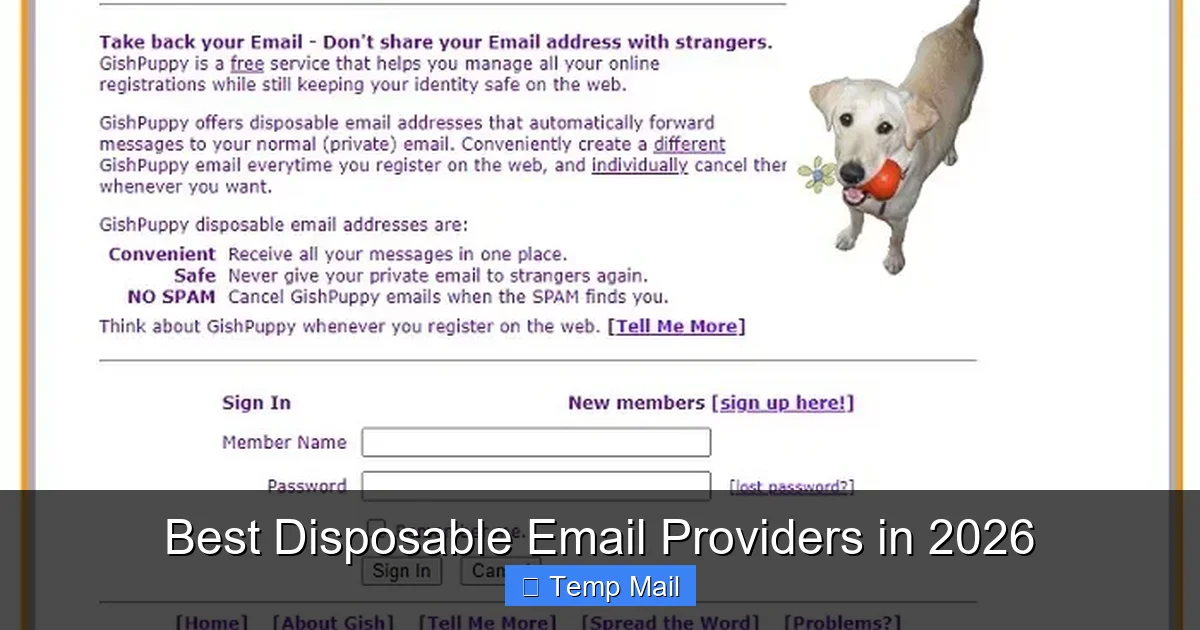
Visual guide about Best Disposable Email Providers in 2026
Image source: maketecheasier.com
1. TempMail.org: The Gold Standard for Simplicity & Speed
TempMail.org has consistently refined its offering and remains the go-to for millions. Its strength is utter, brainless simplicity. You land on the page, and a random @tempmail.email address is already generated and active. No clicks. The inbox auto-refreshes. It’s perfect for the “I need this code NOW” moment while setting up a new social media account or accessing a public Wi-Fi portal.
- 2026 Edge: Introduced AI-powered filtering that automatically identifies and tags verification emails (from sites like Discord, Telegram, or Google) at the top of the inbox, hiding promotional clutter that sometimes slips through.
- Inbox Lifespan: Default 24 hours, extendable once.
- Best For: Instant, one-time verifications and casual, low-risk sign-ups.
- Watch Out For: The free version contains non-intrusive, text-based ads. The address format is easily recognizable by some advanced anti-bot systems.
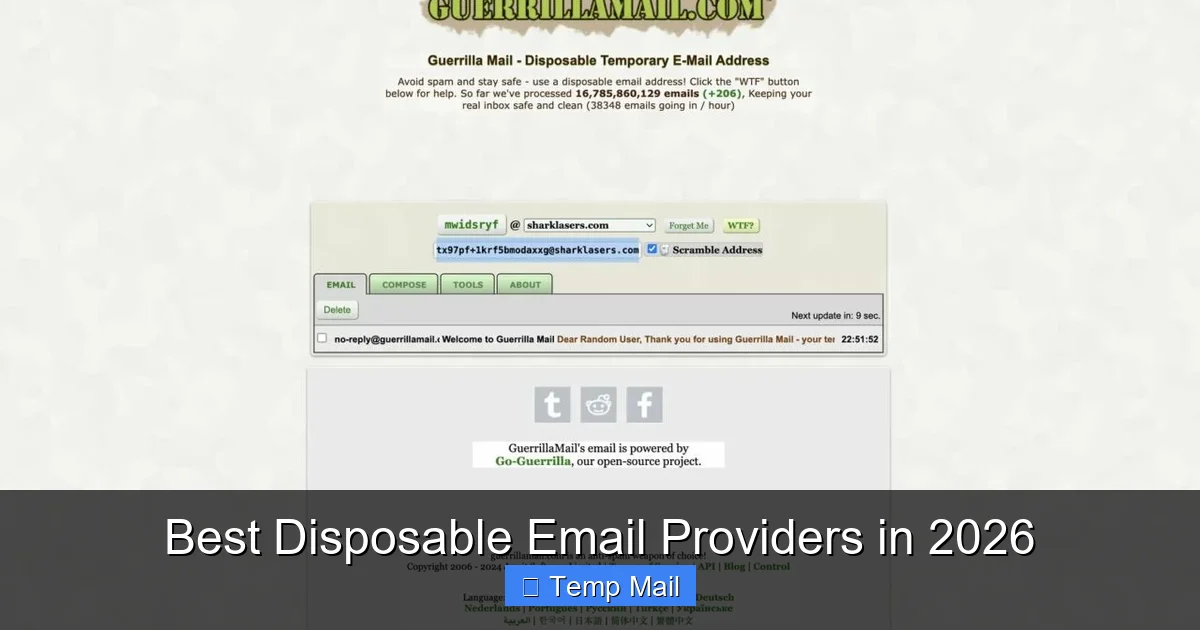
2. Guerrilla Mail: The Veteran with Unmatched Longevity
Guerrilla Mail has been a stalwart for over a decade. Its defining feature is the ability to choose your own disposable address from a list of domains (like @guerrillamail.info, @grr.la). This is crucial if a specific website blocks known disposable domains. You can also reply to emails from within the disposable inbox—a rare feature that’s useful for brief, back-and-forth communication without revealing your real address.
- 2026 Edge: Launched a “Secure Mode” that adds a layer of encryption to the inbox session and disables all external images/scripts by default, preventing tracking pixel activation.
- Inbox Lifespan: 1 hour by default, but you can manually “keep” it for up to 24 hours. Emails are deleted after 1 hour of receipt.
- Best For: Situations where you need to pick a domain that might bypass filters, or require a single reply.
- Watch Out For: The shorter default lifespan means you must act fast. The interface is slightly more dated than newer competitors.
3. 10MinuteMail: The Specialist for Ultra-Short Tasks
As the name implies, this service is built for speed and transience. The address is active immediately and is set to self-destruct in 10 minutes. You can extend the timer in 10-minute increments. This extreme temporariness is its superpower. It’s the ultimate “burner” for situations with zero future contact needed, like downloading a PDF that requires an email gate or accessing a demo that sends a one-time link.
- 2026 Edge: Integrated a “One-Click Copy” button directly into the browser extension, allowing you to copy the address and paste it into a form without ever leaving the site you’re on.
- Inbox Lifespan: Starts at 10 minutes, extendable up to 60 minutes total.
- Best For: The most ephemeral tasks where even 24 hours feels too long to risk a stray email.
- Watch Out For: The pressure-cooker timer is not for the indecisive. You must complete your task and retrieve your email within the window.
4. SimpleLogin (by Proton): The Premium, Integrated Powerhouse
SimpleLogin, acquired by Proton (the makers of Proton Mail), represents the evolution from “disposable” to “managed alias.” It’s not a traditional temporary inbox. Instead, it creates unique, forwardable email aliases that route to your real (or a dedicated) inbox. You can send replies from the alias, and it offers full PGP encryption. The “disposable” nature is managed by you—you can disable or delete an alias at any time from a clean dashboard. This is for users who want the privacy of a disposable address but the convenience of a single, permanent inbox.
- 2026 Edge: Seamless integration with Proton ecosystem (Proton Mail, VPN, Drive). Its “catch-all” domain feature allows you to use any [email protected] without pre-creating it, and it will forward to your main inbox. Top-tier filtering and blocklists.
- Inbox Lifespan: Permanent until you delete the alias. You control the lifecycle.
- Best For: Long-term privacy for accounts you intend to keep (like newsletters or online services) but don’t want traced to your main identity. Developers and professionals.
- Watch Out For: It’s a paid service (with a generous free tier). Requires initial setup and a primary inbox to forward to. Less “fire-and-forget” than true temp mail.
5. Burner Mail: The Smart, Customizable Defender
Burner Mail operates on a similar alias principle to SimpleLogin but with a different feature set focused on customization and control. You create a “burner address” from your own chosen domain (e.g., [email protected]). The service receives emails and forwards them to your real inbox. The magic is in the rules: you can set a specific number of emails to forward before auto-deactivating the address, or a time limit (e.g., “forward for 3 days then die”).
- 2026 Edge: Advanced rule-based automation. You can create a rule that says “If the sender is ‘@facebook.com’, forward only 2 emails then stop.” It also offers “masked” phone numbers in some regions, creating a full anonymous communication suite.
- Inbox Lifespan: User-defined—by email count, by time, or manual.
- Best For: Users who want granular control over the lifespan of each alias. Signing up for trials where you know you’ll get 3-4 follow-up emails, then want it to auto-expire.
- Watch Out For: Also a freemium model with limits on free aliases. The web app is primary; mobile experience is good but not as polished as native apps.
How to Choose the Right Provider: A Practical Decision Framework
With these top contenders, how do you pick? Don’t just default to the first Google result. Match the tool to your specific task. Ask yourself these questions.
Visual guide about Best Disposable Email Providers in 2026
Image source: zerobounce.net
What’s the Lifespan of My Need?
This is the primary filter. If you need to verify a phone number for a ride-share app and will never use that email again, 10MinuteMail is perfect. If you’re signing up for a 7-day software trial that will send a daily digest, you need at least a 7-day lifespan—point your browser to TempMail.org and extend it. If you want to subscribe to a monthly newsletter from a brand you like but don’t want them selling your main email, you need a permanent but revocable solution—SimpleLogin or Burner Mail are your tools.
Will I Need to Reply?
Most true disposable inboxes are receive-only. If the website or person might email you back and you need to answer (e.g., a quick clarification from a freelance client on a throwaway project), you must use Guerrilla Mail or an alias service like SimpleLogin/Burner Mail that supports outbound mail.
Is the Site Known to Block Disposable Domains?
Some services, particularly financial or high-security platforms, maintain lists of known disposable email domains and will reject them outright. Here, the ability to choose your own domain is key. Guerrilla Mail offers multiple domain choices. Alias services (SimpleLogin, Burner Mail) use your own custom domain (e.g., [email protected]), which looks completely legitimate and will never be on a blocklist.
What’s My Tech Comfort Level?
For the absolute beginner who just wants a code, TempMail.org is idiot-proof. For the power user who wants to set up rules, monitor multiple projects, and have a permanent dashboard, Burner Mail or SimpleLogin are worth the slight learning curve. For developers testing APIs or user registration flows, an API-enabled service or the ability to generate hundreds of aliases programmatically (offered by the premium tiers of alias services) is essential.
Advanced Use Cases: Beyond Spam Avoidance
The savvy user deploys disposable emails strategically in several advanced scenarios.
Visual guide about Best Disposable Email Providers in 2026
Image source: zerobounce.net
Software & App Testing for Developers & QA
When building an app that requires email sign-up, you need to test the flow hundreds of times. Using your real email is messy and unprofessional. Services like SimpleLogin offer API access, allowing automated test scripts to generate unique aliases on the fly, trigger sign-up emails, and verify receipt—all without polluting a real inbox or hitting provider spam filters.
Geolocation & Pricing Bypass
Some streaming services, e-commerce sites, or software vendors show different prices or content libraries based on the perceived location from your email domain (e.g., .de vs .fr). By creating a disposable address with a domain associated with a specific country, you can sometimes view regional pricing or content to make an informed purchasing decision. (Note: This may violate Terms of Service.)
Secure Whistleblowing & Anonymous Tips
For journalists, activists, or employees needing to send sensitive information anonymously, a disposable email from a provider with a strong no-logs policy and Tor network support (some niche providers still offer this) is a first step. Pair it with a secure VPN and the Tor Browser for a stronger anonymity set. Services like Guerrilla Mail in “Secure Mode” can contribute to this chain.
Managing “Shadow IT” & One-Off Projects
An employee might need to sign up for a SaaS tool for a one-week project. Using the company email creates a permanent record and potential data leakage. Using a disposable email for this “shadow IT” keeps the project isolated and leaves no trace in the corporate directory upon completion.
Security & Privacy: What the Best Providers Actually Do for You
Not all disposable email services are created equal. The difference between a basic tool and a secure one lies in these technical and policy commitments.
Encryption & Data Handling
The best providers encrypt emails at rest. More importantly, they have a clear, public policy stating they do not log IP addresses, do not scan email content for advertising, and purge all data from servers immediately after the inbox expires or is manually deleted. SimpleLogin (Proton) is exemplary here, inheriting Proton’s Swiss-based privacy laws and infrastructure. Always check the Privacy Policy for these specifics.
Protection Against Tracking Pixels
Many marketing emails embed tiny, invisible images (tracking pixels) that report back to the sender when you “open” the email, logging your IP address, device, and approximate location. Top-tier 2026 providers like TempMail.org and Guerrilla Mail’s Secure Mode proxy or block these images by default, breaking the tracking chain and preserving your anonymity even within the temporary inbox.
HTTPS Everywhere & Secure Connections
This should be table stakes. Any provider not using HTTPS for every page and every request is a hazard. All our top picks enforce HTTPS. Look for the padlock icon.
Open Source & Auditable Code
For the most paranoid, services that open-source their web application code (like some projects built on the SimpleLogin platform) allow for community audits, ensuring there are no hidden backdoors or data collection mechanisms. This is a gold standard for trust.
The Future of Disposable Email: 2026 and Beyond
The evolution is accelerating. Disposable email is shedding its “temporary” label and becoming “contextual” or “ephemeral identity management.”
AI-Powered Inbox Triage
Imagine a disposable inbox that doesn’t just hold emails. It uses on-device AI to read the subject and sender, categorize emails (Verification, Newsletter, Spam), and even auto-delete obvious junk before you see it. It could highlight the verification code in a visual banner, making it impossible to miss. This is already in beta with providers like TempMail.
Integration with Password Managers & Digital Wallets
The next frontier is deep integration. Your password manager (1Password, Bitwarden) will have a built-in “Generate Disposable Email” button that creates an alias via an API and saves it directly to the login entry. Your digital wallet could use a unique disposable email for every receipt, automatically organizing them and shutting them down after the return period expires.
Blockchain & Decentralized Identifiers (DIDs)
In the longer term, disposable email may be a stepping stone to fully decentralized identity. Instead of an @gmail.com address, you might use a DID (like did:example:123456) that can prove you are a human without revealing your actual email or identity. Disposable email providers are experimenting with using blockchain not to store emails (a privacy disaster), but to provide a verifiable, timestamped proof of an address’s creation and destruction, enhancing auditability for compliance.
The Mobile Becomes the Primary Interface
For most of the world, the smartphone is the primary computer. The best providers in 2026 offer native iOS and Android apps that feel like first-class citizens, with widgets for quick address generation, biometric locks for the app itself, and smart notifications that only buzz for emails matching “verification” keywords.
Conclusion: Your Inbox, Your Rules
The disposable email providers of 2026 are no longer a hack; they are a mature, essential layer of your digital hygiene toolkit. They empower you to take back control from the data-hungry ecosystem that treats your primary email as a commodity. The choice is clear: let every website, app, and form have a piece of your permanent identity, or strategically arm them with disposable, self-destructing addresses that serve their purpose and vanish.
Start by auditing your own email. How many newsletters did you sign up for for a one-time discount? How many accounts do you have that you haven’t logged into in years? Each of those is a potential leak. Pick a provider from this list that matches your most common use case—TempMail.org for instant needs, SimpleLogin for long-term alias management—and make it your default for any sign-up that isn’t critically tied to your identity (banking, primary cloud storage, core communication). Use it for the forum, the discount, the free trial, the PDF download. Let your primary inbox become a sanctuary for only the people and services you truly trust. In the battle for digital privacy, a disposable email is one of the simplest, most effective weapons you have. Wield it wisely.
Frequently Asked Questions
Is using a disposable email legal?
Yes, using a disposable email is completely legal. It’s a standard privacy tool, much like using a PO box for physical mail. The legality only comes into question if you use it to commit fraud, evade legal obligations, or send threats—the same as misusing any communication channel.
Are disposable emails safe from hackers?
They are generally safer *for your main accounts* because they isolate risk. If a disposable provider suffers a breach, only the temporary emails and their limited contents are exposed, not your primary identity. However, you should still choose providers with HTTPS and clear privacy policies. Never use a disposable email for highly sensitive transactions like banking or official government portals.
How long do disposable emails typically last?
It varies by provider and user choice. Standard lifespans range from 10 minutes (10MinuteMail) to 24-48 hours (TempMail.org). Alias services like SimpleLogin or Burner Mail let you set a custom lifespan or keep an alias active indefinitely until you manually delete it.
Can I use disposable emails for important accounts like banking?
Absolutely not. You should never use a disposable email for any account where you need reliable, long-term access, password recovery, or legal/contractual communication. Banks, primary cloud storage, main social media, and work accounts must use your permanent, secure email that you control and monitor regularly.
Will websites know I’m using a disposable email?
Often, yes. Many websites and platforms maintain blocklists of known disposable email domains and will reject them during sign-up. This is why services that let you use your own custom domain (like SimpleLogin or Burner Mail) are valuable—the alias looks like a normal, unique email address.
What’s the difference between a disposable email and a VPN?
They protect different things. A VPN encrypts your internet traffic and masks your IP address, hiding your online activity and location from your ISP and websites. A disposable email masks your identity *specifically at the point of email sign-up*. They are complementary tools: use a VPN for general browsing privacy and a disposable email for sign-up privacy.
Leave a Reply