Tired of your inbox being flooded with unwanted spam and promotional emails? Using a temporary email address is a simple, powerful defense. These disposable accounts let you sign up for websites, download files, or access content without ever revealing your real email. They auto-delete after use, keeping your primary inbox clean, secure, and spam-free. It’s the ultimate privacy tool for the modern web.
You know the feeling. You finally carve out ten minutes to check your personal email, bracing for the inevitable avalanche. There it is: a dozen “exclusive offers” from retailers you’ve never heard of, a suspicious “account activity alert” from a service you don’t use, and a newsletter you accidentally subscribed to three years ago. Your real inbox—the one tied to your bank, your family, your work—has become a digital landfill. The promise of the internet as a tool for connection and productivity is buried under a mountain of unsolicited commercial noise and potential security threats. But what if you could hit the reset button? What if you could browse, sign up, and download without ever handing over the email address you actually care about? This is not a hypothetical. This is the power of temporary email, and it might be the most underrated tool in your digital hygiene kit.
In this comprehensive guide, we’re going to demystify the world of disposable email addresses. We’ll move beyond the basic idea and dive deep into the practical, step-by-step strategies for using temp mail to systematically avoid spam emails. You’ll learn exactly how these services work, the specific scenarios where they shine (and where they fail), how to choose the right provider, and the advanced tactics to reclaim your primary inbox for good. Forget just managing spam—let’s talk about preventing it at the source. Your journey to a pristine, secure, and truly useful inbox starts now.
Key Takeaways
- Temp mail acts as a shield: It provides a disposable email address to use for one-time sign-ups, protecting your primary email from spam lists and data breaches.
- Automatic deletion is key: These inboxes and their history are permanently erased after a short period (usually 10 minutes to 24 hours), leaving no trace.
- Use it for low-stakes interactions: Perfect for forum registrations, free e-book downloads, accessing gated content, or any service where you don’t need long-term communication.
- Never use it for critical accounts: Avoid temp mail for banking, primary cloud storage, social media logins, or any service where account recovery is vital.
- It enhances privacy and security: By minimizing the digital footprint of your primary email, you reduce targeted advertising, phishing risks, and data aggregation by marketers.
- Choose a reputable provider: Select a well-known temp mail service that doesn’t require personal info and has a clear privacy policy.
- Combine with other good habits: Use strong, unique passwords, enable 2FA on important accounts, and be cautious about where you share any email address.
📑 Table of Contents
The Spam Epidemic: Why Your Primary Email is a Target
Before we solve the problem, we need to understand its scale. Spam isn’t just annoying; it’s a pervasive business model. Every time you enter your email address on a website, you’re handing over a piece of your digital identity. That email address has immense value to marketers, data brokers, and, unfortunately, cybercriminals.
The Lifecycle of a Spam Email
It often starts innocently. You find a great free template, a useful whitepaper, or a discount on a product you like. You enter your email to get it. That company now owns your address. They might use it themselves, but they often “share” it with “partner” networks—a euphemism for selling it to other marketers. Within days, your inbox is flooded. Worse, if that company suffers a data breach (and they do, constantly), your email and any password you used for them end up on a public “combo list” traded on dark web forums. From there, it’s open season for phishing attacks, credential stuffing attempts (where bots try your email/password on hundreds of popular sites like Netflix or Amazon), and relentless spam.
Your primary email is the master key to your digital life. It’s the username for your Apple ID, Google Account, and Microsoft Account. It’s the recovery address for every other service you use. When spam artists get it, they have a direct line to attempt social engineering and trick you into clicking malicious links. The cost of this “free” content isn’t just annoyance; it’s increased risk, wasted time, and mental clutter.
What is Temp Mail? Your Disposable Digital Bodyguard
Temporary mail, also called disposable email or throwaway email, is a service that provides you with a random, anonymous email address for a short, predefined period. These inboxes exist on the provider’s server, not on your device. They are designed to be used once or twice and then discarded forever.
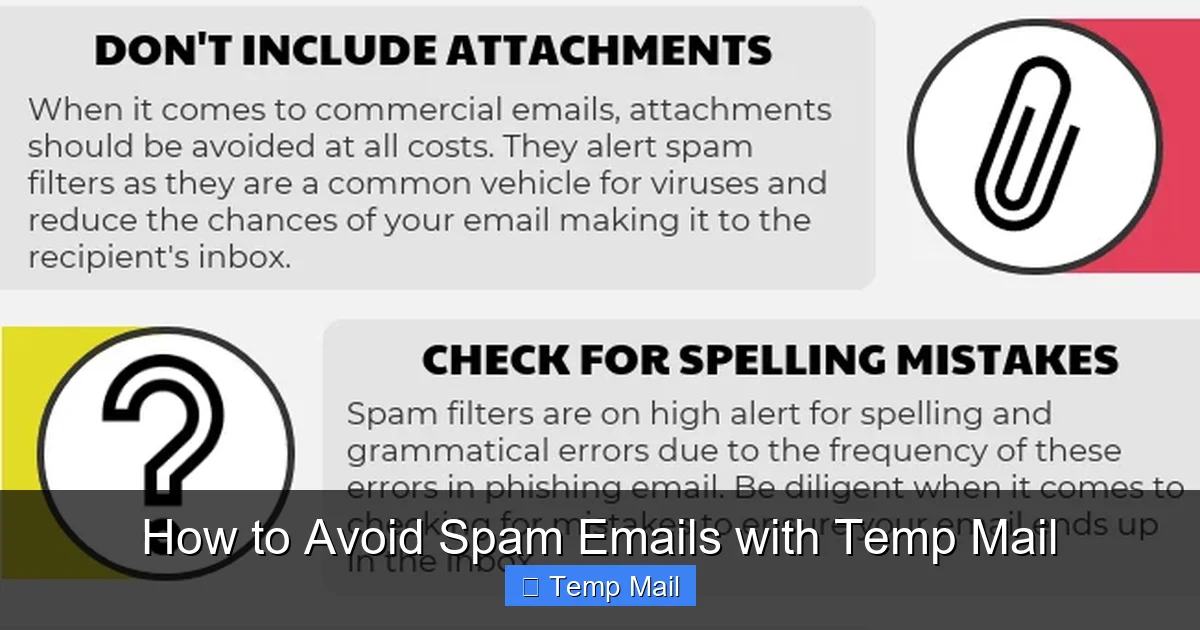
Visual guide about How to Avoid Spam Emails with Temp Mail
Image source: lessitermedia.com
How Does It Actually Work?
The mechanics are beautifully simple. You visit a temp mail website like Temp-Mail.org, 10MinuteMail.com, or Guerrilla Mail. The site instantly generates a unique email address for you, something like [email protected]. It also gives you a web-based inbox interface. Any email sent to that address appears in that web interface in real-time. You can read it, click links within it, or download attachments—all from your browser. After the timer runs out (often 10, 30, or 60 minutes, with some offering 24-hour extensions), the entire inbox and the email address itself are permanently deleted from the server. The address is then recycled and given to someone else in the future. There is no password, no persistent login, and no history.
Core Features That Fight Spam
- No Registration Required: The best services don’t ask for your phone number, another email, or any personal details to generate an address.
- Auto-Deletion: This is the killer feature. The address and all its contents vanish, ensuring no long-term data exists to be leaked or sold.
- Inbox Refresh & Copy: You can manually refresh the inbox to check for new mail and easily copy the generated address to paste into a sign-up form.
- Browser Extensions: Some providers offer extensions that can auto-fill temp mail addresses into web forms with a single click, streamlining the process.
Step-by-Step: Using Temp Mail to Block Spam at the Source
Knowledge is power, but execution is everything. Here is your actionable playbook for integrating temp mail into your daily browsing habits.
Visual guide about How to Avoid Spam Emails with Temp Mail
Image source: anonymmail.net
Scenario 1: Downloading a Free E-book, Template, or Resource
This is the #1 use case. You see a “Free SEO Checklist” or “10 Instagram Templates” that requires an email. Do not use your primary email.
- Open a new tab and go to your chosen temp mail provider.
- Copy the randomly generated address (usually one click).
- Return to the sign-up form, paste it into the email field, and submit.
- Refresh the temp mail inbox. The download link or file attachment will appear within seconds or minutes.
- Download the resource to your computer.
- Close the tab. The address and the confirmation email are gone in 10 minutes. The company has no way to add you to a newsletter or spam sequence because the address no longer exists.
Scenario 2: Creating an Account for a One-Time Service
You need to use a free online tool for a specific project—a PDF converter, a quick graphic design tool, a forum to ask one question.
- Generate your temp mail address.
- Use it to sign up. You’ll get a verification email in the disposable inbox. Click the link to verify.
- Use the service for your immediate need.
- Log out and forget about it. If you ever need to use it again in a month, you’ll simply create a *new* temp address. The old account with its associated data will be inaccessible, which is fine because you had no long-term investment in it.
Scenario 3: Accessing Gated Content or Reading an Article
Some blogs or news sites block content behind an email “paywall.” Use your temp mail to bypass this. The site gets its “lead,” you get your article, and both parties part ways with no ongoing relationship. No newsletter subscriptions, no follow-up. Clean and simple.
Pro-Tip: The Browser Extension Workflow
Services like “Temp Mail” offer browser extensions (Chrome, Firefox). Install one. When you land on a form, click the extension icon. It will automatically generate a new address, copy it to your clipboard, and often even paste it into the active form field. It can also monitor the new tab with your inbox. This reduces a 4-step process to a single click, making temp mail frictionless and habitual.
Advanced Strategies and Best Practices
Using temp mail is simple, but using it *effectively* requires a few mental models and best practices to avoid pitfalls.
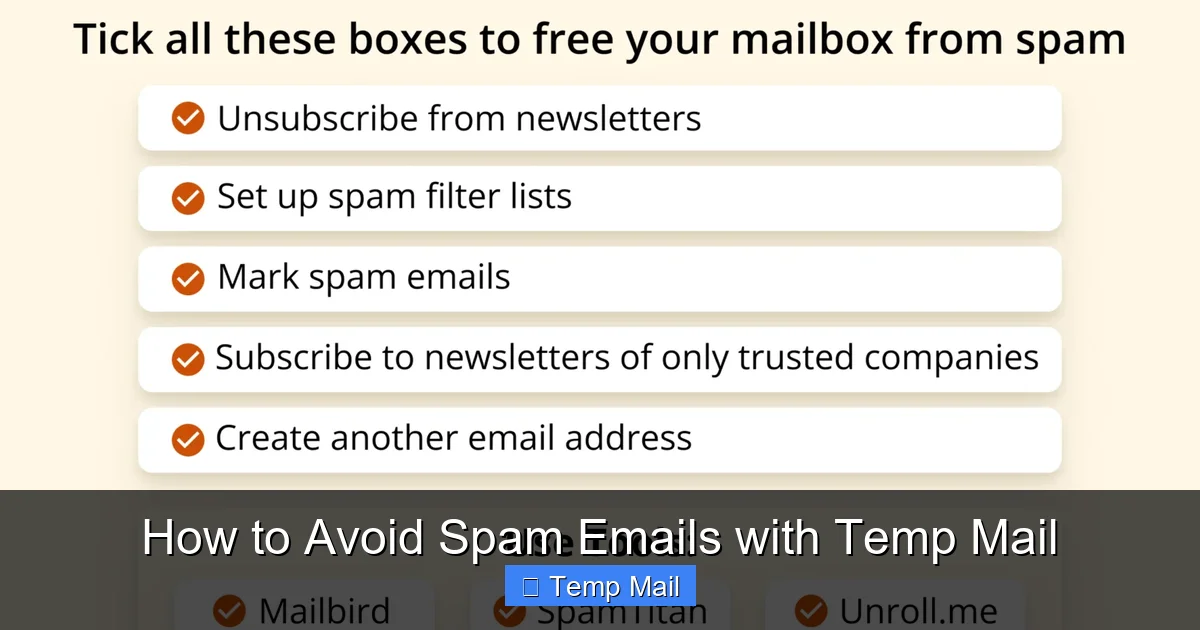
Visual guide about How to Avoid Spam Emails with Temp Mail
Image source: getmailbird.com
1. The Golden Rule: Know Your “Email Risk Level”
Adopt a simple framework for any website asking for your email:
- High-Risk (NEVER use temp mail): Financial institutions (banks, PayPal, crypto exchanges), primary cloud storage (Google Drive, iCloud), social media logins (Facebook, Instagram, Twitter/X), primary email accounts themselves, government/healthcare portals. These require a permanent, secure, recoverable email. Use your primary email here, but ensure it has a very strong, unique password and 2FA enabled.
- Medium-Risk (Consider temp mail): E-commerce sites you plan to buy from *once*. Online learning platforms for a single course. Software trial sign-ups. For these, you can use temp mail for the initial sign-up, but be aware you will lose access to order confirmations, invoices, and password reset links once the inbox expires. Save those files immediately.
- Low-Risk (ALWAYS use temp mail): Content downloads (e-books, templates), one-time tools, forum registrations for a quick question, blog comment sections (which often require an email), any site you feel ambivalent about.
2. The “Save Critical Info Immediately” Protocol
The moment you use temp mail for a transaction (like buying something), you must save all confirmation emails, invoices, and receipts to a dedicated folder on your computer or a secure note-taking app *before* the temp inbox expires. You are accepting that you will lose the ability to log back into that account easily. Have a physical or digital backup of any transaction details.
3. Managing Multiple Temp Addresses
Don’t reuse the same temp address for multiple sites. While the address is disposable, reusing it links your activity across those sites to a single “identity” (however anonymous). Use a fresh address for every new sign-up. This maximizes the separation between your real identity and your online activity.
4. What About Password Recovery?
This is a critical limitation. If you sign up for a service with a temp mail and then forget your password, you are locked out forever. The “forgot password” link will send a reset email to the now-deleted disposable address. Therefore, only use temp mail for services where you are confident you won’t need a password reset, or where you can immediately set up a permanent email *after* registration (some services allow this, but it’s rare). The rule of thumb: if you need to remember a password for it, don’t use temp mail.
The Limitations and Risks of Temp Mail
Temp mail is a powerful tool, but it’s not a perfect shield. Understanding its boundaries is crucial for using it safely and effectively.
1. It’s Not for Building Long-Term Relationships
You cannot build a profile on a platform like LinkedIn, maintain a long-term project management account on Trello, or cultivate a reputation on a professional forum with a disposable email. These services require continuity. Temp mail is for transactions and one-offs, not community building.
2. Some Sites Actively Block Temp Mail Domains
Many reputable services and platforms maintain lists of known temp mail provider domains and block them during sign-up. You’ll see an error like “Please provide a valid email address.” This is a cat-and-mouse game. If you encounter this, you’ll need to either use your primary email (and accept the potential spam) or find a different, less common temp mail provider that isn’t on their blocklist. A quick web search for “temp mail domains not blocked [site name]” can sometimes yield user-shared lists.
3. The Illusion of Complete Anonymity
While the service provider doesn’t know who you are (if no registration is required), your activity is not invisible to the entire internet. Your IP address is logged by the temp mail site and by the site you’re signing up for. For truly sensitive activities, a temp mail combined with a reputable VPN would be a more robust privacy stack. Also, the content of your emails is not end-to-end encrypted; the temp mail provider could technically read them. Do not send sensitive personal data (SSN, private keys, confidential documents) via a temp mail inbox.
4. Potential for Abuse and Blacklisting
Because temp mail addresses are so easily created and discarded, they are frequently used for abuse: creating spam accounts, fraudulent sign-ups, bypassing bans. This means the domain of your temp mail provider (e.g., @temp-mail.org) can sometimes be on broader spam filters. Very rarely, a legitimate email you’re expecting (like a receipt from a company you used a temp address for) might get caught in the spam filter of the *company’s* email system because it came from a disposable domain. This is a small price to pay for inbox hygiene.
Conclusion: Reclaim Your Inbox, Reclaim Your Focus
The relentless drip of spam into your primary email isn’t a passive annoyance; it’s an active drain on your time, your security, and your mental peace. Every unwanted newsletter you have to manually unsubscribe from, every phishing email you have to scrutinize, every promotional offer you have to delete—that’s cognitive load you’ll never get back. Temporary email isn’t a silver bullet for every digital problem, but it is an exceptionally effective, simple, and free tactic for one of the most pervasive issues of our online lives: the pollution of your main communication channel.
By consciously adopting the strategy of using a disposable address for every non-essential interaction, you erect a powerful firewall between your valuable, permanent identity and the chaotic, commercial web. You stop the spam at the source, before it ever has a chance to reach the inbox you actually use. You reduce your digital footprint, minimize your exposure to data breaches, and make your primary email a place of utility and connection again—not a digital landfill. Start today. Open a new tab, search for a reputable temp mail service, and make it your default first step for any online form that asks for an email you don’t absolutely need to keep. Your future, less-cluttered self will thank you.
Frequently Asked Questions
Is using temp mail legal and safe?
Yes, using temp mail is completely legal. It is safe for its intended purpose of receiving non-sensitive, one-time communications. However, it should not be used for illegal activities, and you should never transmit highly sensitive personal or financial information through a disposable inbox.
Will I miss important emails if I use temp mail?
Only if you use it incorrectly. You will miss emails if you use it for services where you need long-term access, like password resets or official receipts. The key is to use it only for low-stakes interactions where you don’t expect to need the account or information later. Always save critical files (like a purchased e-book) immediately.
Do I need to create an account to use temp mail?
No. The best and most private temp mail services require no registration, no personal details, and no password. You simply visit the site, get an address, and use it. This maximizes anonymity and convenience.
Can websites detect that I’m using a temp mail address?
Yes, many can and do. They maintain lists of domains from disposable email providers and will block sign-ups from those addresses. If a site rejects your temp email, you’ll need to either use your primary email or try a different, less common temp mail service.
How long do temp mail addresses last?
It varies by provider, but typical lifespans are 10 minutes, 1 hour, or 24 hours. Some allow you to extend the time manually. After the timer expires, the email address and all messages in its inbox are permanently deleted and the address is recycled.
Should I use temp mail for online shopping?
Use with extreme caution. For a one-time purchase from a site you don’t trust, you *can* use temp mail to avoid spam. However, you must save the order confirmation, invoice, and shipping tracking number to your computer before the inbox expires. You will lose access to any account-based order management on the retailer’s site. For any significant purchase, it’s safer to use your primary, secure email.
Leave a Reply