Creating unlimited temp emails is essential for protecting your primary inbox from spam, signing up for untrusted services, and maintaining online privacy. This guide reveals proven methods—from dedicated disposable email services and browser extensions to custom domain setups—that allow you to generate as many temporary addresses as you need. We’ll also cover critical best practices and security risks to ensure you use these powerful tools safely and effectively.
Ever felt that sinking feeling when you sign up for a promising new online service, only to be bombarded with promotional emails for the rest of your life? Or needed a separate email to test a software feature without cluttering your main inbox? This is where the magic of temporary email addresses comes in. But what if you need not just one or two, but a truly scalable, on-demand system? That’s the power of learning how to create unlimited temp emails. It’s not about being shady; it’s about taking control of your digital footprint, safeguarding your primary identity, and streamlining your online workflows. Whether you’re a developer testing apps, a marketer managing multiple campaigns, or just a privacy-conscious individual, having an endless supply of disposable inboxes is a game-changer. Let’s dive deep into the practical, effective, and responsible ways to build your own personal river of temporary email addresses.
Key Takeaways
- Multiple Methods Exist: You can create unlimited temp emails using dedicated websites, browser extensions, custom domains, or API-based solutions, each with different levels of control and privacy.
- Automation is Key: The most effective strategies for generating a high volume of temp emails involve automation tools, scripts, or services that offer bulk creation via APIs.
- Privacy Comes First: Always choose reputable temp mail providers that do not log your IP address or require personal information to maintain anonymity.
- Know the Limitations: Free disposable email services often have rate limits or shared inbox issues; for true “unlimited” needs, consider paid plans or self-hosted solutions.
- Use Ethically and Legally: Temp emails are for privacy and testing, not for fraud, bypassing bans, or illegal activities. Misuse can lead to IP blocks or legal consequences.
- Manage Your Inbox: Since temp emails are often public or shared, never use them for critical accounts, password resets, or financial transactions.
- Combine Strategies: For the most robust system, use a combination of a primary privacy-focused email, a few trusted disposable services, and a custom domain for high-volume needs.
📑 Table of Contents
- Why You Need a System for Unlimited Temp Emails
- Method 1: Leveraging Browser Extensions and Desktop Apps
- Method 2: Using Dedicated Disposable Email Websites (The Classic Approach)
- Method 3: The Power User Route – Custom Domains and Self-Hosting
- Method 4: API-Based Services for Developers and Bulk Users
- Critical Best Practices and Security Precautions
- Risks, Limitations, and What to Avoid
- Conclusion: Building Your Personalized, Scalable System
Why You Need a System for Unlimited Temp Emails
Before we get into the “how,” let’s solidify the “why.” A single temp email from a website like Temp-Mail.org is useful for a one-off sign-up. But true power comes from a system. Think about these scenarios: you’re a QA tester needing 50 unique emails to stress-test a user registration flow. You’re a social media manager creating accounts for multiple client brands. You’re someone who simply refuses to let a single newsletter service hold your primary email hostage. In each case, a handful of temp emails won’t cut it. You need a reliable, repeatable method to generate them at scale without hitting a wall. This section explores the core motivations behind building such a system.
The Spam & Privacy Epidemic
Our primary email addresses are the keys to our digital lives. They are used for everything from banking to social media. When you hand it out freely, you’re trusting that company with a direct line to your most important inbox. Data breaches happen. Companies sell lists. Even reputable ones can have lax data policies. By using a temporary email for any non-critical service—forums, free ebook downloads, beta access—you create a firebreak. If that service gets hacked or sells your data, the spam and potential phishing attempts hit a dead-end address that will self-destruct. Having a vast pool of these addresses means you never have to reuse one, eliminating the chance of a data trail linking back to you across different sites.
Development, Testing, and Automation
For developers and testers, the need is purely functional. Automated test scripts require unique email addresses for each test run to verify account creation, password reset flows, and notification systems. Manually visiting a temp mail site for each test is impossibly slow. An API-driven or scriptable solution to generate unlimited temp emails becomes part of the essential toolchain. Similarly, marketers or growth hackers running large-scale, compliant outreach or campaign testing across platforms need to avoid triggering spam filters that penalize repeated use of the same domain or address. A rotating pool of fresh, unique temp emails is their secret weapon.
Bypassing Regional Restrictions and Sign-Up Limits
Some services limit accounts per IP or email domain. While we must always adhere to a platform’s Terms of Service, there are legitimate use cases. For instance, a researcher studying how a platform’s recommendation algorithm changes with a new user profile might need to create multiple distinct accounts to gather comparative data. Or, a user in a restricted region might use a temp email to sign up for a service that blocks their local domain, using the temp address only for the initial verification before switching their account email to a more permanent one. Here, the ability to generate many addresses quickly is a practical necessity for accessing information or tools.
Method 1: Leveraging Browser Extensions and Desktop Apps
This is the easiest entry point for most users. Several well-crafted browser extensions and companion desktop applications integrate directly into your browsing experience, offering one-click generation of temporary emails. They often provide more features than a simple website, like auto-filling sign-up forms or managing multiple inboxes from a single popup. The key to making these tools provide “unlimited” emails lies in understanding their underlying model.
Visual guide about How to Create Unlimited Temp Emails
Image source: image.winudf.com
How They Work: The Proxy & Forwarding Model
Extensions like Burner Mail (for Chrome/Firefox) or SimpleLogin (now part of Proton) don’t typically give you a random inbox at random-domain.com. Instead, they act as a proxy service. You sign up for an account with them (using your real or a primary temp email). Then, they provide you with unique, random email addresses *on their own domain* (e.g., [email protected] or [email protected]). When an email is sent to that random address, their service silently forwards it to your confirmed, real inbox. You can reply from within your real inbox, and the reply appears to come from the temporary address. This model is powerful because:
- You control the alias: You can create hundreds or thousands of these unique forwarding addresses from your single account dashboard.
- They are persistent until you disable them: Unlike a 10-minute disposable inbox, these aliases can last for months, giving you long-term control.
- They support replies: This is a major limitation of classic disposable mail; these aliases allow two-way communication.
For the user, this *feels* like creating unlimited temp emails because you can generate a new, unique alias for every single website you visit, directly from your browser toolbar.
Practical Setup: A Step-by-Step Example with Burner Mail
Let’s walk through setting up a system that feels unlimited:
- Install the Extension: Go to the Chrome Web Store or Firefox Add-ons site and install “Burner Mail.”
- Create Your Master Account: Click the extension icon and sign up. Use a secure, private email for this master account. This is your only “real” login.
- Generate Your First Alias: Navigate to a website you want to sign up for. Click the Burner Mail icon in your browser toolbar. The popup will show your default alias or offer to create a new one. Click “Create New.” You can often customize the alias name (e.g., [email protected]).
- Auto-Fill: The extension can often auto-detect the email field on the sign-up page and fill it with your new alias. Complete the rest of the sign-up.
- Manage In Your Dashboard: All emails sent to any of your aliases will be forwarded to your master inbox, neatly tagged or filtered (you can set up rules). You can view, reply, and, most importantly, disable or delete any alias at any time from the Burner Mail dashboard. If an alias starts getting spam, one click kills it, and the spam stops.
Tip for Scale: Most of these services offer paid plans that remove limits on the number of aliases you can create. A modest monthly fee ($5-$15) can effectively give you the ability to create thousands of unique, forwardable temp emails, which for all practical purposes, is unlimited.
Method 2: Using Dedicated Disposable Email Websites (The Classic Approach)
This is the traditional image of a temp email: you visit a website like Temp-Mail.org, 10MinuteMail.com, or Guerrilla Mail, and it instantly gives you a random inbox address (e.g., [email protected]) and shows you any incoming mail right on the page. The inbox is usually public—anyone with the exact address can view it—and it expires after a set time (10 minutes to 1 day).
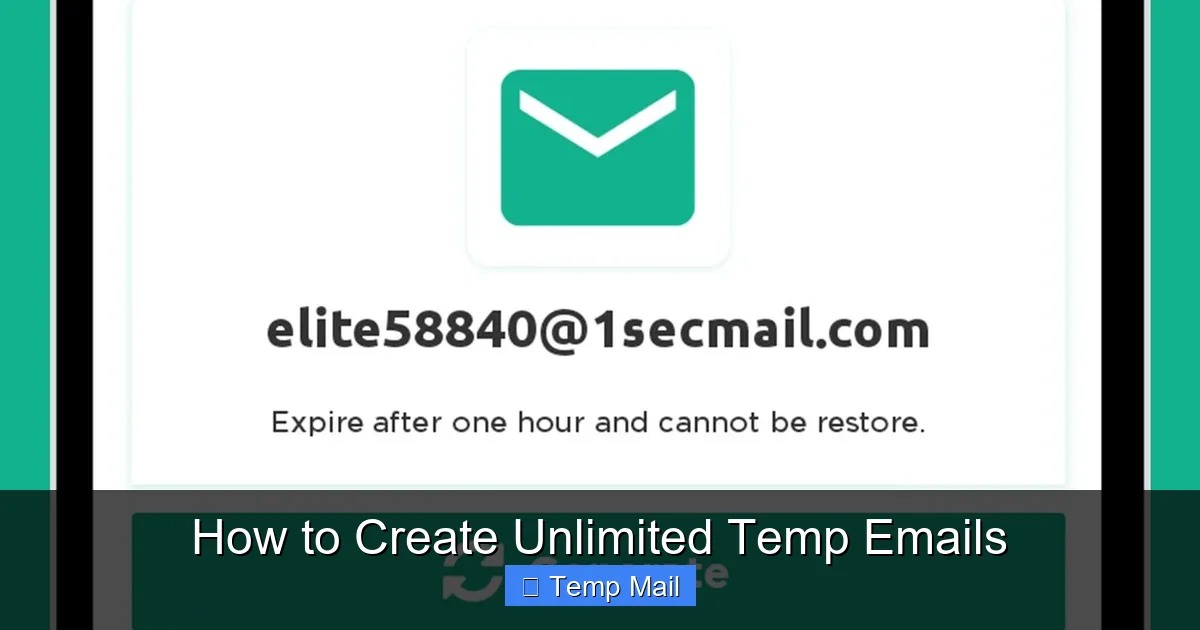
Visual guide about How to Create Unlimited Temp Emails
Image source: image.winudf.com
The Challenge of “Unlimited” with Public Inboxes
The inherent design of these sites creates a problem for generating many emails: they are shared and transient. The address [email protected] might be assigned to you for 10 minutes, but after that, it’s recycled and given to someone else. You cannot “create” a specific address and keep it. You are simply borrowing one from a large, rotating pool. Therefore, the strategy for “unlimited” here is not about creating persistent addresses, but about accessing a high volume of unique, single-use addresses on demand.
Strategies for High-Volume Access
To effectively use these services for bulk needs, you must employ tactics that circumvent their individual rate limits:
- Rotate Between Multiple Providers: Do not rely on a single site. Maintain a list of 5-10 reputable disposable email providers. When one site’s inbox expires or you hit a “too many requests” limit, switch to the next. This effectively multiplies your available addresses.
- Use Their API (If Available): Some advanced services like Temp-Mail.org offer a free API. This is a developer’s goldmine. You can write a simple script (in Python, JavaScript, etc.) that programmatically calls their API to generate a new inbox address and then checks it for mail via a second API call. This allows for true automation and bulk generation, limited only by the API’s rate limits (which are often generous for free tiers).
- Leverage Incognito/Private Windows: Some sites assign a new inbox per browser session. Opening multiple incognito windows simultaneously can yield multiple independent inboxes from the same provider at the same time.
- Consider Paid “Private” Disposable Services: Services like MyTemp.email or Mailinator’s premium tiers offer more control. They may allow you to reserve a specific inbox address for a longer period (hours or days) without it being publicly accessible, or provide higher rate limits. This moves you closer to having a persistent, high-volume pool.
Example Script Concept (Python with Temp-Mail API): You would use the `requests` library to send a `GET` to the API’s endpoint (e.g., `https://api.temp-mail.org/request/mail/v1/`). The response is a JSON object containing a new email address and a unique token to check its inbox later. You could loop this call 100 times to generate 100 unique addresses and store them with their tokens in a database or spreadsheet for later checking.
Method 3: The Power User Route – Custom Domains and Self-Hosting
For those who need absolute control, zero reliance on third-party uptime, and truly unlimited capacity, this is the ultimate method. It involves using your own domain name with email forwarding or a catch-all setup, or even self-hosting a disposable email service.
Visual guide about How to Create Unlimited Temp Emails
Image source: blog.yottasrc.com
Option A: Domain Catch-All + Random Addresses
This is brilliantly simple and highly effective. You purchase a domain name (e.g., my disposable.net) from any registrar (Namecheap, Google Domains, etc.). In your domain’s DNS settings, you set up a catch-all email forwarder. This means any email sent to [email protected] will be forwarded to your primary, secure inbox (e.g., your Gmail or ProtonMail).
How to generate unlimited temp emails: You don’t need to pre-create addresses. Whenever you need a new temp email for a website, you simply invent one on the spot: [email protected], [email protected], [email protected]. Because of the catch-all, all these emails will arrive in your main inbox. You can create an infinite, unique address for every single service. To stop spam from a specific address, you can later set up a filter in your main inbox to block or delete emails sent to that specific address (e.g., from:spam_source@* OR to:[email protected]).
Pros: Truly unlimited, permanent, supports replies (if your main inbox allows it), no third-party service to trust. Cons: Your main inbox is exposed to all spam sent to these addresses, so robust filtering is essential. The domain is yours, so it doesn’t look like a generic “temp mail” address to some smart filters.
Option B: Self-Hosted Disposable Email Software
For the technically inclined, open-source projects like Mail.tm (whose code is available) or Temp-Mail allow you to deploy your own instance of a disposable email service on a VPS (Virtual Private Server). You get the familiar web interface of a public disposable mail site, but it’s yours alone. You control the database, the domain, the expiration times, and the rate limits. You can create as many inboxes as your server can handle. This is the pinnacle of “unlimited” but requires server administration knowledge and a small cost for the VPS. It’s overkill for an individual but perfect for a team or organization needing a private, high-volume disposable email system.
Method 4: API-Based Services for Developers and Bulk Users
This method bridges the gap between simple websites and self-hosting. Several companies offer a robust API specifically for generating and managing temporary email inboxes programmatically. You send an API request, and they return a fresh inbox address and a secret key to access it. This is the engine behind many automated testing platforms.
Top API-First Temp Mail Services
Services like Temp-Mail.org (as mentioned), MailSlurp, and Mail.tm have developer-friendly APIs. Here’s how they enable unlimited creation:
- MailSlurp: This is a leading solution. Its API allows you to create unlimited “inboxes” (each is a unique, persistent email address) via a simple REST API. Each inbox has its own SMTP/IMAP credentials if you need to connect a mail client. You can create 100 inboxes in a loop with a paid plan. It’s designed for QA automation, offering SDKs for Java, Python, JavaScript, etc.
- Mail.tm API: Offers a free API with generous limits. You can create a new inbox, get its address, and then poll for messages. The free tier allows many requests per minute, making it suitable for moderate bulk use.
Implementation Flow: Your application or script makes an authenticated `POST` request to the service’s `/inboxes` endpoint. The response is a JSON object: `{ “id”: “abc123”, “emailAddress”: “[email protected]”, “token”: “secret_token_xyz” }`. You store the `emailAddress` to use for sign-ups and the `token` to later query `GET /inboxes/abc123/messages` to fetch received emails. You rinse and repeat.
Integrating into Your Workflow
The real power is integration. Imagine a Selenium script for web testing:
- Call the MailSlurp API to create a new inbox. Store the email address.
- Use Selenium to navigate to the test site and fill the sign-up form with that new email address.
- Pause the script and poll the MailSlurp API for messages to that inbox.
- When a verification email arrives, extract the link, and continue the test.
- After the test, optionally delete the inbox via API to clean up.
This entire cycle can be automated, allowing you to run thousands of tests, each with a pristine, unique email address. For developers, this is the most professional and scalable definition of how to create unlimited temp emails.
Critical Best Practices and Security Precautions
Having unlimited power requires discipline. Using temp emails irresponsibly can backfire. Here are the non-negotiable rules for safe and effective use.
The Golden Rule: Never Use for Critical Accounts
This cannot be stressed enough. Do not use a temporary email for:
- Banking, PayPal, or any financial service.
- Primary social media accounts (Facebook, Twitter, Instagram).
- Your main Apple ID, Google Account, or Microsoft Account.
- Any service where account recovery is vital. If you lose access to the temp inbox, you lose access to the account forever.
Why? These services often require a verified, stable email for password resets and security alerts. A disposable inbox that expires after an hour means you are locked out permanently. Use your most secure, permanent email for these.
Managing the Influx: Inbox Organization and Filtering
If you use methods that forward mail to your primary inbox (like the catch-all domain or browser extension aliases), you will get a lot of mail. You must implement a filtering strategy from day one.
- Use Labels/Folders: In Gmail or Outlook, create a rule/filter that automatically labels or moves all incoming mail sent to @mydisposable.net into a specific folder like “TempMail.” This keeps your primary inbox clean.
- Set Up a Dedicated “Temp” Inbox: A even better practice is to create a separate, secure email account (e.g., on ProtonMail) whose sole purpose is to receive all forwarded temp emails. This isolates any potential spam or security risks from your main personal or work inbox.
- Regular Purges: Schedule a weekly time to review this dedicated temp inbox and mass-delete everything. The addresses are disposable; the emails in them are disposable too.
Understanding Legal and Ethical Boundaries
Using a temp email is not illegal. It is a legitimate privacy tool. However, using it to:
- Create fraudulent accounts.
- Harass or threaten others anonymously.
- Bypass a permanent ban on a platform.
- Sign up for a service with the intent of abusing free trials repeatedly (fraud).
…is almost certainly a violation of the platform’s Terms of Service and could be illegal depending on the jurisdiction and harm caused. Websites are getting smarter. Advanced services can detect known disposable email domains (like those from public disposable sites) and block them at sign-up. They can also analyze behavior patterns (e.g., 100 account creations from one IP in an hour using different temp emails) to flag and ban activity. Use these tools for privacy and testing, not for deceit.
Risks, Limitations, and What to Avoid
No system is perfect. Understanding the pitfalls will save you from frustration and security headaches.
The Shared Inbox Problem
With classic public disposable sites (10MinuteMail, Temp-Mail), the address you are given is not private. Anyone else who happens to get the same random address in their 10-minute window can see the emails you receive. This is why you should never use these for any service that sends sensitive information, even if it’s just a receipt with your name on it. Assume any email you receive on a public disposable inbox is public.
Rate Limiting and IP Blocks
All free services have limits. If you write a script that tries to generate 1,000 emails in a minute from a single IP address, you will be blocked. Your entire IP range might get banned from the service. To mitigate this:
- Add delays between requests in your scripts.
- Use residential proxies if doing massive-scale automation (though this adds complexity and cost).
- Rotate between different provider services as your primary strategy.
Deliverability Issues
Some sophisticated platforms (like Google, Microsoft, major social networks) maintain lists of known disposable email domains and will outright reject them during sign-up. Your temp email from @trashmail.com will be blocked. This is where using your own custom domain (Method 3A) is superior—your domain is not on any blacklist. Similarly, some forwarder services (like the browser extensions) use domains that are sometimes flagged. Always have a backup plan: if a sign-up fails, try a different temp email source.
The “Unlimited” Illusion
True, absolute, infinite scalability without cost or limit is a myth. There is always a constraint:
- Financial: Paid plans have caps. Self-hosting costs money for the server and domain.
- Technical: API rate limits, server capacity, your own scripting speed.
- Ethical/Legal: Your activity will be limited by the acceptable use policies of the services you are signing up for and the temp mail providers themselves.
The goal is to create a system that provides *practically* unlimited capacity for your specific use case, whether that’s 100 test emails a day or 10,000.
Conclusion: Building Your Personalized, Scalable System
So, how do you actually create unlimited temp emails? The answer isn’t one single website or trick. It’s about architecting a system that matches your needs, technical skill, and budget.
For the casual user wanting to avoid spam on a few websites, a reputable browser extension like Burner Mail or SimpleLogin on a paid plan is the perfect “set-and-forget” solution. It feels unlimited because you can generate a new alias with one click for any site.
For the developer or tester, the path is clear: embrace an API-first service like MailSlurp. Integrate it into your automated test scripts. This gives you programmatic, on-demand creation of unique, persistent inboxes that you can control via code.
For the power user or privacy zealot who wants total ownership, invest in a custom domain and set up a catch-all forwarder to a dedicated, filtered inbox. This is truly unlimited, free after the domain cost, and places no trust in a third-party disposable service.
The common thread across all methods is intentionality. Don’t just generate emails randomly. Have a plan: use a specific prefix or pattern for different purposes (e.g., [email protected], [email protected], [email protected]). This makes filtering and management possible. Remember, the goal of how to create unlimited temp emails is not just quantity—it’s about quality of life, enhanced privacy, and efficient online navigation. Use this power wisely, respect the terms of service of the sites you visit, and reclaim control over your primary email address. Your inbox will thank you.
Frequently Asked Questions
Is it legal to create and use unlimited temp emails?
Yes, creating and using temporary email addresses is legal. They are a legitimate tool for privacy and testing. However, using them for fraudulent activities, to circumvent bans, or to deceive is illegal and violates most platforms’ Terms of Service.
Can websites detect and block temporary email addresses?
Yes, many websites maintain and use public lists of known disposable email domains (like those from 10MinuteMail or Temp-Mail) and will block sign-ups from those domains. More advanced services can also detect patterns of abuse (e.g., many sign-ups from one IP). Using your own custom domain or premium forwarder services can help bypass these blocks.
Are temporary emails safe and secure?
Safety depends on the type. Public disposable inboxes (where the address is shared) are not secure—anyone with the same address can view your emails. Forwarding services (like browser extensions) and custom domains are more secure, as only you receive the mail. However, never use any temp email for highly sensitive accounts (banking, primary social media) because the inbox itself may be less secure than a primary provider like Gmail or ProtonMail.
How long do temporary emails typically last?
It varies by service. Classic public disposable emails last from 10 minutes to 1 hour. Forwarding aliases from services like Burner Mail can last indefinitely until you delete them. Catch-all addresses on your own domain last as long as you own the domain and maintain the forwarding rule.
What is the best method for a non-technical person to get many temp emails?
The best method is to install a reputable browser extension like Burner Mail or SimpleLogin and subscribe to their paid plan. This gives you a dashboard where you can create hundreds or thousands of unique, forwardable email aliases with one click, which feels effectively unlimited for personal use.
Can I use unlimited temp emails for work or corporate purposes?
It depends on your company’s IT and security policy. Many corporations prohibit the use of third-party disposable email services for any official business due to data leakage and compliance risks (like GDPR, HIPAA). For internal testing, a self-hosted solution or a corporate-approved API service like MailSlurp may be acceptable. Always consult your IT department first.
Leave a Reply