Inbox drowning in promotional spam? Temporary email services offer a powerful, simple shield. By providing disposable addresses for non-essential sign-ups, you prevent marketers from ever getting your real, primary email. This guide breaks down exactly how to use temp mail to stop marketing emails at the source, protect your privacy, and keep your main inbox clean and controlled. It’s a proactive strategy for anyone fed up with digital clutter.
Let’s be honest: your primary email inbox is a digital battleground. Between essential notifications from work and family, a relentless stream of promotional newsletters, “exclusive” offers, and targeted advertising slowly chokes the life out of your most important communication channel. You hit “ unsubscribe,” but the emails keep coming. You drag messages to spam, but new ones slip through. The feeling of helplessness is real. What if you could stop this flood not by fighting each email, but by preventing the marketers from ever getting your address in the first place? This is the core, powerful promise of using temporary email for avoiding marketing emails. It’s not a filter; it’s a firewall.
This approach flips the script. Instead of trying to clean up a mess after it’s made, you simply never create the mess. You hand out a disposable, “burner” email address for all the minor, one-off interactions you have online—the ones where you think, “I just need this PDF,” or “I want that 15% off code.” The marketers get an email that will self-destruct in hours or days, taking all future promotional hopes with it. Your real, cherished inbox remains a sanctuary for what truly matters. This guide will walk you through everything you need to know to implement this strategy effectively, safely, and intelligently.
Key Takeaways
- Temp mail is a proactive defense: It prevents marketing emails before they start by never giving marketers your permanent address in the first place.
- Use it for low-stakes interactions: Ideal for one-time downloads, forum sign-ups, discount code requests, and any site where you don’t need long-term communication.
- Your primary email stays pristine: Reserve your main email for crucial accounts (banking, primary cloud storage, close contacts) to ensure it remains secure and manageable.
- It’s not for everything: Never use a temp email for critical services like financial accounts, official government sites, or primary social media profiles, as you will lose access.
- Privacy comes with trade-offs: While it blocks marketers, it also means you can’t recover a temp account. Any important emails sent there are permanently lost after expiration.
- Choose a reputable provider: Opt for well-known temp mail services that don’t log IPs or scan emails, and understand their specific retention policies (10 minutes to 24 hours).
- Combine with other tools: Use temp mail alongside your email provider’s built-in spam filters, unsubscribe tools, and the “Promotions” tab for a multi-layered defense.
📑 Table of Contents
- The Modern Marketing Email onslaught: Why Your Inbox is a Target
- What is Temporary Email and How Does It Work?
- Strategic Use: How to Use Temp Mail to Avoid Marketing Emails
- Critical Benefits: Why This Strategy Wins
- Important Risks and Limitations: What You Must Know
- Best Practices and Advanced Tactics
- Alternatives and Complementary Tools
- Conclusion: Reclaiming Your Digital Peace of Mind
The Modern Marketing Email onslaught: Why Your Inbox is a Target
To understand the solution, you must first grasp the scale of the problem. Marketing email isn’t just a nuisance; it’s a massive, data-driven industry. Every time you enter your email address on a website—even for something as simple as reading an article—that address is often logged, shared, and sold.
The Data Broker Ecosystem
Your email address is a valuable commodity. Companies you’ve never heard of, called data brokers, aggregate billions of email addresses. They link them to browsing habits, purchase history, and demographic data. When a new e-commerce site launches, it can buy lists of “likely interested” emails from these brokers to kickstart its marketing list. Even if you unsubscribe from one company, your address may already be in the hands of five others through these shadowy data markets. This ecosystem exists because the cost of acquiring an email is low, and the potential return from a single promotional email is high.
The “Free” Service Trap
Many “free” online services—from PDF converters to simple games—are not truly free. Their business model often relies on advertising revenue, which is maximized by building a user profile. The email address is the foundational key to that profile. By signing up with your primary Gmail or Outlook address, you are not just accessing a tool; you are often consenting to be marketed to, sometimes in perpetuity, as buried in lengthy Terms of Service. The constant promotional emails become the hidden price you pay.
The Psychological Toll of Inbox Clutter
Beyond the annoyance, a cluttered inbox has real consequences. Important emails get buried, leading to missed deadlines or opportunities. The constant pinging of notifications creates low-grade stress and notification fatigue. It trains you to ignore your inbox, which is dangerous when a critical email from your boss or a loved one arrives. Taking back control is about more than convenience; it’s about mental clarity and digital hygiene.
What is Temporary Email and How Does It Work?
Temporary email, also called disposable email or throwaway email, is a service that provides you with a random, functional email address for a short, predefined period—typically 10 minutes to 24 hours. These services generate the inbox on the fly, without requiring any personal information, registration, or password.
Visual guide about Temp Mail for Avoiding Marketing Emails
Image source: temp-mail.io
The Mechanics of a Burner Inbox
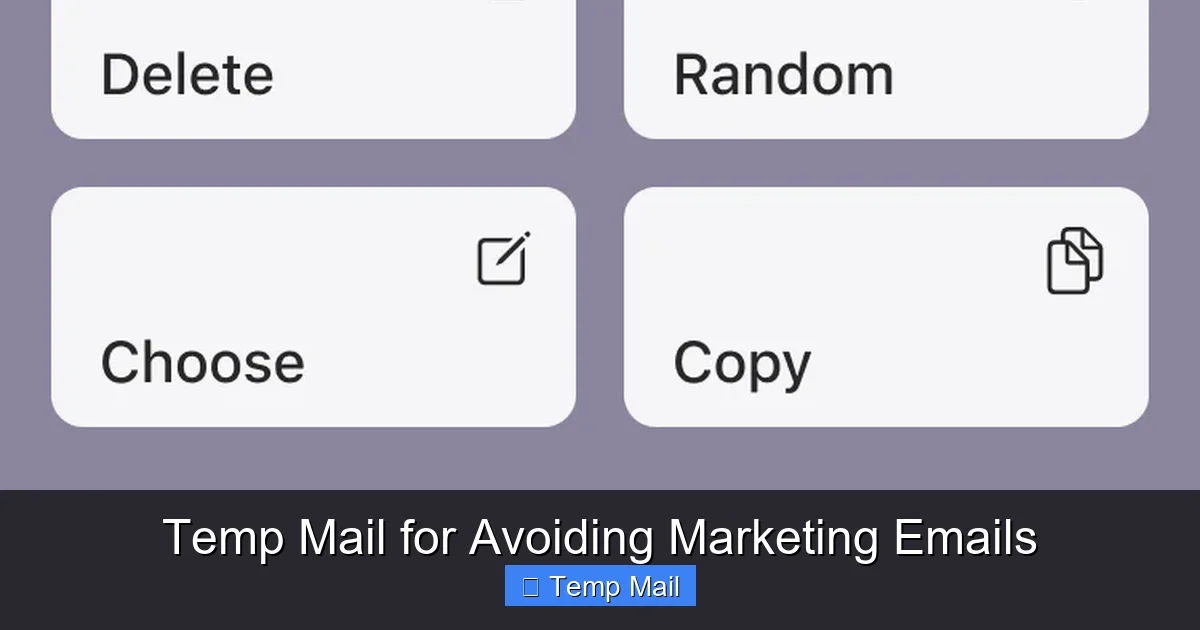
When you visit a temp mail website like Temp-Mail.org, Guerrilla Mail, or 10MinuteMail, the system instantly creates a random email address (e.g., [email protected]) and a corresponding inbox. That inbox is displayed on your screen. You can copy that address and use it anywhere. Any email sent to that address within its lifespan will appear in that web-based inbox. Once the timer expires, the address and all its emails are permanently deleted from the server. There is no recovery. It is, as the name implies, temporary.
Key Features of Temp Mail Services
While features vary, core functionalities are consistent: No Registration: You never create an account. Random Address Generation: The address is generated by the system. Auto-Expiry: Inboxes vanish after a set time. Web-Based Access: You check the inbox on the provider’s website. Some advanced services offer browser extensions or custom domain names for a fee, but the basic principle remains the same: ephemeral communication.
What It Is NOT
It’s crucial to understand what temporary email is not. It is not an encrypted, secure communication tool like ProtonMail. Emails are often stored in plain text on the provider’s server until deletion. It is not a long-term email solution. It is not a tool for sending emails from a fake identity (most services only allow receiving). Its sole, powerful purpose is to receive a single verification or download link and then cease to exist.
Strategic Use: How to Use Temp Mail to Avoid Marketing Emails
Knowing *what* temp mail is only gets you halfway. The real power lies in the *strategy*. Using it haphazardly can lead to trouble. Using it strategically is a masterclass in digital self-defense.
Visual guide about Temp Mail for Avoiding Marketing Emails
Image source: oniad.com
The “One-Time Interaction” Rule
This is the golden rule. If your interaction with a website or service is transactional and terminal, use a temp email. You are there to get a specific thing and have no intention of maintaining a relationship. Examples include:
- Downloading a free ebook, white paper, or template.
- Signing up to access a single gated article or webinar recording.
- Getting a one-time discount code from a retail site you may never shop at again.
- Creating an account on a forum just to read one thread.
- Registering for a free trial of a SaaS tool you are merely testing for an afternoon.
In these cases, the website’s primary goal is to capture your email for their marketing funnel. By giving them a temp address, you cut them off at the knees. The verification email arrives, you click the link, you get your download, and the trail goes cold.
The “Suspicion Test”
Before you type your primary email into any field, ask: “Does this site feel slightly sketchy? Is the value proposition unclear? Is the design outdated?” If you have even a flicker of doubt, use a temp email. This applies to lesser-known coupon sites, “free gift card” offer sites, and pop-up survey tools. Your suspicion is your best guide. It’s better to use a temp email and miss a legitimate newsletter than to compromise your main address for a potential scam or spam farm.
A Practical Example: The E-commerce Discount
You’re on a new clothing store’s website. A pop-up offers 20% off if you sign up for their newsletter. You want the discount. Here’s the strategic move:
- Open a new tab and go to your preferred temp mail service.
- Copy the generated disposable address.
- Paste it into the e-commerce site’s sign-up field.
- Enter any fake name (e.g., “John Doe”).
- Submit. Check the temp mail inbox tab for the confirmation email.
- Click the discount link. Apply the code. Make your purchase if you choose to.
- Close the tabs. Forget about it. The store now has a dead-end email. They cannot market to you tomorrow, next week, or next year.
You got the immediate benefit without the long-term cost.
Critical Benefits: Why This Strategy Wins
Employing this method yields immediate and profound benefits that go far beyond a cleaner inbox.
Visual guide about Temp Mail for Avoiding Marketing Emails
Image source: mars-images.imgix.net
1. Ultimate Control Over Your Primary Identity
Your primary email address is your digital identity. It’s the key to password resets for hundreds of sites, the destination for critical financial statements, and the hub for personal communication. By cordoning it off and only using it for high-trust, essential services, you dramatically reduce its attack surface. If a major data breach occurs at a retailer you shopped at using a temp email, your primary identity—and all its linked accounts—remains unaffected. You have contained the breach.
2. A Drastic Reduction in Cognitive Load
The “Inbox Zero” philosophy is great, but for many, it’s impossible when the inbox is a firehose of promotions. By using temp mail, you engineer your way to a manageable inbox. You no longer need to mentally triage hundreds of emails daily. Your primary inbox becomes a place of purpose, not a chore. The mental energy saved from not sorting spam is significant and reduces digital stress.
3. Enhanced Privacy and Data Minimization
Every email you give out is a data point about you. Temp mail is a tool for data minimization, a core privacy principle. You are actively choosing to provide less personal data to corporations. You are not building a marketing profile for yourself. You are opting out of the surveillance economy on a granular, transactional level. You take a principled stand with every sign-up.
4. No More “Unsubscribe” Fatigue
The unsubscribe process can be a trap. Clicking “unsubscribe” confirms to the sender that your email is active and monitored, sometimes leading to *more* spam from affiliated lists. It also takes time and clicks. With temp mail, you skip the unsubscribe entirely. The sender’s list is polluted with a dead address, which may eventually get cleaned by their email service provider due to hard bounces. You save time and avoid confirming your active status to spammers.
Important Risks and Limitations: What You Must Know
Temp mail is a powerful tool, but it is not without significant drawbacks. Using it without understanding these is dangerous.
The Permanent Loss of Access
This is the most critical risk. If a service you care about sends a crucial email to your temp address—a receipt, a password reset, a service termination notice—it is gone forever once the inbox expires. You cannot recover it. This is why the “One-Time Interaction” rule is vital. Never, ever use a temp email for:
- Financial services (banking, PayPal, investment accounts).
- Primary cloud storage or document services (Google Drive, Dropbox).
- Important utility accounts (electric bill, internet provider).
- Primary social media accounts (Facebook, Instagram, Twitter).
- Any account where you might need to prove ownership or recover access years later.
For these, use your primary, permanent email and manage the marketing through filters and unsubscribes.
Potential Service Blocking
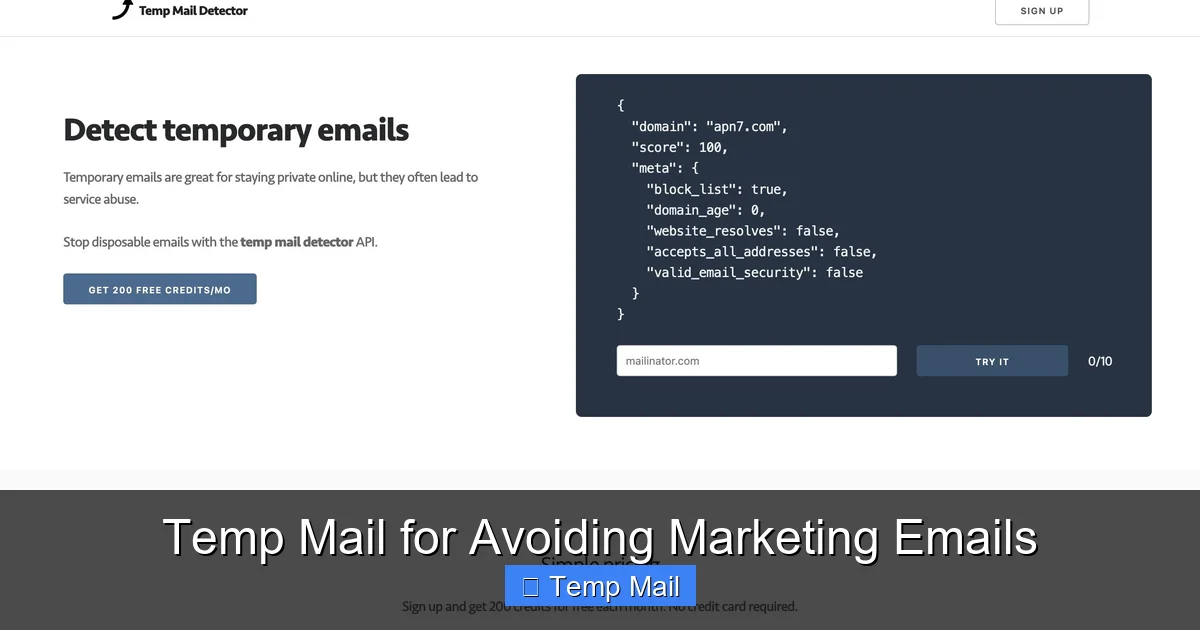
Many popular websites and platforms actively block known disposable email domains. They detect the domain (e.g., @temp-mail.org) and prevent sign-up. This is a security measure to prevent fraud and fake accounts. If you encounter this, it’s a sign the service takes security seriously and likely requires a real, accountable email address. Respect this block and use your primary email if you truly need the service.
Security and Privacy of the Provider
You are trusting the temp mail service itself. A malicious provider could log all emails passing through, scan for passwords or personal data, or even inject ads. You must use reputable, well-established services with clear privacy policies stating they do not log IP addresses or scan email content. Research the provider. Avoid obscure, ad-heavy sites. Remember, you are sending potentially sensitive information (like a password reset link) through a third-party server you do not control. Only use it for non-sensitive, low-risk transactions.
No Sending Capability
You cannot *send* emails from a temporary address. It is receive-only. This is by design to prevent spam and abuse. You must use your primary email to communicate.
Best Practices and Advanced Tactics
To master the use of temp mail, adopt these best practices and consider advanced strategies.
Maintain a “Clean” Primary Email
Your primary email should be a fortress. Use a strong, unique password and two-factor authentication. Only associate it with critical, vetted services. Regularly audit the accounts linked to it. This makes the few marketing emails that inevitably slip through (from essential services you can’t avoid) much easier to manage.
Use a Dedicated “Secondary” Email as a Middle Ground
For services where you want communication but not in your primary inbox (e.g., a newsletter you genuinely want to read occasionally), create a secondary free email address (a second Gmail or Outlook account). Use this for all “medium-importance” subscriptions. This keeps your primary inbox pristine while giving you a place for legitimate marketing you opt into. You can check this secondary account weekly or monthly. This is a step between your primary and a fully disposable address.
Leverage Email Client Filtering
Even with temp mail, some marketing will reach your primary inbox (from essential services). Don’t fight it manually. Use your email provider’s filtering tools. In Gmail, create filters that automatically archive, mark as read, or delete emails from specific senders or containing common promotional phrases like “sale,” “offer,” “promo code.” Combine this with the “Promotions” tab (if you use it) for an automated sorting system.
Timing is Everything: Expiry Awareness
Know the expiry time of your chosen temp service. If you need more than 10 minutes to act on a verification email (e.g., you’re on a mobile phone and need to switch apps), choose a service with a longer lifespan, like 1 hour or 24 hours. Some services let you extend the timer. Be aware of the countdown.
Clear Your Browser Data Regularly
Since you access temp mail via a web browser, your browser history and cookies can link the temp session to your IP. For maximum anonymity, use a private/incognito browser window when accessing the temp mail service. Even better, use a privacy-focused browser like Firefox or Brave. Clear your cookies and history after your session.
Alternatives and Complementary Tools
Temp mail is one tool in a comprehensive anti-spam toolkit. It works best when layered with other strategies.
Built-in “Spam” and “Promotions” Filters
Never underestimate your email provider’s native spam filter. Ensure it is turned on and actively trained by consistently marking unwanted emails as “Spam.” The AI behind these filters learns from your actions. Similarly, the “Promotions” tab in Gmail is an automatic, algorithmic filter. Let it do its job and check that tab once a day, not your main inbox.
Unsubscribe Services
Services like Unroll.Me (now part of Rollup) or Clean Email can help you mass-unsubscribe from existing newsletters. They scan your inbox for subscription emails and facilitate a one-click unsubscribe. This is a great cleanup tool to use after you’ve implemented your temp mail strategy, to deal with the legacy spam already in your account.
Email Aliasing Services
This is a more advanced, permanent cousin to temp mail. Services like SimpleLogin, AnonAddy, or Firefox Relay create unique, forwardable email aliases (e.g., [email protected]) that forward to your real inbox. You can disable an alias at any time, permanently blocking that sender. Unlike temp mail, these are permanent until you delete them, and you can send emails from them. They are excellent for subscriptions you *do* want to keep but want the ability to shut off instantly. This is the perfect middle ground for newsletters and accounts you trust but want ultimate revocation control over.
The “Plus Addressing” Trick
If your email provider supports it (Gmail, Outlook.com, iCloud Mail), you can use “plus addressing.” For example, if your email is [email protected], you can sign up for a newsletter as [email protected]. All emails will still arrive in your main inbox, but you can create a filter to automatically sort or delete anything sent to you+*. This lets you track which service sold your email and filter them out easily, without needing a separate service.
Conclusion: Reclaiming Your Digital Peace of Mind
The constant barrage of marketing email is not an inevitable fact of digital life. It is a direct result of a data-hungry ecosystem that treats your email address as a commodity. By adopting the strategic use of temporary email for avoiding marketing emails, you weaponize simplicity against complexity. You choose to participate in the online world on your own terms, giving away only the minimal, temporary information required for a specific task.
Start today. Open a new tab, get a temp email address, and use it for the next free download or discount code you seek. Feel the small victory of knowing that inbox will vanish. Then, apply the same principle to your primary email: protect it fiercely, curate it ruthlessly, and use it only for what matters. Combine this with filters, unsubscribes, and perhaps an aliasing service. This layered defense will transform your inbox from a source of stress into a tool of productivity and peace. Your digital sanctuary is waiting—go build its walls.
Frequently Asked Questions
Is using temporary email legal?
Yes, using disposable email services is completely legal. It is a standard tool for privacy protection. However, using it to commit fraud, evade bans, or send illegal content is, of course, illegal. The tool itself is neutral and lawful for legitimate privacy purposes like avoiding spam.
Can I recover emails sent to a temporary address after it expires?
No. This is the fundamental trade-off. Once the temporary inbox’s time limit (e.g., 10 minutes, 1 hour, 1 day) expires, the address and all its emails are permanently and irreversibly deleted from the provider’s servers. There is no password recovery or customer support to retrieve them. This is why you must only use it for non-critical, one-time interactions.
Will websites block me if I use a temp email to sign up?
Many reputable websites, especially those involving finance, security, or verified identities, actively block known disposable email domains during sign-up. If you find a site rejecting your temp email, it’s usually a security measure. You should then consider if you truly need an account on that site and, if so, use your primary, permanent email address.
Is my activity while using a temp email private?
It depends on the provider and your actions. Reputable temp mail services claim not to log IP addresses or scan email content. However, your internet service provider and the website you are signing up with still see your IP and activity. For maximum anonymity, use a private browsing window and consider a trusted VPN. Remember, the temp email provider *could* theoretically log data, so choose well-known services with clear privacy policies.
What’s the difference between temp mail and an email alias service?
Temp mail is truly temporary (minutes/hours), receive-only, and has no login. It’s for one-off use. An email alias service (like SimpleLogin) creates a unique, permanent forwarding address that you control. You can send from it, and you can delete it at any time to stop all mail. Aliases are better for subscriptions you want to keep but with a kill switch, while temp mail is for interactions you never want to hear from again.
Should I use temp mail for my social media or bank accounts?
Absolutely not. Never use a temporary email for any account where you need long-term access, password recovery, official communication, or legal proof of ownership. Social media, banking, primary cloud storage, and government services all fall into this category. You will be locked out permanently when the temp email expires. Reserve your primary, permanent email for these critical accounts only.
Leave a Reply