
Using a temporary email address is the smartest way to sign up for free trials without cluttering your primary inbox or risking your privacy. This guide explains exactly how temp mail works, provides a simple step-by-step process for any service, and highlights the crucial do’s and don’ts to avoid getting locked out. Learn to leverage disposable emails as a powerful tool for digital hygiene and safe online experimentation.
Ever felt that pang of hesitation before clicking “Start Free Trial” on a promising new software, streaming service, or online tool? You’re excited to test it, but the thought of handing over your personal email address—and the inevitable tsunami of marketing emails that follows—gives you pause. What if you could try before you buy, completely risk-free, without compromising your primary inbox or personal data? Enter the world of temporary email, or “temp mail.” This simple, powerful tool is your secret weapon for navigating the modern web’s endless free trials. This guide will walk you through everything you need to know, from the absolute basics to advanced strategies, ensuring you can test any service with confidence and control.
Key Takeaways
- Temp mail creates a disposable inbox: It generates a random, forwardable email address that expires after a short time, shielding your real identity and contact details.
- Perfect for free trial sign-ups: It bypasses the need for your personal email, preventing promotional spam and potential data breaches from services you may not continue using.
- Simple 4-step process: Generate a temp address, use it to sign up, check the temp inbox for the verification link, and complete the trial setup—all in minutes.
- Not all services accept it: Some premium or security-focused platforms block known disposable email domains, so have a backup plan (like a secondary dedicated email).
- Critical to manage expectations: Remember the inbox is temporary. Save login details elsewhere, and note the trial’s expiration date to avoid unwanted charges.
- Use reputable providers: Choose well-known temp mail services with reliable inbox forwarding and clear expiration policies to ensure you receive crucial trial activation emails.
- Ethical and legal tool: Using temp mail for free trials is legitimate privacy protection, not fraud, as long as you intend to genuinely try the service and cancel if needed.
📑 Table of Contents
- What Exactly is Temp Mail? The Disposable Email Breakdown
- Why Temp Mail is a Game-Changer for Free Trials
- The Step-by-Step Guide: Using Temp Mail for Any Free Trial
- Common Pitfalls and How to Avoid Them
- Advanced Strategies & Best Practices
- Choosing the Right Temp Mail Service: A Quick Comparison
- Conclusion: Empowering Your Digital Life
What Exactly is Temp Mail? The Disposable Email Breakdown
Let’s start with the fundamentals. Temporary email, often called disposable email, burner email, or throwaway email, is a service that provides you with a random, functional email address for a limited period—usually anywhere from 10 minutes to 48 hours. Think of it as a digital P.O. box that self-destructs. You don’t need to register an account with the temp mail provider; you simply visit their website, and they generate an inbox for you on the spot, like [email protected].
How It Works Under the Hood
When you use a temp mail service, you’re interacting with a system that automatically creates and manages email inboxes on their domain. The service’s servers receive all emails sent to your temporary address and display them in a web-based inbox interface unique to you. There’s no password because the inbox is identified by a unique URL or session ID stored in your browser. Once the time limit expires or the inbox is cleared, that email address is retired forever and may be recycled for another user later.
This architecture is intentionally simple and anonymous. There’s no connection to your real identity, no personal data stored, and no long-term commitment. It’s the antithesis of a permanent Gmail or Outlook account, built for a single purpose: receiving a specific email (like a trial confirmation) and then vanishing without a trace.
Why Temp Mail is a Game-Changer for Free Trials
Now that we know what it is, why is temp mail particularly brilliant for free trials? The value proposition extends far beyond just avoiding spam.
Visual guide about How to Use Temp Mail for Free Trials
Image source: lunarcomputercollege.com
1. Spam Prevention & Inbox Zero
This is the most obvious benefit. Many companies use the free trial sign-up as a gateway to build their marketing lists. Even if you unsubscribe later, your email is often sold or shared with partners. A temp mail address acts as a perfect firewall. All promotional newsletters, “we miss you” win-back campaigns, and partner offers get sent to an inbox that will cease to exist in 24 hours. Your permanent inbox remains pristine, dedicated only to emails from people and services you genuinely want to hear from.
2. Enhanced Privacy & Data Security
Every data breach, and there are many, exposes user databases. These databases often contain email addresses, which become tools for phishing attacks, credential stuffing, and targeted spam. By using a temp mail for a trial, you ensure that if that company suffers a breach, your primary email address—a key piece of your online identity—is not in the compromised data. You’re limiting your digital footprint and reducing your attack surface.
3. No Long-Term Commitment Anxiety
Signing up for a free trial with your main email can feel like a psychological contract. You might forget to cancel, or the cancellation process might be deliberately obfuscated. With a temp mail, you know the access link will disappear. This creates a natural incentive to actually test the service within the trial period or accept that you’ll lose access. It removes the “I’ll cancel later” mental burden because the access method itself is temporary.
4. Testing Multiple Services Simultaneously
Need to compare three different project management tools or graphic design apps? You can open three different temp mail tabs, sign up for all three trials at once, and manage each inbox separately. This parallel testing is incredibly efficient without any risk of cross-contamination of marketing emails between the services you’re evaluating.
The Step-by-Step Guide: Using Temp Mail for Any Free Trial
The process is remarkably straightforward, but doing it correctly ensures you actually get your trial activated. Here is the definitive workflow.

Visual guide about How to Use Temp Mail for Free Trials
Image source: dl.memuplay.com
Step 1: Choose and Open a Reputable Temp Mail Service
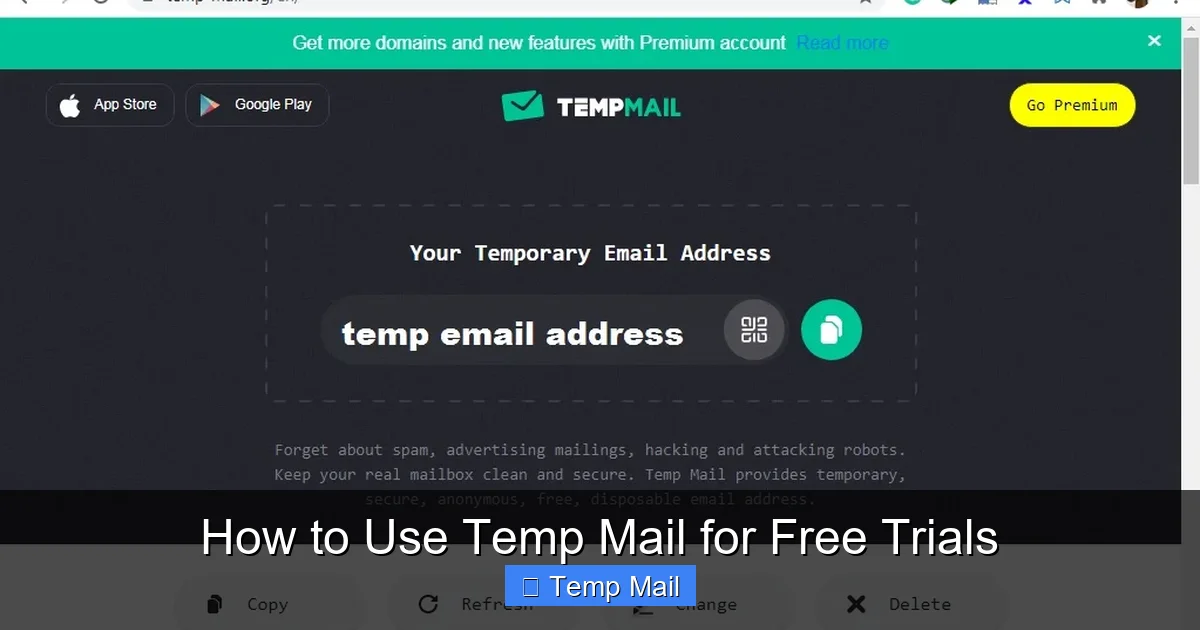
Don’t just Google “temp mail” and pick the first ad. Use well-known, reliable providers like Temp-Mail.org, 10MinuteMail.com, Guerrilla Mail, or Maildrop. These have stable servers and good inbox forwarding. Open the website in a new tab. You’ll be presented with a randomly generated email address and a button to “Copy” it. Copy that address to your clipboard.
Step 2: Navigate to the Free Trial Sign-Up Page
Go to the service you want to try (e.g., Adobe Creative Cloud, Canva Pro, a new SaaS tool). Proceed to the pricing or free trial page and enter the temp mail address you just copied into the email field. Use a strong, unique password you store in your password manager—do not reuse passwords.
Step 3: Stay on the Temp Mail Tab and Refresh
This is the most critical step. After submitting the sign-up form, do not close the temp mail service tab. Switch back to it and hit the refresh/inbox button frequently (every 15-30 seconds). The verification email from the service can arrive almost instantly or take a few minutes. If you navigate away or close the browser, you may lose your session and the inbox, making it impossible to retrieve the activation link.
Step 4: Click the Verification Link & Set Up Your Profile
When the email arrives (subject line often includes “Welcome,” “Confirm,” or “Activate”), open it. Look for a big, colorful button or a long URL that says “Verify Email,” “Activate Account,” or “Start Trial.” Click that link directly from the temp mail inbox. This will open a new tab on the service’s website, confirming your email and logging you into your new trial account. Complete any initial profile setup.
Step 5: Secure Your Access (Important!)
Once logged in, immediately go to your account settings on the trial service. Add a recovery email address—this can be your primary email or another temp mail if you’re being ultra-cautious. This step is crucial because if you lose access to the temp inbox, you have a way to recover the account password. Also, familiarize yourself with the cancellation process. Find the “Cancel Subscription” or “Billing” section and note the steps. Take a screenshot or write down the URL path if it’s buried.
Common Pitfalls and How to Avoid Them
While simple, the process isn’t foolproof. Here are the most common reasons temp mail fails for trials and how to circumvent them.
Visual guide about How to Use Temp Mail for Free Trials
Image source: anonymmail.net
Pitfall 1: The Service Blocks Disposable Emails
Many companies, especially in finance, healthcare, or high-security sectors, use databases of known disposable email domains and block them at the sign-up gate. If you get an error like “Invalid email address” or “Please use a corporate/personal email,” the service is blocking temp mail.
The Fix: Have a backup strategy. Create a dedicated “trial-only” email address with a free provider like Gmail or ProtonMail. Use this only for trials. It keeps your primary email clean but is less anonymous than a true temp mail. For services that block all free providers, you may need to use your main email, but you’ll be forewarned to unsubscribe aggressively.
Pitfall 2: The Verification Email Never Arrives
Sometimes the email gets lost in the digital void. This can happen if the temp mail service’s server is slow, the email is caught in a spam filter (even on the temp side), or the trial service made an error.
The Fix: First, be patient and refresh the temp inbox for 10-15 minutes. If it doesn’t come, try generating a completely new temp mail address on the same or a different provider and restart the sign-up process. Sometimes a different domain gets through. As a last resort, use your backup dedicated trial email.
Pitfall 3: You Forget to Cancel and Get Charged
This is the #1 financial pitfall. You get caught up in using the trial, the temp mail expires, you lose the login details, and the trial automatically converts to a paid subscription. The billing email goes to the dead temp inbox, and you only discover the charge on your credit card statement.
The Fix: This is non-negotiable. The moment your trial account is active, set a calendar reminder on your phone and computer for the day before the trial ends. When the reminder goes off, log in (using your saved password) and cancel immediately. Do not rely on memory.
Advanced Strategies & Best Practices
Once you’ve mastered the basics, level up your temp mail game with these pro tips.
Strategy 1: The “Inbox Forwarding” Hack for Extended Access
Some advanced temp mail services (like certain versions of 10MinuteMail) allow you to set a forwarding address. You can forward all emails from your temporary inbox to your primary email for a limited time. Use this sparingly and only for the initial verification email. Once you’ve clicked the link and logged into the trial, remove the forwarding. This gives you a safety net if you accidentally close the temp tab but still need the verification link. It’s a controlled bridge between the temporary and permanent world.
Strategy 2: Organizing Multiple Trials with Browser Profiles
If you’re running 5-6 trials at once, it’s easy to get confused about which temp inbox belongs to which service. Use your browser’s profile feature (Chrome Profiles, Firefox Containers). Create a separate browser profile for each trial category (e.g., “Design Tools,” “Project Mgmt”). Within each profile, open one specific temp mail service and the trial site. This keeps sessions, cookies, and inboxes completely separate and organized.
Strategy 3: Document Everything in a “Trial Tracker”
Create a simple spreadsheet or note titled “Active Trials.” For each service, log: Trial Name, Temp Email Used, Trial Start Date, Trial End Date, Cancellation Date (set as the day you cancel), and Notes (e.g., “Password saved in Bitwarden,” “Cancellation requires phone call”). This single document is your single source of truth and prevents financial surprises.
Ethical and Legal Boundaries
It’s important to frame this correctly. Using temp mail for free trials is not fraudulent if your intent is to genuinely evaluate the service. You are using the offer as advertised. It becomes a problem if you use the temp mail to circumvent a ban, create multiple accounts for a single-user license, or sign up for a service with no intention of ever using it just to get a one-time perk. Stay within the spirit of the free trial: test, evaluate, and then either convert to a paying customer or cancel respectfully.
Choosing the Right Temp Mail Service: A Quick Comparison
Not all temp mail providers are created equal. Here’s what to look for:
- Inbox Lifespan: Does it give you 10 minutes, 1 hour, or 24 hours? For most trials, 1-2 hours is sufficient to receive and click the verification email. 10MinuteMail is famously short; Temp-Mail.org often offers longer.
- Domain Reputation: Some domains (like @mailinator.com) are so widely abused that many major sites block them outright. Services that rotate through less common domains may have higher success rates. Test a provider with a non-critical site first.
- Interface & Usability: Is the inbox easy to read? Does it have a clear “Refresh” button? Can you reply (sometimes useful for confirmation emails)? A clean, ad-light interface reduces frustration.
- No Registration Required: The best services require zero sign-up. If a provider asks you to create an account with them to get a temp email, it defeats the purpose of anonymity.
- HTTPS Security: Ensure the site uses HTTPS (padlock icon in the browser). You’re viewing emails in your browser; that connection should be encrypted.
For most users, starting with Temp-Mail.org or Guerrilla Mail provides the best balance of reliability, ease of use, and domain acceptance.
Conclusion: Empowering Your Digital Life
Temp mail is more than a trick; it’s a fundamental tool for maintaining sovereignty over your digital identity in an age of relentless data harvesting. By using disposable emails for free trials, you reclaim your inbox from spam, shield your primary email from breaches, and eliminate the anxiety of forgotten subscriptions. The process is simple: generate, sign up, refresh, click, and—most importantly—cancel on time.
Adopt this habit universally. The next time you see “7-day free trial,” don’t hesitate. Open a temp mail tab, get your disposable address, and dive in. Experiment with that new AI writer, test that project management dashboard, stream that niche documentary service—all without a trace left on your permanent digital record. You’re not being sneaky; you’re being smart, privacy-conscious, and in control. That’s the power of knowing how to use temp mail effectively. Now, go try something new, risk-free.
Frequently Asked Questions
Is using temp mail for free trials legal and ethical?
Yes, it is completely legal and ethical. You are using a publicly available service to protect your personal information while honestly engaging with a company’s advertised free trial offer. It becomes unethical only if you use it to fraudulently obtain services with no intent to evaluate them or to violate terms of service by creating multiple accounts to circumvent limits.
What happens if I lose access to the temp inbox before clicking the verification link?
If the temp inbox expires or you lose the session before clicking the verification link, you will not be able to activate the trial. The account creation will be incomplete. Your only recourse is to start over with a brand new temp email address and repeat the sign-up process. This is why the “stay on the tab and refresh” step is so critical.
Will I still get charged if I use temp mail and forget to cancel?
Absolutely, yes. The free trial is linked to your payment method, not your email address. If you do not cancel before the trial period ends, the service will automatically charge the credit card or payment method you provided. The temp mail expiring does not stop the billing cycle. This is why setting a cancellation reminder is non-negotiable.
Can I use the same temp email for multiple trials?
Technically, you can, but it’s not advisable. If you use the same temp address for multiple services, all their emails will mix in one inbox, creating confusion. More importantly, once that single temp inbox expires, you lose access to login links or billing information for all services tied to it. Always use a fresh temp address for each separate trial.
What should I do if a site says my temp email is invalid or blocked?
The service is likely using a filter that blocks domains from popular temp mail providers. Your options are: 1) Try a different, less common temp mail service (some rotate domains). 2) Switch to your backup plan: a dedicated “trial-only” email address created with a free provider like Gmail. 3) As a last resort, use your primary personal email, but be prepared to aggressively unsubscribe afterward.
Are temp mail services safe? Could they read my trial emails?
Safety depends on the provider’s reputation. Reputable services do not log or store your emails after the inbox expires, and the content is typically not indexed. However, by definition, you are sending emails through a third-party server you do not control. For truly sensitive trials (e.g., involving financial data or confidential documents), it’s safer to use a dedicated secondary email with a secure provider like ProtonMail instead of an anonymous temp mail service. For standard software trials, major temp mail providers are generally safe for their intended purpose.
Leave a Reply