
Tired of your inbox flooding with spam after every online signup? A temporary email address—or “temp mail”—is your secret weapon. It lets you create a fast, disposable inbox for one-time registrations, shielding your primary email from junk and potential data breaches. This guide breaks down exactly how temp mail works, its major benefits for privacy and convenience, practical use cases, and the crucial precautions to take. Learn to sign up for websites, download resources, and access gated content instantly without long-term commitment or cluttering your main account.
You’re clicking through the internet, and you hit a wall. A fascinating article, a useful software trial, a discount code—all locked behind an email signup form. You sigh, thinking about the inevitable spam, the promotional newsletters you’ll forget to unsubscribe from, and the clutter waiting to invade your carefully curated primary inbox. What if there was a way to just… skip that? To get the content or access you want right now, without handing over your real email and without future consequences? Enter the world of temporary email, or as it’s commonly called, temp mail. It’s not a magic trick; it’s a simple, powerful tool for the modern web, designed specifically for moments like these.
Think of temp mail as a digital burner phone. It’s a fully functional, receiving-capable email address that exists for a short, predefined period—often just 10 minutes to a few hours—before self-destructing. No password, no personal details, no long-term commitment. It’s the antithesis of the “permanent digital identity” we’re all pressured to build. For fast online signups where the sole purpose is to click a verification link and get on with your day, temp mail is the perfect key. It cuts through the friction, respects your privacy, and keeps your main communication channels pristine. But like any tool, it’s essential to use it correctly. Let’s dive deep into how it works, why it’s useful, where to use it, and the critical rules to follow.
Key Takeaways
- Temp mail provides a temporary, disposable email address for short-term use like website signups, eliminating the need to use your personal or primary email.
- Its core benefits are spam prevention and privacy protection, keeping your main inbox clean and reducing your digital footprint on commercial sites.
- It’s incredibly fast and requires no registration, generating a working email address in seconds for immediate use.
- Common use cases include accessing gated content, forum registrations, and signing up for trials or apps you may only use once.
- There are significant limitations and risks, including inability to recover accounts, use for financial services, or expect long-term delivery.
- Always check the provider’s policy on inbox duration and data handling, and never use temp mail for critical accounts like banking or primary social media.
- It’s a tool for convenience and privacy, not a full replacement for a permanent, secure email address for your important digital life.
📑 Table of Contents
- What Exactly is Temp Mail? The Disposable Inbox Explained
- The Undeniable Benefits: Why Temp Mail is a Game-Changer for Signups
- Practical Use Cases: Where Temp Mail Shines Brightest
- The Critical Limitations and Risks: What Temp Mail CANNOT Do
- Choosing a Temp Mail Service: Key Features to Look For
- Best Practices: Using Temp Mail Safely and Effectively
- Conclusion: A Powerful Tool for a Specific Job
What Exactly is Temp Mail? The Disposable Inbox Explained
At its core, a temp mail service is a website that automatically generates a random email address for you the moment you visit. This address can receive emails, which are then displayed in a web-based inbox on the same site. The entire system is designed for anonymity and transience.
How It Works: The 30-Second Setup
There’s no “Sign Up to Get Your Temp Mail” here. The process is beautifully simple:
- You navigate to a temp mail provider’s website (e.g., Temp-Mail.org, 10MinuteMail.com, Guerrilla Mail).
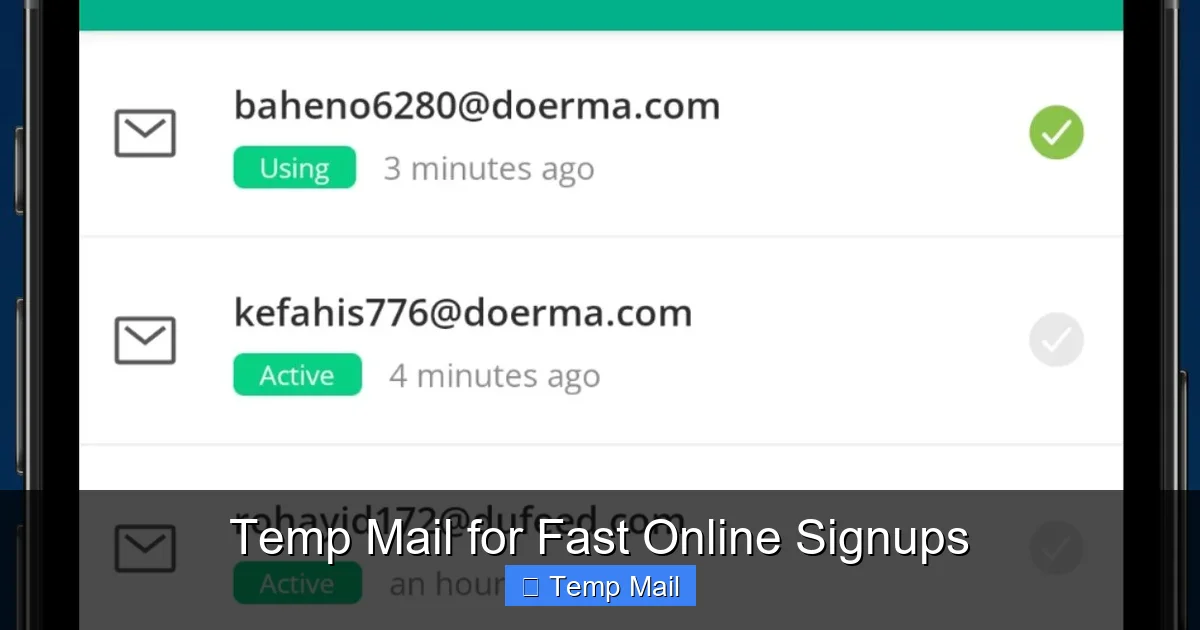
- Upon loading, the site instantly generates a unique email address for you, something like [email protected].
- A web-based inbox is already open, waiting for the first email.
- You copy that address, paste it into the website or service you’re trying to access, and request the verification email.
- The email arrives in the temp mail inbox within seconds. You click the link, verify your account, and complete the signup.
- You close the tab. After a set time (the “lifetime”), the address and all its emails vanish into the digital ether.
No account creation, no password to remember, no recovery options. It’s purely functional.
The Architecture: Why It’s Truly Disposable
Temp mail services operate on a pool of domains they own or control. When they generate an address for you, it’s pulling from a vast, randomized list of possible usernames attached to their disposable domains. These domains are often specifically flagged or known as disposable by major email providers (like Gmail or Outlook), which is why you should never expect a temp mail address to send emails *to* your permanent account reliably. The inbox you see is a temporary database entry. Once the timer expires, that database entry is purged. There is no persistent storage linking that address back to you personally, which is the cornerstone of its privacy promise.
The Undeniable Benefits: Why Temp Mail is a Game-Changer for Signups
Using your primary email for every single web form is like using your house key on every door in the city. It works, but it’s incredibly risky and messy. Temp mail shifts that paradigm for specific use cases.
Visual guide about Temp Mail for Fast Online Signups
Image source: image.winudf.com
1. Spam Annihilation at the Source
This is the number one reason people seek out temp mail. That “free ebook” or “webinar registration” might seem valuable, but the cost is often a lifetime subscription to a promotional newsletter. Companies sell email lists, and even reputable ones get breached. By using a disposable address, you create a firebreak. The spam goes to the temp mail address, which self-destructs before it can bother you. Your primary inbox remains a sanctuary for emails from family, your boss, and services you truly value.
2. Enhanced Privacy and Reduced Data Footprint
Every email address you use is a data point. It can be used to track your behavior across sites, build a profile, and in the worst case, be exposed in a data breach. A temp mail address is a pseudonym that leaves almost no trace. Since there’s no personal information tied to it during creation, the link between that disposable identity and your real self is severed the moment the inbox expires. For the privacy-conscious, this is a powerful way to limit the commercial surveillance economy’s reach.
3. Instant Gratification and Zero Friction
No more “I’ll do that later” when you see a signup form. With temp mail, you can act on impulse. Want that whitepaper? Click, get the temp address, paste, verify, download. Done in under a minute. This removes a significant psychological barrier to accessing information and tools online. It respects your time and attention.
4. Perfect for Testing and One-Time Engagements
Are you a developer testing a new app’s email flow? A marketer setting up a campaign? A curious user wanting to peek at a members-only forum without commitment? Temp mail is the ideal tool. You can create as many test accounts as you need without juggling multiple permanent email accounts or worrying about cleanup later.
Practical Use Cases: Where Temp Mail Shines Brightest
The theory is great, but where does temp mail actually prove its worth in day-to-day digital life? Here are the most common and effective scenarios.
Visual guide about Temp Mail for Fast Online Signups
Image source: d33v4339jhl8k0.cloudfront.net
Gated Content & Lead Magnets
Blogs and businesses often lock valuable content—PDF guides, template libraries, video courses—behind an email capture form. This is the classic “content for contact” model. If you genuinely want the content but have no interest in the follow-up sales sequence, a temp mail address is your perfect negotiation. You get the asset instantly, and the business gets their metric (a new “lead”). It’s a clean, one-sided transaction.
Forum or Community Registration
Many online forums, especially older or niche ones, require email verification to prevent bot spam. If you want to ask a single question or contribute to a thread in a community you’ll rarely visit, using your primary email is overkill and risky. A temp mail address gets you past the gate, lets you participate, and then disappears without a trace.
App & Service Trials (The “Just Looking” Scenario)
You heard about a new project management tool or graphic design app. You want to explore the free trial features, but the signup demands an email. Using your main email will start a nurture cycle you don’t want. Using a temp mail lets you be a true tourist. You can test the UI, see if it fits your workflow, and then walk away with no strings attached. The trial account will simply become inert when the temp mail address expires.
Downloading Software from “Sketchy” Portals
We’ve all been there: a helpful software download link from a forum or third-party site that asks for an email to “send the download link.” These portals are notorious for spam. A temp mail is the safest way to get the file without contaminating your primary email. (Note: This should only be done for software from trusted developers; the temp mail protects from *email* spam, not from malware. Always scan downloads with antivirus software).
Bypassing Regional or Platform Restrictions
Sometimes, a service is limited to certain countries or platforms. Using a temp mail can be a small step in creating a minimal, throwaway account to access region-locked information or a platform-specific preview, without dedicating a real identity to it.
The Critical Limitations and Risks: What Temp Mail CANNOT Do
Understanding the power of temp mail is only half the battle. Knowing its severe limitations is what prevents costly mistakes. This tool has very specific boundaries.
Visual guide about Temp Mail for Fast Online Signups
Image source: d33v4339jhl8k0.cloudfront.net
No Account Recovery, Ever
This is the most important rule. If you use a temp mail to sign up for an account and then later forget your password, you are permanently locked out. There is no “forgot password” email because the inbox is gone. The account is dead weight. Therefore, temp mail is only suitable for accounts where you have zero intention of long-term recovery or where the account holds no persistent value (like a one-time download).
Incompatible with Critical Services
You should never use temp mail for:
- Financial services: Banks, PayPal, Stripe, cryptocurrency exchanges. These require verified, permanent communication channels for security, legal, and compliance reasons.
- Primary Social Media: Facebook, Twitter, Instagram, LinkedIn. Your social identity is tied to your email. Losing access means losing your network, photos, and history.
- Cloud Storage & Primary Email: Google Drive, iCloud, your main email provider. These are core digital utilities where recovery and continuity are paramount.
- Any service that may issue legal or official notices: Government portals, official university systems, HR platforms.
Using temp mail here isn’t just inconvenient; it can lead to permanent loss of access to critical assets and information.
Unreliable for Sending and Long-Term Delivery
Many reputable email services (like Gmail) actively filter or block emails coming from known temp mail domains. If you need to send an email *from* your disposable address, it will likely land in the recipient’s spam folder, if it arrives at all. Furthermore, if a service you signed up for with a temp mail later tries to send you a legitimate, important notification (e.g., a subscription renewal reminder, a security alert), you will never see it. The inbox is gone.
Potential for Abuse and Blacklisting
Because temp mail is anonymous, it’s frequently abused for spamming, fraud, and creating fake accounts. This means the domains themselves can get blacklisted by various services. You might find that a particular temp mail domain is blocked by the website you’re trying to sign up for, rendering it useless for that specific site.
Choosing a Temp Mail Service: Key Features to Look For
Not all temp mail services are created equal. While the core function is similar, features and reliability vary. Here’s what to consider when picking one.
Inbox Lifespan & Auto-Refresh
Check how long the inbox lasts. Common durations are 10 minutes, 1 hour, or until you close the browser tab (session-based). For most signups, 10-30 minutes is sufficient. A good service will also have an auto-refresh button so you can extend the life if you’re waiting for a slow email.
Domain Variety and Customization
Some services let you choose from a list of available domains (e.g., @tmpmail.org, @tmpmail.net). If one domain is blocked by the site you’re signing up for, you can try another. A few advanced services even let you customize the local part (the part before the @) for easier remembering.
No-Captcha and Ease of Use
The whole point is speed. Avoid services that bombard you with CAPTCHAs just to generate an address. The interface should be clean: one-click address generation, a clear inbox display, and a simple copy button.
Privacy Policy and Data Handling
Read the fine print. Does the service log IP addresses? Do they claim any rights to the emails passing through? A reputable temp mail provider will state that they do not log or store emails after the inbox expires and that they do not sell data. Your anonymity is their product.
Popular and Reliable Providers
Well-known names in the space include Temp-Mail, 10MinuteMail, Guerrilla Mail, and Maildrop. They have stood the test of time, offer stable inboxes, and have clear policies. Stick with these rather than obscure, ad-heavy sites that may be logging your activity.
Best Practices: Using Temp Mail Safely and Effectively
To make temp mail a seamless part of your workflow, follow these golden rules.
Rule #1: Use it ONLY for non-critical, one-off signups. If the account has any future value—password resets, stored data, professional identity—use your real email. The temp mail address is a sacrificial lamb, not a long-term home.
Rule #2: Never use it for password recovery on important accounts. This is a subset of Rule #1, but bears repeating. If you sign up for a free tool with a temp mail and later decide you love it and want to upgrade to a paid plan, you will be stuck. You’ll need to create a new account with your real email and lose any data from the old one.
Rule #3: Keep the tab open until you’re completely done. The inbox lives in that browser session. If you close the tab, you may lose access before you’ve clicked the verification link. Keep it open in a separate window until you’ve downloaded the file, accessed the content, or verified the account.
Rule #4: Have a backup provider ready. If a website blocks the domain from your first temp mail service, don’t panic. Open a second tab with a different provider, generate a new address, and try again.
Rule #5: Understand it’s a privacy tool, not a security tool. The emails passing through a temp mail inbox are not encrypted end-to-end. While the service provider claims not to log them, you are still trusting a third party with the content of those messages. Do not use it for highly sensitive personal information, even within the short lifespan of the inbox.
Rule #6: Clear your browser cache if paranoid. For ultimate anonymity, after you’re done, clear your browser history and cache for that temp mail site. This removes any local traces of the session.
Conclusion: A Powerful Tool for a Specific Job
Temp mail is not a villain’s tool for hiding malicious intent, nor is it a replacement for the email accounts that form the backbone of our digital identities. It is, instead, a brilliant piece of pragmatic utility. It solves a very specific, very common problem: the trade-off between access and privacy. In an online world that constantly demands our email address as a toll for passage, temp mail gives us the ability to pay that toll with a coin that vanishes immediately after use.
By using it wisely—for the quick download, the one-time forum post, the content grab—you reclaim control. You stop the spam at its source, you minimize the data trail you leave behind, and you streamline your web experience. The key is discipline. Reserve your permanent, secure email for the people, businesses, and services that truly matter. For everything else, keep a temp mail tab open. It’s the digital equivalent of having a clean pair of shoes you only wear for messy tasks. You wouldn’t wear them to a wedding, but you’d sure wear them to paint a room. Use temp mail for the messy, temporary tasks of the internet, and keep your primary inbox pristine for what’s important.
Frequently Asked Questions
Is using temp mail legal?
Yes, using a temporary email service is completely legal. It’s simply a tool for receiving emails. However, using it for fraudulent activities, illegal purchases, or to impersonate someone is illegal, regardless of the email type used.
Is temp mail safe from hackers?
For its intended purpose—receiving a single verification link—it is generally safe. The main risk is that the inbox is accessible to anyone who has the URL while it’s active. The greater safety risk comes from using it incorrectly for important accounts, where losing access could lead to security issues.
How long does a temp mail address last?
It varies by provider. Common lifetimes are 10 minutes, 1 hour, or until you close the browser tab (session-based). Some offer extensions. Always check the countdown timer on the service you use.
What’s the difference between temp mail and disposable email?
There is no practical difference. “Temp mail” and “disposable email” are interchangeable terms describing the same service: a temporary, anonymous, web-based email address for short-term use.
Can I use temp mail for my bank or PayPal account?
Absolutely not. Financial institutions require a verified, permanent email address for security, legal compliance, and critical communications. Using a temp mail will lock you out of your account permanently and violate their terms of service.
What’s the best practice for using temp mail?
The golden rule is: use it only for accounts you will never need to recover or that hold no long-term value. Ideal for one-time content downloads, forum signups, or trial access. Never use it for social media, cloud storage, banking, or any service where you might need password resets or official notifications in the future.
Leave a Reply