Struggling with spam after signing up for a new service? A temporary email address is your secret weapon. It lets you create quick, throwaway accounts for any website without ever giving out your personal email. This shields your primary inbox from clutter, marketing emails, and potential data breaches, all while letting you access gated content or test services instantly. It’s the simplest, most effective tool for maintaining digital privacy and a clean inbox in today’s sign-up-heavy world.
You click the shiny “Sign Up” button, excited to access a new tool, download a whitepaper, or join an online community. The form asks for your email. You pause. Do you really want yet another company owning your email address? Do you trust them not to sell it, spam it, or lose it in a breach? This tiny moment of hesitation is universal. It’s the friction point between opportunity and privacy. But what if you could have both? What if you could breeze past that registration wall instantly, get what you need, and never think about it again? Enter the world of temporary email, or temp mail—a simple, powerful tool designed precisely for these quick website registrations.
Temp mail isn’t about hiding illegal activity; it’s a pragmatic tool for digital hygiene. Think of it like using a public restroom versus your own pristine bathroom. Sometimes you just need to use a facility quickly and leave without leaving a trace or committing to a long-term relationship with the establishment. Similarly, temp mail gives you a public, disposable inbox for the countless online interactions that require an email but don’t deserve your permanent one. In this guide, we’ll dive deep into how temp mail works for quick sign-ups, its undeniable benefits, the best practices for using it, and why it’s becoming an essential part of a smart, privacy-conscious digital life.
Key Takeaways
- Instant Privacy Shield: Temp mail provides a disposable email address, keeping your real personal or work email completely separate and protected from websites you don’t fully trust.
- Spam & Clutter Prevention: By using a temp mail for registrations, all promotional and unwanted emails go to the disposable inbox, which you simply delete, keeping your primary inbox pristine.
- Hassle-Free Access: Bypass email verification walls on forums, download pages, or trial sign-ups instantly without the commitment of using your real contact information.
- Enhanced Security: Reduces risk in data breaches; if a site using your temp mail is hacked, your primary email and linked accounts remain safe and unaffected.
- No Long-Term Commitment: These addresses are designed to be short-lived, typically expiring after a set period (e.g., 24 hours) or a few uses, requiring no cleanup or unsubscribe actions.
- Test Services Risk-Free: Perfect for trying out new apps, software trials, or online tools where you’re unsure about the company’s email practices or the service’s longevity.
- Simple & Usually Free: Most temp mail services are web-based, requiring no software installation or account creation themselves, offering a straightforward, cost-effective solution.
📑 Table of Contents
- What Exactly Is Temp Mail and How Does It Work?
- The Core Problem: Why Your Primary Email is a Target
- Step-by-Step: Using Temp Mail for a Website Registration
- Practical Use Cases: When to Absolutely Use Temp Mail
- Limitations and Crucial Best Practices
- The Future of Privacy: Temp Mail in a Tracking World
- Conclusion: Embrace the Disposable Inbox
What Exactly Is Temp Mail and How Does It Work?
At its core, a temporary email service provides you with a random, fully functional email address that exists for a short duration—usually 24 to 48 hours, or for a limited number of messages. You don’t create an account to get one. You simply visit a website like Temp-Mail.org, Guerrilla Mail, or 10MinuteMail, and it instantly generates an address for you, such as [email protected]. That’s it. You can then copy that address and paste it into any website’s registration form.
The Behind-the-Scenes Magic
These services work by maintaining a pool of domain names and generating unique inbox names on the fly. When an email is sent to your temporary address, the service’s servers catch it and display it in a simple web-based inbox interface linked to that specific session. You refresh the page to see new emails. Once the time limit is up or the inbox is cleared, the address is retired and recycled. There’s no password, no persistent login, and no permanent storage. It’s email as a public utility—available when you need it, gone when you don’t.
Is It Really “Free”?
Yes, the vast majority of popular temp mail services are completely free for basic use. They are typically supported by unobtrusive ads on their own interface. Some offer premium plans with extended inbox lifespans, custom domains, or ad-free experiences, but for quick website registrations, the free tier is more than sufficient. The business model is simple: provide a useful, free service and monetize through optional upgrades and advertising.
The Core Problem: Why Your Primary Email is a Target
To understand the value of temp mail, you must first recognize the problem with using your main email everywhere. Your primary email address is a digital skeleton key. It’s often the username for critical accounts like your bank, social media, cloud storage, and password manager. It’s a verified point of contact. When you give it to a random website for a quick download or forum access, you’re handing over a piece of your digital identity.

Visual guide about Temp Mail for Quick Website Registrations
Image source: images-websitehunt.s3.amazonaws.com
The Spam Funnel
The most obvious consequence is spam. That free e-book site you signed up for? It likely sold your email to marketing partners. Now your inbox is flooded with “exclusive offers” from companies you’ve never heard of. Each new sign-up is a potential spam tap being turned on. Even if you unsubscribe (which often just confirms your email is active and valid), the flow can be relentless. Temp mail acts as a spam sponge, absorbing all that marketing runoff into a disposable container you incinerate after use.
The Data Breach Domino Effect
More sinister is the data breach risk. Small blogs, niche forums, and even some larger services have poor security. When they get hacked, user databases—including email addresses—are stolen and sold on the dark web. Your email, now in a criminal’s hands, becomes a target for phishing attacks, credential stuffing (where hackers try your email/password combo on other sites), and social engineering. Using a temp mail for low-stakes registrations means that if that specific site is breached, the compromised email is a dead end. It can’t be used to reset your real bank or social media password because it’s not linked. It breaks the domino chain before it can reach your valuable accounts.
Step-by-Step: Using Temp Mail for a Website Registration
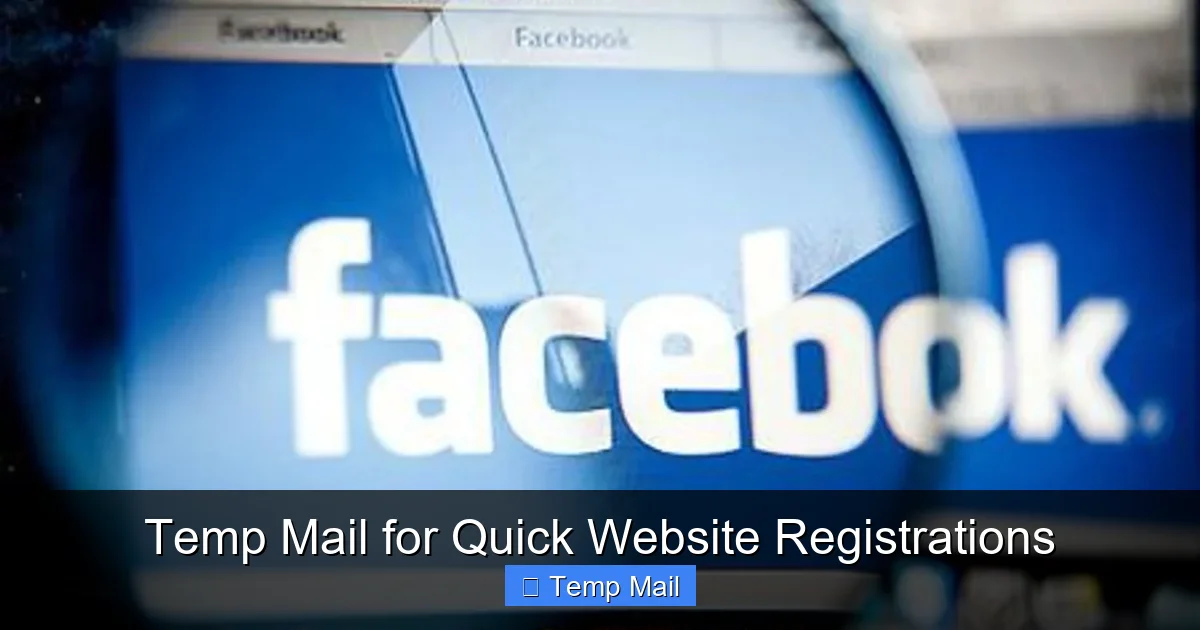
Using a temporary email for a quick sign-up is remarkably simple, but following a clear process ensures you actually get the verification email you might need.
Visual guide about Temp Mail for Quick Website Registrations
Image source: temp-mail.best
1. Find a Reputable Service
Start by opening a new browser tab and navigating to a trusted temp mail provider. Some of the most reliable and user-friendly include Temp-Mail.org, Guerrilla Mail, and 10MinuteMail. Avoid obscure sites that look outdated or have too many misleading download buttons. The interface should be clean, with a clearly displayed email address and a prominent inbox area.
2. Generate Your Disposable Address
Upon loading the page, the service will automatically generate a new email address for you. It will look something like [email protected]. This is your temporary identity. Copy this address to your clipboard. Most services have a big “Copy” button next to the address.
3. Use It on the Target Website
Go to the website where you want to register. Paste the temp mail address into the email field. Fill out any other required information (you can use a pseudonym here too if the site allows) and submit the form. If the site requires email verification, click the “Send Verification Email” button.
4. Retrieve the Verification Email
Immediately switch back to your temp mail tab. You should see a new email appear in the inbox within seconds or minutes. Click on it to open the message. Look for a verification link or code. Click the link (which will often open in a new tab) or copy the code back into the registration site to complete your sign-up. Important: Do this quickly! Some temp mail inboxes only exist for 10-60 minutes, and the email might disappear if you wait too long.
5. Complete Your Goal & Abandon the Inbox
Once you’ve accessed the content, downloaded the file, or created your account, your job is done. You can close the temp mail tab. You do not need to log out or delete anything. The entire inbox and address will self-destruct according to the service’s timer. There is no trace left behind on your end.
Practical Use Cases: When to Absolutely Use Temp Mail
Not every sign-up warrants a temp mail, but the number of situations where it’s the smart choice is vast. Here are the prime scenarios where you should reach for a disposable address without hesitation.
Visual guide about Temp Mail for Quick Website Registrations
Image source: i0.wp.com
Downloading Gated Content
This is the #1 use case. You want a whitepaper, template, software trial, or research report. The form asks for an email to “send the download link.” Using your primary email guarantees that company will add you to their newsletter and nurture campaign. Use a temp mail, get the file instantly, and walk away with zero inbox pollution. The same applies to accessing a single article behind a “subscribe to our newsletter” wall on a news site.
Signing Up for One-Time Events or Trials
Registering for a free webinar, a limited-time online workshop, or a 14-day software trial? These are perfect for temp mail. The company will likely send reminders and, after the trial, aggressive “come back” marketing. A disposable address contains the blast. If you genuinely love the product and decide to subscribe, you can always update your email to your real one later.
Joining Anonymous or Controversial Forums
Whether it’s a professional forum for a niche hobby, a support group for a sensitive health issue, or a politically charged discussion board, you may not want your real email tied to that identity. A temp mail provides a layer of anonymity, separating your online persona from your primary digital footprint.
Testing Services & Apps
As a developer, marketer, or just a curious user, you might need to test how a website or app handles registration flows, email notifications, or user onboarding. Creating dozens of real email accounts is a management nightmare. With temp mail, you can generate a new address for each test run, see the emails, and let them vanish.
Bypassing “Email Required” for Non-Essential Tools
Some simple tools—like a free image resizer, a color palette generator, or a basic PDF converter—unnecessarily require an email to process a single file. Using a temp mail here is a no-brainer. You get the utility without the long-term commitment or spam risk.
Limitations and Crucial Best Practices
Temp mail is powerful, but it’s not a magic bullet for every situation. Understanding its limitations and following best practices is key to using it effectively and safely.
What Temp Mail Should NOT Be Used For
- Critical Accounts: Never use temp mail for your bank, primary cloud storage (Google Drive, iCloud), main social media profiles (Facebook, Twitter, LinkedIn), or password manager. These accounts are foundational to your digital identity and require permanent, secure, and recoverable contact information.
- Account Recovery: If a service uses your email for password resets, a temp mail means you’ll be locked out forever when the inbox expires. Only use it for accounts where you’ll use a persistent username/password or another recovery method.
- Legal or Financial Agreements: For any contract, official document, or financial transaction (like opening a brokerage account), a verifiable, permanent email is legally required. Temp mail is inappropriate here.
- Primary Work Communication: Do not use it for job applications, client communications, or any professional correspondence where you need to build a lasting reputation and be contactable.
Best Practices for Safe & Effective Use
First, always check the site’s Terms of Service. Some explicitly forbid disposable email addresses and may ban your account if detected. Second, don’t use it for two-factor authentication (2FA). 2FA emails need to be reliably received on a device you control. A temp inbox that disappears is useless for this. Third, keep your temp mail session open until you’ve completed the registration and any verification steps. Don’t navigate away and expect to find the email later. Finally, use a different temp address for unrelated sites. While all addresses are disposable, using the same one for multiple forums or services can still link those accounts together in the service’s logs, reducing your anonymity.
The Future of Privacy: Temp Mail in a Tracking World
As online tracking and data collection become more sophisticated, tools like temp mail represent a grassroots resistance. It’s a low-tech solution to a high-tech problem. We are moving towards a future where our email address is increasingly a tracked asset, used to build comprehensive advertising profiles across the web. By compartmentalizing our digital life—using a permanent email for banks, family, and close friends, and a stream of temporary ones for everything else—we regain control. We decide what deserves a piece of our permanent identity and what doesn’t. It’s a practice of digital minimalism, applying the principle “less is more” to our personal data footprint.
The rise of privacy-focused browsers, VPNs, and password managers shows a clear consumer trend: people are tired of being the product. Temp mail fits seamlessly into this ecosystem. It’s the last line of defense at the very point of data entry. Before you even click “agree” to a privacy policy you didn’t read, you’ve already decided what level of association you’re comfortable with by choosing which email to provide. In an environment where every click is monetized, that simple choice is a powerful act of self-protection.
Conclusion: Embrace the Disposable Inbox
The next time you face a registration form, feel that familiar pang of “Do I really want to give them my email?” remember there is a better way. Temp mail for quick website registrations isn’t a hack; it’s a smart, straightforward strategy for managing your digital life. It slashes spam, contains data breach risks, and saves you from the mental load of endless unsubscribe clicks. It’s free, requires no setup, and takes less than 10 seconds to use.
Start today. Bookmark one reliable temp mail service. Get in the habit of opening it in a new tab whenever you encounter an email gate for something non-essential. Experience the clean, clutter-free feeling of your primary inbox staying pristine. In the battle for your attention and your data, a disposable email address is a tiny tool with an outsized impact. It’s the digital equivalent of a burner phone—a temporary channel for temporary interactions, leaving your real identity safe and undisturbed. Give it a try on your next download or forum sign-up. You’ll wonder how you ever registered without it.
Frequently Asked Questions
Is using a temporary email address legal?
Yes, using a temporary email service is completely legal. It’s simply a tool for receiving email without creating a permanent account. However, using it to commit fraud, evade bans, or for illegal activities is, of course, illegal regardless of the email type.
Can websites detect that I’m using a temp mail?
Often, yes. Many services maintain lists of known disposable email domains and will block them during sign-up. If a site rejects your temp mail address, you’ll need to use a different one or your real email. This is why it’s always good to have a backup temp service in mind.
What happens to the emails I receive in a temp inbox?
Emails are stored temporarily on the service’s servers, accessible only to you via the unique, random session URL. Once the inbox expires (due to time limits or page closure), all emails and the address itself are permanently deleted and recycled. They are not forwarded or archived.
Should I use a temp mail for social media accounts like Facebook or Instagram?
No, you should not. Social media accounts are primary digital identities used for long-term connection, recovery, and verification. Using a temp mail here will cause you to be locked out when you lose access to the inbox. Always use a secure, permanent email for these accounts.
Are temp mail services safe? Could they read my emails?
This is a critical consideration. While the inboxes are temporary, the service provider technically has access to any email that passes through their system. You should only use reputable, well-known providers. Do not use temp mail for sensitive personal information, password resets, or confidential communications. Assume anything sent to a temp mail could be viewed by the service.
How long do temporary email addresses typically last?
It varies by provider. Common lifespans are 10 minutes (10MinuteMail), 1 hour, 24 hours, or until you close the browser tab. Some services allow you to extend the time manually. Always check the specific timer on the service you are using to ensure you retrieve any needed verification emails in time.
Leave a Reply