Temp mail, or disposable email, is a powerful tool for signing up on websites without using your real email address. It creates a temporary inbox that automatically deletes after a short time, shielding your primary email from spam, data breaches, and unwanted tracking. By using a random, anonymous address for one-time signups, you maintain your digital privacy and keep your identity confidential. It’s a simple, effective strategy for anyone looking to browse and register online without leaving a permanent trail.
Key Takeaways
- Anonymity First: Temp mail provides a completely anonymous email address, decoupling your online signup activity from your real identity and primary contact information.
- Spam and Marketing Prevention: It acts as a barrier, preventing promotional emails, newsletters, and spam from ever reaching your main inbox.
- Enhanced Security: By not using your permanent email, you reduce the risk of your account being targeted in phishing attacks or data breaches linked to that specific service.
- No Long-Term Commitment: These addresses are designed for single-use or short-term use, automatically expiring and eliminating the need for manual deletion of unwanted accounts.
- Easy and Instant: Generating a temporary email address takes seconds, requires no registration, and is completely free on most platforms.
- Use Case Specific: Ideal for accessing gated content, forum registrations, app trials, and any service where you distrust the email handler or anticipate no future need for communication.
- Not for Critical Accounts: Should never be used for banking, primary social media, or any account where password recovery or official communication is vital.
📑 Table of Contents
- The Invisible Shield: Why Your Email Address Matters More Than You Think
- What Exactly is Temp Mail? Demystifying the Disposable Inbox
- The Perfect Use Cases: When to Reach for a Temporary Address
- The Hidden Risks and Critical Limitations You Must Know
- Best Practices: How to Use Temp Mail Safely and Effectively
- The Bigger Picture: Privacy in the Age of Data Harvesting
- Conclusion: Your Digital Footprint, Your Choice
The Invisible Shield: Why Your Email Address Matters More Than You Think
Think about your primary email address—the one you use for everything from banking to birthday wishes. It’s not just an inbox; it’s a digital skeleton key. That single address is often the central hub for your online identity. Every time you type it into a random website for a free ebook or a forum signup, you’re handing over a piece of that key. Companies collect it, data brokers trade it, and if that site suffers a breach, your email is now in the hands of criminals. This practice, called “email enumeration,” makes you a target. But what if you could have a different key for every lock, one that vanishes after it’s used? That’s the core promise of temporary mail for signups. It’s about reclaiming control, one disposable inbox at a time.
Using a temp mail service isn’t about being paranoid; it’s about being prudent. The internet is built on a trade-off: convenience for data. We often give away our email without a second thought because it’s required. But that “required” field is a data collection point. Temp mail flips the script. It allows you to accept the convenience of the service—accessing the article, downloading the template, entering the contest—while refusing to pay the data price. It’s a simple act of digital self-defense that anyone can perform.
What Exactly is Temp Mail? Demystifying the Disposable Inbox
More Than Just a Spam Filter
Temp mail, also known as disposable email or throwaway email, is a service that provides you with a random, functioning email address for a limited period. Unlike spam filters that sort unwanted mail after it arrives in your primary inbox, temp mail prevents that mail from ever being addressed to your real account. The address is generated instantly on a public website. Any emails sent to that address appear in a public, web-based inbox associated with that session. After a set time—usually 10 minutes to 1 hour—the address and all its contents are permanently deleted from the server, never to be seen again.
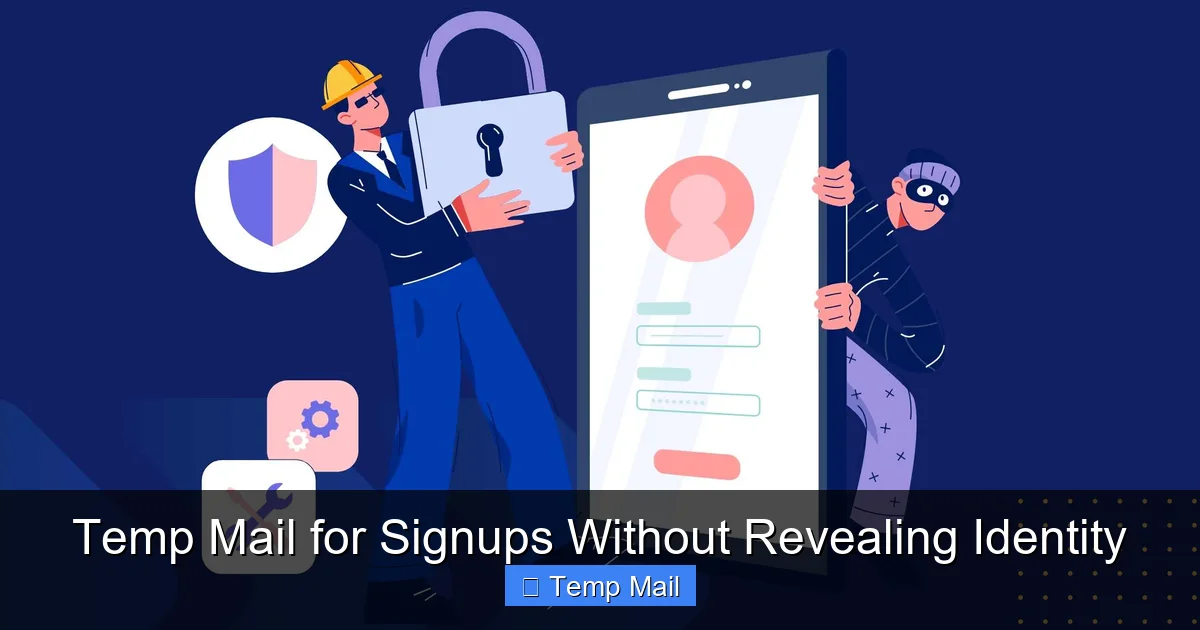
Visual guide about Temp Mail for Signups Without Revealing Identity
Image source: blog.chatib.us
How It Works Under the Hood
These services operate on shared, public domains (like @tempmail.demo or @10minutemail.com). When you visit a site like Temp-Mail.org or 10MinuteMail.com, the server automatically assigns your browser a unique, random username on one of their domains. You copy that address and paste it into the signup form. When the confirmation email or newsletter arrives, it’s routed to the service’s server and displayed in the inbox window on your browser tab. There’s no password, no login, and no persistent account. It’s a purely session-based, ephemeral communication channel. Some advanced services offer slightly longer durations (24 hours) or custom domain names, but the principle of automatic expiration remains constant.
The Perfect Use Cases: When to Reach for a Temporary Address
1. Gated Content and Lead Magnets
This is the #1 use case. You want that free PDF checklist, webinar recording, or software trial. The website asks for your email in exchange. Using your primary email means you’ll likely get added to their marketing list. Using temp mail gets you the download link immediately (check the inbox on the temp mail site!) and ensures zero follow-up. It’s the ultimate “take the money and run” for digital content.
Visual guide about Temp Mail for Signups Without Revealing Identity
Image source: i.dailymail.co.uk
2. One-Time Forum or Comment Section Registration
Need to post a question on a niche forum or leave a comment on a news article that requires an account? A temp address is perfect. You create the account, post your comment, and never think about it again. There’s no risk of password reset emails cluttering your real inbox years later.
3. App and Service Trials with Credit Card
This is a critical privacy application. You’re signing up for a “free trial” that requires a credit card and an email. The business model often relies on you forgetting to cancel. Using a temp email means you will never receive the “Your trial is ending” reminder or the “Payment failed” notice. This forces you to be proactive about cancellation (set a calendar reminder!) but also prevents the company from having your permanent email to market to you forever if you do forget. It makes the trial truly anonymous.
4. Avoiding Corporate Tracking and Profiling
Many B2B websites and tools track every visitor by their email address, building detailed profiles on your interests and behavior. By using a new, anonymous temp address for each research session, you muddy the waters. They can’t build a cohesive profile on “you” because every visit appears to come from a different, untraceable person.
5. Testing and Development
Developers and QA testers use temp mail to quickly create test accounts for applications without polluting their work or personal email. It’s a clean, disposable way to test email verification flows.
The Hidden Risks and Critical Limitations You Must Know
Temp mail is a tool, and like any tool, it has a right and wrong way to use it. Understanding its limitations is non-negotiable for safe usage.
Security is Not Encryption
Emails in a temp inbox are not private. The inbox is public. Anyone who knows the randomly generated URL or has your browser session open can see the emails. Never, ever use temp mail for sensitive communications—password resets for important accounts, private documents, or confidential information. The service provider themselves can potentially read the emails. It is a visibility tool, not a secure vault.
The “Vanishing Act” Problem
The biggest risk is self-inflicted. If you need to recover an account later, you cannot. If you used a temp mail to sign up for a service you later decide is valuable, you are locked out forever. You cannot reset the password because the reset email goes to an address that no longer exists. You have permanently lost access to that account and any data or purchases associated with it. This is why the rule is absolute: only use temp mail for accounts you are 100% sure you will never need to log into again.
Service Reliability and Blacklisting
Not all temp mail services are created equal. Some may be slow, have uptime issues, or be blocked by major platforms (like Google or Facebook) which actively blacklist known disposable email domains. If you try to sign up with a blacklisted domain, the service will reject it. You may need to try a different temp mail provider if one domain is blocked. Reputable services rotate their domains to avoid this, but it’s a constant cat-and-mouse game.
Best Practices: How to Use Temp Mail Safely and Effectively
Step 1: Choose a Reputable Provider
Stick with well-known, established services like Temp-Mail.org, 10MinuteMail.com, or Guerrilla Mail. Avoid obscure sites that might be harvesting the very emails they claim to dispose of. Look for services that do not require you to create an account to use them. The best ones open in a new tab with your inbox already ready.
Step 2: The Golden Rule – Copy, Paste, and Forget
Once you have your temporary address from the service site, copy it immediately. Open the signup page for the website you want to join. Paste the address into the email field. Complete the signup. Then, switch back to the temp mail tab. The confirmation email should arrive within seconds. Click the link or copy any code needed. Once you’ve completed the necessary action (verified the email, downloaded the file), close the tab. Do not bookmark it. Let it vanish from your mind along with the address.
Step 3: Never, Ever Use It For…
Create a mental (or physical) list. This includes:
- Banking, financial services (PayPal, Venmo, etc.)
- Primary email for Apple ID, Google Account, Microsoft Account
- Social media accounts you want to keep (Instagram, Facebook, Twitter/X)
- Any account where you might need to recover access later
- Official government or healthcare portals
- Work or school-related accounts
The moment you violate this rule, you set yourself up for a major headache.
Step 4: Use a Dedicated Browser or Incognito Window
For an extra layer of separation, open your temp mail service in a private/incognito browser window. Close it completely when done. This ensures no cookies or session data lingers on your computer, further isolating that disposable identity from your main browsing activity.
The Bigger Picture: Privacy in the Age of Data Harvesting
Temp mail for signups is a tactical solution to a strategic problem: the commodification of personal data. Every email address you give away is a data point that fuels a multi-billion dollar industry of targeted advertising and user profiling. By using a disposable address, you are making a small, consistent act of refusal. You are saying, “You may have my temporary attention, but you cannot have my identity.” It’s a way to navigate the modern web without becoming a product yourself. While it’s not a complete privacy solution (a VPN, password manager, and privacy-focused search engine are part of a larger toolkit), it is one of the simplest and most immediately effective actions an average user can take. It puts the power of anonymity back into your hands, one signup at a time.
Conclusion: Your Digital Footprint, Your Choice
Your online identity is composed of countless digital footprints, and your email address is the largest and most trackable one. Using temp mail for signups is not about hiding illicit activity; it’s about protecting your legitimate right to privacy. It’s the digital equivalent of using a pseudonym at a coffee shop instead of giving out your home address and phone number. You get the coffee (the content or service), you pay for it (with an anonymous email), and you walk away without leaving a detailed map to your front door. Start today. The next time a website asks for your email for a “free” guide, pause. Open a temp mail tab, generate an address, and claim your content anonymously. Take back control. Your primary inbox—and your peace of mind—will thank you.
Frequently Asked Questions
Is using temp mail for signups legal?
Yes, using a disposable email service is completely legal. You are using a publicly provided communication tool. The legality concern would only arise if you used the temp account for illegal activities like fraud or harassment, which applies to any communication channel.
Can websites detect that I’m using a temp mail address?
Yes, many can. They maintain lists of known disposable email domains and will block signups from those addresses. If your temp mail is rejected, try a different provider, as they use different, rotating domains.
Will I still receive emails from the site if I use a temp address?
Yes, but only to the temporary inbox, which you must keep open for a short time. You will receive the initial confirmation email and any immediate follow-up. Once the temp address expires, you will stop receiving emails from that site permanently.
What happens if I forget to verify my account before the temp mail expires?
The verification email and the temporary address will be permanently deleted. You will be unable to verify the account, and the signup process will fail. You would need to start over with a new temporary address if you still want to proceed.
Is my IP address or activity hidden when I use temp mail?
No. The temp mail service itself can see your IP address when you visit their site. The website you are signing up for will see your IP address from your direct connection to them. Temp mail only hides your primary email identity; it does not anonymize your web browsing traffic. For that, you would need a VPN.
Are there any truly anonymous, secure temp mail services?
Most free, public temp mail services prioritize convenience over security. Emails in the public inbox are not encrypted and are accessible to anyone with the link. For highly sensitive, secure disposable communication, specialized encrypted secure email services exist, but they are typically paid and require more setup, moving beyond the simple “copy-paste” model.
Leave a Reply