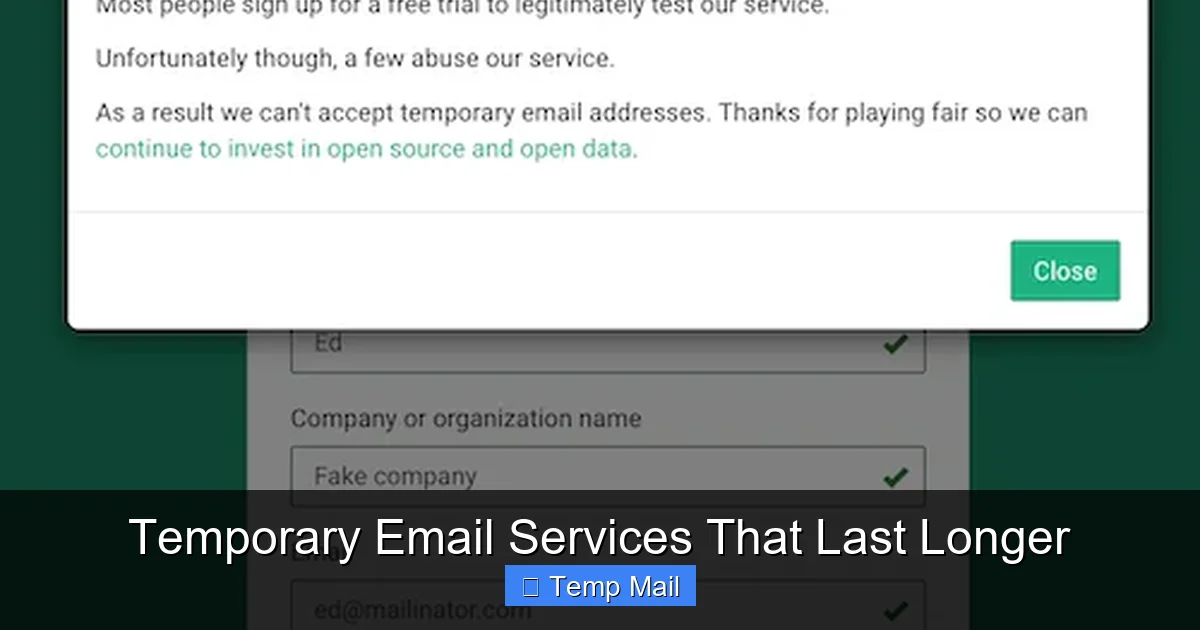
Tired of 10-minute emails expiring before you can verify an account? Standard disposable mail is too short for many real-world tasks. This guide explores specialized temporary email services that last longer, typically offering inbox access for 24 hours to several days. We compare top providers, detail perfect use cases like forum sign-ups or trial access, and explain the critical security trade-offs. Learn how to leverage extended-duration temp mail to protect your primary inbox without sacrificing convenience.
You know the drill. You find a great article behind a email wall, or you want to download a free template, or you’re signing up for a one-time forum discussion. You go to a temporary email site, get an address, paste it in, and… nothing happens. The confirmation email arrives, but by the time you switch tabs, the inbox has refreshed and your 10-minute window is gone. Frustrating, right? The world of disposable email was built for instant, one-click actions, but real life is messier. This is where the lesser-known niche of temporary email services that last longer comes in. They’re not for hiding a long-term identity, but for bridging the gap between a fleeting 10-minute window and the commitment of a permanent email address. Let’s dive deep into this useful, often overlooked tool.
Key Takeaways
- Extended Duration is a Niche Service: Most “temp mail” offers minutes; “longer-lasting” services provide 24 hours to several days, filling a gap for multi-step verifications.
- Use Case Driven: Ideal for single-account creations (forums, newsletters), accessing gated content, or trial software where a short-but-not-instant expiration is perfect.
- Security is a Spectrum: Longer inbox windows increase exposure risk. Never use for sensitive accounts (banking, primary social media) or password resets.
- No Sending, Usually: These are almost exclusively *receiving* services. You cannot typically send emails from them, limiting their functionality.
- Provider Selection is Key: Features vary widely—some offer custom inbox names, others have attachments, and all have different retention policies. Choose based on your specific need.
- It’s a Privacy Tool, Not Anonymity: While it hides your primary email, the service provider can see all received mail. Assume the inbox is not private from the provider.
- Always Have an Exit Strategy: Be prepared to switch to a permanent or different temp address if a service requires ongoing communication beyond its lifespan.
📑 Table of Contents
- The Evolution of Temp Mail: From 10 Minutes to 48 Hours
- Top Contenders: Services Offering Extended Inbox Lifespan
- Perfect Use Cases: When to Choose a Longer-Lasting Temp Mail
- Security & Privacy: The Critical Trade-Offs You Must Understand
- Best Practices for Safe and Effective Use
- The Future of Disposable Email: Where Are We Headed?
- Conclusion: A Useful Tool in the Privacy Toolbox
The Evolution of Temp Mail: From 10 Minutes to 48 Hours
The classic disposable email service—think 10MinuteMail or its many clones—operates on a simple, brutal principle: absolute temporariness. You get an inbox, it self-destructs in 10 minutes, and that’s it. It’s perfect for a quick test or a single “click the link” action where you’re staring at the screen waiting. But what about when the verification email takes 2 minutes to arrive? Or you need to download a file from a link in that email later? Ten minutes is a race you often lose.
Filling the Gap: The “Extended Burner” Concept
Enter the extended-duration temporary email. These services extend the lifecycle from minutes to hours or even days. A 24-hour, 48-hour, or 7-day inbox gives you a usable window that aligns with normal human patience and task-switching. You can sign up in the morning, check the confirmation email on your lunch break, and access the resource in the evening. It’s a “burner” email with a slightly longer fuse.
This evolution happened organically as users demanded more flexibility. Developers of these services realized the primary pain point wasn’t the *disposability* itself, but the *impractical timeframe*. By offering a day or two, they serve a massive middle ground: users who need privacy from a single interaction but don’t want the hassle of creating a new permanent account or using their main email, which would then get spam.
Top Contenders: Services Offering Extended Inbox Lifespan
Not all “temp mail” sites are created equal. Many that advertise “no registration” still use the 10-minute model. You have to look for specific features or provider reputations. Here are the leading types and examples of services that provide meaningful longevity.
Visual guide about Temporary Email Services That Last Longer
Image source: bodyartguru.com
1. The Dedicated Extended-Duration Providers
These services are built from the ground up around the 24-hour+ concept.
- Maildrop.cc: A veteran in this space. Maildrop offers inboxes that last for an undefined period but are regularly purged. In practice, an inbox remains active and accessible for at least 24-48 hours after the last received email, often longer. It’s simple, no-frills, and reliable for basic sign-ups.
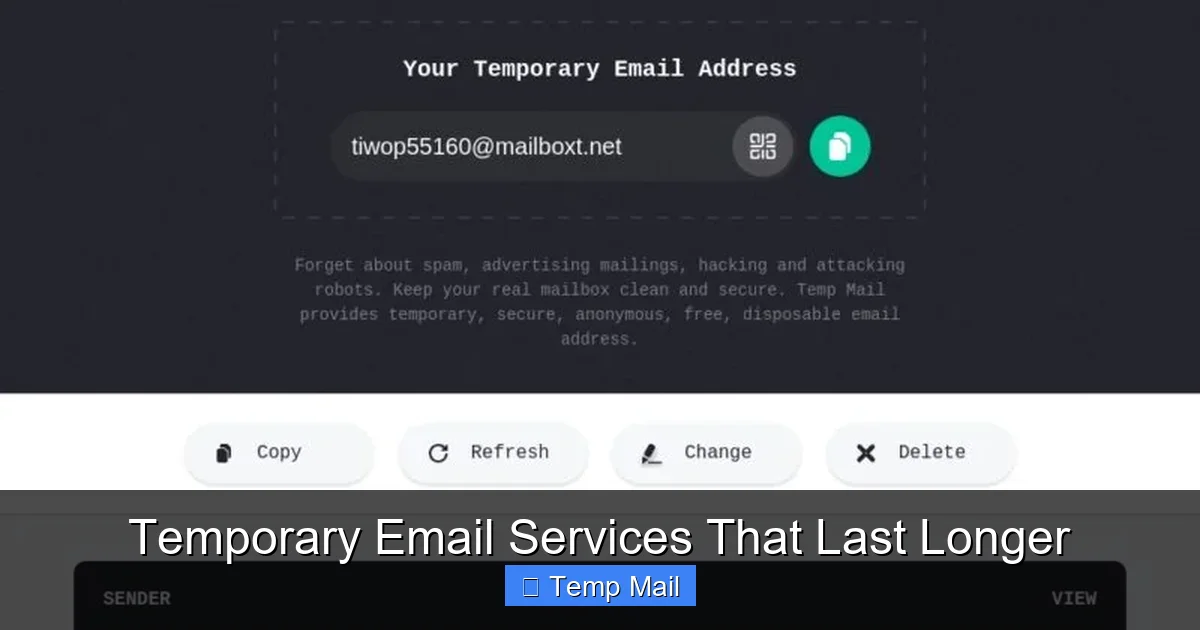
- Temp-Mail.org (and variants like Temp-Mail.io): While some of their domains may use shorter timers, their primary offering is a randomly generated address that lasts for an extended period, clearly displayed on the main page (e.g., “Your temporary email address will be deleted in 24 hours”). They often include features like a larger storage capacity and the ability to choose a custom domain.
- 10MinuteMail.com’s “Extended” Mode: Interestingly, the original 10MinuteMail service itself offers a “longer” option. While the default is 10 minutes, you can often click a button to extend the time in 10-minute increments, allowing you to manually keep the session alive as long as you keep the tab open. This is a manual but effective way to get multi-hour access.
2. The “Custom Domain” or “Premium” Tier of Standard Services
Many popular temp mail sites (like Temp-Mail, Guerrilla Mail) offer a free, short-lived standard inbox but have a paid or “premium” tier that extends the duration significantly, sometimes to 7 days or more. If you find yourself using a particular service frequently, investing a few dollars in a longer lifespan can be worthwhile.
3. Disposable Email APIs for Developers
Services like MailSlurp or Mailinator’s Private Inboxes (not the public, instant-delete ones) are API-first tools. They allow developers (and technically-inclined users) to create a unique, private inbox via an API call that can last for hours or days. These are powerful for automated testing but can be used manually via their web interfaces as well, offering very reliable, extended-duration addresses.
Perfect Use Cases: When to Choose a Longer-Lasting Temp Mail
Knowing *why* to use these services is as important as knowing *how*. Using the wrong tool for the job leads to failed verifications or security risks.
Visual guide about Temporary Email Services That Last Longer
Image source: allabouttattoo.com
Case 1: The “Gated Content” Download
You want an ebook, a whitepaper, or a software template. The website asks for an email to send the download link. This is the classic use case. A 24-hour inbox gives you plenty of time to receive the email, click the link, download the file, and then forget about the inbox. The sender might follow up with marketing emails days later, but your temp inbox is already gone.
Case 2: Forum or Community Sign-Up
You want to ask a single question on a niche forum or join a Discord community that uses email verification. You don’t plan to be an active member long-term. A 48-hour inbox covers the sign-up verification and maybe a day of participation. If you decide to stay, you can always add a permanent email later. This prevents your main email from getting forum update spam.
Case 3: Trial Software or SaaS Services
Many “freemium” tools require an email to start a 14-day trial. You just want to test the core features. Using a longer-lasting temp email (48-72 hours) lets you receive the initial welcome email and maybe a couple of tutorial emails. The trial itself is on the service’s clock, not the email’s. The key is to ensure the service doesn’t require email-based login for the entire trial period (some do).
Case 4: One-Time Discount or Promotion Codes
Retailers often email a discount code after you subscribe to their newsletter. Use a 24-hour temp address, grab the code, use it on your purchase, and unsubscribe (or just let the temp inbox vanish). Your primary inbox stays pristine.
Security & Privacy: The Critical Trade-Offs You Must Understand
Using any temporary email involves trade-offs. With longer-lasting ones, the scale tips slightly differently.
Visual guide about Temporary Email Services That Last Longer
Image source: inspirationfeed.com
The Provider Sees Everything
This is the non-negotiable rule. The temporary email provider has full, plain-text access to every email that arrives in your inbox. There is no end-to-end encryption. While reputable providers claim not to log or sell data (check their privacy policy!), you must operate on the assumption that everything you receive is public to them. Never use these services for:
- Password reset links for important accounts.
- Any communication containing personal data (SSN, bank details, medical info).
- Two-factor authentication (2FA) codes if the service allows email as a method.
Longer Window = Larger Attack Surface
A 10-minute inbox is so short that the chance of someone else stumbling upon it is minimal. A 48-hour inbox is a sitting target. While most services use random, hard-to-guess inbox names, it’s not impossible for a malicious actor to brute-force or guess an address, especially if the service uses predictable naming conventions. The longer it exists, the more opportunity for misdelivered mail or targeted scanning.
No Real Sending Capability
Do not expect to send emails from these addresses. They are almost universally receive-only. If a website requires you to *reply* to a confirmation email to activate an account, a temp mail service will fail. This limitation defines their use case: one-way communication to you.
Best Practices for Safe and Effective Use
To get the most out of temporary email services that last longer while minimizing risk, follow these guidelines.
1. Match the Lifespan to the Task
Don’t use a 7-day inbox for a 5-minute download. A 24-hour inbox is the sweet spot for most tasks. Reserve 48-72 hours only for processes you know might be slower (e.g., manual human approval on a platform). This minimizes the window of exposure.
2. Never Use for Account Recovery or Critical Services
This is the golden rule. If you forget the password to an account protected by a temp email, you lose access permanently. If a bank or government agency emails you, it’s a major red flag that you shouldn’t be using a disposable address. These services are for *initiation*, not *maintenance*.
3. Check the Provider’s Privacy Policy (Briefly)
Before using a service, do a quick scan of its privacy policy or “about” page. Look for statements like “emails are deleted after X hours” and “we do not share your data with third parties.” While not a legal guarantee, it indicates a more reputable operator. Avoid services that are ad-heavy with suspicious pop-ups; they are more likely to harvest data.
4. Use a Unique Browser or Incognito Window
To prevent any potential cookie or tracking linkage between your temp email session and your regular browsing, open the temp mail site in a private/incognito browser window. This is a simple step that adds a layer of separation.
5. Have a “Plan B” Inbox Ready
If a service you’re signing up for sends multiple emails over several days (welcome series, product updates), your 24-hour inbox will die. Have a secondary, longer-lasting temp service or a dedicated “spam” permanent email address you can switch to if needed. Don’t let a critical account get locked because your communication channel vanished.
The Future of Disposable Email: Where Are We Headed?
The landscape is shifting. As spam filters get smarter and platforms get better at blocking known disposable email domains, the cat-and-mouse game continues. We’re seeing two trends.
Trend 1: Increased Integration with Privacy Suites
Services like SimpleLogin or AnonAddy (which create aliases that forward to your real inbox) are becoming popular. They offer the “disposable” feel but with the reliability of your own email. The “longer-lasting” aspect is inherent—the alias lasts as long as you want. This is the logical evolution: privacy without the harsh expiration, but it requires a permanent base inbox.
Trend 2: More Sophisticated, Harder-to-Block Domains
Extended-duration temp mail providers are constantly rotating domains and using less common TLDs (.cc, .ws, .xyz) to avoid being blacklisted by major platforms like Google or Facebook. The future will likely see a cycle of new providers emerging as old ones get blocked, offering users a constantly changing menu of options for that crucial 24-48 hour window.
Conclusion: A Useful Tool in the Privacy Toolbox
Temporary email services that last longer are not a magic bullet for online privacy, but they are an incredibly practical tool for a specific set of problems. They solve the “verification email arrived too late” frustration of standard 10-minute mail. By providing a 24-hour to multi-day window, they align with the pace of real-life digital interactions—signing up for a service, grabbing a download, testing a tool.
The key is intentional use. Understand that you are trading long-term security for short-term convenience and inbox cleanliness. Never use them for anything that matters. Always match the inbox lifespan to the expected duration of the interaction. And remember, the provider can see everything you receive. Used wisely, these extended-duration burner emails are a fantastic way to explore the web, try new services, and access content without permanently sacrificing your primary email address to the spam gods. They are the perfect “use it and lose it” tool for the modern internet.
Frequently Asked Questions
Are longer temporary email services safe to use?
They are safe for their intended, low-stakes purpose (e.g., downloading an ebook), but not secure for sensitive data. The provider can see all incoming emails, so never use them for passwords, financial info, or account recovery links.
How long do these “longer-lasting” emails actually last?
It varies by provider, but most offer a minimum of 24 hours. Common durations are 24, 48, or 72 hours. Some may keep an inbox active for several days if it continues to receive mail, but there’s rarely a guaranteed permanent retention period.
Can I send emails from a longer-lasting temporary address?
Almost never. These services are designed almost exclusively for receiving emails (like verification links). They do not provide SMTP servers for sending outgoing mail. If you need to send, you must use your permanent email.
What’s the main advantage over a 10-minute email?
The primary advantage is practicality. It accounts for delays in email delivery and human procrastination. You can sign up for something in the morning and check the confirmation email in the evening without racing against a 10-minute clock.
Will websites block these longer-lasting temp email domains?
Yes, many popular platforms actively block known disposable email domains, regardless of their duration. If a site rejects your temp email, you’ll need to try a different provider or use a permanent address. The list of blocked domains is constantly changing.
What’s the best practice for choosing which service to use?
For a single, quick task, pick a well-known provider like Maildrop.cc or Temp-Mail.org that clearly states its inbox duration. If you need to use the service repeatedly for similar tasks, consider a paid plan for a more reliable, longer-lasting, and less-blocked domain. Always read the provider’s basic privacy statement first.
Leave a Reply