Tired of spam clogging your main inbox and worried about your email privacy? Disposable email addresses are your secret weapon. These temporary, throwaway inboxes let you sign up for websites, download files, or access content without handing over your real, personal email. It’s a simple, effective way to create a barrier between you and data harvesters, spam bots, and potential security threats. By using a temp mail service for one-time or low-stakes interactions, you keep your primary identity safe and your main inbox clean.
Key Takeaways
- What They Are: Disposable emails are temporary, anonymous email addresses that self-destruct after a short time or a few uses, requiring no personal sign-up.
- Core Function: They act as a protective shield, accepting verification emails or one-time links so your primary email remains unseen by third parties.
- Primary Benefit: Drastically reduce spam, marketing emails, and data breaches linked to your main identity by containing them to a disposable address.
- Key Limitation: They are NOT for important accounts (banking, social media, work) as the inbox and address vanish, causing permanent lockout.
- Ideal Use Cases: Forum sign-ups, software trials, discount code grabs, accessing gated content, and testing online forms.
- Safety First: While great for privacy, avoid using them for anything requiring long-term access, password recovery, or sensitive personal/transactional data.
- Tool, Not a Cure: Disposable email is one layer of a broader privacy strategy, complementing strong passwords, 2FA, and a VPN.
📑 Table of Contents
- Your Inbox is a Target (And You Didn’t Even Know It)
- What Exactly is a Disposable Email Address?
- How Do They Work? The Magic Behind the Curtain
- The Massive Benefits: Why You Should Be Using Them
- Critical Cautions: Where Disposable Email is a Terrible Idea
- Practical Use Cases: How to Integrate Temp Mail into Your Routine
- Choosing a Service & Best Practices for Maximum Safety
- The Future of Privacy & Alternatives to Disposable Email
- Conclusion: Reclaiming Your Digital Peace of Mind
Your Inbox is a Target (And You Didn’t Even Know It)
Let’s have a real talk about your email address. That string of characters—[email protected]—isn’t just a digital mailbox. It’s your online passport, your identity key, and unfortunately, a magnet for spam and data miners. Every time you use it to sign up for a newsletter, download a free PDF, or create an account on a new app, you’re handing over a piece of your digital self. Companies sell these email lists. Bots scrape them from poorly secured websites. Your inbox becomes a battleground.
What if you could just… hand out a fake one? Not a fake in the deceptive sense, but a temporary, sacrificial address that exists for 10 minutes or 10 emails and then poof—it’s gone. That’s the power of disposable email. It’s not about being sneaky; it’s about being smart and protective of your primary digital identity. In this guide, we’re diving deep into the world of temporary email services. We’ll cover exactly how they work, why they’re a privacy essential, where you should (and absolutely should not) use them, and how to choose a service that actually keeps you safe.
What Exactly is a Disposable Email Address?
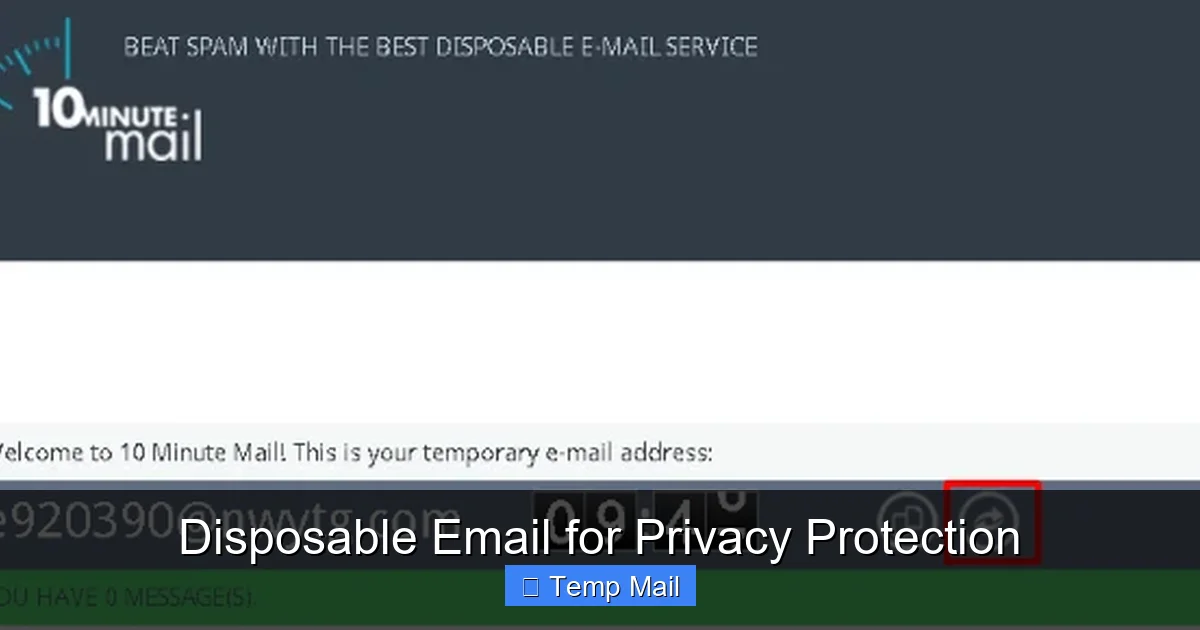
A disposable email address, often called temp mail, is a service that provides you with a random, functioning email inbox for a very limited period. You don’t create an account. You don’t set a password. You simply visit a website, and it generates an address for you—like [email protected]. You use that address wherever you need a temporary contact point. Any emails sent to it appear in a web-based inbox on that same site. Once you close the browser tab, or after a set time (usually 10 minutes to 1 hour), the address and all its emails are permanently deleted from the server. It’s a digital “burner phone” for your inbox.
Visual guide about Disposable Email for Privacy Protection
Image source: mashtips.com
The Two Main Flavors: API vs. Web-Based
Disposable email services generally operate in two ways. The first, and most common for casual users, is the web-based service. You go to a site like Temp-Mail.org or 10MinuteMail.com, and a fresh address is displayed on the homepage. You copy it, use it, and refresh the same page to check for incoming mail. It’s incredibly simple.
The second type is an API-driven service. These are often used by developers or businesses. The service provides an API key that allows an application to generate and check disposable email addresses programmatically. This is useful for automated testing of email verification systems. For our purposes, we’ll focus on the user-friendly web-based services.
How Do They Work? The Magic Behind the Curtain
The process is beautifully simple, which is part of its appeal. Here’s the step-by-step:
Visual guide about Disposable Email for Privacy Protection
Image source: optery.com
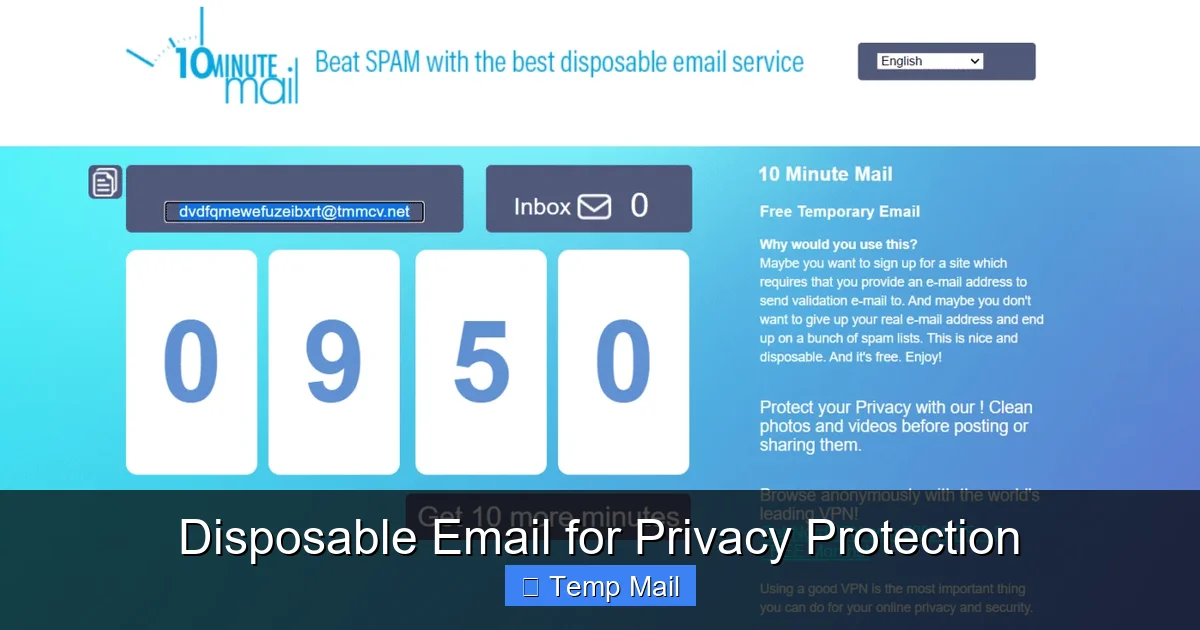
- Generation: You visit the disposable email provider’s website. Their system instantly generates a random email address (often using their domain) and a corresponding, private inbox.
- Use: You copy that address and paste it into any website or form that requires an email. You sign up, request a download, or verify a phone number.
- Reception: The website you’re signing up with sends a verification email or a link to your temporary address. Because the disposable service is a real, functioning mail server, it receives that email.
- Access: You stay on the disposable email site (or sometimes have a dedicated tab/window open) and hit “refresh” to see the new email appear in your temporary inbox. You click the link or copy the code.
- Deletion: After the predetermined time limit expires (e.g., 10 minutes, 1 hour, 1 day) or after the inbox is cleared, the entire address and its contents are purged from the server. That address is then recycled and given to a future user. It’s gone.
There’s no link back to you. No password was created. The service provider typically does not log or associate that specific temporary address with your IP address beyond the immediate session, adding a layer of anonymity.
The Massive Benefits: Why You Should Be Using Them
Using a disposable email isn’t just a trick; it’s a fundamental hygiene practice for the modern internet. The benefits stack up quickly.
Visual guide about Disposable Email for Privacy Protection
Image source: icpmedical.com
1. Spam Annihilation at the Source
This is the #1 reason people adopt temp mail. That “free ebook” you signed up for? The “weekend sale alert” from a store you visited once? The forum you contributed to three years ago? All of those newsletters and promotional blasts go to your disposable address. When that address self-destructs, so does the subscription. Your primary inbox remains a sanctuary for emails from family, friends, and important work contacts. You stop spam before it ever reaches you.
2. Fortifying Your Privacy & Data Footprint
Every email address you use is a data point. It can be used to profile your interests, your location (sometimes), and your online behavior. It can be involved in a data breach. By using a disposable address for low-stakes interactions, you drastically reduce the number of databases that have your real, personal email. In an age of constant data harvesting, this is a simple way to shrink your digital shadow.
3. Dodging the Verification Trap
The internet is full of “gated content.” Want to read the full article? Download the whitepaper? See the discount code? Often, the price is your email address. With disposable email, you pay with a throwaway address instead. You get the content you need immediately, with zero commitment and zero future spam from that source.
4. A Shield Against Security Threats
Phishing emails and malware campaigns often target specific email lists. If your disposable address is hit by a phishing attempt, it’s isolated. The attacker has no way to link that temp address back to your real identity or your main accounts. It contains the threat to a single, short-lived vector. Furthermore, if a website you used a temp mail for suffers a breach, the leaked database contains a useless, expired address, not your lifelong email.
5. Testing and Development Made Easy
For developers, QA testers, or even marketers setting up forms, disposable emails are indispensable. You can quickly test if an email verification system works, if auto-responders fire, or if a confirmation email is formatted correctly—all without clogging your real inbox or creating test accounts.
Critical Cautions: Where Disposable Email is a Terrible Idea
Disposable email is a powerful tool, but it’s a specialized tool. Using it in the wrong context can cause serious, irreversible problems. This is the most important section to understand.
Never Use a Temp Mail For:
- Any Account You Need to Keep: This is the golden rule. Social media (Facebook, Instagram, Twitter/X), banking, PayPal, cryptocurrency exchanges, Amazon, Google, Apple ID—anything with long-term value, password recovery, or financial information. If the account is important, it needs a permanent, accessible email.
- Password Recovery: If you forget your password, the service will send a reset link to the registered email. With a disposable email, that link vanishes with the inbox. You will be permanently locked out.
- Official/Government Communications: Tax services, court notices, official university correspondence—these require a reliable, permanent channel.
- Work or Professional Accounts: Your employer’s IT systems will require a stable email. Using a temp mail will get you flagged and likely fail verification.
- Any Service That May Require Future Verification: Some services periodically re-verify your email. If your address is gone, you may lose access without warning.
The “I Forgot My Password” Nightmare
Imagine signing up for a new online game with a disposable email. You spend hours building your character. Then, your laptop crashes. You get a new one, try to log in, and realize you forgot the password. You click “Forgot Password,” and the reset link is sent to an inbox that expired 45 minutes after you created the account. Your progress, your purchases, your account—all gone. It’s a harsh lesson learned. If you can’t afford to lose access to it, don’t use a disposable email for it.
Practical Use Cases: How to Integrate Temp Mail into Your Routine
Knowing the theory is one thing; using it is another. Here are concrete, everyday scenarios where disposable email shines.
The One-Time Content Grab
You’re researching a topic and find a great industry report behind a “Enter your email to download” form. You have zero interest in the company’s newsletter. Use a disposable email. Get the PDF instantly. Forget about it. The company gets a “lead,” you get your content, and your main inbox is untouched.
The Trial Account Sign-Up
Want to try a premium software for 14 days? Many require an email for the trial license. Use a temp address. You get full access during the trial. When the trial ends, you simply don’t log in again. No cancellation emails to your main inbox. No “We miss you!” campaigns. Clean exit.
Forum or Comment Section Registration
You want to post a comment on a news site or join a niche forum for a single question. These platforms are notorious for spam and data sharing. Protect your identity with a disposable address. Engage, get your answer, and walk away. The forum’s future spam emails die with the temp inbox.
App & Service Testing
You’re curious about a new social app or productivity tool. Before you commit your real email and potentially your social graph, create an account with a disposable address. Test the features, the user experience, the privacy settings. See if it’s worth your real digital identity. If not, delete the app. The temp email dies. No harm, no foul.
Accessing Public Wi-Fi or Shared Computers
You’re at a library, airport, or hotel business center and need to quickly access a website that requires login. Using your personal email on a shared machine is a security risk. Generate a disposable address on your phone (or the shared PC), use it, and forget it. No risk of saved cookies or keyloggers capturing your permanent credentials.
Choosing a Service & Best Practices for Maximum Safety
Not all disposable email services are created equal. Your choice matters for both functionality and security.
Features to Look For
- No Registration Required: The best services don’t ask you to create an account to generate an address. That defeats the purpose.
- Clear Inbox Display: A simple, clean interface where incoming emails appear clearly with a “refresh” button.
- Reasonable Time Limit: 10-60 minutes is standard for quick tasks. Some offer 24-hour or longer inboxes for multi-day projects, but these are riskier for privacy.
- Multiple Domain Options: Some services offer several domain names (e.g., @tmpmail.org, @tempr.email). This can help if a site blocks known disposable domains.
- No CAPTCHA (or simple CAPTCHA): While some CAPTCHA is expected to prevent abuse, overly complex puzzles can be frustrating. Find a balance.
Red Flags to Avoid
- Services that ask for your real email to “view” the inbox. This is a data trap.
- Services with suspicious pop-up ads or misleading download buttons. These are often adware farms.
- Services that don’t clearly state their data retention policy. Assume they keep logs if it’s unclear.
- Services that require you to install software or browser extensions from unknown sources. This is a major security risk.
Essential Best Practices
Always use a private/incognito browser window when accessing disposable email, especially on shared devices. This prevents cookies and history from linking your session to other activity. Never use a disposable email for password recovery on any important account—this cannot be stressed enough. Assume the inbox is public. While most services don’t actively monitor, the inbox URL might be guessable. Don’t use it for anything truly sensitive. Finally, have a mental “account importance” filter. Before you type an email into a field, ask: “If I lost access to this tomorrow, would it matter?” If the answer is yes, use your main email. If no, use a disposable one.
The Future of Privacy & Alternatives to Disposable Email
Disposable email is a fantastic reactive tool, but the future of online privacy is moving toward proactive identity management. Services like SimpleLogin or AnonAddy offer a more sophisticated alternative: email aliasing. With these, you create a permanent, master email account (often with a privacy-focused provider like ProtonMail or Tutanota). Then, you generate unique, forwardable aliases for each website or service (e.g., [email protected], [email protected]). Emails sent to the alias forward to your master inbox. You can disable an alias at any time with a click, stopping all future emails from that source. This gives you the control and permanence of a real inbox with the compartmentalization and kill-switch power of disposable mail. It’s the next logical step for the privacy-conscious user.
Furthermore, broader privacy legislation (like GDPR in Europe) and increased user awareness are pushing companies to be more responsible with data. However, until these protections are universal and robust, tools like disposable email and aliasing remain your personal responsibility and your first line of defense.
Conclusion: Reclaiming Your Digital Peace of Mind
Your email address is a key to your digital life. Guard it accordingly. Disposable email isn’t about hiding from the internet; it’s about strategically navigating it. By using temporary inboxes for the vast majority of one-off interactions, gated content, and trial sign-ups, you erect a crucial firewall. You keep your primary inbox pristine, your personal data out of countless marketing databases, and your security profile significantly cleaner.
Start small. Next time a website asks for your email for a “free guide” you’ll never read, open a new incognito tab, generate a temp address, and use it. Feel the immediate relief of not adding another subscription to your main account. That small act is you taking back control. Combine this habit with strong, unique passwords, two-factor authentication, and a reputable VPN, and you’re building a resilient, privacy-first digital presence. The tools are free and easy. The only thing you need to do is start using them.
Frequently Asked Questions
Is using a disposable email address legal?
Yes, using a disposable email service is completely legal. It’s simply using a provided communication tool. However, using it to commit fraud, harassment, or illegal activities is, of course, illegal regardless of the email type used.
Are disposable email services safe from hackers?
Safety varies by provider. Reputable services use HTTPS and don’t require personal info, minimizing risk. However, the inboxes are often publicly accessible via the URL on your browser. The main risk is someone else guessing or finding your active temporary address and seeing the emails inside. Always use a private browser window and close the tab when done.
Can websites detect that I’m using a disposable email?
Often, yes. Many websites maintain lists of known disposable email domains and will block sign-ups from them. This is why some services offer multiple domain options. If a site rejects your temp mail, you may need to use a different provider’s domain or your main email for that specific service.
What’s the difference between disposable email and email aliasing?
Disposable email creates a completely separate, temporary inbox that disappears. Email aliasing creates a unique forwarding address that sends mail to your permanent, primary inbox. With aliasing, you keep all emails in one place but can disable the alias to stop future emails. Disposable is a “burner,” while aliasing is a “filter” for your main account.
What happens if I need an email that was sent to my disposable address later?
You generally can’t. Once the disposable inbox expires or is cleared, the emails are permanently deleted from the server. This is why it’s critical to only use these addresses for information you need immediately (like a verification code) or don’t need at all (like a newsletter). Save important emails to your main account.
Should I trust a disposable email service with my data?
3>You should trust them with as little data as possible. The best services require no sign-up, no personal info, and claim not to log IPs. Read their privacy policy briefly. Understand that while they don’t want your data, the temporary inbox itself could, in theory, be monitored. Never send highly sensitive personal or financial information to a disposable address. Their purpose is for low-stakes communication, not secure document transfer.
Leave a Reply