Blog

  • How Temp Mail Protects Your Inbox

    How Temp Mail Protects Your Inbox

    Tired of your main email overflowing with spam? Temp mail provides a disposable, anonymous email address for signing up to websites, downloading files, or verifying accounts. It acts as a protective buffer, keeping your real inbox clean, secure, and private. By using a temporary address for low-trust interactions, you eliminate the risk of your primary email being sold, hacked, or bombarded with unwanted messages forever.

    Key Takeaways

    • Primary Defense: Temp mail creates a sacrificial email address that absorbs spam and promotional emails, protecting your permanent inbox.
    • Enhanced Privacy: It prevents websites and services from collecting your real email address, reducing your digital footprint and data profiling.
    • Scam & Phishing Shield: By not using your primary email for risky sign-ups, you isolate potential phishing attempts and malware campaigns to a disposable account.
    • Simplified Management: No more tedious unsubscribes. Once a temp mail address expires, all associated unwanted mail vanishes automatically.
    • No Long-Term Commitment: Use it for a single verification and forget it, with no need to manage another permanent email account.
    • Security Through Isolation: A data breach at a low-priority site won’t expose your primary email, preventing credential stuffing attacks on your important accounts.
    • Cost-Effective: Most reliable temp mail services are free, offering a powerful privacy tool without any subscription fee.

    Your Inbox is Under Siege: The Modern Email Problem

    Picture this: you finally find that free e-book, exclusive webinar, or must-have discount. You click the sign-up button, enter your email, and hit submit. What happens next? Often, that’s the moment your primary inbox begins its slow, painful descent into chaos. That single email address you use for everything—banking, work, family, Netflix—becomes a commodity. It gets shared, sold, and scraped. Within weeks, your inbox transforms from a useful tool into a battlefield of promotional blasts, “special offers” you never asked for, and sophisticated phishing lures designed to look like they’re from your bank or Amazon. This isn’t just annoying; it’s a serious privacy and security risk. Every data breach at some obscure forum you signed up for a decade ago potentially exposes that one key to your entire digital life. But what if you could fight back? What if you could have a secret weapon that lets you access the internet’s free resources without sacrificing your main communication hub? That weapon is temporary email, or temp mail.

    What Exactly is Temp Mail? A disposable shield for your digital life

    The Core Concept: An Email Address with an Expiration Date

    At its heart, temp mail is beautifully simple. It’s a service that provides you with a random, fully functional email address—complete with an inbox—for a short, predetermined period, usually 10 minutes to 24 hours. You use this address for a specific, low-stakes purpose: verifying an account on a sketchy forum, downloading a software trial, or getting a one-time discount code. Once that purpose is fulfilled, and you’ve received the necessary email, you simply close the browser tab. There is no password, no long-term login, no need to “manage” this account. The address and all its history—including any spam it attracted—vanish into the digital ether. It’s the digital equivalent of using a burner phone, but for your email.
    How Temp Mail Protects Your Inbox

    Visual guide about How Temp Mail Protects Your Inbox

    Image source: temp-inbox.me

    How It Works, Step-by-Step: Simplicity Itself

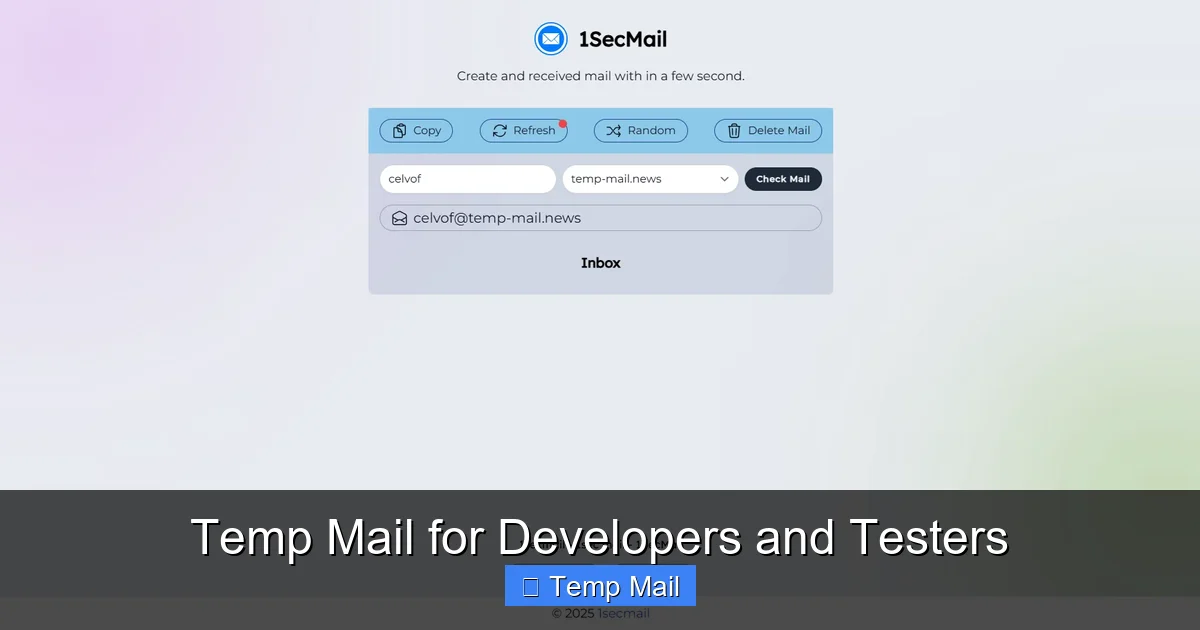
    The process is intentionally frictionless to encourage use. First, you visit a temp mail provider’s website (like Temp-Mail.org, 10MinuteMail, or Guerrilla Mail). The site instantly generates a random email address for you, something like [email protected]. This address is already active and has an inbox waiting. You copy this address and paste it wherever a site asks for your email. You then refresh the temp mail site’s inbox page. When the website you signed up for sends a verification email, it appears right there in your temporary inbox. You click the verification link, complete your task, and walk away. No account creation, no password memorization. The service handles all the backend server work; you just use the interface to view the emails that come in during that address’s short lifespan.

    The Primary Benefit: A Fortress for Your Primary Inbox

    Stopping Spam at the Source

    This is the most immediate and gratifying benefit. Spam doesn’t magically appear; it’s born when you give your email to a service that either has poor data practices or outright sells your address to marketers. By using a temp mail address for any sign-up that isn’t critically important (which is most of them), you redirect that spam pipeline. The unwanted promotional emails, the “newsletter” you accidentally opted into, the aggressive ad campaigns—they all go to the disposable address. When that address expires, the spam dies with it. Your primary inbox, the one you use for real communication with colleagues, family, and essential services, remains a pristine, focused space. You reclaim your attention and your time.
    How Temp Mail Protects Your Inbox

    Visual guide about How Temp Mail Protects Your Inbox

    Image source: temp-inbox.me

    Creating an Ironclad Privacy Barrier

    Your email address is a unique personal identifier. It’s often the username for dozens of other accounts. When you use it everywhere, you create a comprehensive, linked profile of your online behavior that data brokers and advertisers can buy. Temp mail shatters this profile. For every minor interaction, you use a new, unlinked identifier. This makes it exponentially harder for companies to track you across the web, build a dossier on your interests, and target you with invasive ads. You are, in effect, anonymizing your casual internet activity, taking back control of your digital identity piece by piece.

    Beyond Spam: Critical Security Advantages

    Neutralizing Phishing and Scam Emails

    Phishing emails are designed to look like they’re from a trusted entity—your bank, PayPal, a popular store—and they urge you to click a link and log in. The damage occurs when you use your real credentials on a fake site. By using temp mail for non-essential sign-ups, you create a crucial mental filter. If you receive a “security alert” or “account issue” email to your primary inbox, it immediately raises a red flag because you know you only use that address for vital accounts. But if you used temp mail for a gaming site and get a “password reset” email there a year later, you know it’s a scam targeting old data. It trains you to be more skeptical and isolates phishing attempts to accounts with no valuable data attached.
    How Temp Mail Protects Your Inbox

    Visual guide about How Temp Mail Protects Your Inbox

    Image source: is1-ssl.mzstatic.com

    Containing the Fallout from Data Breaches

    Data breaches are a matter of “when,” not “if.” Every few months, another major company announces hackers stole user databases, including email addresses. When your temp mail address is part of a breach, nothing of value is lost. It’s a dead letter. However, when your permanent email is breached, hackers now have a key to your identity. They can use it to try to reset passwords on your other accounts (a tactic called “credential stuffing”), send highly targeted phishing emails, or sell it on the dark web for identity theft. Temp mail ensures that the vast majority of your low-importance online interactions leave no lasting trace that can be weaponized against you later.

    Practical Use Cases: When and How to Use Temp Mail

    For One-Time Access & Gated Content

    This is the #1 use case. A blog offers a valuable PDF checklist in exchange for an email. A forum requires registration to view a single thread. A software site offers a trial download but demands an email for the license key. These are perfect moments for temp mail. You get the content or tool you need, and the provider gets a metric (a sign-up), but you give away nothing of lasting value. You avoid being added to their nurturing email sequence forever.

    For Testing Services and Apps

    Are you a developer testing user registration flows? A marketer checking how a lead magnet delivery system works? Or just a curious user wanting to poke around a new app without commitment? Temp mail is your best friend. You can create a test account, verify it, explore the features, and never have to worry about cleaning up the account later or receiving product update emails.

    To Protect Your Identity on Forums and Comment Sections

    Participating in a heated political forum, a niche hobby subreddit, or a controversial news comment section? Using your primary email ties your real-world identity to your pseudonymous opinions. A temp mail address lets you engage in discussion with a layer of plausible deniability. If the account is banned or the forum is compromised, your main email remains unaffected and unlinked.

    Choosing a Temp Mail Service: What to Look For

    Essential Features: Inbox Lifespan and Domain Variety

    Not all temp mail services are created equal. The first thing to check is the default inbox lifespan. Some offer 10 minutes (for ultra-quick tasks), others 1 hour, and some up to 24 hours. Choose based on your need. For a quick download, 10 minutes is fine. For a forum that might send a welcome email a few hours later, go for a longer duration. Also, look at the available domains (@tempmail.net, @guerrillamail.com, etc.). A wider variety can be useful if a particular site blocks known temp mail domains (some do).

    Advanced Considerations: No Password? No Problem.

    Remember, the core of temp mail is no account. You should never need to create a password or set up a username. If a service asks you to register to get a temp address, it’s defeating the purpose. You want a site where the inbox is tied to the browser session or a random token. Also, consider the user interface. Is the inbox easy to read? Does it refresh automatically? Are there intrusive ads? A clean, functional interface makes the experience much smoother. For most users, sticking with well-known, reputable providers is safer than obscure ones that might inject malicious scripts.

    Debunking Myths: What Temp Mail is NOT

    Myth 1: “It’s Only for Illegal Activities”

    This is a common misconception. While it’s true bad actors might use it for anonymity, the overwhelming majority of temp mail users are perfectly legitimate people trying to manage their privacy and inbox hygiene. It’s a tool for defensive privacy, not offensive wrongdoing. Using it to avoid a newsletter is not illegal; it’s good inbox stewardship.

    Myth 2: “It’s Completely Secure for Sensitive Communications”

    This is critical. Temp mail is for low-risk, non-sensitive interactions only. Never use it for password recovery on your main accounts, for official government or banking correspondence, or for sending confidential documents. The emails are stored on the provider’s servers, often unencrypted, and are publicly accessible via the inbox URL while active. It is a public, temporary drop-box. Its security model is based on ephemerality, not encryption or access control.

    Myth 3: “All Temp Mail Gets Blocked by Major Sites”

    While some major platforms (like Google or Facebook) actively block known disposable email domains, thousands of smaller websites, forums, blogs, and SaaS tools do not. The blocking arms race is constant, but for the vast ecosystem of the web where you need to “just get in,” temp mail remains highly effective. If one domain is blocked, refreshing the page on the temp mail site will often generate a new address from a different, unblocked domain.

    Frequently Asked Questions

    Is using temp mail legal?

    Yes, using a temporary email service is completely legal in virtually all jurisdictions. It is a legitimate tool for privacy protection and managing online subscriptions.

    How long do temp mail addresses and emails last?

    It varies by provider, but most temporary inboxes last between 10 minutes and 24 hours. After that time, the address and all emails within it are permanently deleted from the server.

    Can I send emails from a temp mail address?

    Generally, no. Temp mail services are designed primarily for receiving verification and transactional emails. Sending capabilities are usually disabled to prevent abuse for spam.

    Is temp mail secure? Can anyone see my emails?

    Security is limited. While in transit, emails may not be encrypted. Most importantly, anyone with the unique inbox URL can view all emails in that temporary inbox. This is why it should never be used for sensitive personal or financial information.

    Why would a website block a temp mail domain?

    Sites block disposable email domains to prevent fake accounts, spam registrations, fraud, and abuse of free trials or promotions. They want to ensure users are providing a real, persistent contact method.

    What happens if I need an email after the temp address expires?

    Once the temporary inbox expires, the emails are gone forever and cannot be recovered. This is why it’s crucial to only use temp mail for situations where you need the information immediately (like a verification code or download link).
  • Top Anonymous Email Services Online

    Top Anonymous Email Services Online

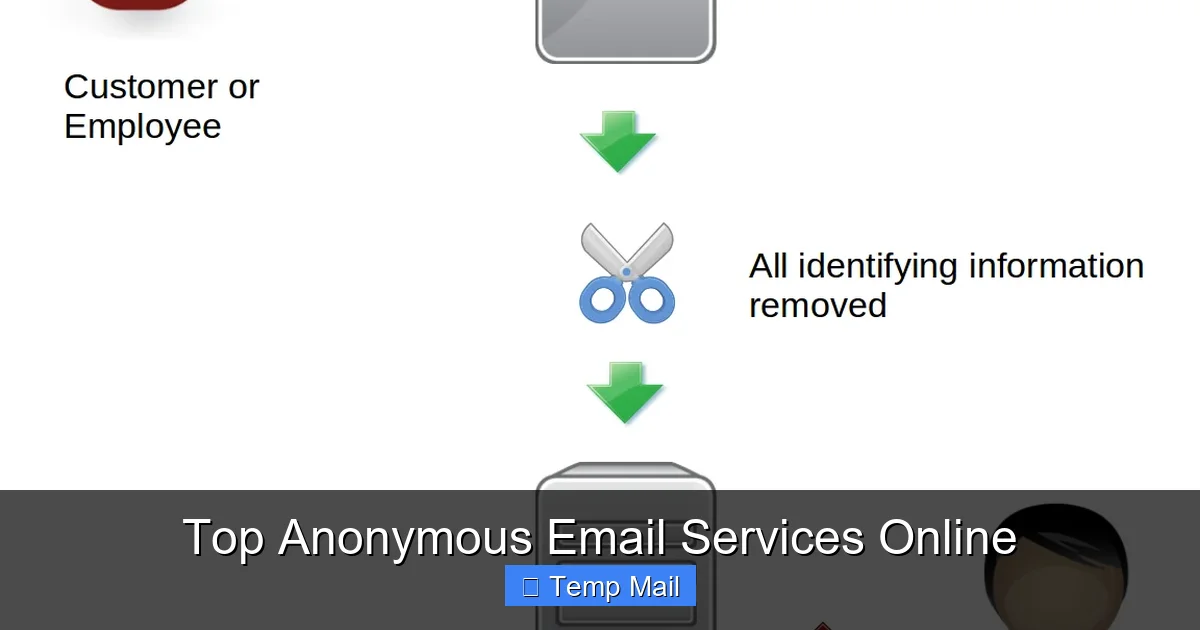
    Your regular email address is a digital fingerprint. It’s tied to your name, phone number, and location, creating a permanent data trail. Anonymous email services break this chain by allowing you to send and receive messages without revealing your true identity. This guide cuts through the noise to highlight the most trustworthy, secure, and practical anonymous email providers available today, helping you choose the right tool for your specific privacy needs.

    Key Takeaways

    • True anonymity requires no registration: The most private services don’t ask for a phone number, recovery email, or personal details to create an account.
    • End-to-end encryption is non-negotiable: Look for providers that encrypt your emails on your device before they ever leave your browser, ensuring only you and the recipient can read them.
    • No-logs policies are critical: A provider must have a verified, audited policy of not storing IP addresses, metadata, or message content linked to your account.
    • Disposable vs. persistent anonymity: Understand the difference between temporary “burner” emails for one-time use and secure, long-term anonymous inboxes.
    • Jurisdiction matters: The country a service is based in determines its legal obligations to governments and its resistance to data requests.
    • Anonymity is a tool, not a magic shield: Your behavior online (like logging into personal accounts from the same browser) can still de-anonymize you, regardless of your email.

    Think about your primary email address. It’s probably your Gmail, Outlook, or Apple ID. Now, think about everything tied to it: your name, your phone number for recovery, your other online accounts, your Amazon purchases, your bank statements. That single address is a master key to your digital life. Every website you sign up for, every newsletter you subscribe to, every receipt you get—it all feeds into a profile built by data brokers and advertisers. Your email isn’t just a communication tool; it’s a tracking vector.

    This is where anonymous email services come into play. They exist to create a clean, unlinkable break in that chain of data. They let you interact with the web without handing over a piece of your permanent identity. Whether you’re a journalist protecting a source, an activist in a repressive regime, a privacy-conscious shopper, or just someone tired of spam, these services are essential tools for compartmentalizing your online presence. But not all services claiming to be “anonymous” are created equal. Some are little more than temporary spam filters, while others offer military-grade security. This article is your practical guide to navigating that landscape.

    How Anonymous Email Services Actually Work: The Core Technologies

    Before we dive into specific providers, you need to understand the mechanics. Anonymity isn’t a single feature; it’s a combination of architecture, policies, and technology working together. Here’s what to look for under the hood.

    Top Anonymous Email Services Online

    Visual guide about Top Anonymous Email Services Online

    Image source: sp-ao.shortpixel.ai

    1. The Registration Process: The First Test

    The very first red flag is a sign-up form. If a service demands a phone number for verification (like Gmail or ProtonMail’s free tier often does), it immediately creates a link between your anonymous account and your real-world identity via your telecom provider. Truly anonymous services operate on a zero-knowledge model: they don’t need to know who you are to give you an inbox. You simply visit the website, are given a random address (e.g., [email protected]), and start sending. No password, no phone, no recovery email. Sometimes you can even set a custom password for that session to prevent others from accessing that specific inbox if they stumble upon the URL.

    2. Encryption: Reading Your Mail

    There are two layers here. First, transport-level encryption (TLS) is standard for all reputable webmail. It scrambles the connection between your browser and the service’s server, stopping eavesdroppers on your local network. More important is end-to-end encryption (E2EE). With E2EE, your email is encrypted on your device *before* it’s sent. The service’s server only sees gibberish. Only the recipient, with the correct private key or password, can decrypt and read it. Services like ProtonMail and Tutanota offer automatic E2EE between their users and password-protected messages to external recipients. For the highest anonymity, you want E2EE that the provider cannot bypass.

    3. Metadata & Logging: The Invisible Trail

    The content of your email is only half the story. Metadata—the “to,” “from,” “subject,” timestamps, and IP address logs—can be just as revealing. A logging policy that records your IP address every time you check your anonymous inbox directly ties that activity to your ISP-assigned address, which is almost always linked to your physical location and identity. The gold standard is a proven no-logs policy, ideally backed by an independent audit. This means the service’s servers do not create any logs that could associate your anonymous account activity with your originating IP address or a timestamp.

    4. Web vs. Client: The Interface Matters

    Most anonymous email is accessed via a simple web interface. This is easy but can be risky if you’re not careful about browser fingerprinting. Some services, like ProtonMail, offer dedicated mobile and desktop apps that use the same secure infrastructure. Using an app from a verified source (like an official app store) can be safer than a browser, as it’s less susceptible to malicious browser extensions that might log your keystrokes or capture your session. However, for maximum anonymity on a public computer, the disposable webmail model is often preferable because it leaves no trace when you close the browser tab.

    Top Tier: The Most Secure & Private Anonymous Email Providers

    Now, let’s meet the players. We’ll categorize them based on their primary strength: persistent secure anonymity (for longer-term use) and disposable anonymity (for quick, one-off tasks).

    Top Anonymous Email Services Online

    Visual guide about Top Anonymous Email Services Online

    Image source: techlazy.com

    ProtonMail: The Gold Standard for Secure, Persistent Anonymity

    Based in privacy-friendly Switzerland, ProtonMail is often the first name that comes to mind for secure email. While its free tier now requires a phone verification for sign-up (a major point of contention for purists), its paid plans allow truly anonymous sign-up without a phone number. Its architecture is robust: all emails between ProtonMail users are automatically end-to-end encrypted. It also allows sending encrypted messages to non-ProtonMail users via a password. Key features: zero-access encryption (they can’t read your mail), Swiss jurisdiction (outside Five/Nine/Fourteen Eyes), open-source cryptography, and a strict no-logs policy for paid users. Best for: Journalists, activists, and anyone needing a long-term, feature-rich (calendar, drive) anonymous identity that feels like a normal email service. The trade-off is slightly less anonymity on the free tier due to phone verification.

    Tutanota: The German Contender with Strong Defaults

    Headquartered in Germany, Tutanota is ProtonMail’s closest rival. It also offers automatic end-to-end encryption for all internal emails and allows password-protected emails to external recipients. A major differentiator is that all metadata is encrypted, including subject lines and contacts, whereas ProtonMail encrypts content but some metadata remains accessible to the server for functionality. Tutanota’s free tier does not require a phone number to sign up—you just pick a username and password. This makes it more accessible for immediate anonymous use. Its code is open-source and audited. Best for: Users who want strong, default encryption without initial friction and are comfortable with a slightly more minimal feature set than Gmail. Excellent for creating a persistent anonymous account.

    Guerrilla Mail / Temp-Mail.org: The Disposable Champions

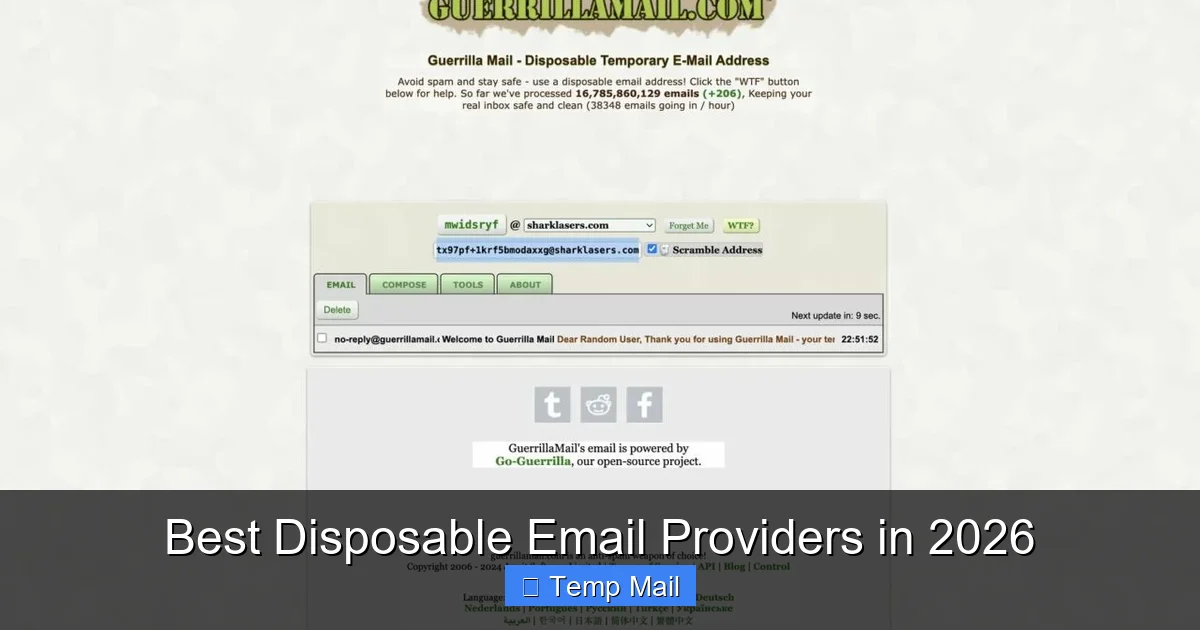
    This is the classic “temp mail” or “throwaway email” model. You visit the site, are instantly given a random email address and an inbox. You can use it to register for a site, get a confirmation link, and then forget about it. The inbox auto-deletes after a set time (often 1 hour to 1 day). No sign-up, no password, no nothing. Key features: Instant access, multiple domain options, ability to reply from the temporary address. Critical limitations: These are not secure for sensitive communication. Emails are stored unencrypted on the server. Anyone with the unique inbox URL can read your messages. They are also public—the inbox is accessible to anyone who guesses or stumbles upon the address. Best for: Only for avoiding spam on low-stakes website registrations where you need a confirmation link but have zero interest in the subsequent correspondence. Never use for password resets on important accounts, banking, or any personal communication.

    Mailfence: The Belgian Privacy Suite

    Based in Belgium, Mailfence offers a full-featured suite (email, calendar, contacts, documents) with a strong privacy stance. Its anonymous sign-up (without phone) is available on paid plans. It uses open-source PGP for encryption, giving users full control. Its privacy policy is transparent, and it has a good track record of fighting data requests. While its encryption implementation is user-managed (you generate and manage your own PGP keys within the service), this offers a high degree of control for tech-savvy users. Best for: Users who want a comprehensive, European-based alternative to Google Workspace or Microsoft 365, with the option for anonymous, encrypted communication.

    Practical Use Cases: When & How to Use Which Service

    Knowing the tools is step one. Knowing *why* and *when* to use them is what makes you effective.

    Top Anonymous Email Services Online

    Visual guide about Top Anonymous Email Services Online

    Image source: sp-ao.shortpixel.ai

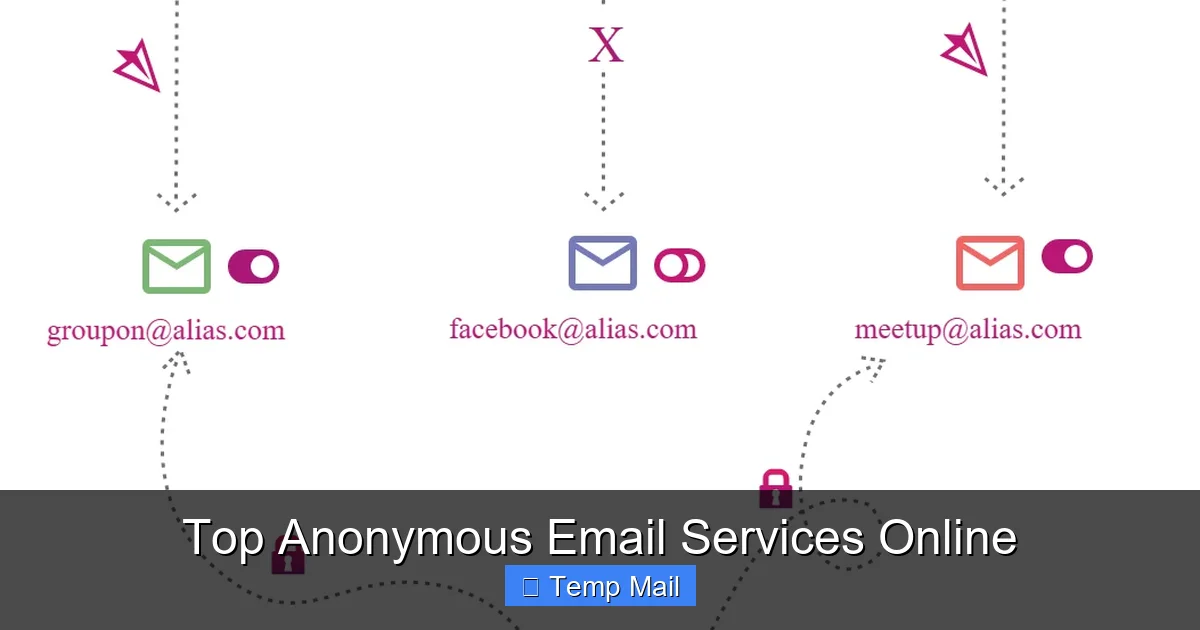
    You’re signing up for a forum, a discount coupon site, or a one-time download. You know you’ll never want to hear from them again. Action: Use a disposable service like Guerrilla Mail or Temp-Mail.org. Open a new tab, grab the address, sign up, click the link in the disposable inbox, and close the tab. Done. The address and its contents will vanish. Pro Tip: Use a fresh disposable address for each site. Never reuse them, as that creates a link between those sites via the common email address.

    Scenario 2: “I Need a Clean Identity for Online Shopping/Accounts”

    You want to create accounts on platforms like eBay, AliExpress, or gaming services without linking them to your primary email, and you want to receive legitimate receipts and communications. Action: Use a persistent anonymous provider like Tutanota (free, no phone) or a paid ProtonMail plan. Create a dedicated anonymous account with a username that doesn’t identify you. Use this address consistently for all these “compartmentalized” activities. This keeps your shopping habits, gaming tags, and auction history siloed away from your real identity.

    Scenario 3: “I’m a Whistleblower or Sensitive Source”

    This is the highest threat model. You are communicating with a journalist or organization with sensitive information that could endanger you if intercepted. Action: This requires the highest security. Use a paid ProtonMail or Tutanota account, accessed only through the Tor Browser or a trusted, clean VPN. Do not log into any personal accounts on the same device/browser. Use encrypted messaging apps (Signal) for initial contact, and only switch to the anonymous email for document transfer if the journalist agrees and understands the encryption process. Assume any persistent service has a theoretical vulnerability; the goal is to raise the cost of de-anonymization prohibitively high.

    The Critical Risks & Pitfalls You Must Avoid

    Using an anonymous email service doesn’t make you invisible. Common mistakes can completely undermine your anonymity.

    Mistake 1: Using the Same Browser for Everything

    If you log into your real Gmail account and your anonymous Tutanota account in the same browser, cookies, local storage, and fingerprinting can create a correlation. Solution: Use a dedicated browser profile, a different browser entirely, or better yet, a separate browser installed within a virtual machine or a privacy-focused OS like Tails. The easiest fix: use your anonymous email in a private/incognito window, and never log into personal accounts in that same window.

    Mistake 2: Revealing Personal Details in the Email Body

    This seems obvious, but it’s the most common failure. Anonymizing the *from* address is useless if you write, “Hi Mom, here’s the photo from our vacation in Florida last July.” That content instantly links the anonymous account to your real identity and relationships. Solution: Be generically professional. Use neutral language. Never include names, locations, dates, or specifics that only you would know.

    Mistake 3: Forgetting About the Recipient’s Side

    Your anonymity is only as strong as the weakest link in the chain. If you send an anonymous email to your personal friend’s regular Gmail account, the subject line and content might be enough for them (or anyone who hacks their account) to figure out who you are. More critically, if you send it from a disposable address, you can’t reply. Solution: Understand the threat model from the recipient’s side. For truly sensitive two-way communication, both parties must use secure, anonymous channels.

    Mistake 4: Ignoring DNS & Connection Leaks

    Even if your email provider has no logs, your internet provider (or a network admin) can see that you connected to “protonmail.com” at a specific time. Solution: Always use a reputable, no-logs VPN or the Tor network when accessing your anonymous email. This masks the fact that *you* are connecting to the email service from your real IP address.

    How to Choose the Right Service: A Simple Decision Framework

    Don’t get paralyzed by choice. Answer these three questions:

    1. What is my threat model? Is it spam? A nosy advertiser? A corporation? A government? The higher the threat, the more you need a persistent, encrypted, no-logs service like ProtonMail or Tutanota, used with a VPN/Tor. For spam, a disposable is fine.
    2. Do I need two-way communication? If you need to receive replies, a disposable won’t work (the inbox vanishes). You need a persistent account. If you only need to send a one-time notification or verification, disposable is simpler.
    3. What is my technical comfort level? Managing your own PGP keys (Mailfence) is powerful but complex. Automatic encryption (ProtonMail, Tutanota) is seamless. Disposables require zero technical skill.

    Quick Guide: For quick sign-ups → Disposable. For a long-term, private alternative to Gmail → Tutanota (free, no phone) or ProtonMail (paid, no phone). For high-stakes, encrypted comms → ProtonMail/Tutanota + VPN/Tor.

    The Future of Anonymous Communication & Final Thoughts

    The landscape is constantly shifting. As data privacy regulations like GDPR tighten, some providers are being forced to collect more data for “security.” The cat-and-mouse game between privacy tools and surveillance continues. Newer models are emerging, like decentralized email protocols (e.g., based on blockchain or P2P networks), though they often sacrifice usability for theoretical anonymity.

    The core takeaway is this: anonymous email services are a vital tool for digital self-defense, but they are just one tool in a larger privacy toolkit. They work best when combined with other practices: using a privacy-focused search engine (DuckDuckGo), a VPN, minimizing social media oversharing, and using strong, unique passwords via a manager. Your goal is to reduce your attack surface and make linking your activities together as difficult and expensive as possible for any tracker.

    Start today. If you only do one thing, create a new anonymous account with Tutanota for all your non-essential online registrations. Experience the freedom of an inbox that isn’t pre-filled with targeted ads and isn’t selling your data. That small step reclaims a piece of your digital autonomy. In an age where our data is the commodity, choosing anonymity isn’t about having something to hide—it’s about having something to protect: your peace of mind, your security, and your fundamental right to browse and communicate without a permanent surveillance record.

    Frequently Asked Questions

    Is using anonymous email services legal?

    Yes, using anonymous email services is completely legal in most countries. They are legitimate privacy tools used by journalists, activists, businesses, and everyday people. However, using anonymity to commit fraud, harassment, or other illegal acts is, of course, illegal regardless of the email tool used.

    Are disposable emails safe?

    Disposable emails are safe for their intended purpose: avoiding spam on low-risk sign-ups. They are not safe for sensitive communication. Messages are stored unencrypted, and anyone with the inbox URL can read them. Never use them for password resets, financial accounts, or private conversations.

    What’s the difference between a secure email provider and an anonymous one?

    All anonymous email services aim for privacy, but “secure” often emphasizes encryption (like ProtonMail). “Anonymous” emphasizes the sign-up process. A service can be secure but not fully anonymous if it requires a phone number (like ProtonMail’s free tier). True anonymity typically requires both strong security and a no-identity sign-up.

    How do these services prevent tracking?

    They prevent tracking primarily by breaking the link between your online activity and your real identity. They do not embed tracking pixels in your emails, they don’t scan your content for ads, and with a no-logs policy and VPN/Tor, they prevent your IP address from being permanently tied to your anonymous account activity.

    Can I send anonymous emails from my phone?

    Yes. Most providers like ProtonMail and Tutanota have official, secure mobile apps. For disposables, you can simply use your phone’s browser to visit their websites. For maximum anonymity on mobile, use the provider’s app in conjunction with a trusted mobile VPN.

    What is the best anonymous email service for a beginner?

    For a beginner wanting a persistent, easy-to-use private inbox, Tutanota is an excellent start. Its free tier requires no phone number, has automatic encryption, and has a simple interface similar to Gmail. If you don’t mind paying a small fee for more storage and features, ProtonMail (paid plan) offers a more polished experience and allows truly anonymous sign-up.

  • Temp Mail for Developers and Testers

    Temp Mail for Developers and Testers

    Temporary email services are a secret weapon for developers and QA testers. They provide disposable inboxes to safely test email-based features, register for tools, and isolate test environments from spam. By integrating temp mail into your workflow, you dramatically reduce clutter, protect personal inboxes, and automate repetitive sign-up tasks. This guide explores practical strategies, top tools, and crucial best practices to leverage temporary email effectively in your development lifecycle.

    Let’s be honest. As developers and testers, how much of our time is eaten up by the friction of email? You’re building a fantastic new feature that includes user registration. To test it, you need to create an account. And another. And another. You need to test the password reset flow. You need to sign up for that third-party API to integrate it. Suddenly, your personal Gmail or your team’s shared inbox is flooding with confirmation emails, promotional newsletters, and spam from services you’ll never use again. It’s messy, it’s unprofessional, and it wastes valuable cycles. This is where the humble, powerful concept of temporary email transforms from a privacy tool for the masses into a core productivity instrument for technical teams.

    Temp mail for developers and testers isn’t about hiding your identity from shady websites. It’s a strategic, engineering-focused approach to managing the email side effects of software creation and quality assurance. It’s the programmable, disposable inbox that acts as a clean room for every single test scenario. In this deep dive, we’ll move beyond the basic “use a throwaway email” advice. We’ll explore architectural integration, API-driven automation, security considerations, and a curated toolkit to make temporary email a seamless, powerful part of your daily development and testing workflow.

    Key Takeaways

    • Isolate Test Environments: Temp mail creates a clean, throwaway inbox for each test, preventing cross-contamination of test data and avoiding spam in personal or team inboxes.
    • Automate Registration Flows: Use temp mail APIs to programmatically generate email addresses and retrieve verification codes, fully automating account creation for automated testing suites.
    • Enhance Privacy & Security: Shield your primary email and team domains from being harvested by bots or added to marketing lists during routine sign-ups for third-party services and documentation.
    • Validate Email-Dependent Features: Safely test “forgot password,” email notifications, and user invitation systems without risking lockouts or cluttering real communication channels.
    • Integrate with CI/CD Pipelines: Embed temp mail services directly into Jenkins, GitHub Actions, or GitLab CI to run end-to-end tests that require email verification as part of the automated build process.
    • Choose Tools with Robust APIs: Prioritize temp mail providers that offer a stable, well-documented API, custom domain support, and inbox retention controls for seamless integration.
    • Know the Limitations: Temp mail is for testing only. Never use it for critical account recovery, legal agreements, or any service where long-term access is required, as inboxes are ephemeral.

    What Exactly is “Temp Mail”? Beyond the Disposable Inbox

    At its surface, a temporary email service provides a random, public email address (like [email protected]) and a web interface to view incoming messages. The inbox lives for a short, predefined period—often 10 minutes to a few hours—or until the browser tab is closed. For a casual user, it’s a shield against spam. For a developer, it’s a programmable resource.

    The Core Technical Attributes

    What makes a temp mail service useful for engineering? Three key attributes:

    • Public, No-Setup Inboxes: Any address on the service’s domain exists instantly. There’s no registration, no password, no CAPTCHA (usually). You simply request an address and it’s ready to receive mail. This is the foundation for automation.
    • Ephemeral Nature: The guaranteed deletion of inboxes is a feature, not a bug. It enforces a clean-state testing principle. Each test starts from zero, with no residual emails from previous runs.
    • Web-Based Access & APIs: While manual use is via a web page, professional services expose a RESTful API. This allows your test scripts to request a new address, poll for messages, extract content/links/codes, and then discard the address—all programmatically.

    It’s a Testing Resource, Not a Communication Channel

    This is the critical mindset shift. You are not using temp mail to *send* important communications. You are using it as a *receptor* for system-generated emails during tests. The goal is to verify that an email *was sent* and that its *content* is correct, not to maintain a long-term conversation. The moment you need to reply to an email or access it days later, you’ve misapplied the tool.

    Why Developers & Testers *Need* This: Core Use Cases

    Understanding the “why” clarifies the “how.” Here are the pain points temp mail directly solves in a dev/QA environment.

    Temp Mail for Developers and Testers

    Visual guide about Temp Mail for Developers and Testers

    Image source: shakebugs.com

    1. The Endless Sign-Up Spam Problem

    Every new library, SaaS tool, or documentation site often requires an email for a free tier, whitepaper, or API key. When a team of five engineers each sign up for the same ten tools, that’s 50 confirmation emails landing in a shared mailbox. It buries legitimate project notifications. Using a unique temp address for each sign-up contains this spam completely. After the initial verification, the inbox vanishes. No cleanup required.

    2. Automating User Journey Tests

    Modern web apps have complex user flows: register, verify email, set profile, invite a teammate, reset password. Manual testing of these with real emails is slow and stateful (you have to log into the real inbox). With a temp mail API, your Selenium, Cypress, or Playwright script can:

    1. Call the API to generate a new email address.
    2. Use that address to fill the registration form.
    3. Poll the temp mail API for the verification email.
    4. Extract the verification link or code and complete the flow.
    5. Repeat for password reset, etc.

    The entire user journey, including the email step, becomes a single, automated, repeatable test script.

    3. Testing In-App Notifications & Emails

    When your application sends a “Welcome,” “Invoice Paid,” or “Comment Reply” email, you need to validate its content. Manually checking a test user’s real inbox is tedious. By assigning a temp mail address to a test user profile in your staging environment, you can run a test action (e.g., “post a comment”) and then use the API to fetch the resulting notification email and assert that the body contains the expected text and links. This turns email validation into an automated check.

    4. Isolating Parallel Test Suites

    In CI/CD, you might run multiple test suites in parallel. If they all use a hardcoded test email address, they will step on each other’s toes—one test might grab the verification email intended for another. By generating a unique temp address at the start of each test suite/run, you guarantee complete isolation. Suite A uses `[email protected]`, Suite B uses `[email protected]`. No conflicts, ever.

    5. Protecting Team Domains from Blacklisting

    If your team uses a custom domain (e.g., `@mycompany.com`) for test accounts on random external services, those services might add it to spam lists. Using a public temp mail domain (`@mailinator.com`, `@tempmail.com`) shields your primary business domain from this reputation risk. The disposable domain takes the hit.

    Integration Strategies: From Manual to Fully Automated

    How you bring temp mail into your workflow depends on your team’s maturity with automation. Here’s the spectrum.

    Temp Mail for Developers and Testers

    Visual guide about Temp Mail for Developers and Testers

    Image source: tempmailmaster.io

    The Manual “Developer Sandbox” Approach

    For a solo dev or a small team not yet automating tests, the simplest method is manual. Open a tab with a temp mail site (like Temp-Mail.org or 10MinuteMail.com). Generate an address. Use it to sign up for the tool you’re testing. Switch back to the tab to get the verification code. It’s faster than using your real email, keeps your primary inbox clean, and requires zero setup. It’s a productivity win, but not scalable.

    The API-First, Scripted Approach

    This is where the real power lies for QA engineers and SDETs. You integrate a temp mail provider’s API directly into your test framework.

    Example Workflow in Pseudocode:

    // 1. Initialize API client
    tempMailClient = new TempMailAPI(apiKey);
    
    // 2. Create a new disposable inbox
    testEmail = tempMailClient.createInbox();
    // Returns: { email: "[email protected]", token: "inbox_id_123" }
    
    // 3. Use testEmail in your application's UI or API
    fillRegistrationForm(email=testEmail.email);
    clickSubmit();
    
    // 4. Poll for the verification email (with timeout)
    verificationEmail = tempMailClient.waitForEmail(
        inboxToken=testEmail.token,
        subjectContains="Verify",
        timeout=30000 // 30 seconds
    );
    
    // 5. Extract the verification link/code
    verificationCode = extractCode(verificationEmail.body);
    // Or: verificationLink = extractLink(verificationEmail.body);
    
    // 6. Complete the flow
    enterVerificationCode(verificationCode);
    assert(accountIsActive());
    
    // 7. (Optional) Destroy the inbox explicitly
    tempMailClient.deleteInbox(testEmail.token);
    

    Popular API Patterns:

    • Generate Address: `POST /api/v1/inbox/create` returns the email and a unique inbox ID/token.
    • Get Messages: `GET /api/v1/inbox/{token}/messages` lists all emails.
    • Get Single Message: `GET /api/v1/message/{messageId}` for full body and attachments.
    • Delete Inbox: `POST /api/v1/inbox/{token}/delete` (some auto-delete on timeout).

    Integration with CI/CD Pipelines

    To make this part of your automated pipeline (e.g., GitHub Actions, Jenkins), you store the temp mail API key as a secure secret in your CI environment. Your test job script then uses that key to create an inbox at the start of the job, runs the suite, and cleans up. The email address can be logged (as a CI artifact or output) for debugging if a test fails to receive an expected email.

    Framework-Specific Helpers

    You don’t have to write raw API calls every time. Many teams build a small wrapper library or helper class:

    • TempMailManager: A singleton that handles inbox creation, polling with smart waits (e.g., checking every 2 seconds for up to 60s), and cleanup.
    • Page Object Extension: In a Cypress test, you might have a `setTempEmail()` command that integrates the API call and returns the address for use in subsequent form fills.
    • Test Data Builder: Incorporate temp email generation into your test user factory. `User.withTempEmail()` instead of `User.withFixedEmail()`. This guarantees uniqueness across runs.

    Best Practices and Critical Pitfalls to Avoid

    Using temp mail effectively requires discipline. Here are the rules of the road.

    Temp Mail for Developers and Testers

    Visual guide about Temp Mail for Developers and Testers

    Image source: cms.juhedata.cloud

    DO: Use for Ephemeral, Non-Critical Flows

    Stick to the intended use: testing sign-up, verification, notification, and password reset flows. Anything where the email is a transient step in a process, not the final destination.

    DON’T: Use for Primary Account Recovery

    This should be obvious, but it’s worth stating: never use a temp mail address for the recovery email on an account you need to keep. Once the inbox expires, you’re locked out forever. The same goes for any legal agreement, financial service, or primary identity verification.

    DO: Implement Robust Polling with Timeouts

    Don’t just `GET` the inbox once. Emails can be delayed. Implement a polling loop: check for the email, if not found, wait 2-5 seconds, check again. Set a hard timeout (e.g., 60-120 seconds). If the email doesn’t arrive, fail the test with a clear message: “Verification email not received within 120s for address [email protected].” This prevents tests from hanging indefinitely.

    DON’T: Hardcode Specific Domains or Addresses

    Avoid `[email protected]`. Always generate a new, random address per test run. Hardcoding leads to the parallel test conflict problem and makes tests non-hermetic. Your test should not depend on a specific, pre-existing state.

    DO: Handle API Rate Limits Gracefully

    Free temp mail APIs have limits (e.g., 10 inboxes/hour). Your test suite, especially in CI with parallel jobs, can easily hit these. Implement retry logic with exponential backoff if the API returns a 429 (Too Many Requests). Consider a paid plan for team/production CI use to ensure reliability.

    DON’T: Expect 100% Uptime or Instant Delivery

    Free services can be flaky. Some may have slow mail delivery from certain providers (e.g., emails from `@gmail.com` might be delayed). Build resilience into your tests. Your polling timeout should account for potential 30-45 second delays. For critical, always-on testing, a paid, dedicated service is worth the investment.

    DO: Clean Up After Yourself (When Possible)

    While most services auto-delete, explicitly calling a `deleteInbox` API endpoint at the end of your test suite is good practice. It frees up resources on the provider’s side and is a clear signal of test completion. Do this in a `finally` block or test teardown phase so it runs even if the test fails.

    Top Tools & Services: A Developer’s Comparison

    Not all temp mail services are created equal for development. Here’s a comparison of popular options from a technical integration perspective.

    1. Temp-Mail.org (and its API)

    One of the most popular free web interfaces with a decent, free API tier. Good for starters.

    • API: Free tier available (limited requests), no API key needed for basic use, but key required for higher limits.
    • Domains: Multiple public domains (temp-mail.org, tempr.email, etc.).
    • Pros: Very easy to start, no sign-up for basic API, good documentation.
    • Cons: Free tier can be unreliable under load, inboxes may not persist as long as paid options, some email providers (like Outlook/Hotmail) may block these domains.
    • Best For: Individual developers, small-scale manual testing, proof-of-concept automation.

    2. Guerrilla Mail

    A veteran in the space with a strong API. Known for stability.

    • API: Requires a free API key. Clear rate limits on free plan.
    • Domains: Uses its own set of domains (guerrillamail.com, guerrillamailblock.com).
    • Pros: Generally reliable, long-standing service, straightforward API.
    • Cons: Interface is a bit dated, free API limits are stricter than some.
    • Best For: Teams needing a more stable free option for automated scripts.

    3. MailSlurp (Developer-Focused)

    Built explicitly for developers and QA automation. This is the powerhouse option.

    • API: Excellent, comprehensive REST API with SDKs for Java, Python, JS, C#, etc. Generous free tier (1000 emails/month).
    • Domains: Can use custom domains (paid feature) or their public domains. This is huge for testing email-domain-specific logic.
    • Features: SMS phone numbers (for 2FA testing), email webhook forwarding (push instead of poll), advanced inbox management, attachment handling.
    • Pros: Purpose-built for dev/QA, best-in-class API/SDKs, reliable, supports custom domains.
    • Cons: Free tier limits can be hit in busy CI; paid plans are per-email, which can add cost.
    • Best For: Professional QA teams, serious CI/CD integration, testing complex email/SMS flows, any team willing to pay for reliability and features.

    4. 1SECMAIL (and similar “10 minute” sites)

    Sites like 10MinuteMail.com, 1secmail.com are great for quick, manual, one-off checks.

    • API: Some have basic APIs, but they are often not designed for automation and can be unstable.
    • Pros: Super simple for manual use, no sign-up.
    • Cons: APIs are usually unofficial, undocumented, and brittle. Not suitable for automated test suites.
    • Best For: Quick manual verification when you’re not writing a test script. Avoid for automation.

    Selection Checklist:

    When choosing, ask:

    • Is there a documented, stable REST API?
    • Are there SDKs for my tech stack (Java, Python, JS)?
    • What are the rate limits on the free/paid tier?
    • Can I use a custom domain (crucial for testing domain-specific rules)?
    • What is the average email delivery speed from major providers (Gmail, Outlook)?
    • Does it support IMAP/POP3 (rare, but some legacy systems might need it)?

    The Future & Advanced Considerations

    The landscape is evolving. Here’s what to watch for and consider for the long term.

    Email Deliverability & Provider Blocks

    A growing challenge: major email providers (Gmail, Yahoo, Outlook) are becoming better at identifying and blocking emails from known disposable email domains. Your test verification email from `@tempmail.com` might land in the spam folder, or worse, be rejected at the SMTP level. This breaks your automated tests. The solution is often a paid service with a better reputation or, even better, the ability to use a custom domain you control (e.g., `@test.mycompany.com`). MailSlurp’s custom domain feature is a direct answer to this problem.

    Beyond Email: Testing 2FA and SMS

    Modern authentication often involves SMS or authenticator apps. Advanced temp mail services like MailSlurp now bundle disposable phone numbers for receiving SMS verification codes. This allows you to fully automate the entire multi-factor authentication (MFA) flow: register with temp email, trigger SMS 2FA, receive the code via API, and complete login. This is becoming a critical capability for testing any modern, secure application.

    The Shift to “Inbox as a Service” (IaaS)

    Think of services like MailSlurp not just as temp mail, but as Inbox as a Service. They provide a programmable inbox resource with an identity. This abstraction can be used for more than just testing. For example:

    • Generating unique contact emails for a “share this article” feature in a staging environment.
    • Creating a catch-all address for monitoring error reports from a beta deployment.
    • Automating the retrieval of PDF reports or data exports sent via email by legacy systems.

    The mindset changes from “disposable email” to “on-demand, programmable email identity.”

    Security & Compliance in the Enterprise

    For larger organizations, using external temp mail services raises questions: Is our test data (which might include dummy PII) being sent to a third party? Where is it stored? Does this violate GDPR or HIPAA if our test data accidentally contains real patient info? The answer is process and tooling:

    • Enforce that test data generation never uses real PII. Use synthetic data factories.
    • Choose providers with clear data processing agreements (DPAs) and EU data centers if needed.
    • For highly regulated environments, consider self-hosting an open-source disposable mail server (like MailCatcher or Papercut) within your internal network. This gives you full control, though it requires maintenance.

    Conclusion: Make Temp Mail a Standard Part of Your Toolkit

    For the modern developer and tester, managing email friction is not a trivial concern—it’s a workflow inefficiency that compounds daily. The manual act of checking a real inbox for a test code, the clutter in shared team mailboxes, the fragile tests that depend on a single hardcoded email address—these are all solved problems.

    Temp mail for developers and testers represents a simple yet profound principle: treat every external dependency, including email, as a programmable, disposable resource in your testing environment. By moving from manual, ad-hoc use to API-driven, automated integration, you gain speed, reliability, and cleanliness. You protect your team’s primary communication channels and build a more hermetic, repeatable testing process.

    The journey starts with a simple manual tab, but its true destination is a fully automated CI pipeline where a unique, clean email address is generated, used, and discarded without human intervention—all in the service of shipping higher-quality software, faster. Evaluate your current pain points with email in your dev workflow, pick a tool with a solid API (start with MailSlurp’s free tier for serious work), and integrate it into your next test script. The minutes you save each day will add up to hours of focused development time every month. That’s not just a productivity hack; it’s a professional necessity.

    Frequently Asked Questions

    Is using temporary email for development and testing legal and ethical?

    Yes, it is completely legal and ethical when used for its intended purpose: testing your own applications and signing up for services in a professional, non-malicious context. The ethical line is crossed only if you use it to fraudulently sign up for services, evade bans, or send spam. For QA and dev work, it’s a standard industry practice.

    How secure are these temporary email APIs? Can my test data be intercepted?

    Reputable services (like MailSlurp, Guerrilla Mail) use HTTPS (TLS) for all API communications, so data in transit is encrypted. The primary risk is data at rest on their servers. You should never use temp mail for real sensitive data (real passwords, actual credit card numbers, real PII). Use only synthetic test data. Review the provider’s privacy policy and data retention policy. For high-security environments, self-hosting an internal mail catcher is the most secure option.

    Can I rely on temp mail for testing critical password reset or MFA flows?

    You can, but with caveats. Test the *flow* and *content* of the email/SMS, not the ultimate deliverability. Since you control the inbox via API, you can reliably fetch the reset code. However, be aware that some email providers may block or spam-filter emails from disposable domains. This means your test might pass with the temp mail service but fail for a real user. To mitigate this, use a paid service with a good sender reputation or a custom domain to simulate real-world deliverability more accurately.

    What’s the biggest mistake teams make when implementing temp mail automation?

    The biggest mistake is not ensuring inbox uniqueness per test run. If two parallel test jobs use the same hardcoded temp email address, they will conflict—one test might read the email intended for the other, causing false passes or failures. The solution is to generate a brand new, random inbox at the start of each test suite or job and pass that unique address into all subsequent test steps.

    Do I need to pay for a temp mail service for professional use?

    For a solo developer or very small team doing occasional manual testing, free tiers (like MailSlurp’s 1000 emails/month) may suffice. However, for any serious CI/CD automation, a paid plan is highly recommended. Paid plans offer higher rate limits, better reliability, faster email delivery, custom domains (to avoid spam blocking), and SLA guarantees. The cost is trivial compared to the developer time saved and the stability gained in your test suite.

    How does using a custom domain with a service like MailSlurp improve testing?

    Using a custom domain (e.g., `@test.yourcompany.com`) solves two major problems. First, it avoids the ever-growing list of public disposable email domains that services like Gmail and Outlook automatically block or spam-filter. Your test emails will be treated more like real user emails, giving you accurate deliverability results. Second, it allows you to test domain-specific business logic in your app (e.g., “only users from @partner.com get feature X”) without needing real partner email addresses. You control the domain and all its sub-addresses.

  • How to Avoid Spam Using Temp Mail

    How to Avoid Spam Using Temp Mail

    Temp mail—also called disposable or throwaway email—is your first line of defense against spam and privacy invasion. By using a temporary, anonymous inbox for non-essential sign-ups, you prevent your primary email from being harvested, sold, or targeted. It’s a simple, free tool that drastically cuts down on unwanted emails while keeping your real identity and data secure. This guide shows you exactly how to implement it effectively.

    Key Takeaways

    • Anonymity is the Core Benefit: Temp mail provides a completely anonymous email address, decoupling your online activities from your primary identity and preventing data aggregation by marketers and malicious actors.
    • Spam Reduction is Immediate and Significant: By using a disposable address for websites, forums, or downloads, you funnel all potential spam to a self-destructing inbox, keeping your main email pristine.
    • It’s a Security Shield, Not a Hacker Tool: Temp mail protects you from phishing attempts and data breaches by ensuring a compromised temporary address cannot be used to access your primary accounts or personal information.
    • Cost-Effective and Effortless: Most reputable temp mail services are entirely free, require no registration, and generate an inbox in seconds, offering immense value with zero financial or time investment.
    • Understand the Critical Limitations: Temp mail is for *receiving* only, has a short lifespan (hours to days), and is unsuitable for any account requiring long-term access, security verification, or legal documentation.
    • Best Practices Maximize Safety: Always use a reputable provider, never use it for banking or primary accounts, and clear your browser cookies after sessions to maintain a clean separation between your identities.
    • It Complements, Doesn’t Replace, Good Cyber Hygiene: Temp mail is one powerful tool in a broader privacy strategy that should also include strong passwords, 2FA, a password manager, and a vigilant approach to sharing data.

    The Spam Epidemic: Why Your Inbox is a Target

    Open your primary email inbox right now. How many messages did you find that you actually wanted? For most people, the answer is a frustrating minority. The rest is a blizzard of promotional newsletters you don’t read, “special offers” from companies you’ve never heard of, fake shipping notifications, and the ever-present threat of sophisticated phishing scams. This isn’t just annoying; it’s a systemic problem. Your email address is a golden ticket for data brokers, marketers, and cybercriminals. Every time you sign up for a free trial, download a PDF, or comment on a blog using your real email, you are often handing over that ticket. That address gets sold, shared, and added to massive lists used to bombard you with unwanted content. The consequences range from wasted time and mental clutter to serious security risks like identity theft and ransomware. The fundamental truth is this: your email address is no longer just a communication tool; it’s a key piece of your digital identity that you’ve likely given away too freely.

    The Domino Effect of a Single Sign-Up

    Think about the last website you registered for. Did you read the privacy policy? Probably not. buried in the legalese, many services explicitly state they may share your data with “partners” or “affiliates.” That single action can trigger a domino effect. Your email, once entered, can be:

    • Sold to advertisers: Your contact info becomes a commodity on data marketplaces.
    • Leaked in a data breach: The company’s database is hacked, and your email, often paired with a password, ends up on the dark web.
    • Used for spam: The company itself or a partner sends you relentless marketing emails with no easy unsubscribe.
    • Targeted for phishing: Criminals use your email and known interests (from the site you joined) to craft highly convincing fake emails.

    Once your primary address is compromised in this way, the spam becomes a persistent, almost impossible-to-eliminate problem. You can unsubscribe, but new lists are always being built. You can mark as spam, but the filters get smarter, and the volume doesn’t stop. This is where a strategic shift in how you manage your online identity becomes not just helpful, but essential.

    What Exactly is Temp Mail? A Clear Definition

    Temp mail is a service that provides you with a temporary, disposable email address and a corresponding inbox. These addresses are generated randomly by the service’s server and are not tied to any personal information you provide—because you typically don’t provide any. There is no sign-up process, no password to remember, and no personal details required. The inbox you receive is publicly accessible via a unique URL for a limited time, usually between 10 minutes to 48 hours, depending on the provider. After that time, the address and all its emails are permanently deleted from the server, never to be seen again. It’s the digital equivalent of a burner phone or a cash transaction: useful for a specific, limited purpose and then completely discardable.

    How to Avoid Spam Using Temp Mail

    Visual guide about How to Avoid Spam Using Temp Mail

    Image source: imag.malavida.com

    Disposable vs. Anonymous: Key Distinctions

    It’s important to distinguish temp mail from other privacy-focused email services. Services like ProtonMail or Tutanota offer secure, encrypted, *permanent* email accounts that require registration. They are fantastic for privacy and security but still create a lasting account tied to a username (even if not your real name). Temp mail is the extreme end of anonymity: no account, no persistence, no trail. You visit a website like Temp-Mail.org or 10MinuteMail.com, an address is instantly created for you, you use it, and it vanishes. There is no “you” on their system to identify. This makes it uniquely suited for the single-transaction, low-trust scenarios that plague our modern web browsing.

    How Temp Mail Works: A Step-by-Step Breakdown

    Using a temp mail service is deliberately simple, often requiring fewer steps than creating a social media account. Here is the typical workflow:

    How to Avoid Spam Using Temp Mail

    Visual guide about How to Avoid Spam Using Temp Mail

    Image source: temp-mail.io

    1. Visit a Temp Mail Provider: Navigate to a reputable service’s website (e.g., Temp-Mail, Guerrilla Mail, MailDrop).
    2. Receive Your Auto-Generated Address: The homepage immediately displays a random email address (e.g., [email protected]) and a button to open the inbox. No action is required on your part to “claim” it.
    3. Copy the Address and Use It: Click the copy icon next to the address. Go to the website, forum, or download page where you need an email and paste this disposable address.
    4. Check Your Inbox: Return to the temp mail provider tab and click “Refresh” or “Check Inbox.” Any confirmation emails or links will appear here within seconds or minutes.
    5. Access the Content: Click on the email in the list to read it. You can then click any verification links or copy codes directly from the email body.
    6. Let It Expire: Once you’ve completed the necessary action (e.g., verified your account, downloaded the file), you simply close the tab. After the service’s set time limit (often visible on the page), the entire address and its contents are automatically purged.

    The Technical Magic: How Do They Do It?

    Behind this simplicity is a standard email server setup. The temp mail provider runs mail servers that accept emails for any address at their domain (like @temp-mail.org). When you visit, their system randomly generates a string (the username part of the address) and associates an empty mailbox with it on their server. That mailbox is publicly accessible via a web interface using a unique session identifier, but there is no password. Because the address is random and not registered to a user, anyone who stumbles upon that exact URL could, in theory, read the emails. This is why you must use these services only for non-sensitive, single-purpose sign-ups. The emails are stored temporarily on their server until the TTL (Time To Live) expires, at which point the server software automatically deletes the mailbox and its contents.

    Practical Applications: Where to Use Your Temp Mail

    Knowing *how* to use temp mail is only half the battle. Knowing *when* to use it is where you gain true control over your digital footprint. The rule of thumb is: use a disposable email for any online interaction where you do not need a lasting, secure, or recoverable connection to the service.

    How to Avoid Spam Using Temp Mail

    Visual guide about How to Avoid Spam Using Temp Mail

    Image source: loopify.com

    1. One-Time Content Access & Downloads

    This is the most common and safest use case. Countless blogs, e-books, templates, and whitepapers require an email address to “unlock” the download. The business model here is lead generation—they want your email to add you to a sales funnel. Using your primary address for this is almost guaranteed to result in a sales pitch every week for the next year. Instead, use your temp mail. Get the file, and the inbox vanishes. No follow-up, no spam.

    2. Registering for Forums and Commenting

    Want to ask a question on a niche forum or leave a comment on a news article? Many platforms require an email to prevent bot spam but have no other need for it. Using your real address exposes you to potential data leaks from that forum (which may have poor security) and adds you to their promotional list. A temp mail address fulfills the requirement with zero risk to your permanent identity.

    3. Testing Online Services and Trials

    Signing up for a 30-day free trial of a SaaS tool? Use temp mail. This prevents the company from relentlessly emailing you to convert to a paid plan after the trial ends. It also stops them from building a profile on you based on your trial usage. You get to test the software without a long-term marketing commitment.

    4. Accessing Public Wi-Fi or Guest Networks

    Some airports, hotels, or cafes require an email address to access their guest Wi-Fi network. This is a classic data-harvesting trap. Providing your primary email here means your location and connection habits could be linked to your identity and potentially sold. A temp mail address gets you online immediately with no personal linkage.

    5. Creating Throwaway Accounts for Apps

    Need an account for a game, a dating app you’re just trying out, or a utility app you might use once? A disposable email is perfect. It satisfies the “must be 13+” or “must create an account” barrier without creating a permanent digital artifact tied to you.

    Critical Limitations and Considerations: What Temp Mail Can’t Do

    While powerful, temp mail is not a magic bullet for all email-related problems. Understanding its limitations is crucial for using it safely and effectively. Misapplying it can lead to lost access, security gaps, or frustration.

    The “No Sending” Rule

    Virtually all temp mail services are receive-only. You cannot compose and send emails from a disposable address. This is by design. Allowing outgoing mail would make these services a prime tool for spam and fraud, which would get them blacklisted almost instantly. Their utility is strictly for receiving verification and access emails from other services.

    No Account Recovery, Ever

    If you forget your password for a site you signed up with a temp mail address, you are permanently locked out. There is no way to recover that account because the recovery email no longer exists. This is why the golden rule is: NEVER use temp mail for any account where you might need to log in again, recover a password, or receive critical notifications. This includes social media, banking, primary cloud storage, work-related tools, and any service with long-term value.

    Short Lifespan and Unpredictability

    The temporary nature is a double-edged sword. While it ensures your privacy, it means you have a very small window—often just 10 minutes to a few hours—to retrieve the email you need. If you get busy and forget to check the inbox, the email and the address are gone. Some services may also extend the life if you actively refresh the page, but you cannot rely on this. You must act promptly after signing up.

    Trust and Security of the Provider Itself

    You are placing trust in the temp mail service. While they don’t want your data, they *do* see every email that passes through their random mailboxes. A malicious or compromised provider could read those emails. This is why you must use only well-known, reputable services with a clear policy of not logging or storing data. Do not use obscure, ad-heavy sites. The emails themselves are also not encrypted in transit or at rest by the service, so they should never contain sensitive personal data (like SSNs, credit card numbers, or private documents).

    Blocked by Major Platforms

    Many major websites—including Google, Facebook, Microsoft, and most major banks—actively block email domains from known temp mail providers. They see these domains as high-risk for fraud and abuse. If you try to sign up with a disposable address on these platforms, you will simply get an error message saying the email is invalid. This is a feature, not a bug, for these platforms, but it limits where you can use a temp address.

    Best Practices for Safe and Effective Use

    To get the maximum benefit and minimum risk from temp mail, follow these essential guidelines. Think of them as the operating instructions for your digital privacy shield.

    Choose Your Provider Wisely

    Not all temp mail services are created equal. Stick with established names that have been around for years and have transparent operations. Look for services that:

    • Do not require registration. If they ask for an email to “create an account,” run away. That defeats the purpose.
    • Have a clear privacy policy. It should state they do not log IP addresses, store emails after deletion, or sell data.
    • Offer domain variety. Good services provide multiple domain options (e.g., @temp-mail.org, @tmpmail.org, @guerrillamail.com), making it harder for sites to block all of them.
    • Are ad-supported but not ad-ridden. A few static ads are expected for a free service. But if the page is a chaotic mess of pop-ups, misleading download buttons, and adult ads, the site is likely malicious itself.

    The Golden Rule: Primary vs. Disposable

    Internalize this hierarchy:

    • Tier 1 (Primary Email): Use for family, close friends, banking, primary cloud storage (Google, Apple, Microsoft), work, password recovery for critical accounts, and any legal or financial documentation.
    • Tier 2 (Alias/Forwarding Service): Consider using a service like SimpleLogin or AnonAddy for accounts you want to keep long-term but still hide your primary address from (e.g., online shopping, newsletters you actually want). These create unique forwards to your main inbox that you can disable later.
    • Tier 3 (Temp Mail): Use for everything else: one-time downloads, forum sign-ups, app trials, public Wi-Fi access, and any site you have zero intention of maintaining a relationship with.

    Operational Security: Your Habits Matter

    Your behavior can undermine the privacy temp mail provides.

    • Use Incognito/Private Browsing Mode: Open your temp mail provider in a private browser window. This prevents cookies from that session from linking your disposable activity to your regular browsing profile.
    • Never Use the Same Temp Address Twice: Each new sign-up should ideally be with a freshly generated address. Reusing a disposable address defeats the purpose of anonymity and allows cross-site tracking of that specific alias.
    • Clear Your Browser Data After: Once you’ve completed your task, close the private window and, if you’re extra cautious, clear your browser’s cache and cookies for that session.
    • Never Input Personal Data: Do not use your real name, birthdate, or address in forms associated with your temp mail account. The point is anonymity, not creating a fake persona that can be tied back to you.

    Know When to Walk Away

    If a website or service refuses to accept a temp mail domain, that is a data point. It’s a signal that they are highly concerned about fraud (common for financial sites) or, conversely, that they are so spammy they want to ensure they can always email you. In either case, ask yourself: “Do I really trust this site with my primary email?” If the answer is no, maybe you shouldn’t use the service at all. A site that blocks disposable emails is often one that will bombard you or has poor data security.

    Conclusion: Embracing Proactive Privacy

    The constant stream of spam and the erosion of digital privacy can feel like an inevitable tide we must simply endure. But it doesn’t have to be this way. Temp mail represents a simple, powerful, and freely available tool for taking back control. It’s not about being paranoid; it’s about being prudent. By consciously segregating your online identities—using a robust, secure primary email for your real life and a fleet of disposable addresses for the trivial, transient interactions of the web—you build a vital buffer zone. You stop the data harvesting at the source, declutter your mind and your inbox, and significantly reduce your attack surface for phishing and fraud. Start today. The next time a website asks for your email to read an article or download a template, pause. Open a new tab, generate a temp mail address, and use it. Experience the quiet satisfaction of a primary inbox that stays clean, a digital footprint that is minimized, and a sense of agency in a world designed to harvest your data. That small habit is a significant step toward a safer, less cluttered, and more private digital life.

    Frequently Asked Questions

    Is using temp mail legal and safe?

    Yes, using temp mail is completely legal. It is safe as long as you use reputable providers and only use it for its intended purpose: receiving non-sensitive, one-time emails. The main risk is if a provider is malicious itself, which is why choosing established services is important. You should never use it for banking, official government communications, or any service requiring long-term account security.

    How long does a temp email address last?

    The lifespan varies by provider but typically ranges from 10 minutes to 48 hours. Most common services offer about 1-2 hours. The countdown is usually displayed on the inbox page. Once the time expires, the address and all contained emails are permanently deleted from the server and are unrecoverable.

    Can I send emails from a temp mail address?

    No, temp mail services are almost universally receive-only. They are designed to accept emails sent *to* the disposable address (like verification links) but do not have the functionality to let you compose and send emails *from* that address. This is a key limitation to remember.

    Are temp mail services truly anonymous?

    They are anonymous in the sense that no personal information is required to generate an address, and no account is created. However, the service provider itself can technically see the emails passing through. For complete anonymity from the provider, you would need to use a service that doesn’t log IPs and combine it with a VPN or Tor. For most users avoiding spam, the standard anonymity (no link to your real identity) is sufficient.

    Will temp mail work for two-factor authentication (2FA)?

    Generally, no. You should never use a temp mail address for any account where you enable two-factor authentication. 2FA codes are critical for account security and must be reliably received. Since temp inboxes expire and are not persistent, you would lose access to your 2FA method, effectively locking yourself out of the account permanently.

    Why do some websites block temp mail domains?

    Websites block known temp mail domains primarily to combat fraud, spam, and abuse. Disposable emails make it easy for bad actors to create fake accounts, post spam, or launch attacks without consequence. While this can be frustrating for legitimate users, it’s a security measure for the website. If a site you trust blocks temp mail, you’ll need to use your primary or a long-term alias email for that service.

  • Best Disposable Email Providers in 2026

    Best Disposable Email Providers in 2026

    In 2026, disposable email addresses are essential digital tools for protecting your primary inbox from spam, data breaches, and unwanted tracking. The best disposable email providers offer instant, no-registration inboxes with advanced security and user-friendly interfaces. This guide cuts through the noise to reveal the top services, key features to look for, and how to use them effectively for everything from one-time sign-ups to secure app testing.

    Remember that feeling? You finally find a free e-book, a must-have discount, or a niche forum you’ve been searching for. You click “Sign Up,” eagerly type your primary email, and hit submit. The next day, your inbox is buried under a landslide of “Special Offers!” and “You Won!” spam. That sinking feeling is universal. In 2026, this isn’t just an annoyance—it’s a significant privacy vulnerability. Every sign-up is a data point sold, a profile built, a potential vector for a phishing attack targeting your real identity. This is where the humble, powerful disposable email transforms from a tech-savvy trick into a fundamental tool for digital self-defense.

    The landscape has changed dramatically. What started as simple, bare-bones “temp mail” websites has evolved into a sophisticated ecosystem of privacy-first communication tools. The best disposable email providers in 2026 aren’t just about getting a random address; they’re about providing a secure, temporary, and intelligent layer between your true self and the chaotic web. They offer peace of mind, inbox zero maintenance, and a critical defense against the pervasive data economy. Whether you’re a casual user tired of promotional spam, a developer testing user flows, or a privacy-conscious professional, understanding this space is key to reclaiming control. Let’s dive into the current leaders, the essential features that define them, and how to wield this tool with precision.

    Key Takeaways

    • Essential Privacy Shield: Disposable emails act as a protective barrier, keeping your real identity and primary inbox safe from spam, data harvesting, and potential security threats linked to untrusted websites.
    • No-Credential Simplicity: The best 2026 providers generate a working email address instantly, requiring zero personal information, no password creation, and no account setup—true anonymity from the first click.
    • Use-Case Driven Selection: Your choice depends on need: some excel at ultra-short lifespans for instant verifications, while others offer extended inboxes (up to 48 hours) for multi-step processes like app testing.
    • Security is Non-Negotiable: Top-tier providers now include encrypted inboxes, auto-wipe technology, and protection against open tracking pixels, moving beyond simple spam filtering to active privacy defense.
    • Evolving Past Basic “Temp Mail”: In 2026, leading services integrate with password managers, offer custom domain options for developers, and use AI to intelligently filter verification emails from promotional clutter.
    • A Tool, Not a Crime: Using disposable emails is a legitimate privacy practice, not inherently malicious; ethical use involves employing them for low-stakes interactions where you wouldn’t share your real contact anyway.
    • Mobile-First is Standard: The best providers now offer seamless, native mobile apps with push notifications for critical emails, ensuring you never miss a verification code while on the go.

    Why Disposable Emails Are More Critical Than Ever in 2026

    To appreciate the providers, we must first understand the intensified need. The digital environment in 2026 is characterized by two opposing forces: hyper-personalization and stringent privacy regulations like GDPR and CCPA. While these laws give you rights, they don’t stop companies from aggressively collecting data through any means available. Your email address is the golden key to this kingdom—it links your browsing history, purchases, location data, and social media profiles.

    The Spam Problem Has Grown Up

    It’s not just about Viagra ads anymore. Modern spam is sophisticated. It’s AI-generated “personalized” offers based on a single sign-up you forgot about. It’s “security alerts” from fake services mimicking banks to steal credentials. It’s “order confirmation” phishing emails designed to look exactly like receipts from Amazon or Apple. By using your permanent email everywhere, you’re training these systems to target you effectively. A disposable email severs this chain immediately after its single use is complete.

    Data Brokers & The Profile Building Machine

    Every website you sign up for is a potential data broker customer. They sell your email (and associated activity) to aggregators who build detailed dossiers. These dossiers are used for everything from price discrimination (charging you more based on your profile) to targeted political advertising. Using a disposable email for non-essential sign-ups is a direct act of defiance against this opaque profiling industry. It gives the data broker a dead-end address, a digital ghost that leads nowhere after 24 hours.

    Security Hygiene for the Modern User

    Consider your primary email as your digital home. You wouldn’t give your home address to every stranger you meet on the street. Similarly, you shouldn’t hand out your “digital home” address to every sketchy website or new app. Disposable emails are the PO Box of the internet. They’re perfect for receiving one package (the verification code or download link) and then being closed forever, preventing anyone from ever showing up at your real door. This practice, known as “email aliasing,” is a cornerstone of operational security (OpSec) for everyday users in 2026.

    The Top 5 Disposable Email Providers for 2026: Features & Analysis

    The market is crowded, but a few leaders have distinguished themselves through reliability, security innovation, and user experience. Here are the definitive providers setting the standard this year.

    Best Disposable Email Providers in 2026

    Visual guide about Best Disposable Email Providers in 2026

    Image source: maketecheasier.com

    1. TempMail.org: The Gold Standard for Simplicity & Speed

    TempMail.org has consistently refined its offering and remains the go-to for millions. Its strength is utter, brainless simplicity. You land on the page, and a random @tempmail.email address is already generated and active. No clicks. The inbox auto-refreshes. It’s perfect for the “I need this code NOW” moment while setting up a new social media account or accessing a public Wi-Fi portal.

    • 2026 Edge: Introduced AI-powered filtering that automatically identifies and tags verification emails (from sites like Discord, Telegram, or Google) at the top of the inbox, hiding promotional clutter that sometimes slips through.
    • Inbox Lifespan: Default 24 hours, extendable once.
    • Best For: Instant, one-time verifications and casual, low-risk sign-ups.
    • Watch Out For: The free version contains non-intrusive, text-based ads. The address format is easily recognizable by some advanced anti-bot systems.

    2. Guerrilla Mail: The Veteran with Unmatched Longevity

    Guerrilla Mail has been a stalwart for over a decade. Its defining feature is the ability to choose your own disposable address from a list of domains (like @guerrillamail.info, @grr.la). This is crucial if a specific website blocks known disposable domains. You can also reply to emails from within the disposable inbox—a rare feature that’s useful for brief, back-and-forth communication without revealing your real address.

    • 2026 Edge: Launched a “Secure Mode” that adds a layer of encryption to the inbox session and disables all external images/scripts by default, preventing tracking pixel activation.
    • Inbox Lifespan: 1 hour by default, but you can manually “keep” it for up to 24 hours. Emails are deleted after 1 hour of receipt.
    • Best For: Situations where you need to pick a domain that might bypass filters, or require a single reply.
    • Watch Out For: The shorter default lifespan means you must act fast. The interface is slightly more dated than newer competitors.

    3. 10MinuteMail: The Specialist for Ultra-Short Tasks

    As the name implies, this service is built for speed and transience. The address is active immediately and is set to self-destruct in 10 minutes. You can extend the timer in 10-minute increments. This extreme temporariness is its superpower. It’s the ultimate “burner” for situations with zero future contact needed, like downloading a PDF that requires an email gate or accessing a demo that sends a one-time link.

    • 2026 Edge: Integrated a “One-Click Copy” button directly into the browser extension, allowing you to copy the address and paste it into a form without ever leaving the site you’re on.
    • Inbox Lifespan: Starts at 10 minutes, extendable up to 60 minutes total.
    • Best For: The most ephemeral tasks where even 24 hours feels too long to risk a stray email.
    • Watch Out For: The pressure-cooker timer is not for the indecisive. You must complete your task and retrieve your email within the window.

    4. SimpleLogin (by Proton): The Premium, Integrated Powerhouse

    SimpleLogin, acquired by Proton (the makers of Proton Mail), represents the evolution from “disposable” to “managed alias.” It’s not a traditional temporary inbox. Instead, it creates unique, forwardable email aliases that route to your real (or a dedicated) inbox. You can send replies from the alias, and it offers full PGP encryption. The “disposable” nature is managed by you—you can disable or delete an alias at any time from a clean dashboard. This is for users who want the privacy of a disposable address but the convenience of a single, permanent inbox.

    • 2026 Edge: Seamless integration with Proton ecosystem (Proton Mail, VPN, Drive). Its “catch-all” domain feature allows you to use any [email protected] without pre-creating it, and it will forward to your main inbox. Top-tier filtering and blocklists.
    • Inbox Lifespan: Permanent until you delete the alias. You control the lifecycle.
    • Best For: Long-term privacy for accounts you intend to keep (like newsletters or online services) but don’t want traced to your main identity. Developers and professionals.
    • Watch Out For: It’s a paid service (with a generous free tier). Requires initial setup and a primary inbox to forward to. Less “fire-and-forget” than true temp mail.

    5. Burner Mail: The Smart, Customizable Defender

    Burner Mail operates on a similar alias principle to SimpleLogin but with a different feature set focused on customization and control. You create a “burner address” from your own chosen domain (e.g., [email protected]). The service receives emails and forwards them to your real inbox. The magic is in the rules: you can set a specific number of emails to forward before auto-deactivating the address, or a time limit (e.g., “forward for 3 days then die”).

    • 2026 Edge: Advanced rule-based automation. You can create a rule that says “If the sender is ‘@facebook.com’, forward only 2 emails then stop.” It also offers “masked” phone numbers in some regions, creating a full anonymous communication suite.
    • Inbox Lifespan: User-defined—by email count, by time, or manual.
    • Best For: Users who want granular control over the lifespan of each alias. Signing up for trials where you know you’ll get 3-4 follow-up emails, then want it to auto-expire.
    • Watch Out For: Also a freemium model with limits on free aliases. The web app is primary; mobile experience is good but not as polished as native apps.

    How to Choose the Right Provider: A Practical Decision Framework

    With these top contenders, how do you pick? Don’t just default to the first Google result. Match the tool to your specific task. Ask yourself these questions.

    Best Disposable Email Providers in 2026

    Visual guide about Best Disposable Email Providers in 2026

    Image source: zerobounce.net

    What’s the Lifespan of My Need?

    This is the primary filter. If you need to verify a phone number for a ride-share app and will never use that email again, 10MinuteMail is perfect. If you’re signing up for a 7-day software trial that will send a daily digest, you need at least a 7-day lifespan—point your browser to TempMail.org and extend it. If you want to subscribe to a monthly newsletter from a brand you like but don’t want them selling your main email, you need a permanent but revocable solution—SimpleLogin or Burner Mail are your tools.

    Will I Need to Reply?

    Most true disposable inboxes are receive-only. If the website or person might email you back and you need to answer (e.g., a quick clarification from a freelance client on a throwaway project), you must use Guerrilla Mail or an alias service like SimpleLogin/Burner Mail that supports outbound mail.

    Is the Site Known to Block Disposable Domains?

    Some services, particularly financial or high-security platforms, maintain lists of known disposable email domains and will reject them outright. Here, the ability to choose your own domain is key. Guerrilla Mail offers multiple domain choices. Alias services (SimpleLogin, Burner Mail) use your own custom domain (e.g., [email protected]), which looks completely legitimate and will never be on a blocklist.

    What’s My Tech Comfort Level?

    For the absolute beginner who just wants a code, TempMail.org is idiot-proof. For the power user who wants to set up rules, monitor multiple projects, and have a permanent dashboard, Burner Mail or SimpleLogin are worth the slight learning curve. For developers testing APIs or user registration flows, an API-enabled service or the ability to generate hundreds of aliases programmatically (offered by the premium tiers of alias services) is essential.

    Advanced Use Cases: Beyond Spam Avoidance

    The savvy user deploys disposable emails strategically in several advanced scenarios.

    Best Disposable Email Providers in 2026

    Visual guide about Best Disposable Email Providers in 2026

    Image source: zerobounce.net

    Software & App Testing for Developers & QA

    When building an app that requires email sign-up, you need to test the flow hundreds of times. Using your real email is messy and unprofessional. Services like SimpleLogin offer API access, allowing automated test scripts to generate unique aliases on the fly, trigger sign-up emails, and verify receipt—all without polluting a real inbox or hitting provider spam filters.

    Geolocation & Pricing Bypass

    Some streaming services, e-commerce sites, or software vendors show different prices or content libraries based on the perceived location from your email domain (e.g., .de vs .fr). By creating a disposable address with a domain associated with a specific country, you can sometimes view regional pricing or content to make an informed purchasing decision. (Note: This may violate Terms of Service.)

    Secure Whistleblowing & Anonymous Tips

    For journalists, activists, or employees needing to send sensitive information anonymously, a disposable email from a provider with a strong no-logs policy and Tor network support (some niche providers still offer this) is a first step. Pair it with a secure VPN and the Tor Browser for a stronger anonymity set. Services like Guerrilla Mail in “Secure Mode” can contribute to this chain.

    Managing “Shadow IT” & One-Off Projects

    An employee might need to sign up for a SaaS tool for a one-week project. Using the company email creates a permanent record and potential data leakage. Using a disposable email for this “shadow IT” keeps the project isolated and leaves no trace in the corporate directory upon completion.

    Security & Privacy: What the Best Providers Actually Do for You

    Not all disposable email services are created equal. The difference between a basic tool and a secure one lies in these technical and policy commitments.

    Encryption & Data Handling

    The best providers encrypt emails at rest. More importantly, they have a clear, public policy stating they do not log IP addresses, do not scan email content for advertising, and purge all data from servers immediately after the inbox expires or is manually deleted. SimpleLogin (Proton) is exemplary here, inheriting Proton’s Swiss-based privacy laws and infrastructure. Always check the Privacy Policy for these specifics.

    Protection Against Tracking Pixels

    Many marketing emails embed tiny, invisible images (tracking pixels) that report back to the sender when you “open” the email, logging your IP address, device, and approximate location. Top-tier 2026 providers like TempMail.org and Guerrilla Mail’s Secure Mode proxy or block these images by default, breaking the tracking chain and preserving your anonymity even within the temporary inbox.

    HTTPS Everywhere & Secure Connections

    This should be table stakes. Any provider not using HTTPS for every page and every request is a hazard. All our top picks enforce HTTPS. Look for the padlock icon.

    Open Source & Auditable Code

    For the most paranoid, services that open-source their web application code (like some projects built on the SimpleLogin platform) allow for community audits, ensuring there are no hidden backdoors or data collection mechanisms. This is a gold standard for trust.

    The Future of Disposable Email: 2026 and Beyond

    The evolution is accelerating. Disposable email is shedding its “temporary” label and becoming “contextual” or “ephemeral identity management.”

    AI-Powered Inbox Triage

    Imagine a disposable inbox that doesn’t just hold emails. It uses on-device AI to read the subject and sender, categorize emails (Verification, Newsletter, Spam), and even auto-delete obvious junk before you see it. It could highlight the verification code in a visual banner, making it impossible to miss. This is already in beta with providers like TempMail.

    Integration with Password Managers & Digital Wallets

    The next frontier is deep integration. Your password manager (1Password, Bitwarden) will have a built-in “Generate Disposable Email” button that creates an alias via an API and saves it directly to the login entry. Your digital wallet could use a unique disposable email for every receipt, automatically organizing them and shutting them down after the return period expires.

    Blockchain & Decentralized Identifiers (DIDs)

    In the longer term, disposable email may be a stepping stone to fully decentralized identity. Instead of an @gmail.com address, you might use a DID (like did:example:123456) that can prove you are a human without revealing your actual email or identity. Disposable email providers are experimenting with using blockchain not to store emails (a privacy disaster), but to provide a verifiable, timestamped proof of an address’s creation and destruction, enhancing auditability for compliance.

    The Mobile Becomes the Primary Interface

    For most of the world, the smartphone is the primary computer. The best providers in 2026 offer native iOS and Android apps that feel like first-class citizens, with widgets for quick address generation, biometric locks for the app itself, and smart notifications that only buzz for emails matching “verification” keywords.

    Conclusion: Your Inbox, Your Rules

    The disposable email providers of 2026 are no longer a hack; they are a mature, essential layer of your digital hygiene toolkit. They empower you to take back control from the data-hungry ecosystem that treats your primary email as a commodity. The choice is clear: let every website, app, and form have a piece of your permanent identity, or strategically arm them with disposable, self-destructing addresses that serve their purpose and vanish.

    Start by auditing your own email. How many newsletters did you sign up for for a one-time discount? How many accounts do you have that you haven’t logged into in years? Each of those is a potential leak. Pick a provider from this list that matches your most common use case—TempMail.org for instant needs, SimpleLogin for long-term alias management—and make it your default for any sign-up that isn’t critically tied to your identity (banking, primary cloud storage, core communication). Use it for the forum, the discount, the free trial, the PDF download. Let your primary inbox become a sanctuary for only the people and services you truly trust. In the battle for digital privacy, a disposable email is one of the simplest, most effective weapons you have. Wield it wisely.

    Frequently Asked Questions

    Is using a disposable email legal?

    Yes, using a disposable email is completely legal. It’s a standard privacy tool, much like using a PO box for physical mail. The legality only comes into question if you use it to commit fraud, evade legal obligations, or send threats—the same as misusing any communication channel.

    Are disposable emails safe from hackers?

    They are generally safer *for your main accounts* because they isolate risk. If a disposable provider suffers a breach, only the temporary emails and their limited contents are exposed, not your primary identity. However, you should still choose providers with HTTPS and clear privacy policies. Never use a disposable email for highly sensitive transactions like banking or official government portals.

    How long do disposable emails typically last?

    It varies by provider and user choice. Standard lifespans range from 10 minutes (10MinuteMail) to 24-48 hours (TempMail.org). Alias services like SimpleLogin or Burner Mail let you set a custom lifespan or keep an alias active indefinitely until you manually delete it.

    Can I use disposable emails for important accounts like banking?

    Absolutely not. You should never use a disposable email for any account where you need reliable, long-term access, password recovery, or legal/contractual communication. Banks, primary cloud storage, main social media, and work accounts must use your permanent, secure email that you control and monitor regularly.

    Will websites know I’m using a disposable email?

    Often, yes. Many websites and platforms maintain blocklists of known disposable email domains and will reject them during sign-up. This is why services that let you use your own custom domain (like SimpleLogin or Burner Mail) are valuable—the alias looks like a normal, unique email address.

    What’s the difference between a disposable email and a VPN?

    They protect different things. A VPN encrypts your internet traffic and masks your IP address, hiding your online activity and location from your ISP and websites. A disposable email masks your identity *specifically at the point of email sign-up*. They are complementary tools: use a VPN for general browsing privacy and a disposable email for sign-up privacy.

  • Temp Email Services That Work with Most Websites

    Temp Email Services That Work with Most Websites

    Bypass registration walls and safeguard your primary inbox with reliable temporary email services that integrate seamlessly across most websites. These tools protect your privacy by providing disposable addresses for sign-ups, avoiding spam and data leaks while maintaining access to essential online services.

    This is a comprehensive guide about Temp Email Services That Work With Most Websites.

    Key Takeaways

    • Guard your main inbox: Use temp emails for non-essential sign-ups to avoid spam.
    • Verify website compatibility: Some platforms block temp domains, test before use.
    • Never use for critical accounts: Banking or primary services require permanent, secure emails.
    • Understand expiration limits: Temp emails self-destruct; save verification codes immediately.
    • Choose reliable providers: Opt for services with high uptime and reputable domain lists.
    • Recognize security trade-offs: Temp emails lack encryption; avoid sensitive communications.
    • Monitor your temporary inbox: Check periodically for expected verification or recovery emails.

    Frequently Asked Questions

    Do temp email services work with most websites like Gmail or Facebook?

    Yes, reputable temp email services are designed to work with most popular websites, including social media platforms and online forums. However, some high-security sites like banking platforms or certain government services often block disposable email domains. Always check a provider’s list of supported domains if you’re unsure.

    How do I choose a reliable temp email service?

    Look for services with high uptime, a large selection of domain names, and clear privacy policies that don’t log your activity. User reviews and the ability to receive attachments are also good indicators of reliability. Avoid services that require personal information to generate an email address.

    Are temp emails secure for signing up on websites?

    Temp emails provide basic privacy by hiding your real address, but they are not inherently secure for sensitive transactions. The emails are often stored on public servers, so avoid using them for password resets or financial accounts. For non-critical sign-ups, they offer a good layer of anonymity.

    How long does a temporary email address last?

    Most temp email addresses expire after a set period, typically between 10 minutes to 24 hours, depending on the service. Some providers allow you to extend the lifespan manually if needed. Once expired, the address and all received emails are permanently deleted.

    Why do some websites block temp email addresses?

    Websites block temp email domains to reduce spam, fraud, and abuse from users trying to remain anonymous. These blocks help maintain platform integrity and ensure users are accountable for their actions. As a result, temp email services constantly rotate domains to bypass these restrictions.

    What are the best practices for using a temp email service?

    Use temp emails only for non-essential sign-ups like downloading content or accessing gated articles. Never use them for important accounts, as you’ll lose access once the email expires. Always check the service’s privacy policy to understand what data, if any, is retained.

  • How to Generate a Temp Mail Without Signup

    How to Generate a Temp Mail Without Signup

    Tired of spam clogging your main email? Generating a temporary email address without signup is the quick, private solution. These disposable inboxes let you sign up for websites, download files, or verify accounts instantly, with no personal details required. Your primary address stays clean and secure, while the temp mail auto-deletes after use. It’s a simple, free tool for anyone wanting to navigate the web without sacrificing privacy or dealing with unwanted emails forever.

    Key Takeaways

    • Instant Access: Temp mail services provide a working email address in seconds, with zero registration, passwords, or personal information needed.
    • Primary Inbox Protection: Use disposable emails for any online form, download, or sign-up to prevent spam, marketing emails, and potential data breaches from reaching your permanent address.
    • Auto-Destruct Feature: Most temporary inboxes and their contents are automatically deleted after a short period (usually 1-24 hours or after a few emails), ensuring no long-term digital trail.
    • No Long-Term Commitment: Unlike creating a new permanent account, there’s no inbox to manage, no password to remember, and no cleanup required—it truly is “use and forget.”
    • Privacy-Focused Tool: Since no signup occurs, these services don’t collect your data to sell to advertisers, offering a more private alternative for one-time interactions.
    • Limitations Exist: Temp mail is not for sensitive communications (banking, official docs), password resets for important accounts, or services that actively block known disposable email domains.
    • Simple Process: The workflow is universal: visit a temp mail site, copy the provided address, paste it where needed, then check the service’s inbox page for your verification email or file.

    Why You Need a Temporary Email (And Why You Should Care)

    Let’s be real. The internet today runs on email addresses. Want to read an article? Sign up. Download a free PDF? Enter your email. Join a forum? You guessed it—email required. And what happens after that? Your inbox becomes a war zone. Newsletters you never wanted, “special offers” from companies you’ve never heard of, and a constant trickle of spam. It’s exhausting. This is where the magic of a temporary email without signup comes in.

    Think of it like a digital burner phone. You get a fully functional, receiving-capable email address for a single purpose, and then you vanish. No traces, no follow-up, no clutter. It’s not about being paranoid; it’s about being practical and protective of your primary digital identity—your main email address. That address is often the key to your social media, banking, and cloud storage. Guarding it from unnecessary exposure is just smart digital hygiene.

    The Spam Tsunami and Your Primary Inbox

    Every time you type your real email into a random website, you’re trusting that company with your contact information. Even if they have a privacy policy, data breaches happen. Companies get hacked, email lists get sold, and your address ends up in the hands of spammers. Once it’s out there, it’s nearly impossible to recall. A disposable email acts as a perfect buffer. The spam goes to the temp address, which self-destructs, leaving your real inbox pristine.

    Privacy in the Age of Data Harvesting

    When you sign up for a “free” service with your primary email, you’re often the product. Your email becomes a data point in a profile sold to advertisers. Using a temporary email severs that link. The website gets an email to verify your account, but they get nothing else—no name, no location, no connection to your real identity. It’s a small but powerful act of reclaiming your privacy.

    How Do Temp Mails Without Signup Actually Work?

    The beauty of these services lies in their stunning simplicity. There’s no complex technology to understand, no account dashboard to navigate. The entire process is designed for speed and anonymity.

    How to Generate a Temp Mail Without Signup

    Visual guide about How to Generate a Temp Mail Without Signup

    Image source: gkccs.wordpress.com

    Here’s the core mechanic: These websites maintain a pool of randomly generated email addresses and their associated, temporary inboxes. When you visit the site, the system automatically assigns one of these addresses to you for your session. You don’t own it; you’re just borrowing it for a short time. The inbox for that address exists on their server, but it’s not linked to you in any way. Anyone who knows that specific address can view its inbox on the website, which is why the addresses are long, random, and unique to your session.

    The Technical Dance: From Generation to Deletion

    1. Generation: You land on a site like Temp-Mail.org or 10MinuteMail.com. The server instantly picks an available, random address (e.g., [email protected]) and displays it on your screen. Your browser session is now tied to viewing the inbox for that specific address.

    2. Usage: You copy that address and paste it into the website or service that requires an email. That service sends a verification email or file to your temporary address.

    3. Reception: You switch back to the temp mail tab and hit “refresh.” The email appears in the list. You open it, click the link, or download the attachment.

    4. Deletion: After a predetermined time (1 hour, 10 minutes, 1 day) or after a certain number of emails are received, the address and its entire inbox are purged from the server’s active pool. It’s gone forever.

    Why No Signup is the Whole Point

    Requiring a signup would defeat the purpose. If you had to create an account with a password, you’d just be moving the clutter and password fatigue to a new service. The “no signup” model ensures absolute anonymity and zero commitment. There is no “your” account to hack. There is no password to leak. The address is a public resource, assigned temporarily, and discarded. This is the fundamental difference from a free email provider like Gmail or ProtonMail.

    Top 5+ Reliable Services to Generate Temp Mail Without Signup

    Not all temp mail services are created equal. Some are slow, filled with ads, or have inboxes that don’t work properly. After extensive testing, here are the most reliable, user-friendly options that truly require zero signup.

    How to Generate a Temp Mail Without Signup

    Visual guide about How to Generate a Temp Mail Without Signup

    Image source: s3-alpha.figma.com

    This is often the first result for a reason. It’s fast, has a clean interface, and offers multiple domain options (like @temp-mail.org, @tempmaildemo.com). You get a random address immediately. Features include a browser extension, the ability to manually choose a username/domain, and a clear timer showing when your inbox expires. It’s the gold standard for a quick, no-fuss solution.

    2. 10MinuteMail.com (The Speed Demon)

    True to its name, this service gives you an address that lasts for exactly 10 minutes, extendable by another 10. It’s brutally simple: a big countdown timer and your email. Perfect for a single, quick verification where you know the email will arrive instantly. No frills, no distractions.

    3. Guerrilla Mail (The Veteran with Attachments)

    One of the oldest in the game. Guerrilla Mail offers a bit more control—you can even choose your own inbox name from a list. Crucially, it reliably supports receiving attachments, which not all temp services do. It also has a “send email” feature (use with caution, as the recipient sees it’s from a temp service). The interface is a bit more utilitarian but highly functional.

    4. Tempail.com (The Modern, Multi-Feature Option)

    This service stands out with a sleek, modern design. It automatically provides several random addresses on different domains. A key feature is the “keep this address” option, which lets you extend the life of a specific address (usually up to 1-3 days) by clicking a button before the timer runs out. Great if you need the same address for a process that might take a few hours.

    5. Maildrop.cc (The Minimalist’s Choice)

    If you hate ads and want the purest experience, Maildrop is it. The interface is almost blank, just showing your random address and a simple inbox. It’s incredibly fast and focuses solely on receiving emails. It’s perfect for when you don’t want to be distracted by banners and pop-ups.

    Pro Tip: Keep 2-3 of these sites bookmarked. If one is down or having issues, you can instantly switch to another. They are all interchangeable for the basic task of receiving a single verification email.

    The Step-by-Step Guide: From Zero to Verified in 60 Seconds

    Using a temp mail service is so simple it feels like cheating. Let’s walk through the exact process, using a common scenario: you want to download a free ebook that requires an email signup.

    How to Generate a Temp Mail Without Signup

    Visual guide about How to Generate a Temp Mail Without Signup

    Image source: tmailor.com

    Step 1: Open Your Temp Mail Service

    Open a new browser tab and navigate to your chosen service (e.g., Temp-Mail.org). The moment the page loads, an email address is generated and displayed prominently at the top. You don’t need to click anything. It’s ready.

    Step 2: Copy the Address

    Click the small “copy” icon next to the email address. This copies the entire string (e.g., [email protected]) to your clipboard. No need to highlight and copy manually; the button is there for convenience.

    Step 3: Paste and Use It

    Switch to the tab with the ebook download form. Paste the temp address into the email field. Fill any other required info (often just a name) and submit the form or click the “Download” button. The website will send the confirmation email or download link to the address you provided.

    Step 4: Retrieve Your Email

    Switch back to your temp mail tab. You should see the new email appear in the inbox list within 10-30 seconds. If not, hit the refresh button. Click on the email subject line to open it. Inside, you’ll find your verification link or file attachment. Click the link or download the file. Your task is complete.

    Step 5: Close the Tab and Forget

    That’s it. You can now close the temp mail tab. The address will expire on its own. There is no “log out” or “delete account” because there was no account to begin with. You have successfully obtained what you needed without contaminating your primary email.

    Real-World Example: Signing up for a beta test of a new app. You want early access but don’t want the app’s marketing emails for the next year. Use temp mail, get the access link, and never hear from them again. Your main email remains untouched.

    Security & Privacy: How Safe is “No Signup” Temp Mail?

    This is the most critical section. Understanding the security model of these services is key to using them wisely and safely. The “no signup” promise is both their greatest strength and their primary limitation.

    The Anonymity Guarantee (The Good)

    Because you never create an account, the service provider has no data to associate with you. They don’t have your IP address tied to a user profile (though your visit is logged in standard server logs, like any website). They don’t have a password that could be leaked. They don’t ask for a recovery phone number. From a privacy perspective, you are a ghost. The email address you used is public to anyone who has it, but it’s not linked to you.

    The Shared Inbox Risk (The Caution)

    Here’s the flip side: the inbox for a temporary address is not password-protected. If you share that exact email address with someone else, they can go to the same temp mail website and see every email that arrives in that inbox. This is why the addresses are long and random—to make guessing them virtually impossible. However, if you use a temp service that allows you to *choose* your username (e.g., [email protected]), and that name is predictable, someone else could stumble upon and read your emails. Always stick with the randomly generated addresses.

    What Temp Mail is NOT For (The Critical Rules)

    • NO for Password Resets: Never use a temp email for your bank, primary email, social media, or any account you need to recover long-term. Once the temp address expires, you’re locked out forever.
    • NO for Sensitive Communications: Do not use it for doctor’s appointments, legal documents, job applications, or any communication containing personal data (SSN, address, financial info). The inbox is accessible to anyone.
    • NO for Long-Term Subscriptions: If you genuinely want a newsletter or service, use your real email and manage it with filters/unsubscribe. Temp mail is for one-off interactions.
    • YES for: Website signup verification, downloading free resources, accessing gated content, creating a trial account you’ll abandon, and testing email functionality as a developer.

    Advanced Tips & Tricks for Power Users

    Once you’ve mastered the basics, these strategies will make you a temp mail ninja.

    Using Browser Extensions for Seamless Access

    Services like Temp-Mail offer official browser extensions (for Chrome, Firefox). Install one, and a small icon appears in your toolbar. Clicking it instantly opens a new tab with a fresh temp inbox. No need to navigate to the website. It’s the fastest possible workflow.

    Understanding Domain Rotation

    Many temp mail services use their own primary domain (e.g., @temp-mail.org). However, some offer multiple domains to choose from. If a particular website is blocking emails from a known temp domain (like @temp-mail.org), try a different service that uses a less common domain (e.g., @tmpmail.org or @guerrillamail.com). Having a repertoire of services helps bypass these blocks.

    For Developers: API Access

    If you’re building an application and need to programmatically generate disposable emails for testing, services like Temp-Mail and Mailosaur offer robust APIs. You can create an inbox via an API call, get the address, trigger your test, and then fetch the received emails via another API call—all automated.

    The “Custom Name” Feature (Use Sparingly)

    Some services let you pick a specific username before the @ symbol (e.g., [email protected]). This can be useful if you need to reference the address later within the same short session (e.g., telling a friend on chat to send a file to that specific temp address). But remember: a predictable name makes the address less secure. Only use this if you absolutely need a memorable address for a few minutes, and never use any personal information in it.

    The Future of Disposable Email and Digital Identity

    The rise of temp mail without signup is a direct response to the broken state of email on the web. As data privacy concerns grow and regulations like GDPR and CCPA give users more rights, the demand for tools that minimize data collection will increase. We may see more integration of burner email functionality directly into browsers or password managers.

    However, the cat-and-mouse game with spam will continue. Websites may get better at detecting and blocking disposable domains, pushing services to create ever more obscure domains. The core principle will remain: separation of identities. Your permanent, secure email for life’s important matters. Your temporary, anonymous email for the noisy, cluttered, and transactional parts of the internet. Using both strategically is becoming a fundamental skill for navigating the modern web with your privacy intact.

    Conclusion: Embrace the Simplicity, Ditch the Spam

    Generating a temporary email without signup isn’t a hack; it’s a legitimate, smart tool for digital self-defense. It requires no technical skill, costs nothing, and takes less time than making a cup of coffee. The next time a website demands your email for a PDF, a discount, or a quick look at its content, pause. Open a new tab, visit a trusted temp mail service, copy that random address, and complete your task. Then close the tab and move on with your day, your primary inbox blissfully unaware of the transaction that just occurred.

    By adopting this one simple habit, you take back control. You stop feeding the spam economy with your valuable contact information. You reduce your digital footprint. And you enjoy a cleaner, safer, and more focused primary email experience. It’s a tiny change with a massive impact. So go ahead—generate that temp mail, get your file, and never look back.

    Frequently Asked Questions

    Is using a temporary email without signup legal?

    Yes, absolutely. Using a disposable email service is perfectly legal. It’s simply using a different mail server. The legality only comes into question if you use the address for illegal activities like fraud or harassment, which applies to any communication tool.

    Are these no-signup temp mails safe from hackers?

    They are safe from being *targeted* at you personally, since no account exists to hack. However, the inboxes themselves are not encrypted or password-protected. For the brief time an address is active, anyone who knows that specific, random address can view its emails. Never use them for sensitive personal or financial information.

    How long does a temp mail address typically last?

    It varies by service. Common lifetimes include 10 minutes (10MinuteMail), 1 hour (many services), 1 day (Tempail’s “keep” feature), or until 1-3 emails are received. Always check the service’s specific timer or policy. The address and all its emails are permanently deleted after expiration.

    Can I send emails from a temporary address?

    Some services, like Guerrilla Mail, offer a limited “send” feature. However, sending from a disposable address is often flagged as spam by major providers (Gmail, Outlook). The primary and intended use is for receiving verification emails and attachments. Do not rely on it for regular correspondence.

    Will websites block my temp mail address?

    Many popular websites actively block known disposable email domains. If your temp address is rejected, simply try a different temp mail service that uses a different domain. Services with less common or frequently changing domains have a better chance of working.

    What’s the difference between this and a free email like Gmail?

    A free email like Gmail requires signup with personal info, creates a permanent account you must manage, and is intended for long-term use. A no-signup temp mail gives you a random, shared, short-lived inbox with zero personal association and no management—designed purely for one-time, anonymous reception and automatic deletion.

  • Temporary Email for Secure Online Registrations

    Temporary Email for Secure Online Registrations

    Tired of your main email getting bombarded with spam after every online sign-up? A temporary email service provides a disposable, anonymous address specifically for secure online registrations. It acts as a protective shield, keeping your real identity and inbox safe from unwanted marketing, potential data breaches, and phishing attempts. By using a temporary inbox for non-critical accounts, you significantly boost your digital privacy and security without hassle.

    Let’s be honest: the internet can feel like a digital haunted house sometimes. You sign up for what seems like a harmless free webinar, download a useful template, or create an account on a new forum. You enter your email address with optimism, hoping for that useful resource or community connection. Then, the haunting begins. Your inbox slowly transforms into a carnival of unwanted advertisements, “special offers” you never asked for, and newsletters from companies you’ve never heard of. It’s not just annoying; it’s a privacy drain and a potential security risk. What if there was a simple, effective way to say “no” to this digital clutter while still accessing what you need? Enter the world of temporary email—your secret weapon for secure online registrations.

    Think of a temporary email address as a digital burner phone, but for your inbox. It’s a disposable, anonymous email account that lives for a short period—usually a few hours to a few days—and then self-destructs. Its sole purpose is to be a middleman between you and the vast, often predatory, ecosystem of online registrations. In this comprehensive guide, we’ll dive deep into how temporary email services work, why they are a cornerstone of modern digital hygiene, and exactly how you can use them to lock down your online presence. We’ll move beyond the basics and explore nuanced strategies, provider comparisons, and critical safety protocols. Your primary email address is your digital home; let’s learn how to keep its door locked and its address unlisted.

    Key Takeaways

    • Primary Shield Against Spam: Temporary emails isolate promotional and unsolicited emails to a disposable inbox, keeping your primary email pristine.
    • Enhanced Privacy & Anonymity: They allow you to register for websites without revealing your personal or professional email address, protecting your identity.
    • Mitigates Data Breach Risks: If a site using your temp email is hacked, your primary accounts (bank, social media) remain unaffected and secure.
    • Provider Matters: Not all temp mail services are equal; choose one with strong privacy policies, no logs, and adequate inbox retention time.
    • Know the Limitations: Temp mail is for low-stakes registrations; never use it for critical accounts like banking, primary cloud storage, or main communication channels.
    • Simple & Cost-Effective: Most services are free, require no personal info, and create an inbox in seconds, offering immediate security benefits.
    • Part of a Larger Strategy: Use temporary email alongside a password manager, 2FA, and conscious sharing habits for comprehensive online security.

    The Invisible Cost of “Free”: Why Your Primary Email is a Target

    Before we champion the temporary solution, we must fully understand the problem. Your primary email address is more than just a communication tool; it’s the master key to your digital identity. It’s the username for countless accounts, the recovery address for forgotten passwords, and the primary contact point for banks, social networks, and professional services. This makes it a high-value target for two main threats: data brokers and malicious actors.

    The Spam Economy and Data Brokers

    When you provide your real

    Frequently Asked Questions

    What is Temporary Email for Secure Online Registrations?

    Temporary Email for Secure Online Registrations is an important topic with many practical applications.

  • Temp Mail for Testing Websites and Apps

    Temp Mail for Testing Websites and Apps

    Testing email-dependent features often clutters your real inbox with test data. Temp mail provides disposable, auto-expiring addresses that solve this problem, allowing you to verify sign-ups, password resets, and notifications without compromising privacy or productivity. It’s a must-have tool for developers and QA testers.

    Let’s be honest: testing email features in websites and apps can be a real headache. You sign up with your personal email to test a registration flow, then another for a password reset, and soon your inbox is flooded with confirmation emails, newsletters, and one-time passwords you never asked for. Manually deleting these is tedious, and using your primary email for every test risks privacy and clutters your digital life. This is where temp mail, or temporary email, becomes a quiet hero for developers, QA testers, and product teams. It’s a simple, powerful tool that provides disposable email addresses for receiving messages without any long-term commitment.

    In this guide, we’ll dive deep into using temp mail for testing. We’ll explore what it is, why it’s essential for modern testing workflows, how to use it effectively, and which tools are best. You’ll learn practical tips, see real examples, and understand the pitfalls to avoid. By the end, you’ll see why temp mail isn’t just a convenience—it’s a cornerstone of efficient, privacy-conscious testing.

    Key Takeaways

    • Temp mail creates temporary, auto-deleting email addresses that receive messages for a short time, typically 10 minutes to a few hours.
    • It eliminates inbox clutter from test registrations, password resets, and notification systems during development cycles.
    • Privacy is enhanced since no personal information is linked to the temporary address, reducing spam and data leakage risks.
    • Most services require no registration, providing instant access to an inbox with a single click, ideal for quick, one-off tests.
    • Common use cases include user flow validation, OTP verification, spam filter testing, and simulating multiple user accounts.
    • Choose services with reliable inbox displays and adequate retention periods; some offer APIs for automation.
    • Ethical use is key—never use temp mail for fraudulent activities, bypassing security, or production user communications.

    The Email Problem in Modern Testing

    Email is a backbone of many web and app functionalities. From user registration and password recovery to notification systems and two-factor authentication (2FA), nearly every application relies on email at some point. But testing these features introduces several challenges that slow down development and annoy testers.

    Inbox Clutter and Manual Cleanup

    When you use a real email address for testing, every test cycle generates new emails. A simple sign-up test might trigger a welcome email, a verification link, and a promotional newsletter. After dozens of tests across multiple features, your inbox becomes a mess. You then spend valuable time sorting, archiving, or deleting these test emails. This not only wastes time but also risks missing important personal or work emails amid the noise.

    Privacy and Security Risks

    Using your personal or company email for testing exposes that address to third-party services, some of which may have weak privacy policies or suffer data breaches. If you’re testing an unreleased app or a staging environment, you might not want to link your identity to it. Moreover, if that email ends up on spam lists due to excessive test sign-ups, your legitimate emails could be flagged as spam.

    Difficulty in Simulating Multiple Users

    Many applications need testing from the perspective of multiple users. For example, you might need to test how a shared document feature works between two accounts. With a single real email, simulating multiple distinct users is impossible. You’d need to create multiple real email accounts, which is time-consuming and still leaves a digital footprint.

    Testing Email Delivery and Content

    How do you know if an email actually got delivered? With a real email, you can check your inbox, but if you’re testing edge cases—like emails landing in spam, delayed delivery, or incorrect formatting—you need a clean, isolated environment. Real inboxes often have filters, rules, and existing emails that interfere with clean testing.

    These problems are why testers have long sought a better solution. Temp mail emerged as a direct answer to these pain points, offering a way to generate disposable email addresses on demand.

    What Exactly is a Temporary Email Service?

    Temporary email, or temp mail, is a service that provides a working email address for a short period, usually without any registration or personal details. When you visit a temp mail website, it instantly generates a random email address for you. Any emails sent to that address are displayed in a public web-based inbox associated with that session. After a set time—often 10 minutes, 30 minutes, or a few hours—the address and all its emails are permanently deleted.

    Temp Mail for Testing Websites and Apps

    Visual guide about Temp Mail for Testing Websites and Apps

    Image source: is1-ssl.mzstatic.com

    How Temp Mail Works Under the Hood

    Behind the scenes, temp mail services run their own mail servers. When you load the site, it assigns you an address like [email protected]. The service configures its mail server to accept all incoming mail for that domain and route it to a temporary storage area linked to your browser session. You don’t need a password; the inbox is accessible via a unique URL or simply by keeping the browser tab open. Once the timer expires, the storage is wiped, and the address is recycled for another user.

    Key Features of Temp Mail Services

    • No Registration: Most services don’t require sign-up, email verification, or personal info. You get an inbox immediately.
    • Auto-Expiry: Inboxes self-destruct after a predetermined time, ensuring no leftover data.
    • Public Inbox Access: Anyone with the exact address URL can view the inbox, which is why you must not use it for sensitive info.
    • Receive-Only: The vast majority of temp mail services only allow receiving emails, not sending. This is fine for testing incoming notifications.
    • Multiple Domains: Many services offer several domain names (e.g., @tmpmail.org, @disposable.com) to choose from.

    Temp Mail vs. Fake Email Generators

    It’s important to distinguish temp mail from “fake email” generators that simply create a string that looks like an email but doesn’t actually receive messages. Those are useless for testing because they can’t capture real emails. Temp mail provides a functional, working inbox that interacts with the internet’s SMTP infrastructure, making it a genuine tool for verifying email delivery and content.

    Why Testers Swear By Temp Mail: Core Benefits

    Now that we understand what temp mail is, let’s explore why it has become indispensable in testing workflows. The benefits extend far beyond just keeping your primary inbox clean.

    Temp Mail for Testing Websites and Apps

    Visual guide about Temp Mail for Testing Websites and Apps

    Image source: swiftsalary.com

    1. Unmatched Privacy and Anonymity

    When you use temp mail, there’s no link between the address and your identity. The service doesn’t ask for your name, phone number, or any identifying details. This means you can test applications without leaving a personal trail. For companies handling sensitive projects, testers can use temp mail to avoid exposing employee emails in third-party systems, reducing the risk of targeted phishing or data leaks.

    2. Efficiency and Time Savings

    Think about the time spent creating new email accounts, verifying them, and then deleting them later. With temp mail, you get an inbox in seconds. No CAPTCHAs, no verification steps, no password setup. After testing, you simply close the browser tab. There’s no cleanup, no archiving, no unsubscribe clicks. This streamlines the testing cycle dramatically, especially for regression testing where you repeatedly test the same email-dependent features.

    3. Realistic Email Delivery Testing

    Unlike mocking email services in your test environment, temp mail uses the actual internet’s email delivery system. This means you test the full stack: your application’s email trigger, your SMTP server (or third-party service like SendGrid), and the final delivery to an inbox. You can verify that emails aren’t stuck in queues, that links work, that formatting renders correctly, and that emails aren’t flagged as spam by major providers. This level of realism is hard to achieve with simulated inboxes.

    4. Easy Simulation of Multiple Users

    Need to test a scenario with ten different users? Just open ten tabs, generate ten temp mail addresses, and use them in your test cases. Each address is independent, allowing you to simulate a multi-user environment without managing multiple real accounts. This is perfect for testing features like user mentions, shared workspaces, or role-based access where interactions between accounts matter.

    5. Cost-Effective and Accessible

    Most temp mail services are completely free. While some offer premium plans for longer retention or API access, the basic functionality is available at no cost. This makes it accessible for individual developers, small teams, and large enterprises alike. There’s no budget justification needed—it’s a free tool in your toolbox.

    6. Spam and Abuse Prevention

    When you sign up for a new service during testing, you’re often added to marketing lists. With a real email, you’ll receive promotional emails indefinitely. Temp mail addresses disappear after the test, so any subsequent spam simply bounces or goes to a dead inbox. Your primary email stays pristine.

    How to Use Temp Mail in Your Testing Workflow: A Practical Guide

    Knowing the benefits is one thing; integrating temp mail into your daily testing routine is another. Here’s a step-by-step guide on how to make it work, whether you’re doing manual testing or automated scripts.

    Temp Mail for Testing Websites and Apps

    Visual guide about Temp Mail for Testing Websites and Apps

    Image source: usertesting.com

    Step 1: Choose a Reliable Service

    Not all temp mail services are created equal. Some have unreliable inbox refreshes, short timeouts, or domains that are commonly blocked by websites. For testing, look for services with:

    • Stable inbox display: The inbox should update automatically or with a simple refresh without losing the address.
    • Adequate time window: At least 30 minutes to an hour for most test cycles. Some services allow you to extend time manually.
    • Multiple domain options: In case one domain is blacklisted by the app you’re testing.
    • API access (for automation): If you’re writing automated tests, an API lets your script generate addresses and fetch emails programmatically.

    Popular choices include Temp-Mail.org, 10MinuteMail, Guerrilla Mail, and Mailinator (though Mailinator’s public inboxes are less private). We’ll compare them in a later section.

    Step 2: Generate and Use the Address

    Once you’ve selected a service:

    1. Open the temp mail website in your browser.
    2. Copy the generated email address (usually displayed prominently).
    3. Paste it into the application you’re testing (e.g., sign-up form, password reset field).
    4. Trigger the email-sending action (e.g., click “Send Verification Link”).
    5. Switch back to the temp mail tab. The inbox should show the incoming email within seconds to a few minutes, depending on the app’s email service.
    6. Click the email to view its content. Test links, verify code formats, check branding, etc.

    Pro Tip: Use a browser extension like “Temp Mail” for Chrome or Firefox to generate addresses without leaving your testing tab. These extensions often provide a popup inbox, making the workflow even smoother.

    Step 3: Handle Common Testing Scenarios

    Here’s how temp mail fits into specific test cases:

    • User Registration: Use the temp address to sign up. Verify the confirmation email arrives, the link works, and the account is activated.
    • Password Reset: Request a reset link to the temp address. Ensure the email arrives quickly, the link is valid, and the password change process works.
    • Two-Factor Authentication (2FA): If the app sends a code via email, use temp mail to receive it and enter it in the app. Test code expiration and error handling for wrong codes.
    • Notification Systems: Trigger events that should send notifications (e.g., comment reply, friend request). Verify the email content, sender name, and unsubscribe links.
    • Email Preference Management: Test updating email subscription settings. Send a test email to confirm changes take effect.

    Step 4: Integrating with Automated Tests

    For teams practicing continuous integration, manual temp mail use isn’t scalable. The solution is to automate with APIs. Some temp mail services offer an API that allows your test scripts to:

    1. Request a new temporary email address.
    2. Poll the inbox for new messages (often via a unique inbox ID).
    3. Extract email content, links, or codes.
    4. Delete the address when done.

    For example, with Temp-Mail.org’s API, you can write a Python script that generates an address, uses it in a Selenium test to fill a form, then checks the inbox via API for the verification email and extracts the link. This fully automates the email-dependent part of your test suite. Libraries like temp-mail (for Python) or custom HTTP requests can handle this. Always check the service’s rate limits and terms before heavy automation.

    Step 5: Clean Up and Move On

    After your test is complete, simply close the browser tab or let the timer expire. There’s no need to delete anything. If you’re using an API, call the delete endpoint if available. The address will be gone, and any future emails to it will bounce. This automatic cleanup is a huge time-saver.

    Top Temp Mail Services for Testers in 2024: A Comparison

    With dozens of temp mail providers out there, which ones are best suited for testing? Here’s a look at four reliable options, highlighting their strengths and weaknesses for QA workflows.

    1. Temp-Mail.org

    One of the most popular and feature-rich services. It offers a clean interface, multiple domain choices (e.g., @temp-mail.org, @tmpmail.net), and a robust API for automation. Inboxes last by default for up to 48 hours if you keep the tab active, but you can manually reset the timer. The API allows you to generate addresses, list messages, and fetch content in JSON format. It’s free with rate limits; paid plans remove restrictions.

    Best for: Teams needing API integration and longer inbox retention.

    Watch out for: The free version has occasional delays in email delivery; the inbox sometimes requires manual refresh.

    2. 10MinuteMail

    As the name suggests, this service provides a 10-minute inbox, extendable in 10-minute increments. It’s extremely simple: you get an address, use it, and it’s gone. No frills, no ads cluttering the inbox view. The focus is on speed and minimalism. It also offers a bookmarklet for quick address generation. However, it lacks an official API, making it less suitable for automation.

    Best for: Quick manual tests where you only need a few minutes to receive an email.

    Watch out for: The short time window can be problematic for slower email delivery; no API for automated pipelines.

    3. Guerrilla Mail

    Guerrilla Mail has been around for years and offers a bit more functionality. You can not only receive but also send emails from the temp address (though sending is limited and often disabled for spam prevention). It provides a 60-minute inbox by default, with options to extend. The interface includes a spam filter and the ability to create a “secure” inbox with a password (though this is less common). It also has a Chrome extension.

    Best for: Testers who occasionally need to send a reply or want a slightly longer default timer.

    Watch out for: The inbox can be slow to update; some domains may be blocked by certain websites.

    4. Mailinator

    Mailinator is unique because its inboxes are public by default—anyone who guesses the address part can view the emails. This makes it great for team collaboration (e.g., sharing a test inbox) but terrible for privacy. It offers a public API and is often used in automated test suites. However, many websites actively block Mailinator domains because of abuse, so it may not work for all applications.

    Best for: Open-source projects or team environments where sharing a test inbox is needed, and API automation is critical.

    Watch out for: High block rate; lack of privacy means never use it for anything sensitive.

    Choosing the Right Service for Your Needs

    Consider these factors:

    • Automation Needs: If you’re writing automated tests, prioritize services with a reliable, documented API (Temp-Mail.org, Mailinator).
    • Inbox Duration: For complex test flows that might take longer, choose a service with extendable time (Guerrilla Mail, Temp-Mail.org).
    • Domain Reputation: Some domains are more commonly blocked. Having multiple domain options (like Temp-Mail.org) gives you fallbacks.
    • Ease of Use: For quick manual tests, simplicity is key—10MinuteMail or Guerrilla Mail’s extensions are great.

    It’s wise to have two services in your toolkit. If one fails (e.g., the domain is blocked), you can switch to the other quickly.

    Risks, Limitations, and Ethical Guidelines

    Temp mail is powerful, but it’s not a silver bullet. Understanding its limitations and using it responsibly is crucial for effective and ethical testing.

    1. Deliverability Issues and Domain Blacklisting

    Many websites maintain lists of known temp mail domains and block them from registration. This is because these services are often used for spam, fraud, or to bypass paywalls. If the app you’re testing has such a block, your temp email won’t work, and you’ll get an error like “Invalid email address.” To mitigate this:

    • Test with a mix of temp and real email addresses to ensure the flow works for both.
    • Use a temp service with less common domains (e.g., @crazymailing.com instead of @mailinator.com).
    • If you’re testing your own application, consider configuring your email validation to allow known temp domains during testing environments only.

    2. Security and Privacy Concerns

    Temp mail inboxes are public. Anyone who knows the full address (or can guess it) can view the emails. This means:

    • Never use temp mail for testing features that involve real user data, passwords, financial info, or any confidential information.
    • Avoid using temp mail for password reset links on production sites, as someone else could intercept the email and gain access.
    • Be aware that some temp mail services log IP addresses or usage data. Review their privacy policy if you’re handling sensitive projects.

    3. Lack of Sending Capability

    Most temp mail services are receive-only. If your application needs to test outbound email (e.g., a user sending a message to another user via email), temp mail won’t help because you can’t send from that address. For such cases, you might need to use a real test account or a dedicated testing email service that supports both sending and receiving.

    4. Reliability and Service Uptime

    Free temp mail services can be unstable. They might go down during peak times, have slow inbox updates, or change their interface without notice. This can disrupt your testing session. Always have a backup service, and don’t rely on temp mail for mission-critical, time-sensitive tests without a fallback plan.

    Using temp mail is perfectly legal for testing your own applications or with permission. However, ethical boundaries exist:

    • Do not use temp mail to create fake accounts on third-party services for malicious purposes (e.g., spamming, fraud, bypassing rate limits).
    • Do not use it to circumvent security measures like email verification for paid services.
    • Do not use it to sign up for newsletters or services with the intent of never unsubscribing, as this contributes to spam.
    • Always comply with the terms of service of both the temp mail provider and the application you’re testing.

    Remember, temp mail is a tool for legitimate testing and development, not for anonymity in unethical activities.

    Best Practices for Temp Mail Testing

    To get the most out of temp mail while avoiding pitfalls, follow these best practices:

    Maintain a List of Trusted Services

    Keep a short list of 2-3 reliable temp mail services bookmarked. Rotate between them if one is blocked or down. Document their domain names, default timeouts, and whether they offer an API.

    Use Different Domains for Different Test Types

    If you’re testing multiple applications, use different temp mail domains for each. This helps you quickly identify which app’s email is which in your inbox and prevents cross-contamination if one domain gets blacklisted.

    Integrate into Your Test Documentation

    If you’re writing test cases or automation scripts, include clear notes on how to use temp mail for that specific test. For manual testers, a simple checklist like “1. Generate temp email from Service X. 2. Use in sign-up flow. 3. Verify email received within 2 minutes” reduces errors.

    Automate Where Possible

    For repetitive tests (like daily regression suites), invest time in setting up API-based automation. It might take a few hours to script, but it saves days of manual work over time. Many CI/CD pipelines can incorporate temp mail APIs seamlessly.

    Never Use for Production or Real User Data

    Enforce a team rule: temp mail is for testing environments only. Staging, development, and QA can use it, but never for production user accounts or any scenario where a real person needs to receive an email. This prevents accidental lockouts and ensures real users get important communications.

    Monitor Email Delivery Times

    Use temp mail to measure how long it takes for an email to arrive. Note the time between triggering the email and it appearing in the temp inbox. This can help identify SMTP configuration issues or delays in third-party email services.

    Clean Up Test Data on Your End

    While temp mail cleans up the email side, you should also clean up the application side. After testing with a temp email, delete the test user account from the application if possible. This keeps your test database tidy and avoids accumulating fake users.

    The Future of Email Testing: Beyond Temp Mail

    Temp mail has solved a big problem, but the landscape is evolving. We’re seeing more sophisticated tools that mock email services entirely within the test environment. Services like Mailtrap, MailHog, or Papercut provide a fake SMTP server that captures emails sent from your app and displays them in a private, secure inbox. These tools offer more control, privacy, and integration capabilities than public temp mail.

    However, they have a key limitation: they don’t test actual internet delivery. Emails never leave your local network, so you can’t verify if they’d pass spam filters or arrive in a real user’s inbox. That’s where hybrid approaches come in: use a fake SMTP for most tests, but run a subset with real temp mail to validate delivery through the real email infrastructure.

    Another trend is the rise of email testing APIs from providers like SendGrid, Mailgun, or Amazon SES. These allow you to send test emails to a special inbox and retrieve them via API, combining the realism of real delivery with the privacy and automation of a controlled service. They often come with a cost but are invaluable for serious QA teams.

    Despite these advances, temp mail remains the go-to for quick, zero-setup, real-world email receipt testing. It’s simple, free, and universally accessible. As testing becomes more automated and integrated, we’ll likely see temp mail services offering more robust APIs and better reliability, but its core value—instant, disposable inboxes—will stay relevant.

    In conclusion, if you’re not using temp mail in your testing toolkit, you’re making your job harder than it needs to be. It’s a tiny habit change with a massive payoff in efficiency, privacy, and test coverage. Try it on your next test cycle—you’ll wonder how you ever managed without it.

    Frequently Asked Questions

    Is using temp mail for website testing legal?

    Yes, using temp mail for legitimate testing of your own applications or with permission is legal. However, always comply with the temp mail service’s terms and avoid using it for fraudulent activities or to violate other services’ terms of use.

    Can websites detect and block temp mail addresses?

    Many websites use blacklists of known temp mail domains and will block registration if they detect one. This is common on platforms fighting spam. To bypass this during testing, use a less common temp domain or test with a real email address as a fallback.

    How long do emails stay in a temp mail inbox?

    It varies by service. Common durations are 10 minutes, 30 minutes, 1 hour, or up to 48 hours with automatic refresh. Some services let you extend the time manually. Always check the specific provider’s policy before starting a long test.

    Can I send emails from a temp mail address?

    Most temp mail services are receive-only. A few, like Guerrilla Mail, allow limited sending, but this is often disabled to prevent abuse. For testing outbound email flows, you’ll typically need a real email account or a dedicated testing service that supports sending.

    What’s the difference between temp mail and fake email generators?

    Temp mail provides a real, working inbox that receives actual emails via the internet’s SMTP. Fake email generators merely create a string that looks like an email but doesn’t receive messages, making them useless for testing email delivery and content.

    Are temp mail services secure for testing sensitive data?

    No. Temp mail inboxes are public and unencrypted. Anyone with the address can view emails. Never use temp mail to test with real user data, passwords, financial information, or any confidential content. It’s only for generic, non-sensitive testing scenarios.

  • Free Disposable Email for One-time Signups

    Free Disposable Email for One-time Signups

    Free disposable email services provide temporary, anonymous email addresses perfect for one-time signups, shielding your primary inbox from spam, data breaches, and unwanted marketing. These “temp mail” accounts auto-delete after short periods, offering a clean, secure way to access gated content or verify accounts without long-term commitment. They’re a essential tool for digital privacy in our data-driven world.

    You’re about to download a free e-book. You click “Get My Copy,” and a signup form appears. It asks for your email. You hesitate. That little voice in your head whispers: “Is this safe? Will this lead to a lifetime of spam?” You’re not alone. This exact moment is why free disposable email for one-time signups exists. It’s the digital equivalent of using a burner phone—a simple, clever, and increasingly essential tool for navigating the modern web without leaving a trail of digital breadcrumbs. In this guide, we’ll unpack everything you need to know about temporary email, from how it works to exactly when and how to use it wisely.

    Key Takeaways

    • Purpose: Disposable emails are single-use, temporary inboxes designed for signups where you don’t want to use your permanent email address.
    • Mechanism: They work by generating a random address on a public server that receives mail for a limited time (usually 10 minutes to 24 hours) before being destroyed.
    • Primary Benefit: They effectively prevent spam, phishing attempts, and data aggregation from cluttering your primary email and compromising your privacy.
    • Key Limitation: They are not for important accounts (banking, social media) or receiving critical documents, as the inbox and its contents are permanently deleted.
    • Best Practice: Always use disposable emails for new websites, software trials, forum registrations, or any service you’re testing or may not use long-term.
    • Legal & Ethical Use: They are perfectly legal tools for privacy protection, but using them to evade bans, commit fraud, or bypass legitimate paid services violates terms of service.

    What Exactly Is a Disposable Email Address?

    Let’s start with the basics. A disposable email address (often called “temp mail,” “throwaway email,” or “10-minute mail”) is a temporary, anonymous email inbox that you can use without registering or providing any personal information. Think of it as a public locker for your digital mail. You walk up, get a random address, check the inbox, and walk away. The locker (and everything inside it) gets wiped clean after a set time.

    The Core Characteristics of Temp Mail

    What makes these services distinct from your Gmail or Outlook account? First, anonymity. No name, no phone number, no recovery questions. The address is randomly generated. Second, ephemeral nature. These inboxes are designed to be short-lived. Most services keep emails for anywhere between 10 minutes to 48 hours, after which the entire address and its contents vanish into the digital ether. Third, no password required. Anyone with the URL can access the inbox, which is why you never use it for anything sensitive. Finally, public accessibility. The inboxes exist on a shared domain (like mailinator.com, temp-mail.org, or guerrillamail.com), making them easy to generate on the fly.

    How Does Free Disposable Email Actually Work?

    The magic behind free disposable email is beautifully simple, which is part of its appeal. There’s no complex setup. Here’s the step-by-step process:

    Free Disposable Email for One-time Signups

    Visual guide about Free Disposable Email for One-time Signups

    Image source: images.squarespace-cdn.com

    The Generation and Reception Process

    1. You Visit a Temp Mail Site: You navigate to a service like Temp-Mail.org.
    2. An Address is Automatically Created: The site instantly generates a random email address for you, something like [email protected]. This address is now active on their server.
    3. You Use It for Signup: You copy that address and paste it into the website or app you’re signing up for.
    4. Incoming Mail is Routed: When that service sends a verification email or newsletter, it goes to the temp mail provider’s server.
    5. You Check the Public Inbox: You return to the temp mail website (or keep the tab open) and see the email appear in your public inbox. You can open it, click verification links, or read codes—all within the browser.
    6. Automatic Deletion: After the timer (set by the service, often 1 hour, 24 hours, etc.) expires, the inbox and all its emails are automatically deleted from the server. The email address is then recycled and given to a new user.

    Behind the Scenes: Server Management

    These services run on large pools of server space and domain names. They manage millions of transient inboxes simultaneously. The technical infrastructure is built for high-volume, short-duration storage and automatic purging. It’s a business model often supported by ads on their site (since you’re visiting it to check your mail) or premium tiers with longer retention and custom domains. The free tier is the powerful, no-frills tool most people need.

    When and Why You Should Use a Disposable Email (The Perfect Use Cases)

    Knowing *how* it works is one thing. Knowing *when* to use it is the real skill. Using disposable email for the wrong reasons can backfire. Here are the prime scenarios where it shines.

    Free Disposable Email for One-time Signups

    Visual guide about Free Disposable Email for One-time Signups

    Image source: pantika.com

    1. One-Time Content Gating and Downloads

    This is the #1 use case. A blog post offers a valuable PDF checklist in exchange for an email. A software site offers a free trial download. A webinar requires registration. You want the resource, but you have zero interest in a long-term relationship with the company. Use disposable email. Get your download or trial link, and move on. No newsletter subscriptions, no follow-up spam, no guilt about unsubscribing later.

    2. Creating Test Accounts for New Services

    Signing up for a new project management tool, a photo editor, or a social platform to test its features? Use a temp address. This lets you explore the service’s onboarding and core functions without committing your real email. If you decide it’s not for you, you simply abandon the disposable account. No cleanup needed.

    3. Avoiding Spam from Forums and Comment Sections

    Many forums, news sites, or blog comment sections require an email to post or participate. Often, these platforms have weak security or sell member lists. Using your primary email here is a spam invitation. A disposable address protects you while still allowing participation.

    4. Protecting Your Identity on Public Wi-Fi or Shared Computers

    If you’re using a library computer or a cafe Wi-Fi to sign up for something, using your personal email is a security risk. Keyloggers or shoulder surfers could capture your credentials. A temp mail service adds a layer of anonymity. You access the disposable inbox in an incognito window, and when you leave, no trace is left on that public machine.

    5. Bypassing “Email Required” Walls on Informational Pages

    Some company websites hide basic contact information, pricing, or whitepapers behind an email form. If you’re just researching and don’t want a sales call, a disposable email gets you the information you need without triggering a CRM entry and a sales pipeline.

    The Flip Side: Limitations and Risks You Must Know

    Disposable email is a powerful tool, but it’s not a magic shield. Understanding its limitations is crucial to using it effectively and safely.

    Free Disposable Email for One-time Signups

    Visual guide about Free Disposable Email for One-time Signups

    Image source: pantika.com

    What Disposable Email Is NOT For

    • Important Accounts: Never use it for banking, financial services, primary cloud storage (Google Drive, iCloud), or your main social media profiles (Facebook, Twitter, Instagram). You will be locked out permanently if you lose access to the inbox.
    • Password Recovery: If you use a disposable email for an account and then forget your password, you’re locked out. The recovery email is gone.
    • Receiving Critical Documents: No contracts, legal notices, medical records, or official government correspondence should be sent to a disposable address. They will disappear.
    • Any Service with Long-Term Value: If you anticipate needing to log back into something months or years later, use your real email.

    Security and Privacy Considerations

    While they protect your primary inbox, remember that the disposable inbox itself is public. Anyone who knows or guesses the random address can view the emails. Do not send sensitive information *to* a disposable address, and understand that the service provider can technically see all mail passing through their servers. For highly sensitive activities, end-to-end encrypted email is the only solution. Also, some sophisticated websites actively block known disposable email domains to prevent abuse. You might find the signup rejected.

    Best Practices: How to Use Disposable Email Like a Pro

    To get the most out of these services while staying safe, follow these practical tips.

    Choose a Reputable Service

    Not all temp mail providers are created equal. Stick with well-known, established services that have a clear privacy policy (even if minimal). Popular, reliable options include Temp-Mail.org, 10MinuteMail.com, GuerrillaMail.com, and Maildrop.cc. Avoid obscure sites that might be harvesting data themselves or injecting malware.

    Use a Different Browser or Incognito Mode

    For an extra layer of cleanliness, open your disposable email site in your browser’s incognito/private window. This prevents cookies from your normal browsing session from being associated with your temp mail activity. It also means when you close the window, all session data is wiped from your local machine.

    Don’t Get Too Attached

    The philosophy is “use and forget.” If you need to refer back to an email (like a verification code) for more than a few hours, copy and paste it into a secure note or document immediately. Do not rely on the inbox being there later. Bookmark the temp mail site if you need to check back within its lifespan, but don’t expect it to be a permanent archive.

    Know When to Switch to Your Real Email

    If a service passes your initial “test” and you decide it’s valuable enough to keep using, immediately add it to your list of accounts to migrate to your primary email. Change the email address in the account settings to your real one. This ensures you don’t lose access when the disposable address expires. This two-step process—test with temp mail, commit with real email—is the gold standard.

    Alternatives and the Future of Email Privacy

    Disposable email is just one tool in the privacy toolkit. For those who want a more permanent but still private solution, there are alternatives.

    Alias Services (The Middle Ground)

    Services like SimpleLogin, AnonAddy, or DuckDuckGo’s Email Protection create unique, forwardable email aliases that route to your real inbox. You can create [email protected] and use it for all online shopping. You can delete the alias at any time, stopping all mail from that sender. This offers the convenience of a permanent inbox with the control of disposability. It’s a great next step if you find yourself using temp mail too frequently.

    Dedicated “Spam” Email Accounts

    An old-school method is to create a secondary email account (e.g., a new Gmail) solely for signups and newsletters. This keeps spam out of your primary inbox but still requires you to manage a separate account. It’s less convenient than a 10-minute mail but more reliable for services you might use occasionally.

    Conclusion: A Simple Tool for a Complex Problem

    The next time you face that signup form, that gated download, that forum registration, pause. Ask yourself: “Is this a relationship I want to have?” If the answer is no, or maybe, or you’re just curious, reach for a free disposable email. It’s a low-stakes, high-reward decision. You protect your primary identity, you keep your inbox clean, and you sidestep the relentless machinery of data collection and marketing spam. It’s not a solution for everything—your bank and your family still need your real email—but for the vast universe of one-off, low-value, high-spam-risk interactions online, free disposable email for one-time signups is arguably one of the simplest and most effective privacy tools available. Use it wisely, understand its limits, and reclaim control over your digital footprint, one temporary address at a time.

    Frequently Asked Questions

    Is using a disposable email address legal?

    Yes, using disposable email services is completely legal in most countries. They are legitimate privacy tools. However, using them to commit fraud, evade legal bans, or violate a website’s terms of service (e.g., creating multiple free trial accounts) can be illegal or result in account termination.

    Can I send emails from a disposable address?

    Most free disposable email services are receive-only. They are designed for you to *get* verification codes or download links, not to *send* emails. Some premium services offer sending capabilities, but for the standard free model, you typically cannot initiate outgoing mail.

    Will I still receive attachments with a disposable email?

    Yes, you can usually receive and download attachments sent to your disposable address while the inbox is active. However, be cautious with attachments from unknown senders, as they could contain malware. Since the inbox is public, never open sensitive documents sent this way.

    How long does a disposable email last?

    The lifespan varies by provider. Common durations are 10 minutes, 1 hour, 24 hours, or until you close the browser tab. Some services allow you to extend the time manually. Always check the specific timer on the service you are using.

    Can websites detect I’m using a disposable email?

    Yes, many websites maintain lists of known disposable email domains and will block signups from those addresses. This is a common anti-abuse measure. If your signup is rejected, the site likely detected the domain as a temporary provider.

    What’s the main difference between a disposable email and an alias service?

    A disposable email creates a completely independent, public inbox that expires. An alias service (like SimpleLogin) creates a unique forwarding address that sends mail to your *permanent, private* inbox. Aliases give you the control of disposability (you can delete the alias) with the convenience and security of your main email account.