Blog

  • Temp Email for Protecting Personal Information

    Temp Email for Protecting Personal Information

    A temporary email address is your first line of digital defense. It acts as a disposable shield, allowing you to sign up for websites, download resources, or access services without ever revealing your primary email. This simple tactic drastically cuts down on spam, reduces your exposure to phishing scams, and limits the data trails that data brokers and hackers can exploit. By using a temp mail service, you take immediate, practical control of your online privacy.

    You’re clicking through the web, maybe trying to grab a free e-book, access a gated article, or snag a discount code from a new online store. The site asks for your email address. You hesitate. You know what comes next: the welcome newsletter, the weekly promotions, the inevitable stream of spam that seems impossible to unsubscribe from. Sound familiar? This is the daily privacy battleground. But what if you could simply… vanish? What if you could provide an email address that self-destructs after its job is done, leaving no trace back to you? This is the power of temporary email, one of the simplest yet most effective tools for protecting your personal information in the modern digital landscape.

    The concept is beautifully straightforward. Instead of handing over your primary, carefully curated email address—the one tied to your bank, your family, your work—you generate a random, disposable alternative. You use it for that one interaction, and then you walk away. The temporary inbox captures any replies or verification links, and after a set period, everything is wiped from existence. It’s like using a burner phone for a single call, but for your email. In an era where your email address is often the master key to your online identity and a primary target for data harvesters, adopting this habit isn’t just smart—it’s essential. This guide will walk you through exactly how temp email works, why it’s a critical component of personal data protection, and how to use it effectively without pitfalls.

    Key Takeaways

    • Privacy Shield: A temp email completely masks your real email address, preventing companies and malicious actors from building a profile linked to your primary identity.
    • Spam Annihilator: By funneling unwanted promotional and tracking emails to a disposable inbox that auto-deletes, you keep your main inbox clean and manageable.
    • Phishing & Scam Defense: If a temp address is caught in a phishing attack, the breach is isolated and temporary, causing no lasting harm to your main accounts or identity.
    • Cost-Effective Security: Most robust temp email services are free, offering a powerful privacy tool without any subscription fees or complex setup.
    • Convenient & Instant: Generating a new disposable address takes seconds, requiring no personal information to create, making it the easiest privacy habit to adopt.
    • Not for Critical Accounts: Temp email is perfect for one-time sign-ups and low-stakes interactions but should never be used for banking, primary cloud storage, or essential account recovery.
    • Limited Lifespan: These addresses are designed to be temporary (hours to days), so any important correspondence must be handled through a permanent channel.

    What Exactly is a Temporary Email Service?

    At its core, a temporary email (also called disposable email, throwaway email, or fake email) is a service that provides you with a random, functional email address for a limited time. These addresses are generated on-demand by a web platform or browser extension, requiring zero personal information to create. The inbox associated with this address is typically public or privately accessible only via a unique, random URL. Key characteristics define these services:

    No Registration Required

    The golden rule of a good temp mail service is that you never need to sign up. You visit the website, an address is auto-generated for you (like [email protected]), and you can immediately start receiving emails there. There’s no password, no username to remember, no personal details to hand over. This anonymity is the foundation of its privacy benefit.

    Auto-Expiring Inboxes

    These inboxes are not permanent. The lifespan varies by service—some last 10 minutes, some 1 hour, others up to 48 hours. The countdown usually starts from the moment the address is generated or from the first received email. After the time expires, the address and all its contents are permanently deleted from the server, making recovery impossible.

    Public Inbox Access (With a Catch)

    Because there’s no login, how do you see your emails? The service provides a unique, long, random URL that acts as your “key” to that specific inbox. Only someone with that exact URL can view the messages. This means if you close the browser tab without saving the URL, you lose access forever—which is often the desired outcome for a truly disposable address.

    Simple Functionality

    These inboxes can receive emails, including attachments (though size limits are common). They can often reply to emails or forward them to your real address if needed, but their primary function is to act as a receipt point for verification links and single-use content. They are not designed for ongoing conversation.

    The technology behind it is essentially a pool of randomly generated email addresses and a mail server configured to accept mail for any address in that pool without requiring local user accounts. When mail arrives for [email protected], it’s stored in a database tied to that specific random string, accessible only via its unique viewing URL.

    Why Your Personal Email is a Privacy Liability

    To understand the value of temp email, you must first see your primary email address for what it truly is: a central node in your digital identity graph. It’s far more than a communication tool; it’s a persistent identifier that tracks you across the web.
    Temp Email for Protecting Personal Information

    Visual guide about Temp Email for Protecting Personal Information

    Image source: brad9884cyberbulling.weebly.com

    The Master Key to Your Online Life

    Your main email is the username for countless accounts: social media, banking, shopping, cloud storage, forums, and utility bills. A breach at any one of those services can expose this email, making you a target for credential stuffing attacks (where hackers try that email/password combo everywhere). It’s the single point of failure for much of your digital presence.

    A Beacon for Data Brokers and Profilers

    Every time you use your real email to sign up for a service, read an article, or download an app, that company often adds your address to its marketing database. These databases are sold to data brokers who compile dossiers on individuals. Your email becomes the common thread linking your browsing habits, purchase history, location data, and inferred interests, all sold to advertisers without your meaningful consent.

    The Spam Engine’s Fuel

    Even legitimate companies with “opt-in” checkboxes pre-checked for marketing can flood your inbox. Once your address is on one list, it gets shared, sold, or leaked. The result is a constant battle against promotional clutter, phishing attempts disguised as legitimate brands, and malware-laden attachments. Cleaning this up is a tedious, never-ending chore.

    The Phishing Hook

    Phishing emails are crafted to look like they’re from your bank, Amazon, PayPal, or your employer. They rely on you recognizing and trusting the sender’s address. If your real email is compromised in a data breach, hackers can use it to send highly targeted “spear phishing” attacks that are far more convincing and dangerous.

    Using a temporary email for non-essential interactions severs this chain. The spam, the profiling, the breach risks—they all get directed to an address that will vanish, leaving your real identity untouched. It compartmentalizes your digital life, containing the damage from any single data leak to a disposable, meaningless identifier.

    Practical Scenarios: When and How to Use Temp Email

    Knowing the theory is one thing; integrating it into your daily browsing is another. Here are concrete, common situations where reaching for a temp mail address should become second nature.
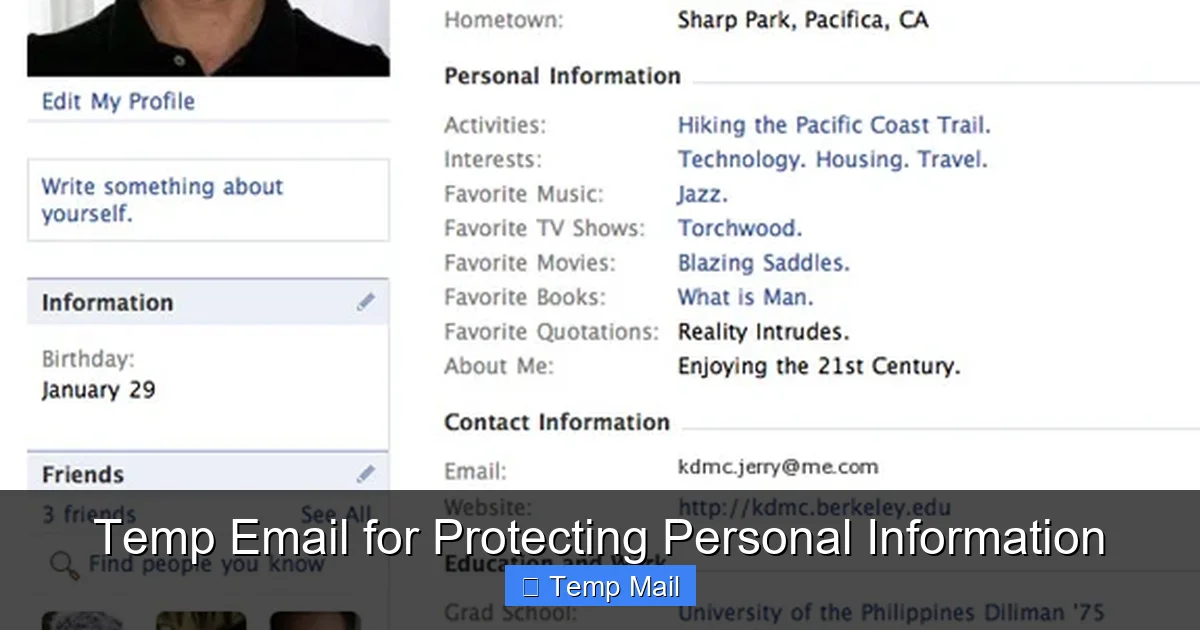
    Temp Email for Protecting Personal Information

    Visual guide about Temp Email for Protecting Personal Information

    Image source: thumbs.dreamstime.com

    Downloading Gated Content (E-books, Whitepapers, Templates)

    You want a free industry report or a nice resume template. The site demands an email. This is the classic temp email use case. The content is a one-time download. There’s no need for an ongoing relationship with the company. Use the disposable address, get the download link (often sent instantly), save the file, and walk away. The marketing drip campaign that follows goes to a dead end.

    Signing Up for New Services or Apps

    You’re trying a new photo editing app, a project management tool, or a streaming service with a free trial. Before you commit, use the temp mail for the initial sign-up and verification. This prevents the company from building a marketing profile on your real email from day one. If you decide you love the service, you can always add your real email later in the account settings.

    Accessing Public Wi-Fi or Forum Registrations

    Many coffee shops, airports, or hotel Wi-Fi networks require you to register an email to get the password. Forums and online communities often require an email to activate an account. These are low-trust, high-risk environments for spam and data harvesting. A disposable address is perfect here. It gets you the access code or forum activation link, then disappears.

    One-Time Promotions and Coupon Sites

    Sites like RetailMeNot or Honey sometimes require an email to reveal a coupon code or to “unlock” a deal. The business model often involves collecting emails. Use the temp mail, get the code, use it at checkout, and abandon the disposable inbox. No follow-up spam about “similar deals” clogs your primary account.

    Testing Website or App Functionality

    If you’re a developer, tester, or just a curious user exploring a new platform, use a temp email to create test accounts. This keeps your personal and professional identities completely separate from your experimentation accounts.

    Job Hunting (For Initial Applications)

    When applying for jobs through large job boards or company career pages you’re unfamiliar with, consider using a temp mail for the initial application. You can list a professional-sounding disposable address (some services allow custom prefixes). If you get a response and move to a serious interview stage, you can then provide your real, professional email directly to the recruiter. This prevents your resume and contact info from being added to yet another HR marketing database.

    Choosing the Right Temporary Email Service

    Not all temp mail services are created equal. While the core function is similar, features, usability, and reliability differ. Here’s what to look for when selecting your go-to tool.
    Temp Email for Protecting Personal Information

    Visual guide about Temp Email for Protecting Personal Information

    Image source: images.ctfassets.net

    Core Features to Prioritize

    • No Registration & Anonymity: This is non-negotiable. You should never need to provide any info to get an address.
    • Inbox Lifespan: Consider your use case. For a quick download, 10-30 minutes is fine. For a service that might email you a day later (like a trial account confirmation), look for 24-48 hour options.
    • Custom Address Prefix: Some services allow you to choose the first part of the address (e.g., [email protected]). This can be useful for organization or if you need to tell someone the address verbally.
    • Browser Extension: Services like Temp-Mail.org or 10MinuteMail.com offer browser extensions that generate an address with one click and can auto-fill web forms. This massively increases convenience.
    • Mobile-Friendly Interface: Ensure the website works well on your phone, as you’ll often be using it on the go.
    • Attachment Support: Check if the service allows receiving attachments and what the size limit is. Most do, but it’s good to confirm.

    Several services have stood the test of time due to reliability and simplicity:

    • Temp-Mail.org: One of the most popular. Offers a clean interface, random or custom addresses, 10-minute to 10-day options (depending on domain), and a handy browser extension.
    • 10MinuteMail.com: The classic. Extremely simple, with a clear 10-minute countdown. Perfect for the fastest, most ephemeral needs.
    • Guerrilla Mail: Provides a bit more persistence (up to 60 minutes by default, can be extended) and includes a basic “send” function, allowing you to reply from the disposable address.
    • MailDrop.cc: Focuses on simplicity and privacy. No ads on the inbox page, and addresses last for an unknown but typically sufficient period for one-time sign-ups.

    Avoid services that are cluttered with aggressive ads, require solving CAPTCHAs constantly, or have a reputation for being down frequently. Your goal is frictionless privacy.

    A Critical Warning: Avoid for Anything Important

    This cannot be stressed enough. Never use a temporary email for:

    • Banking, financial services, or cryptocurrency exchanges.
    • Primary email for cloud storage (Google Drive, iCloud, Dropbox) where account recovery is tied to that email.
    • Social media accounts you intend to keep long-term (you will be locked out if you lose access).
    • Any service where password resets are the only way to recover your account.
    • Professional or academic communications where a record is required.

    If you forget your password and the only recovery method is a temp mail address that has expired, your account is permanently lost. Use it only for the disposable, low-stakes interactions it was designed for.

    The Limitations and Ethical Considerations of Disposable Email

    While powerful, temp email is not a magic bullet. Understanding its limitations and the broader context is key to using it responsibly and effectively.

    The Trust Factor and Website Blocks

    Many legitimate websites and platforms actively block known disposable email domains. They do this to prevent fraud, spam, and abuse of free trials. If you try to sign up with a blocked domain, you’ll get an error message. This is a cat-and-mouse game; new temp mail domains pop up, and blocklists are updated. If you encounter a block, you may need to try a different service or, for that specific site, use your real email if you truly trust it.

    It’s a Privacy Tool, Not Anonymity

    Think of temp email as a privacy shield, not an invisibility cloak. Your activity on the site you’re signing up for is still tracked by that site via cookies, your IP address, and browser fingerprinting. The tool only protects your email identity from being linked to that activity. For true anonymity, you’d need a VPN and Tor, which are separate, more advanced tools.

    The “No Reply” Problem

    Some automated systems, after you sign up with a temp mail, might send a “do not reply” confirmation that is required to proceed. If the service doesn’t allow you to click a link in that email to verify, you’re stuck. Most modern systems work fine, but be aware of this edge case with very old or poorly designed web forms.

    Ethical Use vs. Abuse

    The ethics of temp email are clear when used for personal privacy protection against unsolicited marketing. The line blurs when used to:

    • Create multiple accounts to circumvent rate limits or bans on a platform.
    • Engage in fraudulent activity or hide malicious intent.
    • Evade legitimate terms of service that require a traceable identity.

    Using the tool to protect your own data from indiscriminate collection is a legitimate exercise of digital self-defense. Using it to harm others, commit fraud, or systematically violate a platform’s rules is abuse. Stick to the personal privacy use case, and you’re on solid ethical ground.

    Building a Holistic Privacy Strategy: Temp Email as One Piece

    Relying solely on temp email is like locking your front door but leaving all your windows wide open. It’s a crucial piece, but it must be part of a broader personal data protection strategy.

    Layer Your Defenses

    Combine temp email with other practices. Use a reputable password manager to create and store unique, complex passwords for every important account. Enable two-factor authentication (2FA) everywhere, preferably using an authenticator app (like Google Authenticator or Authy) rather than SMS-based 2FA, which can be SIM-swapped. Use a privacy-focused browser (like Firefox with strict tracking protection or Brave) and consider a VPN on public Wi-Fi.

    Audit Your Digital Footprint

    Periodically, search for your primary email address on Google (in quotes: “[email protected]“). See what data broker sites list about you. Many have opt-out processes (though often tedious). Use temp email for any new sign-ups going forward to stop adding to this profile.

    Mindful Sharing

    Before you enter your email anywhere, ask: “Is this essential?” “What will they do with this data?” “Can I use a temp mail here?” This moment of conscious pause is your best defense against automatic data surrender.

    Separate Email Addresses for Different Realms

    For accounts you must keep long-term (banking, primary cloud), use your main, highly secure email. For professional networking (LinkedIn), consider a separate, professional-sounding address. For online shopping, create a dedicated alias (using Gmail’s “+” trick or a service like SimpleLogin or AnonAddy). This compartmentalization limits the blast radius of any single breach. Temp email fits into this model as the most disposable, temporary layer.

    The Future of Email Privacy and Disposable Addresses

    The tension between convenient, connected services and personal privacy is only increasing. As data regulations like GDPR and CCPA give users more rights, the infrastructure of the web is slowly adapting. However, the fundamental business model of much of the internet—advertising supported by user profiling—remains entrenched.

    Temp email services are likely here to stay, evolving with better integration (deeper browser extensions, mobile apps) and perhaps offering more features like secure forwarding or alias management. The rise of “email alias” services like SimpleLogin, which create unique, forwardable aliases tied to your main inbox, represents a more sophisticated cousin to the simple temp mail. These aliases can be disabled permanently if spam starts, offering a similar “kill switch” with the convenience of all emails landing in your main, managed inbox.

    The ultimate future may involve a fundamental shift in how identity works online—towards decentralized identifiers and verifiable credentials that don’t rely on a single email address as a username. Until that paradigm shift is widespread and usable by the average person, the humble temporary email remains one of the most accessible, immediate, and powerful tools in the privacy-conscious user’s arsenal. It’s a low-effort, high-reward habit that directly attacks the business model of indiscriminate data collection by making your email address, that most valuable of digital assets, a worthless, fleeting ghost to anyone who tries to capture it.

    Conclusion: Reclaim Your Inbox, Reclaim Your Privacy

    Your email address is your digital home address. You wouldn’t give your physical address to every stranger who asked for it, so why do we so freely hand over our digital one? The practice of using a temporary email for non-essential interactions is a direct correction to this years-long habit of over-sharing. It’s a small action that yields massive returns: a cleaner inbox, a smaller digital footprint, and a significantly reduced attack surface for spammers, phishers, and data brokers.

    Start today. Bookmark a reliable temp mail service or install its browser extension. The next time a website asks for your email for a “free” resource or a trial you’re just testing, pause. Open the temp mail tab, copy the generated address, and paste it. Get your download, get your access code, and close the tab. Let that address and its inevitable spam die a natural death in 10 minutes or 24 hours. Your primary inbox—and the peace of mind that comes with it—remains untouched.

    Privacy is not about hiding something; it’s about protecting everything. In the battle for your personal information, the temporary email is a first-line, low-cost, high-impact soldier. Deploy it wisely, use it consistently for the right scenarios, and take a tangible, powerful step back from the noise and surveillance of the modern web. Your future self, with a clean inbox and a smaller data profile, will thank you.

    Frequently Asked Questions

    Is using a temporary email legal?

    Yes, using a temp email is completely legal. It is a legitimate privacy tool. However, using it to commit fraud, evade legal obligations, or violate a website’s terms of service can be illegal. The tool itself is not the issue; the intent behind its use matters.

    How long do temporary emails last?

    The lifespan varies by service. Some, like 10MinuteMail, last exactly 10 minutes. Others offer 1 hour, 24 hours, or even up to 48 hours. Always check the service’s policy before using it for something that might require a later email (like a next-day trial confirmation).

    Can a temporary email be traced back to me?

    No, a properly designed temp mail service does not require any personal information to create an address, so there is no personal data on file to trace. Your activity on the site where you used the temp address is still tracked by that site via your IP address and cookies, but the email itself is an anonymous, disposable token.

    What happens if I need to recover a password for an account I made with a temp email?

    You will be unable to recover it. Since the temp email address expired and was deleted, password reset links sent to it are lost forever. This is precisely why you must never use a disposable address for any account you intend to keep long-term or that contains valuable data or money.

    Are temporary emails safe from hackers?

    They are safe for you in a specific way. If a temp mail service suffers a data breach, the hacker only obtains a list of random, soon-to-expire email addresses with no connection to your real identity. The “hack” is isolated and meaningless to you. However, you should still avoid using temp mail for highly sensitive transactions, as any email service could potentially be intercepted in transit.

    Why do some websites block temporary email domains?

    Websites block known temp mail domains primarily to prevent abuse. Fraudsters use them to create throwaway accounts for spam, scams, or to abuse free trial offers. While this also blocks legitimate privacy-conscious users, it’s a blunt instrument used by sites to reduce their risk and maintenance burden. If you encounter a block, you may need to use your real email for that specific service.
  • How to Use Temp Mail for Free Trials

    How to Use Temp Mail for Free Trials

    Using a temporary email address is the smartest way to sign up for free trials without cluttering your primary inbox or risking your privacy. This guide explains exactly how temp mail works, provides a simple step-by-step process for any service, and highlights the crucial do’s and don’ts to avoid getting locked out. Learn to leverage disposable emails as a powerful tool for digital hygiene and safe online experimentation.

    Ever felt that pang of hesitation before clicking “Start Free Trial” on a promising new software, streaming service, or online tool? You’re excited to test it, but the thought of handing over your personal email address—and the inevitable tsunami of marketing emails that follows—gives you pause. What if you could try before you buy, completely risk-free, without compromising your primary inbox or personal data? Enter the world of temporary email, or “temp mail.” This simple, powerful tool is your secret weapon for navigating the modern web’s endless free trials. This guide will walk you through everything you need to know, from the absolute basics to advanced strategies, ensuring you can test any service with confidence and control.

    Key Takeaways

    • Temp mail creates a disposable inbox: It generates a random, forwardable email address that expires after a short time, shielding your real identity and contact details.
    • Perfect for free trial sign-ups: It bypasses the need for your personal email, preventing promotional spam and potential data breaches from services you may not continue using.
    • Simple 4-step process: Generate a temp address, use it to sign up, check the temp inbox for the verification link, and complete the trial setup—all in minutes.
    • Not all services accept it: Some premium or security-focused platforms block known disposable email domains, so have a backup plan (like a secondary dedicated email).
    • Critical to manage expectations: Remember the inbox is temporary. Save login details elsewhere, and note the trial’s expiration date to avoid unwanted charges.
    • Use reputable providers: Choose well-known temp mail services with reliable inbox forwarding and clear expiration policies to ensure you receive crucial trial activation emails.
    • Ethical and legal tool: Using temp mail for free trials is legitimate privacy protection, not fraud, as long as you intend to genuinely try the service and cancel if needed.

    What Exactly is Temp Mail? The Disposable Email Breakdown

    Let’s start with the fundamentals. Temporary email, often called disposable email, burner email, or throwaway email, is a service that provides you with a random, functional email address for a limited period—usually anywhere from 10 minutes to 48 hours. Think of it as a digital P.O. box that self-destructs. You don’t need to register an account with the temp mail provider; you simply visit their website, and they generate an inbox for you on the spot, like [email protected].

    How It Works Under the Hood

    When you use a temp mail service, you’re interacting with a system that automatically creates and manages email inboxes on their domain. The service’s servers receive all emails sent to your temporary address and display them in a web-based inbox interface unique to you. There’s no password because the inbox is identified by a unique URL or session ID stored in your browser. Once the time limit expires or the inbox is cleared, that email address is retired forever and may be recycled for another user later.

    This architecture is intentionally simple and anonymous. There’s no connection to your real identity, no personal data stored, and no long-term commitment. It’s the antithesis of a permanent Gmail or Outlook account, built for a single purpose: receiving a specific email (like a trial confirmation) and then vanishing without a trace.

    Why Temp Mail is a Game-Changer for Free Trials

    Now that we know what it is, why is temp mail particularly brilliant for free trials? The value proposition extends far beyond just avoiding spam.

    How to Use Temp Mail for Free Trials

    Visual guide about How to Use Temp Mail for Free Trials

    Image source: lunarcomputercollege.com

    1. Spam Prevention & Inbox Zero

    This is the most obvious benefit. Many companies use the free trial sign-up as a gateway to build their marketing lists. Even if you unsubscribe later, your email is often sold or shared with partners. A temp mail address acts as a perfect firewall. All promotional newsletters, “we miss you” win-back campaigns, and partner offers get sent to an inbox that will cease to exist in 24 hours. Your permanent inbox remains pristine, dedicated only to emails from people and services you genuinely want to hear from.

    2. Enhanced Privacy & Data Security

    Every data breach, and there are many, exposes user databases. These databases often contain email addresses, which become tools for phishing attacks, credential stuffing, and targeted spam. By using a temp mail for a trial, you ensure that if that company suffers a breach, your primary email address—a key piece of your online identity—is not in the compromised data. You’re limiting your digital footprint and reducing your attack surface.

    3. No Long-Term Commitment Anxiety

    Signing up for a free trial with your main email can feel like a psychological contract. You might forget to cancel, or the cancellation process might be deliberately obfuscated. With a temp mail, you know the access link will disappear. This creates a natural incentive to actually test the service within the trial period or accept that you’ll lose access. It removes the “I’ll cancel later” mental burden because the access method itself is temporary.

    4. Testing Multiple Services Simultaneously

    Need to compare three different project management tools or graphic design apps? You can open three different temp mail tabs, sign up for all three trials at once, and manage each inbox separately. This parallel testing is incredibly efficient without any risk of cross-contamination of marketing emails between the services you’re evaluating.

    The Step-by-Step Guide: Using Temp Mail for Any Free Trial

    The process is remarkably straightforward, but doing it correctly ensures you actually get your trial activated. Here is the definitive workflow.

    How to Use Temp Mail for Free Trials

    Visual guide about How to Use Temp Mail for Free Trials

    Image source: dl.memuplay.com

    Step 1: Choose and Open a Reputable Temp Mail Service

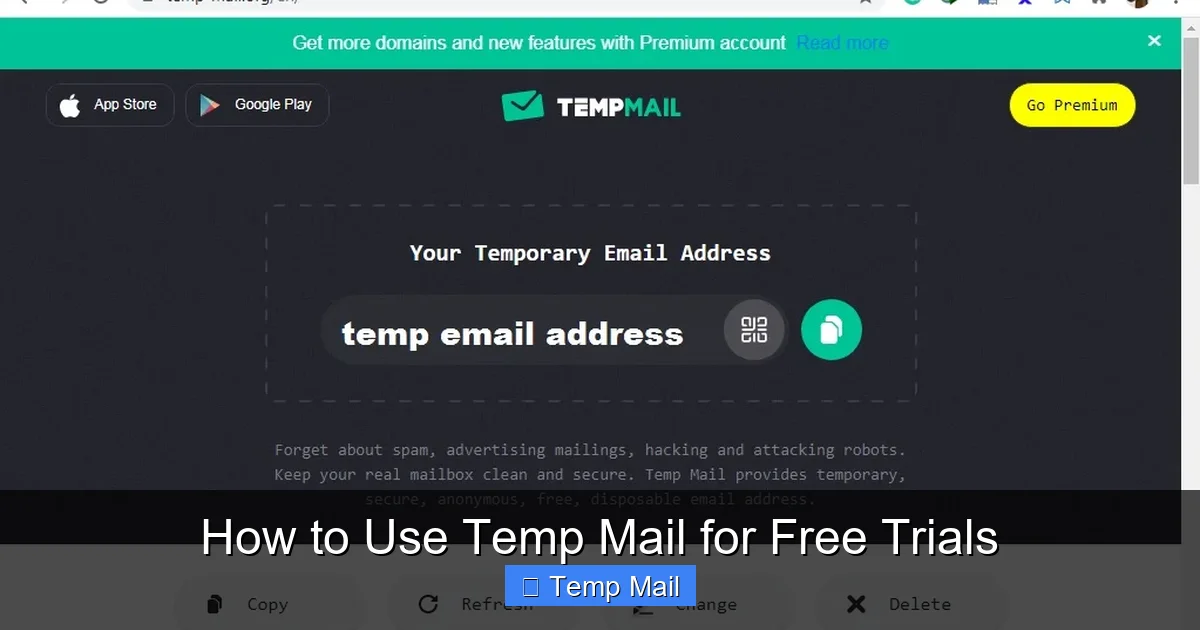
    Don’t just Google “temp mail” and pick the first ad. Use well-known, reliable providers like Temp-Mail.org, 10MinuteMail.com, Guerrilla Mail, or Maildrop. These have stable servers and good inbox forwarding. Open the website in a new tab. You’ll be presented with a randomly generated email address and a button to “Copy” it. Copy that address to your clipboard.

    Step 2: Navigate to the Free Trial Sign-Up Page

    Go to the service you want to try (e.g., Adobe Creative Cloud, Canva Pro, a new SaaS tool). Proceed to the pricing or free trial page and enter the temp mail address you just copied into the email field. Use a strong, unique password you store in your password manager—do not reuse passwords.

    Step 3: Stay on the Temp Mail Tab and Refresh

    This is the most critical step. After submitting the sign-up form, do not close the temp mail service tab. Switch back to it and hit the refresh/inbox button frequently (every 15-30 seconds). The verification email from the service can arrive almost instantly or take a few minutes. If you navigate away or close the browser, you may lose your session and the inbox, making it impossible to retrieve the activation link.

    When the email arrives (subject line often includes “Welcome,” “Confirm,” or “Activate”), open it. Look for a big, colorful button or a long URL that says “Verify Email,” “Activate Account,” or “Start Trial.” Click that link directly from the temp mail inbox. This will open a new tab on the service’s website, confirming your email and logging you into your new trial account. Complete any initial profile setup.

    Step 5: Secure Your Access (Important!)

    Once logged in, immediately go to your account settings on the trial service. Add a recovery email address—this can be your primary email or another temp mail if you’re being ultra-cautious. This step is crucial because if you lose access to the temp inbox, you have a way to recover the account password. Also, familiarize yourself with the cancellation process. Find the “Cancel Subscription” or “Billing” section and note the steps. Take a screenshot or write down the URL path if it’s buried.

    Common Pitfalls and How to Avoid Them

    While simple, the process isn’t foolproof. Here are the most common reasons temp mail fails for trials and how to circumvent them.

    How to Use Temp Mail for Free Trials

    Visual guide about How to Use Temp Mail for Free Trials

    Image source: anonymmail.net

    Pitfall 1: The Service Blocks Disposable Emails

    Many companies, especially in finance, healthcare, or high-security sectors, use databases of known disposable email domains and block them at the sign-up gate. If you get an error like “Invalid email address” or “Please use a corporate/personal email,” the service is blocking temp mail.

    The Fix: Have a backup strategy. Create a dedicated “trial-only” email address with a free provider like Gmail or ProtonMail. Use this only for trials. It keeps your primary email clean but is less anonymous than a true temp mail. For services that block all free providers, you may need to use your main email, but you’ll be forewarned to unsubscribe aggressively.

    Pitfall 2: The Verification Email Never Arrives

    Sometimes the email gets lost in the digital void. This can happen if the temp mail service’s server is slow, the email is caught in a spam filter (even on the temp side), or the trial service made an error.

    The Fix: First, be patient and refresh the temp inbox for 10-15 minutes. If it doesn’t come, try generating a completely new temp mail address on the same or a different provider and restart the sign-up process. Sometimes a different domain gets through. As a last resort, use your backup dedicated trial email.

    Pitfall 3: You Forget to Cancel and Get Charged

    This is the #1 financial pitfall. You get caught up in using the trial, the temp mail expires, you lose the login details, and the trial automatically converts to a paid subscription. The billing email goes to the dead temp inbox, and you only discover the charge on your credit card statement.

    The Fix: This is non-negotiable. The moment your trial account is active, set a calendar reminder on your phone and computer for the day before the trial ends. When the reminder goes off, log in (using your saved password) and cancel immediately. Do not rely on memory.

    Advanced Strategies & Best Practices

    Once you’ve mastered the basics, level up your temp mail game with these pro tips.

    Strategy 1: The “Inbox Forwarding” Hack for Extended Access

    Some advanced temp mail services (like certain versions of 10MinuteMail) allow you to set a forwarding address. You can forward all emails from your temporary inbox to your primary email for a limited time. Use this sparingly and only for the initial verification email. Once you’ve clicked the link and logged into the trial, remove the forwarding. This gives you a safety net if you accidentally close the temp tab but still need the verification link. It’s a controlled bridge between the temporary and permanent world.

    Strategy 2: Organizing Multiple Trials with Browser Profiles

    If you’re running 5-6 trials at once, it’s easy to get confused about which temp inbox belongs to which service. Use your browser’s profile feature (Chrome Profiles, Firefox Containers). Create a separate browser profile for each trial category (e.g., “Design Tools,” “Project Mgmt”). Within each profile, open one specific temp mail service and the trial site. This keeps sessions, cookies, and inboxes completely separate and organized.

    Strategy 3: Document Everything in a “Trial Tracker”

    Create a simple spreadsheet or note titled “Active Trials.” For each service, log: Trial Name, Temp Email Used, Trial Start Date, Trial End Date, Cancellation Date (set as the day you cancel), and Notes (e.g., “Password saved in Bitwarden,” “Cancellation requires phone call”). This single document is your single source of truth and prevents financial surprises.

    It’s important to frame this correctly. Using temp mail for free trials is not fraudulent if your intent is to genuinely evaluate the service. You are using the offer as advertised. It becomes a problem if you use the temp mail to circumvent a ban, create multiple accounts for a single-user license, or sign up for a service with no intention of ever using it just to get a one-time perk. Stay within the spirit of the free trial: test, evaluate, and then either convert to a paying customer or cancel respectfully.

    Choosing the Right Temp Mail Service: A Quick Comparison

    Not all temp mail providers are created equal. Here’s what to look for:

    • Inbox Lifespan: Does it give you 10 minutes, 1 hour, or 24 hours? For most trials, 1-2 hours is sufficient to receive and click the verification email. 10MinuteMail is famously short; Temp-Mail.org often offers longer.
    • Domain Reputation: Some domains (like @mailinator.com) are so widely abused that many major sites block them outright. Services that rotate through less common domains may have higher success rates. Test a provider with a non-critical site first.
    • Interface & Usability: Is the inbox easy to read? Does it have a clear “Refresh” button? Can you reply (sometimes useful for confirmation emails)? A clean, ad-light interface reduces frustration.
    • No Registration Required: The best services require zero sign-up. If a provider asks you to create an account with them to get a temp email, it defeats the purpose of anonymity.
    • HTTPS Security: Ensure the site uses HTTPS (padlock icon in the browser). You’re viewing emails in your browser; that connection should be encrypted.

    For most users, starting with Temp-Mail.org or Guerrilla Mail provides the best balance of reliability, ease of use, and domain acceptance.

    Conclusion: Empowering Your Digital Life

    Temp mail is more than a trick; it’s a fundamental tool for maintaining sovereignty over your digital identity in an age of relentless data harvesting. By using disposable emails for free trials, you reclaim your inbox from spam, shield your primary email from breaches, and eliminate the anxiety of forgotten subscriptions. The process is simple: generate, sign up, refresh, click, and—most importantly—cancel on time.

    Adopt this habit universally. The next time you see “7-day free trial,” don’t hesitate. Open a temp mail tab, get your disposable address, and dive in. Experiment with that new AI writer, test that project management dashboard, stream that niche documentary service—all without a trace left on your permanent digital record. You’re not being sneaky; you’re being smart, privacy-conscious, and in control. That’s the power of knowing how to use temp mail effectively. Now, go try something new, risk-free.

    Frequently Asked Questions

    Is using temp mail for free trials legal and ethical?

    Yes, it is completely legal and ethical. You are using a publicly available service to protect your personal information while honestly engaging with a company’s advertised free trial offer. It becomes unethical only if you use it to fraudulently obtain services with no intent to evaluate them or to violate terms of service by creating multiple accounts to circumvent limits.

    What happens if I lose access to the temp inbox before clicking the verification link?

    If the temp inbox expires or you lose the session before clicking the verification link, you will not be able to activate the trial. The account creation will be incomplete. Your only recourse is to start over with a brand new temp email address and repeat the sign-up process. This is why the “stay on the tab and refresh” step is so critical.

    Will I still get charged if I use temp mail and forget to cancel?

    Absolutely, yes. The free trial is linked to your payment method, not your email address. If you do not cancel before the trial period ends, the service will automatically charge the credit card or payment method you provided. The temp mail expiring does not stop the billing cycle. This is why setting a cancellation reminder is non-negotiable.

    Can I use the same temp email for multiple trials?

    Technically, you can, but it’s not advisable. If you use the same temp address for multiple services, all their emails will mix in one inbox, creating confusion. More importantly, once that single temp inbox expires, you lose access to login links or billing information for all services tied to it. Always use a fresh temp address for each separate trial.

    What should I do if a site says my temp email is invalid or blocked?

    The service is likely using a filter that blocks domains from popular temp mail providers. Your options are: 1) Try a different, less common temp mail service (some rotate domains). 2) Switch to your backup plan: a dedicated “trial-only” email address created with a free provider like Gmail. 3) As a last resort, use your primary personal email, but be prepared to aggressively unsubscribe afterward.

    Are temp mail services safe? Could they read my trial emails?

    Safety depends on the provider’s reputation. Reputable services do not log or store your emails after the inbox expires, and the content is typically not indexed. However, by definition, you are sending emails through a third-party server you do not control. For truly sensitive trials (e.g., involving financial data or confidential documents), it’s safer to use a dedicated secondary email with a secure provider like ProtonMail instead of an anonymous temp mail service. For standard software trials, major temp mail providers are generally safe for their intended purpose.

  • Top Temp Mail Alternatives You Should Know

    Top Temp Mail Alternatives You Should Know

    Temp mail services often lack reliability, making top alternatives crucial for robust online privacy and spam protection. These platforms offer secure, disposable email solutions with features like encryption and auto-deletion to safeguard your identity. Discover the best tools for anonymous registrations and a clutter-free inbox without compromising safety.

    Top Temp Mail Alternatives You Should Know

    Ever signed up for a website, instantly got bombarded with promotional emails, and thought, “I should have used a fake email for that”? I’ve been there. We all have. That sinking feeling when your primary inbox gets flooded with spam after a single download or forum registration is a universal digital annoyance. Temporary email services—often called “temp mail”—became our secret weapon. They’re quick, they’re anonymous, and they keep our real inboxes clean. But what happens when your temp mail provider disappears after an hour, or a crucial account recovery email bounces? What about when you need a little more reliability without sacrificing privacy?

    The truth is, while classic disposable email tools are fantastic for one-off tasks, they’re not a one-size-fits-all solution. The landscape of privacy-focused communication is vast, and there are smarter, more robust alternatives that serve different needs. Whether you’re a developer testing an app, a shopper avoiding marketing lists, or just someone tired of spam, knowing your options is power. In this guide, we’re diving deep into the world beyond basic temp mail. I’ll walk you through the top temp mail alternatives you should know, breaking down exactly how each works, who they’re for, and the real-world trade-offs you’ll face. Let’s find the perfect tool for your next digital move.

    Key Takeaways

    • Prioritize security: Choose services with encryption and strong data protection policies.
    • Verify privacy policies: Ensure the provider does not log or sell your email activity.
    • Assess usability: Look for intuitive interfaces and reliable inbox delivery.
    • Consider reliability: Premium options often offer better uptime and fewer disruptions.
    • Check domain reputation: Avoid services using blacklisted domains that get blocked.
    • Understand limitations: Temporary emails are for sign-ups, not critical account recovery.
    • Test before committing: Try multiple alternatives to find your best fit for speed and features.

    Why Your Go-To Temp Mail Might Not Be Enough

    The Spam-Fighting Double-Edged Sword

    Let’s start by acknowledging the hero of our story: the classic disposable email. Sites like Temp-Mail.org or 10MinuteMail are brilliant for their simplicity. You visit, get a random inbox, use it, and forget it. No registration, no trace. It’s perfect for downloading a PDF, accessing a gated article, or signing up for a service you’ll never use again. The immediate benefit is clear: zero spam in your primary inbox.

    But this anonymity comes with significant fragility. These inboxes are often public—anyone with the same randomly generated address can see your emails. They’re temporary by design, usually expiring in 10 minutes to a few hours. If a website delays sending a confirmation email, or if you need to reset a password later that day, you’re out of luck. I once used a temp mail to sign up for a beta test, only to find the team sent critical updates a week later. My access was gone, and I missed out. That’s the core limitation: they are designed for ephemeral, low-stakes interactions.

    When You Need More Than “Disposable”

    This is where the search for alternatives begins. Your needs might include:

    • Longevity: An email that lasts days or weeks for a project.
    • Privacy with Persistence: An address you control privately, not publicly shared.
    • Reliability: An inbox that won’t vanish before you receive a crucial email.
    • Functionality: The ability to reply, forward, or use it for account recovery.
    • Reputation: An address that won’t be instantly blocked by major platforms like Google or Facebook, which often flag known disposable domains.

    Classic temp mail often fails on these points. The alternatives we’ll explore bridge these gaps, offering different balances of privacy, convenience, and control. Understanding these differences is the first step to escaping the spam cycle for good.

    Disposable Email Services: The Classic Choice, Evolved

    How They Work and Their Modern Upgrades

    Before we leap to other categories, let’s give credit where it’s due and look at the modern evolution of disposable email. The old model—a public, shared inbox—is still around, but new players are adding crucial features. They still generate a random address on the fly, but some now offer:

    Top Temp Mail Alternatives You Should Know

    Visual guide about Top Temp Mail Alternatives You Should Know

    Image source: receive-sms.com

    • Private Inboxes: Your generated address is unique to your session and not publicly viewable by others on the same site.
    • Extended Timers: Inboxes that last 24 hours, 48 hours, or even a week instead of 10 minutes.
    • Custom Domains: The ability to choose from several backend domains, helping you avoid blacklisted ones.

    These upgrades address the biggest pain points: privacy and duration. They remain the fastest option for a truly anonymous, no-strings-attached drop.

    Top Disposable Email Services Today

    Here are a few standout services in this category that have improved the formula:

    • Temp-Mail.org (and its network): A veteran with multiple domain options, a browser extension, and a mobile app. It offers inboxes that last up to 2 days, which is a huge upgrade from the 10-minute standard. The interface is clean, and it’s great for quick, multi-step verifications within that 48-hour window.
    • Guerrilla Mail: Known for its simplicity and longevity. Your inbox can last up to 1 hour by default, but you can “punch” the clock to extend it. It also allows you to choose a custom username before the random part, making the address slightly more memorable for short projects.
    • Maildrop.cc: Focuses on privacy. It doesn’t require CAPTCHAs for every visit and has a minimalist design. Inboxes last 24 hours. It’s a solid, no-fuss choice when you need a day to access a resource.

    Practical Tip: Always check the service’s policy on email retention before using it for anything important. If a site says “check your email within 24 hours,” a 10-minute service won’t cut it.

    When to Stick With Disposable Email

    These tools are still the best for: downloading a single file, bypassing a “email wall” on an article you’ll read once, or signing up for a notification list for a one-time sale. The key is accepting their temporary nature and not using them for any account you might need to log into again.

    Privacy-First Email Providers: The Secure Long-Term Alternative

    What Makes an Email “Privacy-First”?

    This is the first major category of true alternatives. Services like ProtonMail, Tutanota, and Mailfence are not disposable. They are fully functional, secure email providers built from the ground up with privacy as the core feature. They offer:

    Top Temp Mail Alternatives You Should Know

    Visual guide about Top Temp Mail Alternatives You Should Know

    Image source: imgv3.fotor.com

    • Zero-Access Encryption: Your emails are encrypted on the server. The provider cannot read your messages.
    • No Data Mining: They don’t scan your emails to sell you ads (looking at you, Gmail).
    • Swiss/German Jurisdiction: Strong privacy laws protect your data from government overreach.
    • Custom Domain Support: You can use your own domain for a professional touch.
    • Standard Features: They have calendars, contacts, and file storage.

    You sign up with minimal personal information (often just a username and password). These inboxes last forever (as long as you log in periodically). They are not anonymous in the sense of being untraceable to an account, but they are private from the provider and third parties.

    Leading Privacy-First Email Services

    Service Free Tier? Key Privacy Feature Best For
    ProtonMail Yes (1 GB) End-to-end encryption, Swiss law Users wanting Gmail-like experience with strong privacy
    Tutanota Yes (1 GB) Automatic end-to-end encryption, German law Maximum security, open-source advocates
    Mailfence Yes (500 MB) Belgian privacy laws, OpenPGP Small business or collaborative needs

    The Trade-Offs You Must Consider

    These services are powerful, but they aren’t perfect temp mail alternatives for every scenario. The main drawbacks are:

    • Sign-Up Friction: You must create an account. This takes 30 seconds, but it’s more than a click.
    • Domain Recognition: While better than disposable domains, some very strict websites (like certain banking or social platforms) might still flag or block emails from @protonmail.com. It’s rare, but it happens.
    • No True Anonymity: If you sign up with a real name, that’s linked to the account. For complete anonymity, you’d need to use a VPN and a fake name during sign-up, which violates most terms of service.

    Real-World Example: I use ProtonMail for all my newsletter subscriptions and online shopping accounts. It keeps my main Gmail pristine. When I need to verify an account for a service I’ll use long-term (like a project management tool), I use my ProtonMail address. It’s reliable, private, and I can actually log in to reset passwords.

    Browser Extensions and Mobile Apps: On-the-Go Aliases

    The Rise of the Email Alias Manager

    Here’s a brilliant middle ground. Instead of generating a whole new inbox, these tools create unique, forwardable email aliases that all route to your main, secure inbox (like Gmail, Outlook, or your privacy-first provider). Think of it as a shield for your real address.

    Top Temp Mail Alternatives You Should Know

    Visual guide about Top Temp Mail Alternatives You Should Know

    Image source: images.genius.com

    How Alias Extensions Work

    You install a browser extension (like Firefox or Chrome) or a mobile app. When you encounter an email field on a website, you click the extension icon. It generates a random, unique email address (e.g., [email protected]). That alias forwards all mail to your real inbox. You can reply from the alias, and the recipient sees the alias, not your real address. The magic is in the management dashboard:

    • Block with One Click: If an alias starts getting spam, you disable it. The spam stops, but your real address is safe.
    • Tagging & Filtering: Aliases can be tagged to automatically filter incoming mail into specific folders.
    • Unlimited Creation: Create a new alias for every single sign-up. No more “which email did I use for this?”

    Top Alias Management Tools

    • Firefox Relay (by Mozilla): Free for 5 aliases. Simple, integrated with Firefox. It’s a fantastic starting point. Emails are forwarded with a relay address, so your real email stays hidden from the sender.
    • SimpleLogin (now part of Proton): A more powerful, platform-agnostic service. The free plan offers 10 aliases. It allows you to reply from the alias and create custom domains. It’s my personal favorite for its robustness and clean interface.
    • AnonAddy: Similar to SimpleLogin, with a generous free tier (up to 20 aliases). It’s open-source and self-hostable for the technically inclined.
    • Apple’s Hide My Email: If you’re in the Apple ecosystem, this is built-in. It generates random iCloud email addresses that forward to your real iCloud email. It’s seamless but tied to Apple’s ecosystem.

    Practical Tip: Use these for any service where you might want to communicate later (customer support, account updates) but don’t want to give out your primary address. It’s the perfect blend of convenience and control.

    Using Your Main Email Smartly: Filters and Plus Addressing

    The Low-Tech, High-Impact Solution

    Before you seek out new services, master the tools you already have. Both Gmail and Outlook (and many others) support “plus addressing” or “sub-addressing.” It’s a simple trick: if your email is [email protected], you can use [email protected] (or [email protected] for Outlook). All mail sent to the “+” address lands in your main inbox.

    How to Leverage This for Spam Control

    Here’s the system I use:

    • Create a Naming Convention: Use [email protected] for all newsletters, [email protected] for online stores, [email protected] for forums.
    • Set Up Filters: In Gmail, create a filter that automatically labels or archives emails sent to [email protected]. This keeps your primary view clean.
    • Block at the Source: If a “+” address starts getting spam, you can create a filter to delete those emails instantly. You haven’t compromised your core address.

    The benefit is zero new accounts, zero new passwords. It uses your existing, reliable email. The downside? It’s not truly anonymous. The service can see your real email address (the part before the “+”). Also, some poorly programmed websites might not accept the “+” sign. But for 90% of cases, it’s a free, instant upgrade.

    Advanced Filtering for the Win

    Combine plus addressing with Gmail’s powerful filters. You can set rules like: “If email is sent to you+*@gmail.com, skip the inbox and apply label ‘Subscriptions’.” This turns your main inbox into a curated space while using a single, permanent email address. It’s the ultimate in low-effort organization.

    Choosing the Right Tool for Your Needs: A Practical Guide

    Match the Tool to the Task

    With all these options, how do you choose? Stop thinking “temp mail vs. everything else.” Start thinking about the purpose. Here’s a quick decision framework:

    • For a 5-minute download or to read one article: Use a classic disposable email with a 1-2 hour timer (like Guerrilla Mail). It’s the fastest.
    • For a sign-up where you might need to log in within a week (e.g., a trial service): Use a disposable service with a 24-48 hour inbox (like Temp-Mail.org’s extended mode) OR a privacy-first provider like ProtonMail if you think you might keep it.
    • For any account you intend to use long-term (social media, work tools, banking): Do not use disposable or temporary email. Use your primary, secure email or a privacy-first provider. These services require stability and reliable communication.
    • For newsletters, forums, and e-commerce sites where you want a separate address but might need to receive receipts or updates: This is the sweet spot for email aliases (SimpleLogin, Firefox Relay) or plus addressing. You maintain control and can shut it down if spam starts.
    • For maximum privacy on a sensitive project, where you don’t want the service to even know your real email: A privacy-first provider with a pseudonym is your best bet. Combine it with a VPN for extra anonymity.

    My Personal Workflow

    Here’s how I operate, which might give you ideas:

    • Primary Inbox (Gmail): For family, friends, and critical financial accounts. Nothing else.
    • ProtonMail Account: For any professional service, tool, or platform I use regularly. It’s my “public-facing but private” address.
    • SimpleLogin Aliases: For everything else—newsletters, one-off store accounts, forum registrations. Each gets its own alias. If one leaks, I nuke it.
    • Disposable Email: Rarely used now. Only for truly sketchy sites where I wouldn’t even use an alias, or for a quick code snippet from a coding tutorial site.

    This layered approach has reduced my spam to near zero and given me immense peace of mind. You don’t need this complexity, but understanding the layers helps you build your own.

    The Future of Privacy and Temporary Communication

    The industry is moving fast. We’re seeing a convergence of features. Privacy-first providers are adding alias-like features. Alias managers are adding more encryption. Browser vendors (like Apple and Mozilla) are building privacy tools directly into their products. The line between “disposable” and “persistent private” is blurring.

    One emerging trend is decentralized identity systems (like blockchain-based DIDs) that could let you prove you’re a human without revealing your email at all. While nascent, it points to a future where the email field itself might become obsolete for simple verification.

    Final Thoughts: Empowerment Over Evasion

    The goal of exploring these top temp mail alternatives isn’t just to hide. It’s about empowerment. It’s about taking back control of your digital footprint. The right tool puts you in the driver’s seat: deciding what stays, what goes, and what never gets in.

    Start simple. Try plus addressing today. Install Firefox Relay tomorrow. Maybe sign up for a free ProtonMail account. Experiment. See what fits your rhythm. The best email privacy strategy is the one you’ll actually use consistently. Don’t let perfect be the enemy of good. A slightly more private inbox today is a huge win over the spam-filled one you had yesterday.

    So, the next time you hover over that email field, pause. Ask yourself: “What’s the real cost of using my main address here?” Then, choose your weapon from the arsenal we’ve built. Your future, less-spammed self will thank you.

    Frequently Asked Questions

    What are the best temp mail alternatives for online privacy?

    Top temp mail alternatives like Guerrilla Mail, 10 Minute Mail, and Mailinator offer disposable inboxes to protect your primary email from spam and data breaches. These services generate random, temporary addresses that self-destruct after use, ideal for signing up to untrusted websites.

    Why should I use a temp mail alternative instead of my personal email?

    Using a temp mail alternative shields your real identity and inbox from unwanted marketing emails, potential phishing attempts, and data leaks. It’s a simple way to maintain anonymity during one-time registrations, downloads, or forum sign-ups without cluttering your permanent account.

    Are temp mail alternatives safe and legal to use?

    Yes, reputable temp mail alternatives are legal tools for privacy protection, but they should be used ethically for legitimate purposes like avoiding spam. However, they are not secure for sensitive transactions (e.g., banking) as emails are often publicly accessible and unencrypted.

    Which temp mail alternative is most reliable for long-term use?

    While all temp mails are designed for short-term use, services like Temp-Mail.org and ThrowAwayMail provide extended inbox lifespans (up to several hours or days) and better UI reliability. For ongoing needs, consider privacy-focused encrypted email providers like ProtonMail as a more stable alternative.

    How do temp mail alternatives differ from regular email providers?

    Temp mail alternatives create ephemeral, anonymous inboxes without requiring personal information or passwords, unlike permanent providers like Gmail or Outlook. They lack features like long-term storage, encryption, or customer support, focusing solely on temporary, throwaway communication.

    Can I get a free temp mail alternative with no registration?

    Yes, most popular temp mail alternatives like 10 Minute Mail and Maildrop are completely free and require no sign-up—you simply visit the site to get an instant inbox. Some premium options offer extended features, but free versions adequately handle basic anonymous sign-ups.

  • Temporary Email That Supports Attachments

    Temporary Email That Supports Attachments

    Tired of spam clogging your primary inbox when sharing files online? A temporary email that supports attachments is your secret weapon. These disposable inboxes let you send and receive documents, images, and PDFs without exposing your personal or work email address, protecting your privacy and keeping your main inbox clean. However, not all temp mail services handle file transfers equally—security, file size limits, and retention times vary widely. This guide cuts through the noise, explaining exactly how attachment-capable temp mail works, highlighting the most reliable services, and giving you actionable tips to use them safely and effectively for any one-time file exchange need.

    Let’s be honest. Our primary email addresses are digital home bases. They’re linked to our bank accounts, social media, work logins, and family photos. Using it for every random online form, forum sign-up, or one-time file download is like handing out your house key to every stranger you meet. Sooner or later, it ends up in a data breach, and your inbox floods with phishing attempts and spam. This is where the brilliant concept of temporary email comes in. But what happens when that random website or person needs to send you a file? A simple text-only disposable inbox won’t cut it. You need a temporary email that supports attachments. This isn’t just a niche feature; for many users and scenarios, it’s the entire reason to use a disposable address in the first place. This guide will walk you through everything you need to know, from how these services work under the hood to the precise, safe way to use them for sending and receiving files without compromising your digital life.

    Key Takeaways

    • Not All Temp Mail Supports Attachments: A significant number of disposable email services are text-only for security and simplicity. You must specifically seek out providers that advertise file upload/download capabilities.
    • File Size & Type Limits Are Strict: Expect caps, typically between 10MB to 50MB per file. Common formats like PDF, JPG, PNG, DOCX are usually accepted, but executables (.exe) and scripts are almost always blocked.
    • Security Is Paramount: Files are stored on the provider’s servers. Choose services with clear privacy policies, HTTPS encryption, and automatic deletion after the inbox expires (usually 1-10 days).
    • Perfect for One-Time, Non-Critical Transfers: Ideal for sharing a signed form, a design mockup, or a non-sensitive report. Never use it for legally binding contracts, highly confidential data, or long-term storage.
    • The Inbox is the Weakest Link: Anyone with the unique inbox URL can access all emails and attachments. Never share the inbox URL publicly or with untrusted parties.
    • Sender Reputation Matters: Because temp domains are often blacklisted, your attached file might be blocked by the recipient’s email provider. Always inform the recipient to check spam folders.
    • It’s a Privacy Tool, Not a Hacker Tool: These services are for legitimate privacy protection. Using them for fraudulent activities or to bypass security systems is illegal and unethical.

    Why the Need for Attachments in Disposable Email?

    Think about the last time you needed to share a file with someone you didn’t know well. Maybe it was a contractor sending an invoice, a freelance client submitting a draft, or a forum user sharing a configuration file. Your immediate instinct might be to use your main Gmail or Outlook address. But that creates a permanent link between you and that transaction. That contractor now has your email forever. That client can add you to a marketing list. That forum user could potentially scrape your address for spam. A temporary email with attachment support creates a clean, burnable bridge for that exact file exchange.

    The Privacy Inbox Dilemma

    The core value proposition of any temp mail is anonymity and privacy. You generate a random inbox at a domain like tempmail.demo or 10minutemail.com. You use that address to receive a verification code or a newsletter. Then you close the browser tab and forget it ever existed. The problem arises when the verification isn’t a code, but a PDF. Or the newsletter includes a downloadable whitepaper. Without attachment support, that temp inbox becomes useless for a huge category of real-world interactions. Services that add this feature are acknowledging that files—not just text—are the currency of the modern internet.

    Beyond Spam: The Practical Use Case Spectrum

    While avoiding spam is the headline benefit, attachment-capable temp mail unlocks specific, practical workflows:

    • One-Time Document Signing: A service like DocuSign or HelloSign might send the final executed contract to the email you provided. Using your temp address keeps the contract from cluttering your primary inbox and separates it from your personal legal documents.
    • Downloading Gated Content: Many “free ebook” or “research report” downloads require an email address. Providing a disposable one with attachment support ensures the file lands safely without marketing follow-up to your real address.
    • Secure (Enough) File Transfer: Need to send a large image file to a colleague but don’t want to use WeTransfer or Google Drive for privacy reasons? You can upload it to your temp inbox, then give your colleague the unique inbox URL and a separate password (more on security later) to access it. It’s a makeshift, anonymous file drop.
    • Testing Email Delivery: If you’re a developer or marketer, you can test how your system’s file-attachment emails render in a clean, controlled inbox environment without polluting your own.

    How It Actually Works: The Tech Behind the Temp

    It’s easy to think of these services as magical, but they operate on straightforward email server logic with a few crucial twists for disposability.

    Temporary Email That Supports Attachments

    Visual guide about Temporary Email That Supports Attachments

    Image source: thumb.modcdn.io

    Server Setup and Domain Management

    These services own or lease domains specifically configured for high-volume, temporary email (e.g., mailinator.com, guerrillamail.com). Their mail servers are set to accept emails for any address at that domain ([email protected]). There’s no need to pre-create user accounts. When an email arrives for [email protected], the server simply stores it in a database bucket labeled “asdf123.”

    The Inbox URL: Your Golden Ticket

    When you visit the temp mail website, it generates a random address for you (e.g., [email protected]). The website also generates a unique, long, random URL that points directly to the database bucket for that specific address. This is your “inbox URL.” You never need a password to access your own inbox because possession of that secret URL is the authentication. This is why you must never share this URL publicly. Anyone with it can see your emails and downloaded attachments.

    Attachment Handling: Storage and Security

    When an email with an attachment arrives, the mail server stores the file in a temporary storage location (often a server directory or cloud bucket like AWS S3). The email itself contains a link to that stored file. When you open the email in your web-based inbox, your browser requests that file from storage. This is where service quality varies:

    • Storage Duration: The file is kept as long as the inbox exists. If the service deletes the inbox after 1 hour of inactivity, the file is gone. Some keep it for 24-48 hours.
    • Scanning: Reputable services scan attachments for viruses/malware before storing them. If a file is flagged malicious, it’s typically stripped or the entire email is discarded.
    • Encryption: Look for services that use HTTPS (SSL/TLS) for the website and for the file download links. This prevents eavesdropping while the file is in transit between the server and your browser.

    Top Contenders: Services That Actually Handle Files

    Not all disposable email providers are created equal, especially regarding attachments. Here’s a breakdown of some reliable options, their key features, and their limitations.

    Temporary Email That Supports Attachments

    Visual guide about Temporary Email That Supports Attachments

    Image source: blog.freedcamp.com

    Temp-Mail (temp-mail.org)

    One of the most popular and user-friendly options. It offers a clean interface, multiple domain choices, and robust attachment support.

    • Attachment Limit: Typically up to 25MB per file.
    • Inbox Lifespan: Inboxes are automatically deleted after 24 hours of inactivity, but you can manually extend this.
    • Key Feature: Browser extensions for Chrome and Firefox make generating and accessing your temp inbox incredibly fast.
    • Best For: Everyday, quick use where you need a reliable, no-fuss attachment-capable inbox.

    Guerrilla Mail (guerrillamail.com)

    The veteran in this space. It’s been around for ages and offers a surprising amount of control for a disposable service.
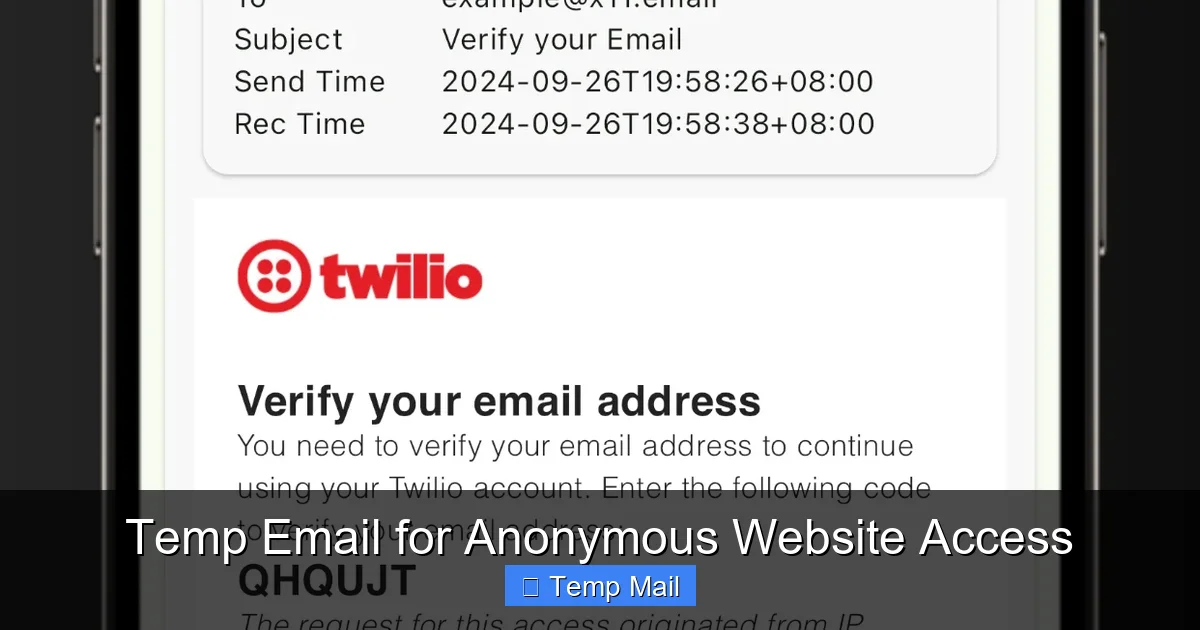
    • Attachment Limit: Up to 50MB, which is generous for a temp service.
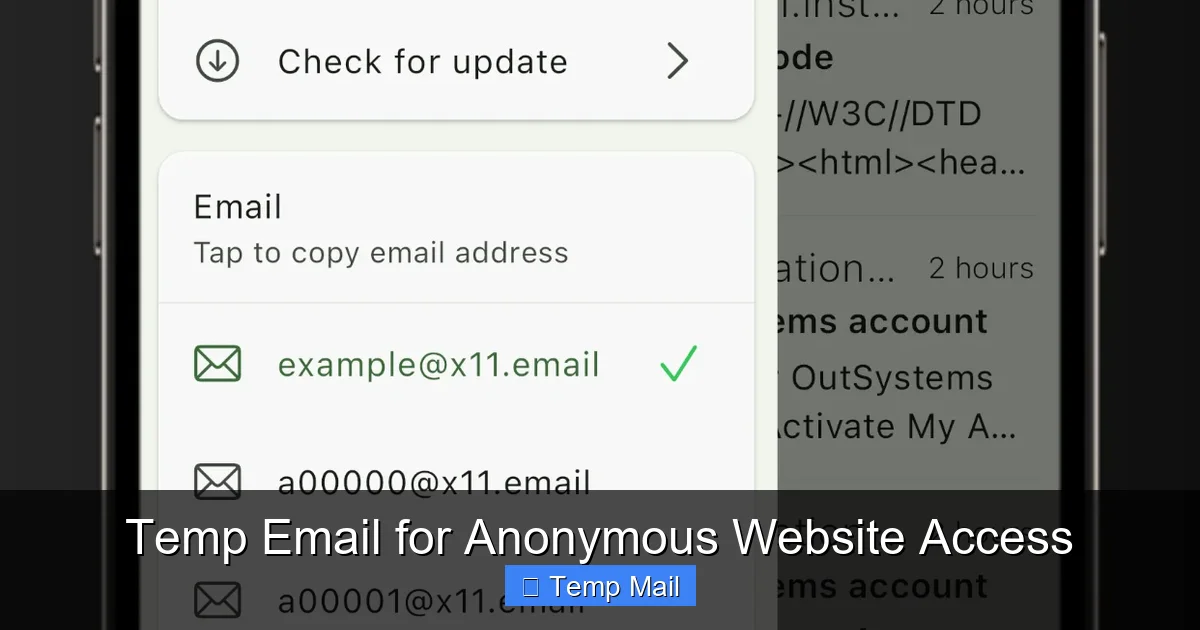
    • Inbox Lifespan: You can set a custom timer (1 hour to 1 week) when you generate the address. The inbox lives until the timer expires.
    • Key Feature: You can even send emails (with attachments) from your Guerrilla Mail address. This is a rare and powerful feature for a disposable service.
    • Best For: When you need to both send and receive files, or require a longer, but still temporary, window of access.

    10MinuteMail (10minutemail.com)

    As the name suggests, speed and extreme temporariness are its hallmarks.

    • Attachment Limit: Generally supports attachments, but the 10-minute lifespan makes large file transfers impractical. Best for tiny files.
    • Inbox Lifespan: Strictly 10 minutes, extendable by 10 more minutes with a click.
      • Key Feature: Maximum disposability. Perfect for a quick verification code that includes a tiny config file.
      • Best For: Ultra-short, single-task scenarios where you need an address for less than 15 minutes.

      DropMail (dropmail.me)

      Focuses on a modern, secure experience with a strong emphasis on privacy.

      • Attachment Limit: Supports attachments, with a focus on common document and image types.
      • Inbox Lifespan: Inboxes last until you close the browser tab or the session expires (several hours).
      • Key Feature: Offers “catch-all” domain options and has a clear, concise privacy policy stating logs are not kept.
      • Best For: Privacy-conscious users who want a slightly more transparent service with decent attachment support.

      Critical Security and Safety Practices

      Using a temporary email for attachments introduces specific risks that you must actively manage. The convenience is nullified if you accidentally leak data or download malware.

      Temporary Email That Supports Attachments

      Visual guide about Temporary Email That Supports Attachments

      Image source: as2.ftcdn.net

      The Inbox URL is Master Key

      This cannot be stressed enough. The long, random string in your browser’s address bar is the only thing protecting your temp inbox. If you:

      • Paste it into a public forum or social media post.
      • Email it to someone untrusted.
      • Let it be captured by a browser extension with poor permissions.

      …you have given full access to every file and email in that inbox. Treat it like a password. The safest practice is to only ever access your inbox via a direct, bookmarked link on your private computer.

      File Type and Content Vigilance

      Just because you can receive a file doesn’t mean you should blindly open it.

      • Assume It’s Malicious: The sender could be anyone. Treat every attachment from a temp address as a potential threat. Use your antivirus software to scan it before opening.
      • Beware of Executables: While most temp mail services block .exe, .bat, .scr files, some may allow less common script types. Never run an executable from a disposable source.
      • Metadata is Real: PDFs, DOCX files, and images contain metadata (author name, creation date, GPS coordinates from photos). If you’re concerned about anonymity, use a metadata scrubber tool on the file before you ever send it to the temp address.

      Understanding theSender’s Perspective

      If you are using the temp address to receive a file, you must consider the person sending it.

      • They Might Get Bounced: Many corporate email systems (like Microsoft 365, Gmail Workspace) have aggressive spam filters that blacklist known temp mail domains. The sender’s email might bounce or go to their spam folder. Always give them a heads-up: “Please check your spam folder for an email from [random-string]@tempmail.org.”
      • No Reply Possible: If they need to ask you a question about the file, they can’t hit “reply” because the “from” address is random and unmonitored. You must provide an alternative contact method for any back-and-forth communication.

      Step-by-Step: Safe Sending and Receiving

      Let’s translate theory into practice. Here is the exact, safe workflow for using a temporary email with attachments.

      Scenario: You Need to Provide an Email to Download a Whitepaper

      Step 1: Navigate to a trusted provider like Temp-Mail or Guerrilla Mail. Never use a service you found in a suspicious pop-up ad.

      Step 2: Generate your new disposable address. Copy the full inbox URL from your address bar and save it in a password manager or a plain text file on your desktop. Do not just leave the tab open.

      Step 3: Paste the email address (e.g., [email protected]) into the download form on the website. Complete the required steps.

      Step 4: The website will send the download link/attachment to your temp inbox. Return to your saved inbox URL. Refresh the page periodically. You should see the new email arrive.

      Step 5: Click the email to view it. If there’s a download button or attachment icon, click it. Your browser will download the file.

      Step 6: Immediately scan the file with your antivirus. Open it only if it’s safe and expected.

      Step 7: Once you have the file, you can close the tab. For maximum security, go back to the temp mail website and manually delete the inbox (if the service offers that button). Otherwise, let the automatic timer clear it.

      Scenario: You Need to Send a File to Someone Anonymously

      This is trickier and only possible with a few services like Guerrilla Mail.

      Step 1: Generate your disposable address via Guerrilla Mail. Note the address and the inbox URL.

      Step 2: In your Guerrilla Mail inbox, click “Compose” or “New Email.” Enter the recipient’s real email address.

      Step 3: Attach your file (within size limits). Write a brief, clear message. Do not include any personal information.

      Step 4: Send. The email will appear to come from your random Guerrilla Mail address.

      Step 5: Inform the recipient via a different channel (Signal, a different email) that they should expect an email from a disposable address and to check spam. Do not send the inbox URL. They only need the email itself.

      Step 6: After sending, you can delete your Guerrilla Mail inbox. The sent email is gone from your side, but a copy will reside in the recipient’s inbox (and their server logs).

      Limitations and When NOT to Use It

      Understanding the boundaries of this tool is as important as knowing its strengths. Misuse leads to frustration and security holes.

      Technical and Functional Walls

      • File Size is Non-Negotiable: A 100MB video file will not work. You must use a proper file transfer service (WeTransfer, Firefox Send alternatives, cloud storage with share links) for large files.
      • No Long-Term Storage: These are not Dropbox or Google Drive. Files are ephemeral. If the recipient doesn’t download the attachment within the inbox’s lifespan (often 24-48 hours), it’s permanently lost.
      • No “Reply” Functionality for Recipients: The “From” address is a random throwaway. If the recipient replies, their email will bounce or land in a void. You must provide a separate, permanent contact method for any dialogue.
      • Delivery Inconsistency: As mentioned, the sender’s email server may reject the temp domain outright. It’s not 100% reliable for critical, time-sensitive delivery.

      Here is a hard rule: If the file is important, sensitive, or has legal/financial ramifications, do not use temporary email. This includes:

      • Signed contracts, NDAs, or official paperwork.
      • Tax documents (W-2s, 1099s).
      • Bank statements, loan applications, or ID scans.
      • Medical records or sensitive personal health information (PHI).
      • Proprietary business code, unreleased product designs, or trade secrets.

      For these, use encrypted, permanent, and auditable channels. The risk of the file vanishing or being intercepted is far too high.

      The Future and Ethical Considerations

      The ecosystem of disposable email is in a constant cat-and-mouse game. As providers get better, spam filters and blacklists get smarter.

      The Arms Race with Blacklists

      The very domains that provide privacy are magnets for abuse by spammers and phishers. This causes email providers like Gmail, Outlook, and Yahoo to constantly update their blocklists with temp mail domains. This is why you’ll see a temp service’s domain work perfectly for a month, then suddenly all emails from it go to spam. The good services respond by rotating to new domains or using subdomains to stay ahead. This inherent instability is a core limitation you must accept.

      Ethical Use: A Personal Responsibility

      A temporary email that supports attachments is a tool for privacy and clutter reduction. It is not a tool for deception or fraud. Ethical use means:

      • Using it to protect your identity from mass marketing and data brokers.
      • Using it for legitimate, one-off transactions where a persistent relationship is not needed.
      • Never using it to impersonate another person, bypass website bans, or send malicious files.
      • Being transparent when a real human on the other end needs to know they’re dealing with a disposable address for communication purposes (e.g., “I’m using a temporary email for this transaction; please contact me at my main address for follow-up.”).

      The moment you use this tool to cause harm or evade responsibility, you undermine the legitimate need for digital privacy that millions of innocent users rely on.

      Conclusion: A Sharp Tool for a Specific Job

      A temporary email that supports attachments is not a replacement for your primary inbox or your company’s secure file transfer system. It is a specialized utility—a sharp, precise tool for a narrow set of jobs. Its power lies in its disposability and its ability to create a firewall between your permanent digital identity and the chaotic, often predatory, landscape of one-off online interactions. When you need to receive that PDF invoice, download that gated report, or get a design file from a stranger without creating a permanent connection, a service like Temp-Mail or Guerrilla Mail is the perfect solution.

      The key is to go in with your eyes open. Know the file size limits. Understand that the inbox URL is your only key and guard it fiercely. Scan every file. And never, ever use it for anything that truly matters. By respecting its strengths and acknowledging its limitations, you can leverage this simple technology to dramatically reduce inbox clutter, minimize your digital footprint, and keep your primary email address sacred for the people and institutions that truly need it. In an age of pervasive data collection, that’s not just convenient—it’s a essential act of digital self-defense.

      Frequently Asked Questions

      Is it safe to open attachments from a temporary email?

      You should exercise the same caution as with any email from an unknown sender. While reputable services scan for viruses, they cannot guarantee a file is safe. Always scan attachments with your antivirus before opening, and never run executable files.

      What is the maximum file size I can usually send/receive?

      Limits vary by service, but most support between 10MB and 50MB per file. Common documents, images, and PDFs are fine. Large videos or disk images will almost always exceed the limit and require a different transfer method.

      How long are attached files stored on the server?

      Files are stored only as long as your specific disposable inbox exists. This typically ranges from 1 hour to 48 hours, depending on the service’s policy. Once the inbox expires and is deleted, all associated emails and files are permanently purged from their servers.

      Are the files encrypted while stored or in transit?

      Reputable services use HTTPS encryption for the website and file downloads, securing data in transit. However, encryption *at rest* (while stored on their servers) is not always guaranteed by all free providers. For highly sensitive files, a dedicated encrypted file transfer service is always the better choice.

      Can I recover an attachment if I close the inbox before saving it?

      No. Once you close the browser tab or the inbox session expires, you lose access. If you haven’t downloaded the file to your local device, it is gone forever when the temporary inbox is automatically deleted. Always download the file immediately upon receipt.

      Are there better alternatives for sending sensitive files?

      Yes. For any confidential, personal, or business-critical data, use services specifically designed for security. These include encrypted cloud storage with password-protected share links (like Proton Drive, Tresorit), or end-to-end encrypted messaging apps (Signal, WhatsApp for smaller files). Temporary email is for non-sensitive, one-time transfers only.

  • Temp Mail for Online Testing

    Temp Mail for Online Testing

    Temporary email services are a secret weapon for rigorous online testing and quality assurance. They allow developers and QA testers to create unlimited, disposable email addresses on the fly, perfectly simulating new user sign-ups without polluting personal or company inboxes. This practice ensures test environments remain clean, data stays uncontaminated, and the entire testing process is faster, more secure, and infinitely scalable.

    Imagine you’re a quality assurance (QA) engineer tasked with testing the new user sign-up flow for a major e-commerce platform. Your checklist is long: does the confirmation email arrive? Does the “resend verification” button work? What happens if a user tries to register with an email that’s already in the system? Now, imagine doing this not once or twice, but fifty times, with fifty different email addresses. The logistical headache of creating, managing, and then eventually deleting those fifty real email accounts is monumental. Your personal Gmail becomes a chaotic testbed. Your company’s shared inbox fills with useless verification codes. This is where a simple, powerful tool changes everything: temporary mail, or “temp mail,” for online testing.

    Temp mail isn’t just for avoiding spam when downloading a whitepaper. In the world of software development and quality assurance, it’s a fundamental utility. It’s the clean, disposable cup you use for a water taste test instead of drinking from the communal fountain. It provides a perfectly isolated environment for every single test case, ensuring that your results are pure, your workflows are fast, and your production systems remain pristine. This article will dive deep into the strategic use of temp mail for online testing, exploring why it’s essential, how to implement it effectively, and the best practices that separate novice testers from seasoned QA professionals.

    Key Takeaways

    • Temp mail provides isolated, single-use email addresses that are perfect for testing registration forms, password resets, and email notification systems without using real accounts.
    • It prevents data contamination by keeping test emails, verification codes, and marketing test blasts completely separate from production user communications.
    • Using temp mail massively accelerates testing cycles by eliminating the manual creation and management of numerous test email accounts across different providers.
    • It enhances security and privacy for testers, shielding their personal and professional identities from potential data leaks or spam during public beta tests.
    • Temp mail services are essential for scalable QA, allowing teams to run hundreds of parallel user journey tests, including A/B tests on email content and flows.
    • Choosing the right provider matters—look for services with reliable inbox loading, API access for automation, and domains that aren’t commonly blocked by applications.
    • It’s a standard industry practice in professional software development and quality assurance, not a “hack” or workaround.

    Why Temp Mail is Non-Negotiable for Modern Testing

    Before we get into the “how,” let’s firmly establish the “why.” The need for temp mail in testing stems from a core problem: most web and mobile applications are built around the concept of a unique email address as a primary user identifier and communication channel. To test any feature that involves email—which is the vast majority—you need an email address. Using real, personal, or company emails for this purpose is a recipe for disaster.

    The Data Contamination Nightmare

    Data contamination is the silent killer of test validity. When you use a single test email address across dozens of test scenarios, you create a tangled web. A “password reset” email from Test A gets mixed up with a “welcome offer” from Test B. A verification code for a user profile update is confused with a login alert from a different test case. Your logs become unreadable, and determining the outcome of any specific test requires painstaking manual filtering. Temp mail solves this by giving each test its own dedicated, disposable inbox. Test #1 uses [email protected]. Test #2 uses [email protected]. The results are always crystal clear and completely isolated.

    Scalability and Speed: Testing at the Speed of Thought

    A robust QA process isn’t about testing a happy path once. It’s about testing edge cases, boundary conditions, and parallel user journeys. You might need to test what happens when 100 users try to claim the same promotional code simultaneously, or how an email campaign renders across dozens of different client versions. Manually creating 100 real email accounts is not feasible. With a temp mail service that offers an API or bulk generation, you can spin up hundreds of unique addresses in seconds, feed them into your automated test scripts, and collect the results programmatically. What would take days now takes hours or minutes.

    Security, Privacy, and Professional Etiquette

    Using your personal email for company testing is a security risk. If that test account is ever involved in a data breach on the application under test, your personal identity is exposed. Using a company’s generic testing@ email address is equally bad practice, as it clutters a shared resource and can accidentally trigger real notifications to colleagues. Temp mail creates a sterile buffer zone. It also respects the end-user experience; you are not polluting a real person’s inbox with test artifacts, which is a matter of professional respect for the user base you’re serving.

    Core Use Cases: Where Temp Mail Shines in Testing

    Understanding the theory is one thing; seeing it applied is another. Here are the most common, critical scenarios where temp mail is not just helpful, but indispensable.

    User Registration & Onboarding Flows

    This is the bread and butter of temp mail testing. Every step that requires email verification can be tested exhaustively:

    • Sign-up Form Validation: Test with invalid emails, emails with special characters, and emails from blocked domains.
    • Verification Email Delivery: Confirm the email is sent, arrives within the SLA (e.g., < 30 seconds), and has the correct branding and links.
    • Verification Link/Code: Test the link expiration (e.g., 24 hours), the “resend code” functionality (rate limiting, max attempts), and what happens if an incorrect code is entered multiple times (account lockout?).
    • Post-Verification Redirect: Does the user land on the correct welcome page or dashboard after clicking the link?

    Each of these tests should use a fresh temp mail address to guarantee isolation.

    Password Reset & Account Recovery

    The “Forgot Password?” flow is a critical security and UX pathway. Temp mail allows you to:

    • Trigger Reset from Different Devices: Simulate a user requesting a reset from a phone, then checking the email on a desktop.
    • Test Token Security: Verify the reset link/token is single-use and expires correctly.
    • Test Notification: Ensure an email is sent to the *primary* email on file, and that the “reset successful” confirmation email is sent after the password is changed.
    • Simulate Compromise: Test what happens if a malicious actor intercepts the reset email—does the system have additional safeguards?

    Email Campaign & Notification Systems

    For marketing teams and product managers, testing transactional and promotional emails is huge. Temp mail inboxes act as your test recipients.

    • Render Testing: Send test versions of newsletters, order confirmations, or shipping notifications to temp mail addresses and view them in different email clients (Gmail, Outlook, Apple Mail) via the temp mail’s web interface.
    • Dynamic Content: Test if personalized tokens ({{first_name}}, {{order_number}}) render correctly for different user profiles.
    • Link Tracking: Verify that UTM parameters, click-tracking pixels, and unsubscribe links are appended and function properly.
    • A/B Testing Setup: Use two batches of temp emails (Group A and Group B) to test two different subject lines or email bodies before a full campaign launch.

    Multi-Step Wizards & Progressive Profiling

    Modern applications often collect user data over several steps. Temp mail is perfect for simulating a user who abandons a flow and returns.

    • Session Persistence: Start a multi-part registration, get a temp mail, verify step one, then close the browser. Return later with the same temp mail inbox open to see if the system recognizes the partial progress.
    • Email-Dependent Steps: Some wizards send a code to the provided email to confirm the user is still present between steps. Test this entire chain with a single temp address.

    How to Integrate Temp Mail into Your Testing Workflow

    Knowing the use cases is step one. Step two is practical integration. How do you actually make this part of your daily QA routine?

    Manual Testing: The Quick & Dirty Method

    For ad-hoc testing or exploratory sessions, the simplest method is best:

    1. Open a new tab and go to a temp mail provider site (e.g., Temp-Mail.org, 10MinuteMail.com).
    2. Copy the randomly generated email address.
    3. Paste it into the application you’re testing (sign-up form, preference center, etc.).
    4. Switch back to the temp mail tab. The inbox will auto-refresh, and you’ll see the incoming email appear within seconds.
    5. Click links or copy codes directly from that inbox to complete the flow.

    This requires no setup and is perfect for a quick smoke test of a new feature.

    Automated Testing: The Scalable, Professional Method

    For regression suites, CI/CD pipelines, and load testing, you need automation. This is where you choose a provider with an API.

    • API-Driven Generation: Your test script (written in Python, JavaScript, Java, etc.) makes an HTTP request to the temp mail provider’s API endpoint. The response returns a new, unique email address and often a secret token or API key to access that specific inbox later.
    • Workflow Integration:
      1. Test script calls API -> gets email “[email protected]”.
      2. Script submits this email to the application’s form.
      3. Script triggers the application action (e.g., click “Send Verification”).
      4. Script polls the temp mail API (using the secret token) for new messages to that inbox.
      5. When the expected email arrives, script parses the content to extract the verification link or code.
      6. Script submits the code/link back to the application, completing the automated test case.
    • Popular Tools: Services like MailSlurp, Temp-Mail API, and Mailinator (paid tiers) offer robust APIs specifically designed for this use case. They can be integrated into frameworks like Selenium, Cypress, or Puppeteer.

    Team Collaboration & Shared Access

    Sometimes, a manual test needs input from multiple people (a dev, a QA, a product manager). Some advanced temp mail services allow you to “claim” an inbox or share a specific inbox URL/API token with teammates. This way, everyone can watch the same test email arrive in real-time during a bug bash or demo, fostering collaboration without using a shared, messy company inbox.

    Best Practices & Pro Tips for Flawless Testing

    Using temp mail is simple, but using it *well* requires some discipline. Here are the pro tips that ensure your testing is efficient and reliable.

    Always Use a Unique Address Per Test Case

    This is the golden rule. Never reuse a temp email address for a different test scenario. If you test “password reset” with address A, do not use address A to later test “change email address.” The residue of the first test (the reset email sitting in the inbox) will confuse the second. Treat every test case as needing a pristine, never-before-used email address. Automation with an API makes this trivial; for manual testing, simply generate a new address for each major test path.

    Clean Up After Yourself (Even Disposable Inboxes Have Limits)

    While temp mail addresses are designed to expire, some services have storage limits or rate limits per IP. If you’re running hundreds of tests, you might hit these limits. Periodically clear your generated addresses or use a provider that auto-deletes inboxes after a short period (5, 10, 60 minutes). In automated scripts, include a teardown step that explicitly deletes the inbox via the API if the provider supports it.

    Know the Provider’s Limitations

    Not all temp mail services are equal. Some key things to check:

    • Inbox Refresh Rate: Does the inbox update automatically, or do you need to manually refresh? Auto-refresh is critical for smooth manual testing.
    • Attachment Support: Can you receive and download attachments (e.g., PDF invoices, image files)? This is vital for testing file-based notifications.
    • Link Functionality: Can you click links directly from the temp mail interface? This is necessary for email verification flows.
    • Block Lists: Some applications actively block known temp mail domains (e.g., mailinator.com). You must use a provider with domains that are less commonly blacklisted. Services like MailSlurp use hundreds of custom domains to avoid this.
    • API Reliability: For automation, check the provider’s status page and API documentation for rate limits and uptime guarantees.

    Use Realistic-Looking Addresses (When Possible)

    Some applications have rudimentary checks that flag obviously fake emails (like “[email protected]”). While a temp mail address will always be random, some providers allow you to specify a local part (the part before @) or use more varied, less “spammy” domain names. This can help you test if the application has email validation logic that might accidentally block legitimate-looking but disposable addresses.

    Document Your Temp Mail Strategy

    In your test plan or QA wiki, document which temp mail service your team uses, the standard procedure for generating addresses, and any known quirks (e.g., “Provider X sometimes delays emails by 15 seconds, so our script has a 30s wait”). This ensures consistency across all testers and automated suites.

    Potential Pitfalls and How to Avoid Them

    Even with the best tools, things can go wrong. Being aware of these pitfalls is half the battle.

    The “Blacklisted Domain” Problem

    As mentioned, many mature applications maintain blocklists of public temp mail domains. If your test fails because the sign-up page says “Please use a real email address,” your provider’s domain is likely blocked. Solution: Maintain a list of 2-3 reputable temp mail API providers. If one domain gets blocked, switch to another. Premium API services like MailSlurp are specifically designed to evade these blocklists by using a large, rotating set of domains.

    False Sense of Security in Email Content

    Temp mail tests the *delivery* and *functionality* of an email (did it arrive? does the link work?). It does not perfectly test the *render quality* in a real user’s primary inbox (like Gmail or Outlook). The HTML/CSS support in a temp mail web viewer might differ slightly from a native client. Solution: Use temp mail for functional flow testing. For critical render testing of marketing emails, also send tests to a dedicated real email account (e.g., a test Gmail) that you can view in various official clients and devices.

    Overlooking Email Service Provider (ESP) Throttling

    If you fire off 500 “welcome email” tests in 10 seconds using your temp mail addresses, your application’s email service provider (like SendGrid, Amazon SES, or Mailgun) might flag this as spammy behavior and throttle or block your sending domain. This can cause your tests to fail not because your app is broken, but because your ESP is protecting its reputation. Solution: Coordinate with your DevOps/backend team. In a staging or QA environment, configure the ESP to use a dedicated “testing” subdomain or a sandbox mode that disables sending limits. Never run massive email-generating tests against your production ESP configuration.

    Hard-Coding Test Data

    A rookie mistake is writing an automated test that asserts “an email was sent to [email protected].” If you later change your temp mail provider, all tests break. Solution: Your test should assert *what* happened (e.g., “an email with subject ‘Verify Your Account’ was received”), not *where* it was received. The email address should be a variable generated at runtime by your API call. Your test logic should fetch the latest inbox for *the address it just used*, not a hard-coded one.

    The Future of Temp Mail in Testing: AI, Automation, and Beyond

    The role of temp mail is evolving from a simple utility to a central component of intelligent testing ecosystems.

    AI-Powered Test Generation

    Imagine an AI that, given a user story like “As a user, I want to reset my password if I forget it,” can automatically generate a full test suite. Part of this process would be the AI dynamically requesting a temp mail address from an API, injecting it into the test steps, and validating the email receipt—all without human intervention. Temp mail APIs are the critical data source that makes this kind of autonomous testing possible.

    Integration with Monitoring & Observability

    Testing doesn’t stop at the functional level. You can use temp mail addresses as canaries for system health. Have a cron job that daily creates a new temp mail, triggers a “send weekly digest” action in your app, and verifies the email arrives within 5 seconds. If it doesn’t, it triggers an alert. This is a lightweight, zero-cost way to monitor your email deliverability pipeline.

    The Rise of “Environment as a Service”

    Cloud-based development environments (like those from Gitpod or GitHub Codespaces) are becoming popular. In these ephemeral environments, you need ephemeral tools. Temp mail APIs integrate seamlessly, providing a clean email identity for the lifetime of the developer’s or CI’s temporary environment, which is destroyed afterward. No cleanup, no leftover data.

    Conclusion: Embracing the Disposable for Perfecting the Permanent

    Temp mail for online testing is more than a clever trick; it’s a foundational practice for quality software delivery. It embodies a core engineering principle: isolate your variables. By providing a perfectly clean, disposable identity for every test run, you eliminate a massive source of noise, error, and inefficiency. You empower your QA team to test faster, deeper, and with more confidence. You protect your users’ data and your company’s reputation. You enable the scalability required for modern agile and DevOps practices.

    The next time you sit down to test a user flow, ask yourself: “Am I about to contaminate my test data by using a shared or personal email?” If the answer is yes, pause. Take two minutes, generate a temp mail address, and start with a truly blank slate. That simple act is a direct investment in the reliability and professionalism of your final product. In the relentless pursuit of bug-free software, the most powerful tool might just be the most disposable one. Use it wisely, integrate it systematically, and watch your testing precision—and your team’s sanity—improve dramatically.

    Frequently Asked Questions

    Is using temp mail for testing legal and ethical?

    Yes, absolutely. Using disposable email services for legitimate quality assurance, development, and testing of applications you own or have permission to test is a standard, ethical industry practice. The ethical and legal lines are crossed only when these services are used for fraudulent activities, spam, or to bypass security measures on systems you do not have authorization to test.

    Will temp mail affect the accuracy of my email rendering tests?

    It can, but the impact is manageable. Temp mail web interfaces are simplified viewers and may not perfectly replicate how an email renders in specific native clients (e.g., the Gmail app on iOS vs. Outlook desktop). For critical pixel-perfect marketing email tests, it’s best practice to also send a test to a controlled, real email account that you can view across different clients. However, for functional testing of links, buttons, and dynamic content, temp mail is perfectly accurate.

    What’s the difference between free web-based temp mail and a paid API service?

    Free web services (like visiting Temp-Mail.org) are great for quick, manual, one-off tests. Paid API services (like MailSlurp or Temp-Mail API) are built for automation and scale. They provide programmatic access to generate unlimited addresses, fetch emails via API, and often include features like custom domains, attachment support, and higher deliverability (their domains are less likely to be blacklisted by applications). For any serious, automated QA pipeline, a paid API service is worth the investment.

    Can applications detect and block temp mail addresses?

    Yes, many can and do. Applications often use third-party services or maintain their own blocklists of known disposable email domains. This is why using a single, common provider (like the default mailinator.com domain) will often fail on sign-up forms. This is precisely why professional testing uses API-based providers that offer hundreds of rotating, less-known domains to circumvent these blocklists.

    How long should I keep a temp mail inbox active during a test?

    Only as long as necessary. For a simple sign-up flow, you might need the inbox for 2-5 minutes. For a test involving a “daily digest” email, you might need to check it 24 hours later. The key is to treat the inbox as a transient resource. Once your test assertion passes (e.g., “email with code XYZ was received”), you can discard that address. If you’re using an API, most services automatically delete inboxes after a set period (e.g., 1 hour, 1 day), so you rarely need to manually clean up.

    Are there any security risks to using temp mail APIs in my automated tests?

    The primary risk is credential leakage. Your API key for the temp mail service is a secret that grants access to generate inboxes and read emails. If this key is committed to a public code repository, someone else could use your quota and read your test emails. Always store API keys in environment variables or secret management tools (like GitHub Secrets, HashiCorp Vault) and never hard-code them in your test scripts. Use read-only keys where possible for inbox-polling actions.

  • Disposable Email Vs Real Email: Pros and Cons

    Disposable Email Vs Real Email: Pros and Cons

    Disposable email offers instant, anonymous sign-ups to avoid spam, but lacks security and long-term reliability. Real email provides essential security, permanence, and trust for professional and personal life, but requires active management against clutter. Choosing the right tool depends entirely on your specific online activity and risk tolerance.

    Ever felt that pang of hesitation when a website asks for your email? You want the free guide, the discount code, or to just see the content, but you don’t want another source of spam clogging your primary inbox. This is the classic modern dilemma. On one side, you have your real email—the one tied to your identity, your bank, your job. On the other, the allure of a disposable email, a throwaway address that vanishes after 10 minutes. But which is better? It’s not about which is universally “good” or “bad.” It’s about understanding the starkly different purposes they serve. This isn’t just a technical comparison; it’s about protecting your privacy, your security, and your sanity in a hyper-connected world. Let’s break down the pros and cons of each, so you never have to guess again.

    Key Takeaways

    • Disposable email is a temporary tool, not a replacement: Its core strength is privacy for one-time tasks, but it fails for any account needing recovery, longevity, or trust.
    • Real email is your digital identity backbone: It’s mandatory for critical services (banking, jobs, main social media) and offers robust security features disposable emails cannot match.
    • Spam protection works both ways: Disposable emails *contain* spam to a dead address. Real emails require active filtering but keep your primary address clean from unwanted marketing.
    • Security is non-negotiable for sensitive data: Never use a disposable email for passwords, financial records, or official communication. Real email providers invest heavily in encryption and fraud prevention.
    • Use case dictates the choice: Downloading a whitepaper? Use disposable. Registering for a company webinar? Use your real email. Context is everything.
    • Account recovery is a real email exclusive: Forgot your password? Your recovery email *must* be a permanent, accessible address you control—a disposable one is a one-way ticket to a locked account.
    • Professional credibility requires a real address: A @gmail.com or custom domain email builds trust. A random temp mail address destroys it instantly in business or networking contexts.

    What Exactly is a Disposable (Temp) Email?

    Before we debate, we must define. A disposable email, often called a temp mail or throwaway email, is a service that provides you with a random, temporary email address. You visit a website like Temp-Mail.org or 10MinuteMail.com, and it generates an address like [email protected]. You use that to sign up for a service, read the confirmation email in the site’s built-in browser inbox, and then… that’s it. The address and all its emails self-destruct, usually within 10 minutes to a few hours. No password, no login, no persistence.

    The Core Mechanics: How They Actually Work

    These services operate on a simple principle: they create a vast pool of random inboxes. When you visit, they assign you one from the pool. All emails sent to that address are stored on their server temporarily, accessible only via a unique, session-based URL. Once the timer expires or the inbox is cleared, that address is recycled and given to the next user. There’s no personal connection to you. You are a ghost user for a ghost inbox.

    The Pros and Cons of Disposable Email

    Disposable email is the specialist tool in your digital toolbox. It excels at one job and fails at almost everything else.

    Disposable Email Vs Real Email: Pros and Cons

    Visual guide about Disposable Email Vs Real Email: Pros and Cons

    Image source: smartsheet.com

    Pros: The Shield Against Digital Clutter

    • Instant Spam Containment: This is the #1 reason people use them. You sign up for a sketchy forum, a one-time download, or a site you don’t trust. Any future promotional emails or data breaches are sent to an address that ceases to exist. Your primary inbox remains pristine.
    • Zero Commitment, Zero Registration: No need to create an account, set a password, or verify a phone number. You click, get an address, use it, and walk away. It’s the ultimate “no strings attached” for online forms.
    • Privacy by Anonymity: Since there’s no account, there’s no personal data (name, birthdate, recovery phone) linked to the address. For whistleblowers, activists in restrictive regions, or anyone wanting to browse a service anonymously, this offers a layer of separation.
    • Bypassing Simple Email Blocks: Some forums or websites block known disposable email domains. Using a lesser-known temp mail provider can sometimes bypass these blocks to access a free resource you genuinely need.

    Cons: The Critical Weaknesses You Must Know

    • No Security, No Encryption: These services are not built for security. Emails are often stored in plain text on their servers. The connection may not be fully encrypted. You are sending potentially sensitive information (like a download link with a license key) over a completely open, unsecured channel.
    • No Account Recovery, Ever: You cannot recover a password for an account signed up with a disposable email. The moment the inbox expires, that account is permanently locked. You have effectively thrown away the key.
    • Extreme Lack of Reliability: Emails can be delayed, fail to arrive, or be lost if the service’s server has a hiccup. For important confirmations (like a trial subscription activation), this is a gamble you will lose.
    • Trust and Credibility Destroyer: Using a temp mail for a professional networking site, a job application portal, or a client meeting scheduler is an immediate red flag. It screams “I have something to hide” or “I’m not serious.”
    • Often Blocked by Major Platforms: Gmail, Outlook, Facebook, LinkedIn, and most major SaaS platforms actively block known disposable email domains to prevent fraud and abuse. You simply cannot use them for essential services.
    • Potential for Malicious Use: Because they are anonymous, these inboxes are frequently used for signing up to illegal services, sending spam, or creating fake accounts. Your temporary inbox could be the recipient of illicit content, and you have no control over it.

    The Pros and Cons of a Real Email Address

    Your real email—whether it’s a free service like Gmail or Outlook, or a paid/custom domain address—is your digital passport. It’s expected, required, and foundational to your online existence.

    Disposable Email Vs Real Email: Pros and Cons

    Visual guide about Disposable Email Vs Real Email: Pros and Cons

    Image source: smartsheet.com

    Pros: The Pillars of Digital Life

    • Unquestioned Legitimacy and Trust: A real email address is the global standard for identity verification. It tells websites, employers, and contacts that you are a verifiable person. It’s a prerequisite for almost all meaningful online engagement.
    • Robust Security Infrastructure: Major providers invest billions in security. This includes end-to-end encryption (in some services), two-factor authentication (2FA), advanced spam filters powered by AI, phishing detection, and secure account recovery processes. Your data is protected.
    • Permanence and Control: You own this address. You control the password. You can access it from any device, anywhere, forever (as long as you maintain the account). It’s your central hub for all important communications.
    • Essential for Account Recovery: Every major service uses your email as the primary recovery method. If you forget your password for your social media, bank, or cloud storage, the reset link goes to your real, permanent email. This is non-negotiable.
    • Rich Feature Set and Integration: Real emails come with calendars, cloud storage (Google Drive, OneDrive), contact management, task lists, and seamless integration with other productivity tools. They are command centers, not just inboxes.
    • Professional and Personal Branding: For business, a custom domain email ([email protected]) is professional gold. Even a polished free address ([email protected]) is infinitely more credible than a temp mail for networking.

    Cons: The Inevitable Management Burden

    • Spam and Marketing Overload: Your real email is a target. Every data breach, every website you sign up for, can add you to marketing lists. You must actively manage filters, unsubscribe from newsletters, and be vigilant against phishing.
    • Privacy Trade-Off: Free email providers scan your emails (in a automated, non-human way) to serve targeted ads. You are trading a degree of privacy for a free, robust service. Your data is their product.
    • Permanent Digital Footprint: Every account you create with this email links back to your core identity. A data breach at one site can expose this central identifier, making you a target for credential stuffing attacks on other sites.
    • Clutter and Distraction: A busy real inbox can be overwhelming. Important messages get lost in promotional noise, leading to stress and missed opportunities if not managed well.
    • Single Point of Failure: If your main email account is hacked, the attacker can initiate password resets for *all* your linked accounts (social media, banking, etc.), causing catastrophic damage. This makes securing your real email paramount.

    Security & Privacy: The Deciding Factor

    This is where the chasm between the two options becomes a canyon. Security isn’t just about passwords; it’s about the integrity of your communications and the safety of your accounts.

    Disposable Email Vs Real Email: Pros and Cons

    Visual guide about Disposable Email Vs Real Email: Pros and Cons

    Image source: nonprofithub.org

    How Disposable Emails Fail on Security

    Think of a disposable inbox as a public bulletin board in a busy train station. Anyone who knows the URL (which is often simple and predictable) can see the messages. There is no encryption in transit or at rest by the service itself. There is no 2FA. The provider has no incentive or infrastructure to protect your temporary data because it’s not *your* data—it’s a shared, transient resource. Sending any sensitive information—password reset links, personal documents, financial details—through a disposable email is like shouting it across a crowded room.

    How Real Emails Build a Security Ecosystem

    Your real email is a digital fortress under constant siege. Providers deploy:

    • Encryption: TLS for data in transit, and for services like Gmail, encryption for emails stored on their servers.
    • Multi-Factor Authentication (MFA/2FA): This is your most critical defense. Even if your password is stolen, a hacker needs your phone or security key to log in.
    • Advanced Threat Protection: Real-time scanning for malware in attachments and links. Suspicious login alerts sent to your recovery methods.
    • Phishing & Spoofing Defenses: Visual indicators (like a red warning banner) for suspected phishing attempts and authentication protocols (DMARC, SPF, DKIM) that help prevent email spoofing.

    The lesson is clear: security is a feature of permanence and investment. Disposable email services have no business model that supports building this level of protection. Your real email provider’s entire reputation depends on it.

    Strategic Use Cases: When to Use Which

    Knowledge is power, but applied knowledge is results. Here is your practical decision guide.

    Use a DISPOSABLE Email For:

    • One-time content downloads: E-books, whitepapers, templates where you just want the file and nothing else.
    • Signing up for forums or comment sections you’ll rarely use, especially if the site is known for aggressive marketing.
    • Testing a service or app with a quick, no-commitment trial that doesn’t require a payment method.
    • Accessing a gated article from a publisher you don’t trust or want to hear from again.
    • Creating a burner account for a casual, non-personal game or app where your identity doesn’t matter.

    Golden Rule: If you wouldn’t want the password reset link to go there, don’t use a disposable email.

    Use a REAL Email For:

    • Anything financial: Bank accounts, credit cards, PayPal, investment platforms.
    • Professional & Academic: Job applications, LinkedIn, university portals, professor communications.
    • Primary Social Media: Facebook, Instagram, Twitter/X—your main, personal accounts.
    • Cloud Storage & Productivity: Google Drive, Dropbox, Microsoft 365, project management tools.
    • Government & Official Services: Tax agencies (IRS), DMV, voter registration, official health portals.
    • Any service you intend to use long-term or that holds valuable personal data (photos, documents, messages).
    • Account recovery for other services: This is meta, but crucial. Your recovery email for your bank should be a real, secure email you check regularly.

    Golden Rule: If losing access to this account would cause significant life disruption, it needs a real email.

    Best Practices for Managing Both Worlds

    Smart digital citizens don’t choose one or the other exclusively; they use a strategy.

    1. The Layered Inbox Strategy

    Use your main real email for critical, personal, and professional life. Create a secondary real email (e.g., a free Gmail account) for online shopping, newsletters, and less-critical sign-ups. This contains spam to a separate inbox. Never use your primary bank-account email for shopping sites.

    2. The Disposable Discipline

    Have a bookmarked tab for your preferred disposable email provider. Use it swiftly and forget it. Do not bookmark the specific inbox URL (it will expire). Do not try to “log in” later—you can’t. Its purpose is served in the moment.

    3. Fortify Your Real Email

    This is your most important digital asset. Treat it like the keys to your house.

    • Enable 2FA immediately. Use an authenticator app (Google Authenticator, Authy) over SMS where possible.
    • Use a unique, strong password stored in a password manager (Bitwarden, 1Password).
    • Set up a secure recovery email and phone number. This is your lifeline if you get locked out.
    • Review connected apps and site permissions every 6 months. Revoke access for anything you no longer use.

    4. The “Recovery Email” Rule of Thumb

    When signing up for a *new* service, the email you provide is its “username.” The “recovery email” you provide for *that* service should be your main, permanent, secure real email address. This creates a chain of custody: the service emails you at your temp mail, but if you lose access to the service account, the recovery link goes to your fortress email. This is a vital, often overlooked, security layer.

    The Verdict: A Toolbox, Not a Battle

    The question isn’t “Disposable vs Real.” The question is “What is this online action worth to me?

    A disposable email is a fantastic, low-stakes tool for a specific, low-value transaction: accessing a piece of content you’ll consume once. It’s a privacy filter for the minor leagues of the internet.

    Your real email is your sovereign digital territory. It’s where your identity, finances, and critical relationships live online. It requires maintenance and vigilance, but it provides the security, permanence, and trust required for the major leagues of life.

    The most empowering approach is to be intentional. Before you type an email into any field, pause for two seconds. Ask: “What’s at stake here?” If the answer is “nothing much, just a quick download,” reach for the temp mail. If the answer is “my identity, my money, my job, or my memories,” use your real, secured email and enable 2FA. This simple habit is one of the most effective digital hygiene practices you can adopt. Use each tool for its designed purpose, and you’ll navigate the web with both convenience and confidence.

    Frequently Asked Questions

    Can I use a disposable email for important accounts like banking or social media?

    Absolutely not. These services require a permanent, secure email for account recovery, security alerts, and legal communication. Using a disposable email will guarantee you lose access to the account permanently.

    Are disposable emails truly anonymous?

    They offer pseudonymity, not true anonymity. The service provider still logs IP addresses and timestamps. While no personal info is tied to the inbox itself, the activity is not completely hidden from the service operator and could be subject to legal requests.

    What happens to my emails in a disposable inbox?

    They are permanently deleted from the service’s servers after the time limit expires (usually 10 minutes to a few hours). The email address is then recycled and given to a new, random user. You have no way to retrieve them.

    Is it safe to use my real email for all online shopping?

    It’s common, but not ideal for maximum security. Using a dedicated secondary real email for shopping helps contain marketing spam and limits exposure if a retailer suffers a data breach. Your primary email should be reserved for finance, identity, and core personal accounts.

    Can major platforms detect and block disposable emails?

    Yes, actively. Gmail, Outlook, Facebook, LinkedIn, and most reputable SaaS platforms maintain and constantly update lists of known disposable email domains. Attempting to sign up with one will usually be rejected outright.

    What is the single most important thing to do for my real email security?

    Enable and use Two-Factor Authentication (2FA) with an authenticator app (like Google Authenticator or Authy). This is your strongest defense against password theft and is far more secure than SMS-based codes.

  • How to Avoid Spam Emails with Temp Mail

    How to Avoid Spam Emails with Temp Mail

    Tired of your inbox being flooded with unwanted spam and promotional emails? Using a temporary email address is a simple, powerful defense. These disposable accounts let you sign up for websites, download files, or access content without ever revealing your real email. They auto-delete after use, keeping your primary inbox clean, secure, and spam-free. It’s the ultimate privacy tool for the modern web.

    You know the feeling. You finally carve out ten minutes to check your personal email, bracing for the inevitable avalanche. There it is: a dozen “exclusive offers” from retailers you’ve never heard of, a suspicious “account activity alert” from a service you don’t use, and a newsletter you accidentally subscribed to three years ago. Your real inbox—the one tied to your bank, your family, your work—has become a digital landfill. The promise of the internet as a tool for connection and productivity is buried under a mountain of unsolicited commercial noise and potential security threats. But what if you could hit the reset button? What if you could browse, sign up, and download without ever handing over the email address you actually care about? This is not a hypothetical. This is the power of temporary email, and it might be the most underrated tool in your digital hygiene kit.

    In this comprehensive guide, we’re going to demystify the world of disposable email addresses. We’ll move beyond the basic idea and dive deep into the practical, step-by-step strategies for using temp mail to systematically avoid spam emails. You’ll learn exactly how these services work, the specific scenarios where they shine (and where they fail), how to choose the right provider, and the advanced tactics to reclaim your primary inbox for good. Forget just managing spam—let’s talk about preventing it at the source. Your journey to a pristine, secure, and truly useful inbox starts now.

    Key Takeaways

    • Temp mail acts as a shield: It provides a disposable email address to use for one-time sign-ups, protecting your primary email from spam lists and data breaches.
    • Automatic deletion is key: These inboxes and their history are permanently erased after a short period (usually 10 minutes to 24 hours), leaving no trace.
    • Use it for low-stakes interactions: Perfect for forum registrations, free e-book downloads, accessing gated content, or any service where you don’t need long-term communication.
    • Never use it for critical accounts: Avoid temp mail for banking, primary cloud storage, social media logins, or any service where account recovery is vital.
    • It enhances privacy and security: By minimizing the digital footprint of your primary email, you reduce targeted advertising, phishing risks, and data aggregation by marketers.
    • Choose a reputable provider: Select a well-known temp mail service that doesn’t require personal info and has a clear privacy policy.
    • Combine with other good habits: Use strong, unique passwords, enable 2FA on important accounts, and be cautious about where you share any email address.

    The Spam Epidemic: Why Your Primary Email is a Target

    Before we solve the problem, we need to understand its scale. Spam isn’t just annoying; it’s a pervasive business model. Every time you enter your email address on a website, you’re handing over a piece of your digital identity. That email address has immense value to marketers, data brokers, and, unfortunately, cybercriminals.

    The Lifecycle of a Spam Email

    It often starts innocently. You find a great free template, a useful whitepaper, or a discount on a product you like. You enter your email to get it. That company now owns your address. They might use it themselves, but they often “share” it with “partner” networks—a euphemism for selling it to other marketers. Within days, your inbox is flooded. Worse, if that company suffers a data breach (and they do, constantly), your email and any password you used for them end up on a public “combo list” traded on dark web forums. From there, it’s open season for phishing attacks, credential stuffing attempts (where bots try your email/password on hundreds of popular sites like Netflix or Amazon), and relentless spam.

    Your primary email is the master key to your digital life. It’s the username for your Apple ID, Google Account, and Microsoft Account. It’s the recovery address for every other service you use. When spam artists get it, they have a direct line to attempt social engineering and trick you into clicking malicious links. The cost of this “free” content isn’t just annoyance; it’s increased risk, wasted time, and mental clutter.

    What is Temp Mail? Your Disposable Digital Bodyguard

    Temporary mail, also called disposable email or throwaway email, is a service that provides you with a random, anonymous email address for a short, predefined period. These inboxes exist on the provider’s server, not on your device. They are designed to be used once or twice and then discarded forever.

    How to Avoid Spam Emails with Temp Mail

    Visual guide about How to Avoid Spam Emails with Temp Mail

    Image source: lessitermedia.com

    How Does It Actually Work?

    The mechanics are beautifully simple. You visit a temp mail website like Temp-Mail.org, 10MinuteMail.com, or Guerrilla Mail. The site instantly generates a unique email address for you, something like [email protected]. It also gives you a web-based inbox interface. Any email sent to that address appears in that web interface in real-time. You can read it, click links within it, or download attachments—all from your browser. After the timer runs out (often 10, 30, or 60 minutes, with some offering 24-hour extensions), the entire inbox and the email address itself are permanently deleted from the server. The address is then recycled and given to someone else in the future. There is no password, no persistent login, and no history.

    Core Features That Fight Spam

    • No Registration Required: The best services don’t ask for your phone number, another email, or any personal details to generate an address.
    • Auto-Deletion: This is the killer feature. The address and all its contents vanish, ensuring no long-term data exists to be leaked or sold.
    • Inbox Refresh & Copy: You can manually refresh the inbox to check for new mail and easily copy the generated address to paste into a sign-up form.
    • Browser Extensions: Some providers offer extensions that can auto-fill temp mail addresses into web forms with a single click, streamlining the process.

    Step-by-Step: Using Temp Mail to Block Spam at the Source

    Knowledge is power, but execution is everything. Here is your actionable playbook for integrating temp mail into your daily browsing habits.

    How to Avoid Spam Emails with Temp Mail

    Visual guide about How to Avoid Spam Emails with Temp Mail

    Image source: anonymmail.net

    Scenario 1: Downloading a Free E-book, Template, or Resource

    This is the #1 use case. You see a “Free SEO Checklist” or “10 Instagram Templates” that requires an email. Do not use your primary email.

    1. Open a new tab and go to your chosen temp mail provider.
    2. Copy the randomly generated address (usually one click).
    3. Return to the sign-up form, paste it into the email field, and submit.
    4. Refresh the temp mail inbox. The download link or file attachment will appear within seconds or minutes.
    5. Download the resource to your computer.
    6. Close the tab. The address and the confirmation email are gone in 10 minutes. The company has no way to add you to a newsletter or spam sequence because the address no longer exists.

    Scenario 2: Creating an Account for a One-Time Service

    You need to use a free online tool for a specific project—a PDF converter, a quick graphic design tool, a forum to ask one question.

    1. Generate your temp mail address.
    2. Use it to sign up. You’ll get a verification email in the disposable inbox. Click the link to verify.
    3. Use the service for your immediate need.
    4. Log out and forget about it. If you ever need to use it again in a month, you’ll simply create a *new* temp address. The old account with its associated data will be inaccessible, which is fine because you had no long-term investment in it.

    Scenario 3: Accessing Gated Content or Reading an Article

    Some blogs or news sites block content behind an email “paywall.” Use your temp mail to bypass this. The site gets its “lead,” you get your article, and both parties part ways with no ongoing relationship. No newsletter subscriptions, no follow-up. Clean and simple.

    Pro-Tip: The Browser Extension Workflow

    Services like “Temp Mail” offer browser extensions (Chrome, Firefox). Install one. When you land on a form, click the extension icon. It will automatically generate a new address, copy it to your clipboard, and often even paste it into the active form field. It can also monitor the new tab with your inbox. This reduces a 4-step process to a single click, making temp mail frictionless and habitual.

    Advanced Strategies and Best Practices

    Using temp mail is simple, but using it *effectively* requires a few mental models and best practices to avoid pitfalls.

    How to Avoid Spam Emails with Temp Mail

    Visual guide about How to Avoid Spam Emails with Temp Mail

    Image source: getmailbird.com

    1. The Golden Rule: Know Your “Email Risk Level”

    Adopt a simple framework for any website asking for your email:

    • High-Risk (NEVER use temp mail): Financial institutions (banks, PayPal, crypto exchanges), primary cloud storage (Google Drive, iCloud), social media logins (Facebook, Instagram, Twitter/X), primary email accounts themselves, government/healthcare portals. These require a permanent, secure, recoverable email. Use your primary email here, but ensure it has a very strong, unique password and 2FA enabled.
    • Medium-Risk (Consider temp mail): E-commerce sites you plan to buy from *once*. Online learning platforms for a single course. Software trial sign-ups. For these, you can use temp mail for the initial sign-up, but be aware you will lose access to order confirmations, invoices, and password reset links once the inbox expires. Save those files immediately.
    • Low-Risk (ALWAYS use temp mail): Content downloads (e-books, templates), one-time tools, forum registrations for a quick question, blog comment sections (which often require an email), any site you feel ambivalent about.

    2. The “Save Critical Info Immediately” Protocol

    The moment you use temp mail for a transaction (like buying something), you must save all confirmation emails, invoices, and receipts to a dedicated folder on your computer or a secure note-taking app *before* the temp inbox expires. You are accepting that you will lose the ability to log back into that account easily. Have a physical or digital backup of any transaction details.

    3. Managing Multiple Temp Addresses

    Don’t reuse the same temp address for multiple sites. While the address is disposable, reusing it links your activity across those sites to a single “identity” (however anonymous). Use a fresh address for every new sign-up. This maximizes the separation between your real identity and your online activity.

    4. What About Password Recovery?

    This is a critical limitation. If you sign up for a service with a temp mail and then forget your password, you are locked out forever. The “forgot password” link will send a reset email to the now-deleted disposable address. Therefore, only use temp mail for services where you are confident you won’t need a password reset, or where you can immediately set up a permanent email *after* registration (some services allow this, but it’s rare). The rule of thumb: if you need to remember a password for it, don’t use temp mail.

    The Limitations and Risks of Temp Mail

    Temp mail is a powerful tool, but it’s not a perfect shield. Understanding its boundaries is crucial for using it safely and effectively.

    1. It’s Not for Building Long-Term Relationships

    You cannot build a profile on a platform like LinkedIn, maintain a long-term project management account on Trello, or cultivate a reputation on a professional forum with a disposable email. These services require continuity. Temp mail is for transactions and one-offs, not community building.

    2. Some Sites Actively Block Temp Mail Domains

    Many reputable services and platforms maintain lists of known temp mail provider domains and block them during sign-up. You’ll see an error like “Please provide a valid email address.” This is a cat-and-mouse game. If you encounter this, you’ll need to either use your primary email (and accept the potential spam) or find a different, less common temp mail provider that isn’t on their blocklist. A quick web search for “temp mail domains not blocked [site name]” can sometimes yield user-shared lists.

    3. The Illusion of Complete Anonymity

    While the service provider doesn’t know who you are (if no registration is required), your activity is not invisible to the entire internet. Your IP address is logged by the temp mail site and by the site you’re signing up for. For truly sensitive activities, a temp mail combined with a reputable VPN would be a more robust privacy stack. Also, the content of your emails is not end-to-end encrypted; the temp mail provider could technically read them. Do not send sensitive personal data (SSN, private keys, confidential documents) via a temp mail inbox.

    4. Potential for Abuse and Blacklisting

    Because temp mail addresses are so easily created and discarded, they are frequently used for abuse: creating spam accounts, fraudulent sign-ups, bypassing bans. This means the domain of your temp mail provider (e.g., @temp-mail.org) can sometimes be on broader spam filters. Very rarely, a legitimate email you’re expecting (like a receipt from a company you used a temp address for) might get caught in the spam filter of the *company’s* email system because it came from a disposable domain. This is a small price to pay for inbox hygiene.

    Conclusion: Reclaim Your Inbox, Reclaim Your Focus

    The relentless drip of spam into your primary email isn’t a passive annoyance; it’s an active drain on your time, your security, and your mental peace. Every unwanted newsletter you have to manually unsubscribe from, every phishing email you have to scrutinize, every promotional offer you have to delete—that’s cognitive load you’ll never get back. Temporary email isn’t a silver bullet for every digital problem, but it is an exceptionally effective, simple, and free tactic for one of the most pervasive issues of our online lives: the pollution of your main communication channel.

    By consciously adopting the strategy of using a disposable address for every non-essential interaction, you erect a powerful firewall between your valuable, permanent identity and the chaotic, commercial web. You stop the spam at the source, before it ever has a chance to reach the inbox you actually use. You reduce your digital footprint, minimize your exposure to data breaches, and make your primary email a place of utility and connection again—not a digital landfill. Start today. Open a new tab, search for a reputable temp mail service, and make it your default first step for any online form that asks for an email you don’t absolutely need to keep. Your future, less-cluttered self will thank you.

    Frequently Asked Questions

    Is using temp mail legal and safe?

    Yes, using temp mail is completely legal. It is safe for its intended purpose of receiving non-sensitive, one-time communications. However, it should not be used for illegal activities, and you should never transmit highly sensitive personal or financial information through a disposable inbox.

    Will I miss important emails if I use temp mail?

    Only if you use it incorrectly. You will miss emails if you use it for services where you need long-term access, like password resets or official receipts. The key is to use it only for low-stakes interactions where you don’t expect to need the account or information later. Always save critical files (like a purchased e-book) immediately.

    Do I need to create an account to use temp mail?

    No. The best and most private temp mail services require no registration, no personal details, and no password. You simply visit the site, get an address, and use it. This maximizes anonymity and convenience.

    Can websites detect that I’m using a temp mail address?

    Yes, many can and do. They maintain lists of domains from disposable email providers and will block sign-ups from those addresses. If a site rejects your temp email, you’ll need to either use your primary email or try a different, less common temp mail service.

    How long do temp mail addresses last?

    It varies by provider, but typical lifespans are 10 minutes, 1 hour, or 24 hours. Some allow you to extend the time manually. After the timer expires, the email address and all messages in its inbox are permanently deleted and the address is recycled.

    Should I use temp mail for online shopping?

    Use with extreme caution. For a one-time purchase from a site you don’t trust, you *can* use temp mail to avoid spam. However, you must save the order confirmation, invoice, and shipping tracking number to your computer before the inbox expires. You will lose access to any account-based order management on the retailer’s site. For any significant purchase, it’s safer to use your primary, secure email.

  • Best Temp Mail Generators for 2026

    Best Temp Mail Generators for 2026

    Best Temp Mail Generators for 2026 is an essential topic that provides valuable insights and practical knowledge for anyone interested in learning more about this subject.


    Best Temp Mail Generators for 2026


    Let’s be honest: your primary email inbox is a chaotic, overstuffed digital garage sale. It’s where receipts, newsletters you accidentally signed up for, and the occasional important bill mingle with a tsunami of promotional spam. You know the feeling—that deep sigh when you see “50% Off!” for the 47th time this month. What if you had a secret, disposable side door for all those one-time sign-ups, app downloads, or sketchy website registrations? That’s the promise of a good temp mail generator, and in 2026, they’re smarter and more essential than ever.

    I’ve spent the last few weeks testing dozens of these tools, not just for this article, but because I was personally tired of my main inbox getting clogged. I needed a reliable way to separate the wheat from the chaff. This isn’t about promoting shady practices; it’s about smart digital hygiene and reclaiming your privacy. We’re going to break down exactly what makes a temp mail service worth your time in 2026, highlight the top contenders, and give you the practical know-how to use them effectively and safely.

    Key Takeaways

    • Always use temp mail for non-critical sign-ups to protect your primary inbox from spam and data breaches.
    • Never use disposable emails for banking or essential accounts due to their temporary and insecure nature.
    • Prioritize services with clear privacy policies and no-logs guarantees for maximum anonymity and security.
    • Check the email expiration time before relying on it to avoid losing access to important verification links.
    • Choose providers with high uptime and reliable inbox delivery to ensure you receive necessary emails.
    • Avoid free temp mail services with excessive ads as they may sell your data or inject tracking scripts.
    • Leverage built-in features like auto-refresh and domain rotation for seamless, uninterrupted use.

    What Exactly Is a Temp Mail Generator (And Why You Need One in 2026)

    At its core, a temporary email generator creates a random, disposable email address that exists for a short period—usually 10 minutes to a few hours. You use it to receive a single verification email or link, and then you abandon it. It’s like using a burner phone for a quick, anonymous call. The key value? It keeps your real, personal email address completely out of the hands of data-hungry marketers and potential data breaches.

    The Core Mechanics: How Do They Work?

    These services are surprisingly simple. You visit their website, and they instantly assign you an email address like [email protected]. That inbox is displayed right on their page. Any email sent to that address appears there in real-time. Once the timer runs out or you manually delete the inbox, the address and all its contents vanish into the digital void. No password, no login, no trace.

    Key Benefits Beyond Spam Avoidance

    • Privacy Protection: Your real email is a key piece of your digital identity. Temp mail breaks the chain of data linkage. Websites can’t connect that forum account to your LinkedIn or bank account.
    • Security Shield: If a website is compromised, the hackers only get the disposable address, not your permanent one. This drastically reduces your risk in phishing campaigns and credential-stuffing attacks.
    • Testing & Development: For developers testing user flows or anyone needing to verify an account without commitment, these are invaluable tools.
    • Bypassing Geo-Restrictions: Some services offer multiple domain options, which can help access region-locked content for trial purposes (though this is a gray area).

    The Top 5 Temp Mail Generators for 2026: A Detailed Comparison

    Not all temp mail services are created equal. Some are bloated with ads, others have unreliable inboxes, and a few have quietly improved their game for 2026. I evaluated these based on uptime, inbox refresh speed, domain variety, ad intrusiveness, and clear privacy policies. Here are the winners.

    Best Temp Mail Generators for 2026

    Visual guide about Best Temp Mail Generators for 2026

    Image source: temp-mail.io

    1. Temp-Mail.org: The Uncomplicated Classic

    This has been a staple for years, and for good reason. It’s the definition of “it just works.” The interface is clean, the address generates instantly, and the inbox auto-refreshes every few seconds. In 2026, it remains a top choice for absolute simplicity.

    • Pros: Incredibly fast, no registration, multiple domain options (e.g., @temp-mail.org, @tempmailo.com), minimal and non-intrusive ads.
    • Cons: The free version has a 15-minute inbox timer. Advanced features like longer retention require a paid plan.
    • Best For: Quick, one-off verifications where speed is the primary concern.

    2. 10MinuteMail.com: The Original Speed Demon

    The name says it all. This service is laser-focused on its core promise: a perfectly good email address for exactly ten minutes. It’s been around since the early days and has refined its reliability. The 2026 version is leaner, with a stark, functional design that puts zero distractions between you and your verification code.

    • Pros: Predictable 10-minute timer (extendable in 10-minute increments), extremely reliable delivery, no-frills interface.
    • Cons: Very limited domain selection. The timer can be stressful if you need a bit more time.
    • Best For: Users who want complete control over the clock and a no-nonsense experience.

    3. Guerrilla Mail: The Feature-Powered Power User

    Guerrilla Mail has evolved from a simple tool into a mini-email platform. While still providing instant disposable addresses, it now offers a surprising set of features: you can actually *choose* your inbox name from a list, send emails from the temp address (useful for replying to a confirmation), and it has a built-in password manager for those rare cases you need to create a temporary account on the temp mail site itself.

    • Pros: High degree of customization (select your address), ability to send limited replies, robust spam filtering, longer default inbox life (60 minutes).
    • Cons: The interface is busier, which can be overwhelming for first-timers. Some advanced features are locked behind a subscription.
    • Best For: Users who need a bit more flexibility and control over their disposable identity.

    4. DropMail: The Privacy-First Contender

    DropMail made a name for itself with a staunch commitment to privacy. Their servers are based in privacy-friendly jurisdictions, they have a clear, transparent data retention policy (emails are deleted from servers within 24 hours), and the open-source community has audited parts of their code. For the privacy-conscious user in 2026, this is a major differentiator.

    • Pros: Exceptional privacy policy, GDPR-compliant, offers custom domain support for paid users, strong encryption in transit.
    • Cons: The free tier’s inbox lasts only 15 minutes. The interface, while clean, feels slightly less polished than top competitors.
    • Best For: Anyone for whom data privacy is the non-negotiable top priority.

    5. Mailinator (Public Inboxes): The Wildcard

    Here’s a twist. Mailinator operates differently. You don’t get a *private* disposable inbox. Instead, you use a public inbox like [email protected]. Anyone in the world using that same address can see the emails. This is extremely risky for anything containing personal info, but it’s brilliantly useful for public testing scenarios where you need to see a verification link that’s meant to be public (e.g., testing a public sign-up flow where the code is displayed on a page after email).

    • Pros: Instant, no waiting, no timer, completely free and unlimited. Great for developers testing public-facing email triggers.
    • Cons: ZERO PRIVACY. Anyone can read the emails. Never use for any account with a password or personal data.
    • Best For: Developers and QA testers in controlled environments, never for personal use.

    Security & Privacy: The Non-Negotiable Checklist

    Using a temp mail service hands your data (the content of those verification emails) to a third party. You must vet that third party. Here’s your essential checklist for 2026.

    Best Temp Mail Generators for 2026

    Visual guide about Best Temp Mail Generators for 2026

    Image source: temp-mail.io

    What to Look For in a Privacy Policy

    Don’t just click “agree.” Skim for these key phrases:

    • “No Logs” or “Anonymous Usage”: They shouldn’t store IP addresses linked to your temp inbox session.
    • “Automatic Deletion”: Emails and inboxes should be wiped from servers after a set, short period (24 hours is standard).
    • “No Sharing with Third Parties”: Your temp email activity shouldn’t be sold or used for profiling.

    Red Flags to Avoid

    Steer clear of any service that:

    • Requires you to create an account or provide an email to use the temp service (this defeats the purpose).
    • Is plastered with misleading “Download Now” buttons that lead to malware.
    • Has vague or missing privacy policies.
    • Stores inboxes for days or weeks. That’s not “temporary.”

    Pro Tip: Use a reputable ad-blocker (like uBlock Origin) when visiting these sites. It drastically improves the experience by removing misleading ads and potential malvertising threats.

    Practical Applications: How to Use Temp Mail Like a Pro

    Knowing that these tools exist is one thing. Using them strategically is another. Here’s how I integrate them into my daily digital life.

    Best Temp Mail Generators for 2026

    Visual guide about Best Temp Mail Generators for 2026

    Image source: temp-mail.io

    The “One-Click” App Download

    That cool new photo editor or game that demands an email just to download? Open your temp mail generator, grab an address, paste it, and download. The verification email lands in seconds. You get your app; your real inbox stays pristine. Done and done.

    Forum & Comment Section Registrations

    Want to join a niche forum to ask a single question or comment on an article? Use temp mail. You avoid the forum’s newsletter spam forever. If you love the community, you can later add your real email to your profile for notifications.

    Testing Online Shopping & Deals

    See a “Get 10% Off Your First Order!” pop-up? Use a temp email to get the discount code without being added to the retailer’s relentless promotional email list for the next decade. Just remember, order confirmations and shipping updates will also go to the temp address, so only use this for digital goods or one-time purchases where you don’t need tracking.

    The Developer’s Sandbox

    If you’re building an app, you need to test your email verification flow. Use a service like Mailinator’s public inboxes or a private temp service to ensure your code sends emails correctly without spamming your own Gmail.

    How to Choose the Right Generator for Your Needs

    With all these options, how do you pick? Answer these three questions:

    Question 1: What’s My Primary Use Case?

    • “I need it fast for a 30-second sign-up.” → Go with Temp-Mail.org or 10MinuteMail.
    • “I might need to reply to the email or choose my address.”Guerrilla Mail is your tool.
    • “Privacy is my #1 concern, even for a temp service.”DropMail is the clear winner.
    • “I’m a developer testing a public email trigger.”Mailinator (Public) is the standard.

    Question 2: How Long Do I Need the Inbox?

    Most free services offer 10-60 minutes. If you know you’ll need more time (e.g., a service that sends emails with a 30-minute delay), look for services with extendable timers or consider a low-cost premium plan from Guerrilla Mail or DropMail, which can offer 24-48 hour retention.

    Question 3: How Tolerant Am I of Ads?

    Free services need revenue. Some use subtle, text-based ads. Others have aggressive pop-ups and banner ads that look like download buttons. My testing found Temp-Mail.org and 10MinuteMail to have the least intrusive ad experiences. If ads are a dealbreaker, a small subscription fee is often worth it for an ad-free interface.

    The temp mail space isn’t stagnant. Here’s what I’m seeing that will define the best services in 2026 and beyond:

    AI-Powered Inbox Management

    Imagine a temp inbox that doesn’t just list emails. It uses basic AI to categorize them: “Verification Code,” “Newsletter,” “Marketing.” Some forward-looking services are experimenting with this to help you find the one critical email faster in a potentially cluttered public or shared inbox.

    Browser & Mobile App Integration

    The best services now offer official browser extensions (Chrome, Firefox) and mobile apps. This lets you generate a temp address with one click from your browser toolbar, and receive notifications for new emails without even opening the main website. This seamless integration is becoming a standard for top-tier tools.

    Enhanced API for Developers

    For businesses and developers, robust APIs are key. Future-focused providers are offering APIs that allow you to programmatically generate and manage disposable email addresses directly from your own applications or testing scripts, making automation a breeze.

    The Persistent Battle with Blacklists

    A constant challenge: as temp mail domains become known, more websites blacklist them. The most resilient providers in 2026 will have vast, rotating pools of domains and will constantly negotiate with or find ways to bypass major blacklist operators (like those used by Google or Microsoft). This is a cat-and-mouse game that directly impacts a service’s reliability.

    Final Thoughts: Use Wisely, Browse Freely

    Temporary email generators are a powerful tool for the modern, privacy-aware internet user. They are not for everything—you’d never use them for your primary bank, your main social media, or any account where recovery is critical. But for the vast sea of low-stakes, one-time interactions that flood our digital lives? They are pure gold.

    My personal daily driver after this testing is a split approach: I use Temp-Mail.org for its raw speed on mobile, and I keep a tab open with DropMail when I’m dealing with a service I’m extra wary of. I’ve seen a noticeable drop in promotional emails to my main Gmail account just by adopting this habit over the last month.

    The goal isn’t to be anonymous for anonymity’s sake. The goal is to be intentional. To consciously decide where your primary email address lives and to build a moat around it. By using a temp mail generator for the noise, you make your real inbox a calmer, safer, and more productive place. That’s a win for 2026 and beyond.

    So, go ahead. Try one of the services listed above for your next freebie download or forum sign-up. Experience the simple freedom of a clean primary inbox. You might just get addicted to the feeling of digital minimalism.

    Data Table: Quick Comparison of Top 2026 Temp Mail Generators

    Service Best For Default Inbox Time Key Strength Major Limitation
    Temp-Mail.org Quick, simple verifications 15 minutes Speed & simplicity Short free timer
    10MinuteMail.com User-controlled timing 10 min (extendable) Predictable, reliable timer Very few domain choices
    Guerrilla Mail Power users needing features 60 minutes Custom address & send capability Busier interface
    DropMail Privacy-first users 15 minutes Strong privacy policy & jurisdiction Shorter free timer
    Mailinator (Public) Developer/public testing ONLY Unlimited (public) Instant, no timer ZERO PRIVACY (public inboxes)


    Frequently Asked Questions

    What are temp mail generators and why use them in 2026?

    Temp mail generators create disposable, temporary email addresses for signing up to websites or accessing content without using your personal inbox. They are essential for privacy, avoiding spam, and securely testing online services, with 2026 tools offering enhanced encryption and longer auto-deletion timers.

    Which temp mail generators are considered the best for 2026?

    The best temp mail generators for 2026 will prioritize user privacy with no-logs policies, offer browser extensions for convenience, and include advanced features like custom domain options. Top contenders are expected to be services like Temp-Mail.org, Guerrilla Mail, and 10MinuteMail, all evolving with improved API stability and ad-free interfaces.

    Are temp mail generators safe and legal to use?

    Yes, using reputable temp mail generators is completely legal for legitimate purposes like bypassing newsletter sign-ups or software trials. Safety depends on the provider; choose services that use HTTPS, don’t require personal details, and automatically delete emails after your session to prevent data leaks.

    How do temp mail generators differ from regular email services?

    Unlike permanent email services like Gmail or Outlook, temp mail generators provide addresses that exist for a short, predefined time—often 10 minutes to a few hours—and are not password-protected. They are designed for one-time use, lack long-term storage, and are not meant for important or sensitive communications.

    Can I send emails from a temp mail generator address?

    Most free temp mail generators are receive-only, meaning you can accept verification or download links but cannot initiate outgoing emails. Some premium 2026 services may offer limited sending capabilities, but for security and anti-abuse reasons, the primary function remains temporary inbox reception.

    What should I look for in a reliable temp mail generator for 2026?

    Look for generators that offer a wide range of domain choices, minimal to no advertising, and clear data retention policies. The best 2026 tools will also feature mobile-friendly designs, API access for developers, and robust protection against phishing attempts within the temporary inbox interface.

  • Temporary Email Services for Quick Verifications

    Temporary Email Services for Quick Verifications

    Tired of your primary inbox getting bombarded with spam after every online sign-up? Temporary email services offer a simple, powerful solution. They provide you with a disposable, short-lived email address you can use for one-time verifications, shielding your real contact information from marketers, data harvesters, and potential security risks. Think of it as a privacy-focused Burner phone for your digital life, perfect for accessing gated content, testing apps, or signing up for services you’re unsure about. While incredibly useful for specific scenarios, they aren’t a catch-all replacement for your permanent email. Understanding their strengths and limitations is key to using them safely and effectively.

    Key Takeaways

    • Purpose-Built for Privacy: Temp mail creates a barrier between your real identity and low-trust online interactions, drastically reducing spam and data profiling.
    • Instant & Effortless: No registration, no passwords. You get a working inbox in seconds, copy the address, use it, and forget it.
    • Ideal for Specific Tasks: Perfect for downloading whitepapers, accessing forum content, getting discount codes, and testing website email flows.
    • Not for Important Accounts: Never use for banking, primary social media, work, or any service where account recovery is critical. The email vanishes.
    • Security Has Limits: While good for privacy, the inbox itself is often unencrypted. Don’t send sensitive personal data (passwords, SSNs) via a temp address.
    • Service Varies Widely: Features like inbox lifespan, domain options, and browser extensions differ between providers. Choose based on your specific need.
    • Ethical Use Matters: Using temp mail to bypass site rules, create spam accounts, or commit fraud is unethical and often violates terms of service.

    What Are Temporary Email Services? Understanding the Disposable Inbox

    Let’s be honest: the internet can feel like a relentless data-harvesting machine. Every time you want to read an article, download a tool, or join a community, you’re often met with the same demand: “Enter your email address.” What starts as a simple request quickly spirals into a lifetime subscription to promotional newsletters, “special offers,” and, worst of all, your primary inbox becoming a dumping ground for spam. This is where the genius concept of temporary email services comes into play.

    At their core, these services provide you with a random, disposable email address that exists for a short period—typically anywhere from 10 minutes to 48 hours. You don’t create an account; you simply visit the service’s website, and it generates an address for you, often with a random username and a shared domain (like @tempmail.demo or @10minutemail.com). You use that address wherever a verification email is required. Once you’ve received the needed code or link, you can close the tab. The address, and all its associated received emails, automatically self-destruct. It’s a digital “use-it-and-lose-it” shield for your primary identity.

    How Do They Actually Work? A Simple Walkthrough

    The magic is in the simplicity. There’s no complex setup. Here’s the typical flow:

    • Generation: You visit a site like Temp-Mail.org or Guerrilla Mail. The system instantly creates a unique inbox for your session, assigning you an email address.
    • Use: You copy that address and paste it into the website or app that’s requesting verification.
    • Receive: The verification email is sent to the temp service’s server. You stay on the temp mail site and hit “refresh” to see the new email appear in your temporary inbox.
    • Act & Disappear: You click the verification link or copy the code, complete your task on the original site, and then simply walk away. After the set time (or if you manually delete it), the inbox and all its contents are purged from the server.

    No passwords are involved because the inbox is tied to your browser session via a unique URL or a randomly generated token. If you close the browser, you lose access to that specific inbox forever—which is the whole point.

    Core Benefits: Why Use a Temporary Email Service?

    If you’ve ever hesitated to give out your email, you already understand the primary value proposition. But the benefits extend beyond just spam avoidance. Let’s break down the key advantages that make these services indispensable for savvy internet users.

    Temporary Email Services for Quick Verifications

    Visual guide about Temporary Email Services for Quick Verifications

    Image source: atempmail.com

    Benefit 1: A Fortress Against Spam and Unwanted Marketing

    This is the flagship benefit. When you use your permanent Gmail or Outlook address for every minor sign-up, you are essentially giving companies a direct pipe to your attention. Even if you unsubscribe later, your address is often sold or shared with partner networks. A temporary email address acts as a sacrificial lamb. The confirmation email goes there, you use it once, and it vanishes. No newsletters, no promotional blasts, no “We miss you!” emails from a service you tried once. Your primary inbox remains a sanctuary for emails from friends, family, and essential services.

    Benefit 2: Enhanced Privacy and Reduced Data Profiling

    Every piece of data you share online contributes to your digital footprint—a profile advertisers and data brokers use to target you. Your email address is a golden key to this profile. By using a disposable address for low-stakes interactions, you prevent that interaction from being linked back to your real identity. You’re not just avoiding spam; you’re actively choosing not to participate in certain data ecosystems. For privacy-conscious users, this is a fundamental step toward reclaiming control.

    Benefit 3: Bypassing Geographic or Platform Restrictions

    Some websites or beta programs restrict access based on region or require an email from a specific domain. Temporary email services often provide addresses from various domains, which can sometimes help bypass these superficial barriers for content access. More ethically, developers and QA testers use them to create multiple test accounts on their own platforms without cluttering their real inboxes.

    Benefit 4: Speed and Zero Commitment

    There’s no “Forgot Password?” link because there is no password. There’s no lengthy profile setup. You need an email in 30 seconds to get a download link? You got it. This frictionless experience is perfect for moments of impulse or when you’re on a mobile device and don’t want to switch apps to your email client. The entire process—from landing on the temp mail site to pasting the address—can take under 15 seconds.

    Common Use Cases and Practical Examples

    Knowing *why* to use a temp email is one thing. Knowing *when* is the real skill. Here are the most common, legitimate, and practical scenarios where these services shine.

    Temporary Email Services for Quick Verifications

    Visual guide about Temporary Email Services for Quick Verifications

    Image source: atempmail.com

    Scenario 1: Accessing Gated Content (eBooks, Whitepapers, Webinars)

    This is the #1 use case. A company offers a valuable PDF guide in exchange for your email. You want the content but have zero interest in their sales pipeline. Use a temp address. You receive the download link, grab the file, and the address dies. No follow-up sequence. No “Is this guide helpful?” survey spam. Pro Tip: If the download link is sent as a file attachment, even better. You don’t even need to click through to a separate page.

    Scenario 2: Signing Up for Forums or Community Platforms

    You’re looking for a solution to a niche tech problem and find a forum that requires registration to view threads. You just want to search and read. Create a disposable identity with a temp email, sign up, find your answer, and never log in again. The forum’s admin gets a valid-looking email for their metrics, and you get your information without committing to a community you don’t plan to engage with long-term.

    Scenario 3: Getting One-Time Discount Codes or Coupons

    Retailers and deal sites often require an email to reveal a promo code. This is a classic temp mail opportunity. Get the code, apply it at checkout, and abandon the email. The retailer’s CRM gets a dead-end lead, and you save 15% on your purchase without future clutter.

    Scenario 4: Testing Website or App Email Flows

    Are you a developer, designer, or just a power user? You can use different temp addresses to test how a website handles email verification, password resets, or notification sequences. It’s a clean way to QA email functionality without sending multiple test emails to your boss or your own cluttered inbox.

    Scenario 5: Downloading Software from “Questionable” Sources

    We’re not endorsing piracy, but many legitimate freeware or open-source projects hosted on less-polished sites require an email for the download link. Using a temp address here protects you from the potential spam that often follows from these distribution channels. You get your tool, and your main email stays pristine.

    How to Choose the Right Temporary Email Service

    Not all temp mail services are created equal. While the core function is similar, features and reliability vary. Here’s what to look for based on your needs.

    Temporary Email Services for Quick Verifications

    Visual guide about Temporary Email Services for Quick Verifications

    Image source: sendigram.com

    Key Features to Compare: Lifespan, Domains, and Interface

    The first decision is inbox lifespan. Do you need 10 minutes (for an immediate code) or 48 hours (to check back later)? Most services offer a default (often 10-60 minutes) with an option to extend. Next, consider the available domains. Some services offer many domain choices (e.g., @mailinator.com, @guerrillamail.com), which can help if a site blocks known temp mail domains. Finally, evaluate the user interface. Is the inbox clean? Does it auto-refresh? Is there a browser extension for one-click address generation? These small UX differences impact speed.

    Top Contenders in the Market (A Non-Exhaustive List)

    • Temp-Mail.org: Extremely popular, reliable, offers multiple domain choices, and a clean interface. Lifespan is typically until you close the tab, with a manual refresh timer.
    • Guerrilla Mail: A veteran in the space. Offers a bit more control, allowing you to choose a username and even reply to emails (though replies are often limited). Good for slightly longer interactions.
    • 10MinuteMail.com: The original. Very simple, very fast. The address and inbox literally self-destruct after 10 minutes. Perfect for the fastest, most disposable needs.
    • Maildrop.cc: Minimalist and privacy-focused. Doesn’t use cookies or JavaScript in a way that tracks you. Inboxes last 24 hours but are public if someone guesses the address (a minor privacy note).
    • Browser Extensions: Services like SimpleLogin (now part of Proton) or AnonAddy offer a more advanced, permanent alias system. They’re not “temporary” in the 10-minute sense but create unique, forwardable aliases that you can disable anytime. This is a great middle-ground for semi-regular use.

    Red Flags to Avoid

    Steer clear of services that are cluttered with aggressive ads, pop-ups, or misleading “Download Now” buttons that lead to malware. A reputable temp mail site’s business model is ads, but it shouldn’t compromise user safety. Also, avoid any service that asks you to create an account or provide personal info to generate an address—that defeats the purpose.

    Security and Privacy Considerations: The Other Side of the Coin

    While temporary email services are fantastic for privacy from marketers, they offer a false sense of security if you misunderstand their technical protections. It’s crucial to separate the privacy benefit from the security risk.

    Privacy vs. Security: Knowing the Difference

    Privacy here means your identity isn’t linked to the address. The service provider generally doesn’t know or care who you are. Security refers to the encryption and protection of the email content *while it’s in transit and in the temporary inbox*. Most free temp mail services do not use end-to-end encryption. The emails are stored in plain text on their servers. This means:

    • The service provider could technically read the content of the emails passing through their system.
    • If the service’s server is compromised, all emails in active inboxes could be exposed.
    • You should never use a temporary email to receive sensitive information like password reset links for critical accounts, bank statements, or confidential documents. The risk of interception or exposure, while small for casual use, is not zero.

    Yes, using disposable email addresses is perfectly legal. The services operate within standard email protocols. However, how you use them can cross legal or ethical lines. Using a temp mail to create fraudulent accounts, bypass bans maliciously, or send spam is illegal and violates virtually every service’s Terms of Service. The tool itself is neutral; the user’s intent determines its ethics. For legitimate privacy protection, it is entirely safe and recommended.

    The “Public Inbox” Caveat

    Many temp mail services have a publicly accessible inbox page. If someone else happens to generate an address with the same random username, they could potentially see your emails. This is rare due to the vast number of possible combinations, but it’s a inherent design trade-off for complete anonymity and no login. For truly private communication, even temporary, you’d need an encrypted service like ProtonMail, which requires an account.

    Limitations and Situations Where You Should NOT Use Temp Mail

    Understanding the limitations is as important as knowing the benefits. Misusing a temporary email address can lead to locked accounts, lost data, and security headaches.

    Critical Limitation #1: No Account Recovery

    This is the most important rule. If you use a temp email to sign up for an account you care about—your main social media profile, your cloud storage, your online banking—you will lose access forever when you need to reset your password. The recovery email will be sent to an address that no longer exists. You will be permanently locked out. Rule of Thumb: If you would be upset about losing access to the account, do not use a temp email for it.

    Critical Limitation #2: Service Blocking and Detection

    Many major platforms (Google, Facebook, Microsoft, major banks) actively block known disposable email domains. You’ll simply get an error message saying the email is invalid. Some smaller sites may also implement basic checks. If your temp email is rejected, you’ll need to use a real address. Don’t fight it; it’s a security measure on their end.

    Critical Limitation #3: Inability to Receive Sends from Specific Senders

    Some services, particularly those involving financial transactions or official government communications, are mandated to send emails only to verified, persistent addresses. A temp mail will fail this requirement. You cannot receive a W-2, a mortgage statement, or a court notification to a disposable inbox.

    Critical Limitation #4: Short-Term Nature for Complex Tasks

    If a verification process is multi-step and spans hours or days (e.g., “Click the link in the email we sent you within 24 hours to complete your application”), a 10-minute inbox won’t cut it. You need an address that lasts at least as long as the process.

    Best Practices for Safe and Effective Use

    To integrate temporary email services seamlessly and safely into your digital routine, follow these practical guidelines.

    Golden Rule: The Permanent Account Test

    Before you paste that temp address, ask yourself: “Is this an account I will need to log into regularly or recover in the future?” If the answer is yes, use your primary email. Apply the temp mail only for interactions where the email is a one-time gateway, not a persistent key.

    Always Check the Site’s Terms of Service (Briefly)

    While rare, some platforms explicitly prohibit disposable emails in their ToS. Using one could get your account flagged or banned immediately upon creation. A quick glance at the sign-up page’s footer can save you trouble.

    Use Different Services for Different Sensitivities

    For ultra-casual, low-stakes sign-ups (like a random blog comment), use the fastest, most anonymous service (e.g., 10MinuteMail). For slightly more important but still disposable tasks (like a software beta sign-up where you might check back once), use a service with a longer lifespan and a more stable domain (like Temp-Mail). This layers your privacy strategy.

    Never Use for Password Recovery on a Temp-Mail-Account

    This is a catastrophic error. If you sign up for Service X with a temp email, then later try to recover the password for Service X, you can’t. The recovery email is lost. This creates an irreversible lockout. Keep a secure note of which accounts you’ve created with temp emails, and treat them as throwaway accounts.

    Combine with a Password Manager

    If you’re managing multiple throwaway accounts for testing or access, your password manager can store the credentials (username/password) for that specific site, but you should note in the entry: “Email: Temp – Do not use for recovery.” This prevents future confusion.

    Clear Your Browser History and Cookies After Sensitive Use

    While the temp inbox itself is session-based, your browser history might contain the unique URL to that specific inbox. If you’re using a public or shared computer, make sure to close the tab and clear recent history. On your personal device, it’s good hygiene to close the temp mail tab completely after you’re done.

    Frequently Asked Questions

    Is using a temporary email service legal?

    Yes, using disposable email addresses is completely legal. The services operate within standard internet protocols. However, using them for fraudulent activities, to evade bans maliciously, or to send spam is illegal and violates most websites’ terms of service. The tool is neutral; your intended use determines its legality.

    Are temporary emails safe and private?

    They are private in the sense that your real identity isn’t linked to the address, which protects you from spam and data profiling. However, they are not secure for sensitive communication. Most free services do not use end-to-end encryption, meaning the content of emails could potentially be read by the service provider or exposed if their servers are compromised. Never send passwords, financial data, or confidential documents via a temp email.

    How long do temporary emails last?

    It varies by provider. Common lifespans range from 10 minutes (for instant code needs) to 1 hour, 6 hours, or 24 hours. Some services keep the inbox active as long as your browser session is open. Always check the specific service’s policy before relying on it for a multi-step process.

    Will any website accept a temporary email address?

    Many will, but not all. Major platforms like Google, Facebook, Apple, Microsoft, and most financial institutions actively block domains from popular disposable email services. The sign-up form will typically reject the address with an error. Smaller websites, forums, and content-gating sites are much more likely to accept them.

    What happens if I need to recover an account I signed up with a temporary email?

    You cannot recover it. The password reset or account recovery email will be sent to an inbox that no longer exists. The account will be permanently locked. This is why the “Permanent Account Test” is critical: only use a temp email for services where you will never need to log in again or recover the account.

    What’s a good alternative for semi-regular use?

    Consider using an email alias service like SimpleLogin (by Proton) or AnonAddy. These create unique, forwardable email aliases (e.g., [email protected]) that deliver to your real inbox. You can disable the alias at any time, stopping future emails. It offers more control and longevity than a 10-minute disposable address but maintains the privacy barrier.

  • Temp Email for Anonymous Website Access

    Temp Email for Anonymous Website Access

    Temp Email for Anonymous Website Access is an essential topic that provides valuable insights and practical knowledge for anyone interested in learning more about this subject.


    Temp Email for Anonymous Website Access

    Have you ever hesitated to sign up for a website, download a guide, or post a comment because you didn’t want to hand over your primary email address? You’re not alone. That little voice in your head saying, “What will they do with my email?” is a totally valid concern in our data-driven world. I’ve been there, staring at a registration form, weighing the immediate need against the looming fear of spam, data breaches, and a cluttered inbox. This is where the clever concept of a temp email—or temporary email—becomes your digital shield. It’s not about being sneaky; it’s about being smart and maintaining control over your online identity. In this guide, we’ll walk through everything you need to know about using a temp email for anonymous website access, from the simple “how-to” to the important “why-not.”

    Think of a temp email as a disposable digital mask. You put it on for a specific, short-term interaction and then discard it, leaving no trace linking that activity back to your real self. It’s a tool for privacy, and like any tool, it has a perfect purpose and a wrong one. My goal here is to give you the honest, unvarnished truth—the good, the bad, and the practical—so you can decide if and when a temp email is the right choice for your next online move. Let’s dive in.

    Key Takeaways

    • Use temp email to shield your primary identity from websites requiring registration.
    • Prioritize services with no registration or encryption for maximum anonymity.
    • Avoid temp email for critical accounts like banking or official services.
    • Leverage disposable addresses to combat spam and unwanted marketing emails.
    • Understand that anonymity isn’t absolute; your IP address may still be logged.
    • Choose reputable temp mail providers to avoid malicious redirects or data theft.
    • Remember these addresses are temporary; access expires after a short period.

    What Exactly is a Temporary Email?

    At its core, a temporary email is a service that provides you with a random, functional email address for a very limited time—usually anywhere from 10 minutes to 48 hours. You don’t need to register, create a password, or provide any personal information to get one. You simply visit a website, and it generates an address for you on the spot. You can use that address to receive a single verification email or a few messages, and then the address self-destructs. The inbox is usually public to anyone who has the address, which is why it’s crucial to only use it for non-sensitive, one-off tasks.

    The Disposable Nature: By Design

    The “temporary” part isn’t a bug; it’s the entire feature. These services are designed to be ephemeral. Once the timer runs out or you manually delete the inbox, the email address and all its contents are purged from the server forever. There’s no recovery. This built-in forgetfulness is what makes it so powerful for anonymity. The website you sent that sign-up link to has no way to contact you later, and you have no lingering digital footprint from that interaction in your permanent email account.

    How It Differs from Regular Email

    Your Gmail, Outlook, or Yahoo account is a persistent identity. It’s tied to your name, your phone number (often), your recovery contacts, and a long history of emails. It’s the key to your social media, banking, and professional life. A temp email is the opposite. It’s a burner phone in the digital world. It has no history, no ties, and no future beyond its short lifespan. It’s meant for receiving, not sending (though some allow limited sending), and certainly not for any account you need to access again.

    The Mechanics: How Temp Email Services Operate

    Understanding the mechanics removes the mystery and helps you use these services more effectively. The process is intentionally simple because the goal is speed and privacy, not feature-rich functionality.

    Temp Email for Anonymous Website Access

    Visual guide about Temp Email for Anonymous Website Access

    Image source: is1-ssl.mzstatic.com

    Step-by-Step: Getting Your Temp Email

    It’s so straightforward it feels like magic. First, you open your browser and search for “temp email” or “disposable email.” You’ll find dozens of free services like Temp-Mail, Guerrilla Mail, or 10MinuteMail. You click on one. Instantly, the homepage displays a random email address, something like [email protected], and a timer counting down. That’s it. You copy that address, paste it into the website you’re accessing, and wait for the verification email to appear right there on the temp mail site’s inbox page. No login, no CAPTCHA (usually), no commitment.

    What Happens to the Inbox?

    The inbox you’re viewing is a shared, public space. Anyone who stumbles upon that exact URL or knows the address could, in theory, see the emails coming into it. This is a major security consideration we’ll touch on later. The service’s server receives all mail for that address and displays it in a simple list. You click to read. Once the timer expires, the server deletes the address and all its mail. Some services let you extend the time manually, but that defeats part of the “disposable” purpose.

    Behind the Scenes: Domain and Server Management

    These services operate by owning or leasing large blocks of domain names and setting up mail servers to accept all emails sent to any address @theirdomain.com. They don’t need to create individual mailboxes in advance; the system creates one on the fly when mail arrives for a never-before-seen local part (the “abc123” before the @). This is why they can generate infinite addresses. It’s a clever, low-overhead system built for transience.

    Why Use a Temp Email? The Core Benefits

    Now we get to the good stuff. Why would you intentionally use an email that disappears? The benefits cluster around three main pillars: spam prevention, privacy protection, and streamlined testing.

    Temp Email for Anonymous Website Access

    Visual guide about Temp Email for Anonymous Website Access

    Image source: is1-ssl.mzstatic.com

    1. Your Permanent Inbox’s Best Friend: Spam Prevention

    This is the #1 reason people reach for a temp email. Let’s say you want to download a whitepaper from a marketing site. They’ll almost certainly ask for an email to send the link. Do you really want that company—and potentially the dozens of partners they sell lists to—to have your real, primary email forever? With a temp email, you give them a dead-end address. The download link arrives, you grab it, and the address vanishes. No follow-up newsletters, no “we miss you” promos, no risk of that email being involved in a future data breach. You’ve just kept your main inbox pristine.

    2. A Layer of Anonymity and Privacy

    There are many legitimate reasons to separate an online activity from your real identity. Maybe you’re a journalist researching a sensitive topic. Perhaps you’re an activist in a region with censorship. Or you’re just a regular person wanting to post an honest, critical review on a forum without your employer or family tracing it back to you. Using a temp email for the account registration adds a significant layer of anonymity. It breaks the direct link between the online persona and your true self.

    3. The Developer’s and Tester’s Shortcut

    If you build websites or apps, you know the pain of testing email functionality. You need multiple email addresses to test sign-up flows, password resets, and notification systems. Creating a bunch of real Gmail accounts is a hassle and clutches your personal space. A temp email service is a godsend. You can generate a new address for every single test case, see the emails instantly, and move on. It’s efficient and keeps your development work separate from your personal life.

    The Other Side of the Coin: Risks and Limitations

    A tool is only as good as the user’s understanding of its limits. Temp email services are fantastic for their intended purpose, but they come with significant caveats. Ignoring these can lead to lost access, security issues, or outright failure.

    Temp Email for Anonymous Website Access

    Visual guide about Temp Email for Anonymous Website Access

    Image source: is3-ssl.mzstatic.com

    Security: The Public Inbox Problem

    Remember, the inbox is public. Anyone who guesses or finds the URL for that specific temporary inbox can read your mail. This means you should never, ever use a temp email for anything containing passwords, financial information, private documents, or sensitive personal data. The verification email for your new bank account? Bad idea. The link to reset your social media password? Also a bad idea. You are trading convenience for security, and that trade is only wise for low-stakes interactions.

    Reliability and Website Blocks

    Many websites, especially important ones like social media platforms, banks, or government services, are wise to disposable emails. They actively block domains from popular temp mail providers. If you try to sign up for Twitter or your online banking portal with a temp email, it will be rejected outright. The service is working as intended—it’s preventing anonymous, throwaway accounts on platforms where real identity matters. So, temp email is for the “low-trust” corners of the web, not your essential digital services.

    No Long-Term Access or Recovery

    This is the most common pitfall for new users. You sign up for a forum with a temp email to ask a question. Two days later, you want to reply to someone’s answer. You go back to the temp mail site, but the inbox is gone. Your account on that forum is now inaccessible because you can’t receive the “forgot password” email. The account is dead. You must accept that any account created with a temp email is temporary by nature. Use it only for sites you’ll never need to log into again.

    Real-World Scenarios: Practical Use Cases

    Theory is nice, but let’s get concrete. Here are common, everyday situations where a temp email is the perfect, low-friction solution.

    Downloading Gated Content

    This is the classic use case. E-books, industry reports, template libraries, and webinar recordings often require an email. Use your temp address, get the file, and walk away. No guilt, no spam.

    Signing Up for One-Time Promotions or Trials

    That “free trial” for a SaaS tool that requires a credit card? Use a temp email for the account. You can still use a real payment method if needed, but the marketing emails won’t follow you. Just be sure to cancel the trial manually before you’re charged, as you won’t get reminder emails.

    Creating Throwaway Accounts on Forums or Comment Sections

    Want to post a controversial opinion on a news site’s comment section without starting a fight on your main social media? A temp email account for the site’s commenting system is perfect. It lets you participate without attaching your primary identity to potentially heated discussions.

    Bypassing “Email Wall” Restrictions on Pages

    Some blogs and news sites will show you a full article only after you subscribe to their newsletter. If you just want to read that one article, a temp email lets you bypass the paywall/subscription wall ethically (you’re still viewing the content they offer, just not committing to their list).

    Testing Online Forms and Services

    As mentioned, for developers and QA testers, this is invaluable. You can also use it as a regular user to test if a service actually sends what it promises (a download link, a coupon code) before giving them your real email.

    Not all temp mail services are created equal. While the core function is the same, small differences in interface, additional features, and reliability matter. Here’s what to look for.

    Key Features to Consider

    • Inbox Lifespan: Do you need 10 minutes, 1 hour, or a full day? Most offer at least 30-60 minutes.
    • Domain Variety: Some services offer multiple domain names (e.g., @tempmail.com, @disposabl.com). This can help if one domain is blocked.
    • Browser Extension: Services like Temp-Mail offer Chrome/Firefox extensions that put a temp email button right in your browser toolbar for ultimate convenience.
    • API Access: Crucial for developers and automated testing.
    • No Registration Required: This is the whole point. If a service asks you to sign up, walk away.

    Here’s a quick snapshot of some well-known players in the space. Remember, the landscape changes, so always check the current offerings.

    Service Typical Inbox Time Key Feature Potential Drawback
    Temp-Mail Variable (can extend) Multiple domains, browser extension, API Interface can have ads
    Guerrilla Mail 60 minutes (can reset) Allows sending short emails, password protection for inbox More cluttered interface
    10MinuteMail 10 minutes (extendable) Extremely simple, fast, no-nonsense Very short default time
    Maildrop Until inbox cleared (24h max) Clean, minimal interface, no ads Can’t send mail, fewer domain options

    A Simple Rule of Thumb

    For most users, start with the first service that appears in a search. If its domain gets blocked on a site you’re trying to use, open a new tab and try the next one. They are all free and require no commitment to test. Your best service is the one whose domain isn’t on the website’s blocklist at that moment.

    Conclusion: Your Digital Disposable Shield

    Using a temp email for anonymous website access isn’t about hiding from the law or engaging in deceit. It’s a practical, modern privacy tactic for the mundane, everyday web. It’s the digital equivalent of using a courtesy phone at a hotel lobby—perfect for a quick, necessary call, but not for your personal, long-term conversations. The power lies in its simplicity and its impermanence.

    I’ve saved myself from countless spam floods and unnecessary data trails by reaching for a temp email first. It’s a small habit that cultivates a stronger sense of digital hygiene. Just remember the golden rules: never use it for anything important (banking, primary social media, work accounts), understand that the inbox is public, and accept that any account you create with it is ephemeral. Used wisely, this little tool is a surprisingly powerful ally in taking back control of your online presence, one disposable address at a time. Next time you face that registration form, you’ll know exactly what to do.


    Frequently Asked Questions

    What is a temporary email and how does it work for anonymous website access?

    A temporary email is a disposable inbox that requires no personal information to create. It enables anonymous website access by providing a random, short-lived address to receive verification emails without linking them to your real identity.

    Can I use a temp email for truly anonymous website access?

    Yes, a temp email for anonymous website access masks your primary email, but full anonymity also depends on other factors like your IP address and browser fingerprint. For stronger privacy, combine it with a VPN or privacy-focused browser.

    Are temp emails safe for accessing websites anonymously?

    Temp emails are safe for low-risk activities like reading public content, but they often lack encryption and have public inboxes. Avoid using them for sensitive accounts, as emails may be intercepted or deleted after a short period.

    Is using a temp email for anonymous website access legal?

    Using temp emails is legal for legitimate privacy protection, but becomes illegal if used for fraud, hacking, or to circumvent bans. Always adhere to a website’s terms of service and local regulations when accessing anonymously.

    How long do temporary emails last for anonymous browsing?

    Temporary email inboxes typically expire within 10 minutes to 24 hours, depending on the service. Once expired, the address and all stored messages are permanently erased, leaving no personal trail behind.

    Why would a website block a temp email during registration?

    Websites often block disposable email domains to reduce spam, fake accounts, and abuse. If you require anonymous website access, opt for a free, privacy-oriented email provider instead of a standard temp mail service.